Introduction to Your TRIGKEY Mini PC K-N95
The TRIGKEY Mini PC K-N95 is a compact and efficient desktop computer designed for a variety of uses, from home entertainment to office work. Powered by the Intel Alder Lake N95 processor, it offers reliable performance in a small form factor. This manual provides comprehensive instructions for setting up, operating, maintaining, and troubleshooting your device.

Figure 1: TRIGKEY Mini PC K-N95 - Front view showing compact design and ports.
สำหรับทั่วไปมากกว่าview of the TRIGKEY Mini PC Key-N95, please watch the video below:
Video 1: TRIGKEY Mini PC Key-N95 Overview. This video provides a brief visual introduction to the Mini PC's design and features.
สินค้าเกินview
คุณสมบัติหลัก
- โปรเซสเซอร์ Intel N95: Powered by Intel Alder Lake N95 (4 Cores, 4 Threads, up to 3.4GHz), offering enhanced performance for daily tasks.
- Compact and Light Design: Equipped with 8GB DDR4 RAM and 256GB M.2 2280 PCIe SSD, with upgrade options up to 16GB DDR4 and 4TB storage.
- 4K Dual Screen Display: Features Intel UHD Graphics supporting dual 4K video playback at 60Hz for immersive visual experiences.
- การเชื่อมต่อที่เสถียร: Includes WiFi 5 (802.11ax) and Bluetooth 5.0 for reliable wireless connections to various devices.
- Rich Connections: Multiple interfaces including 3x USB 3.2 (10Gbps), 3x USB 2.0 (480Mbps), 1x 1000Mbps LAN, 1x 3.5mm Audio Jack, and 2x HDMI (Max 4K 60Hz).
- การทำงานที่เงียบ: Built-in low-speed fan ensures efficient cooling with ultra-quiet operation.
เนื้อหาแพ็คเกจ
Your TRIGKEY Mini PC K-N95 package includes the following items:
- TRIGKEY Mini PC K-N95 Unit
- AC Cable (Optional: US/EU/UK/JP/AU plug types)
- สาย HDMI (1 ม.)
- คู่มือการใช้งาน
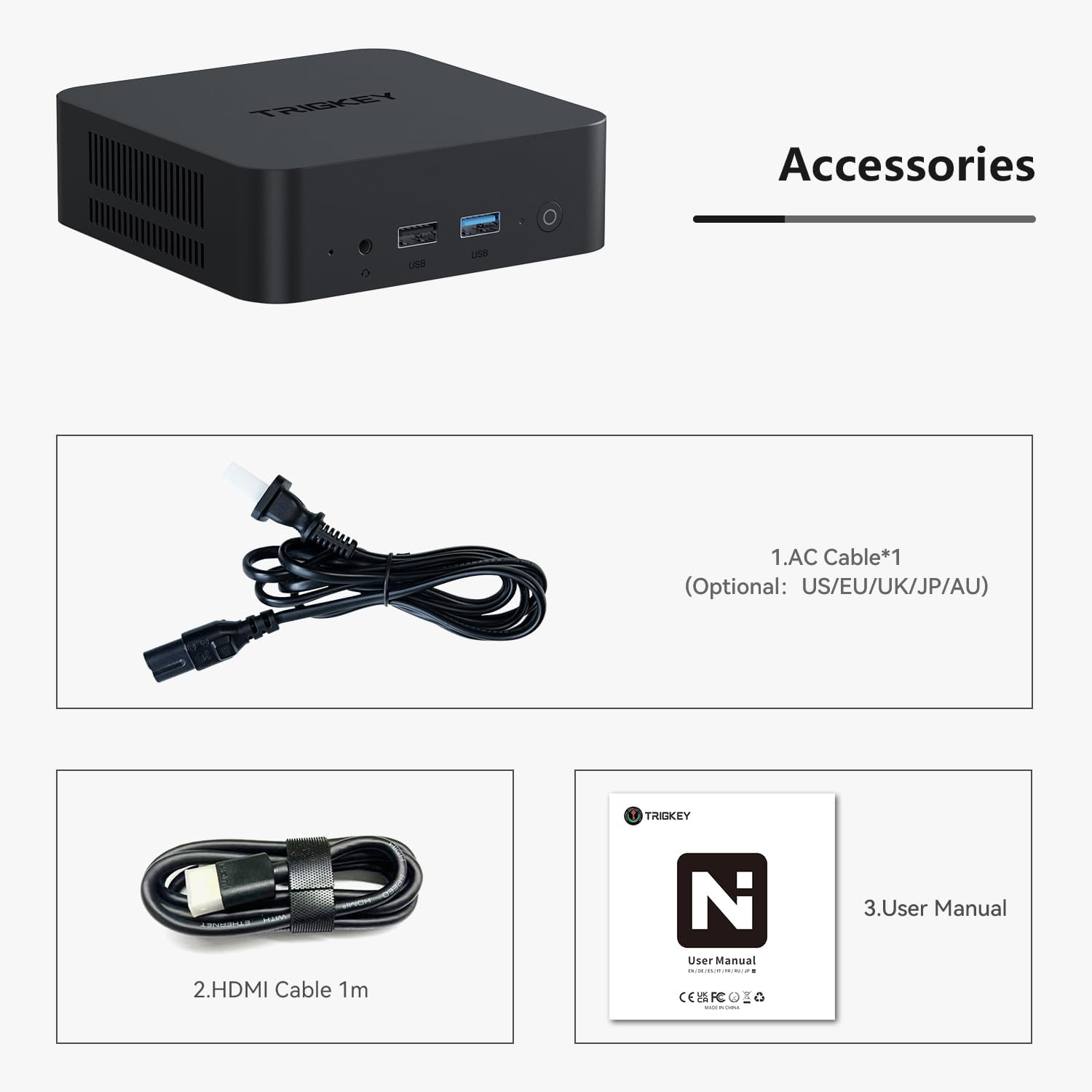
Figure 2: Included accessories: AC power cable, HDMI cable, and user manual.
ร่างกายเกินview และท่าเรือ
Familiarize yourself with the various ports and components of your Mini PC:

รูปที่ 3: ระยะใกล้ view of the Mini PC's ports, including AC power, USB, LAN, and HDMI.
- แผงด้านหน้า: Power button, USB 3.2 ports, 3.5mm Audio Jack.
- แผงด้านหลัง: AC Power input, USB 3.2 ports, LAN (Ethernet) ports, HDMI ports.
- แผงด้านข้าง: Ventilation grilles for cooling.

Figure 4: Diagram illustrating internal components like the Intel Alder Lake N95 Processor, dual PCIe SSD slots, DDR4 RAM, and connectivity features like Bluetooth 5.0, WiFi 5, and Gigabit Ethernet.
คู่มือการติดตั้ง
การตั้งค่าเริ่มต้น
- เชื่อมต่อกับพลังงาน: Plug the AC cable into the Mini PC's AC input and then into a power outlet.
- เชื่อมต่อกับจอแสดงผล: Use the provided HDMI cable to connect the Mini PC to your monitor or TV. The Mini PC supports dual HDMI displays.
- เชื่อมต่ออุปกรณ์ต่อพ่วง: Connect your keyboard, mouse, and any other USB devices to the available USB ports.
- เปิดเครื่อง: กดปุ่มเปิด/ปิดที่แผงด้านหน้าเพื่อเปิดใช้งานมินิพีซี
- การตั้งค่า Windows เริ่มต้น: ปฏิบัติตามคำแนะนำบนหน้าจอเพื่อดำเนินการติดตั้ง Windows 11 Pro ให้เสร็จสมบูรณ์
Storage Expansion (HDD Installation)
The TRIGKEY Mini PC K-N95 supports additional storage expansion. You can install an expandable 2.5mm HDD/SSD.
Video 2: HDD Installation Tutorial. This video demonstrates the step-by-step process of installing an additional hard drive in your Mini PC.
คำแนะนำการใช้งาน
เปิด/ปิดเครื่อง
- เปิดเครื่อง: กดปุ่มเปิด/ปิดที่ด้านหน้าของมินิพีซี ไฟแสดงสถานะการทำงานจะสว่างขึ้น
- หมดแรง: To safely shut down the system, click the Windows Start button, then select "Power" and "Shut down". Do not unplug the power cable directly without shutting down the system first, as this may cause data loss or system damage.
Connecting Displays (4K Dual Screen)
The Mini PC supports up to two 4K displays simultaneously via its HDMI ports, enhancing productivity and entertainment.

Figure 5: Illustration of the Mini PC connected to dual monitors, demonstrating its multi-display capability for work and entertainment.
Connect your monitors using the HDMI cables. Windows will automatically detect the displays. You can configure display settings (extend, duplicate, etc.) via Windows Display Settings.
Network Connectivity (WiFi and Bluetooth)
Your Mini PC comes with built-in WiFi 5 and Bluetooth 5.0 for seamless wireless connectivity.

Figure 6: Visual representation of the Mini PC's built-in WiFi 5 and Bluetooth 5.0 modules, ensuring reliable networking without cable constraints.
- ไวไฟ: Access network settings in Windows to connect to your wireless network.
- บลูทูธ: Pair Bluetooth devices like keyboards, mice, or headphones through Windows Bluetooth settings.
- LAN แบบมีสาย: For a stable wired connection, plug an Ethernet cable into the LAN port on the rear panel.
การกำหนดค่าไบออส
The BIOS (Basic Input/Output System) allows for advanced configuration of your Mini PC's hardware. Accessing the BIOS is typically done by pressing a specific key during startup (e.g., Del or F2).
Video 3: BIOS Brush Tutorial. This video guides you through the process of accessing and navigating the BIOS settings of your Mini PC.
คำเตือน: Modifying BIOS settings incorrectly can lead to system instability or malfunction. Only adjust settings if you understand their function.
การซ่อมบำรุง
การทำความสะอาด
- ควรทำความสะอาดภายนอกของมินิพีซีเป็นประจำด้วยผ้าแห้งเนื้อนุ่ม
- Use compressed air to gently clear dust from the ventilation grilles to ensure optimal airflow and cooling.
- ตรวจสอบให้แน่ใจว่าอุปกรณ์ปิดอยู่และถอดปลั๊กออกก่อนทำความสะอาด
Software Updates (Windows 11)
Keeping your Windows operating system updated is crucial for security and performance.
Video 4: Mini PC W11 Update. This video provides instructions on how to update your Windows 11 operating system on the Mini PC.
Regularly check for and install Windows updates via "Settings > Windows Update".
การแก้ไขปัญหา
If you encounter issues with your TRIGKEY Mini PC, consider the following common solutions:
- ไม่มีไฟฟ้า: Ensure the power cable is securely connected to both the Mini PC and the power outlet. Try a different outlet.
- ไม่มีจอแสดงผล: Check HDMI cable connections. Ensure the monitor is powered on and set to the correct input source.
- ประสิทธิภาพการทำงานช้า: ปิดแอปพลิเคชันที่ไม่จำเป็น ตรวจสอบการอัปเดตเบื้องหลัง และตรวจสอบให้แน่ใจว่ามีการระบายอากาศที่เพียงพอ
- ปัญหาเครือข่าย: Restart your router/modem. Check WiFi settings or Ethernet cable connection.
For general troubleshooting tips and what to do if something goes wrong, refer to the video below:
Video 5: What if something goes wrong? This video offers guidance on common issues and steps to resolve them.
ข้อมูลจำเพาะทางเทคนิค
| คุณสมบัติ | ข้อมูลจำเพาะ |
|---|---|
| โปรเซสเซอร์ | Intel Alder Lake N95 (4 Cores, 4 Threads, up to 3.4GHz) |
| แรม | 8 GB DDR4 (Expandable up to 16GB DDR4 3200MHz) |
| พื้นที่จัดเก็บ | 256GB M.2 2280 PCIe SSD (Supports dual M.2 2280 PCIe SSD, Max 4TB) |
| กราฟฟิก | Intel UHD Graphics (Max 750MHz), supports dual 4K 60Hz display |
| การเชื่อมต่อแบบไร้สาย | ไวไฟ 5 (802.11ax), บลูทูธ 5.0 |
| พอร์ต | 3x USB 3.2 (10Gbps), 3x USB 2.0 (480Mbps), 1x 1000Mbps LAN, 1x 3.5mm Audio Jack, 2x HDMI, 1x AC Jack |
| ระบบปฏิบัติการ | Windows 11 Pro (ติดตั้งไว้ล่วงหน้า) |
| ขนาด | 4.53 x 4.02 x 1.61 นิ้ว |
| น้ำหนัก | 1.45 ปอนด์ |
การรับประกันและการสนับสนุน
TRIGKEY is committed to providing excellent customer service and product support.
- การรับประกัน: TRIGKEY offers a one-year return policy under reasonable circumstances, along with exchange and warranty service.
- การสนับสนุนระดับมืออาชีพ: A dedicated after-sales team is available to assist with any questions or issues regarding your Mini PC.
For further assistance, please refer to the contact information provided with your product packaging or visit the official TRIGKEY support webเว็บไซต์.


