1. บทนำ
Thank you for choosing the Faction Havoc Gel Bead Blaster. This manual provides essential information for the safe and effective operation, setup, and maintenance of your new blaster. Please read it thoroughly before use.
2. ข้อมูลด้านความปลอดภัย
คำเตือน: อันตรายจากการสำลัก - ชิ้นส่วนเล็กๆ ไม่เหมาะสำหรับเด็กอายุต่ำกว่า 3 ปี
- Always wear the provided protective eyewear when operating the blaster.
- ห้ามเล็งไปที่ดวงตาหรือใบหน้า
- Use only Faction-approved gel beads. Other projectiles may cause damage to the blaster or injury.
- Keep fingers and other body parts clear of moving parts and the firing mechanism.
- Do not modify the blaster in any way. Modifications can affect performance and safety.
- ผู้ใช้ที่มีอายุต่ำกว่า 14 ปี ควรมีผู้ใหญ่ดูแล
- Store the blaster and gel beads out of reach of small children and pets.
3. สิ่งที่รวมอยู่
Your Faction Havoc Gel Bead Blaster package includes the following items:
- ฮาวอค เจล บีด บลาสเตอร์
- แว่นตาป้องกันดวงตา
- Interactive Smart Beacon
- Beacon Stand
- 10,000 Gel Rounds (standard)
- Sample Glow-in-the-Dark Gel Beads (500 count)
- Rechargeable 7.4V - 800mAh LiPo Battery
- สายชาร์จ USB
- คู่มือการใช้งาน (เอกสารฉบับนี้)
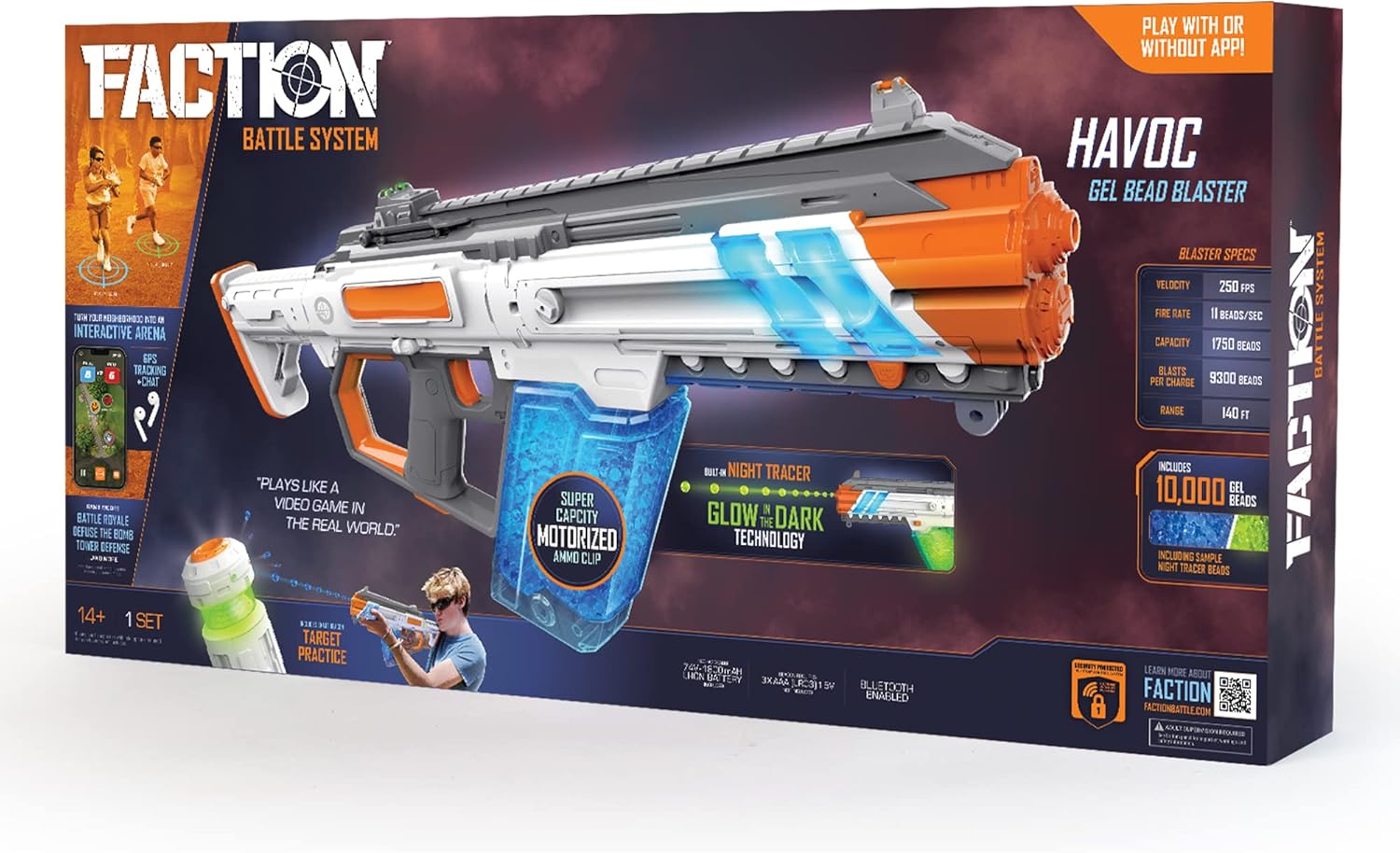
Image: All components included in the Faction Havoc Gel Bead Blaster package, laid out clearly.
4. การตั้งค่า
4.1. Hydrating Gel Beads
Gel beads require hydration before use. This process typically takes 4-6 hours.
- Empty the desired amount of gel beads into a large container.
- Add a generous amount of clean water, ensuring the beads are fully submerged.
- Allow the beads to soak for 4 to 6 hours. They should expand to approximately 7-8mm in diameter.
- Drain any excess water before loading the beads into the blaster's ammo clip.
- For glow-in-the-dark beads, ensure they are exposed to light to charge their luminescence after hydration.
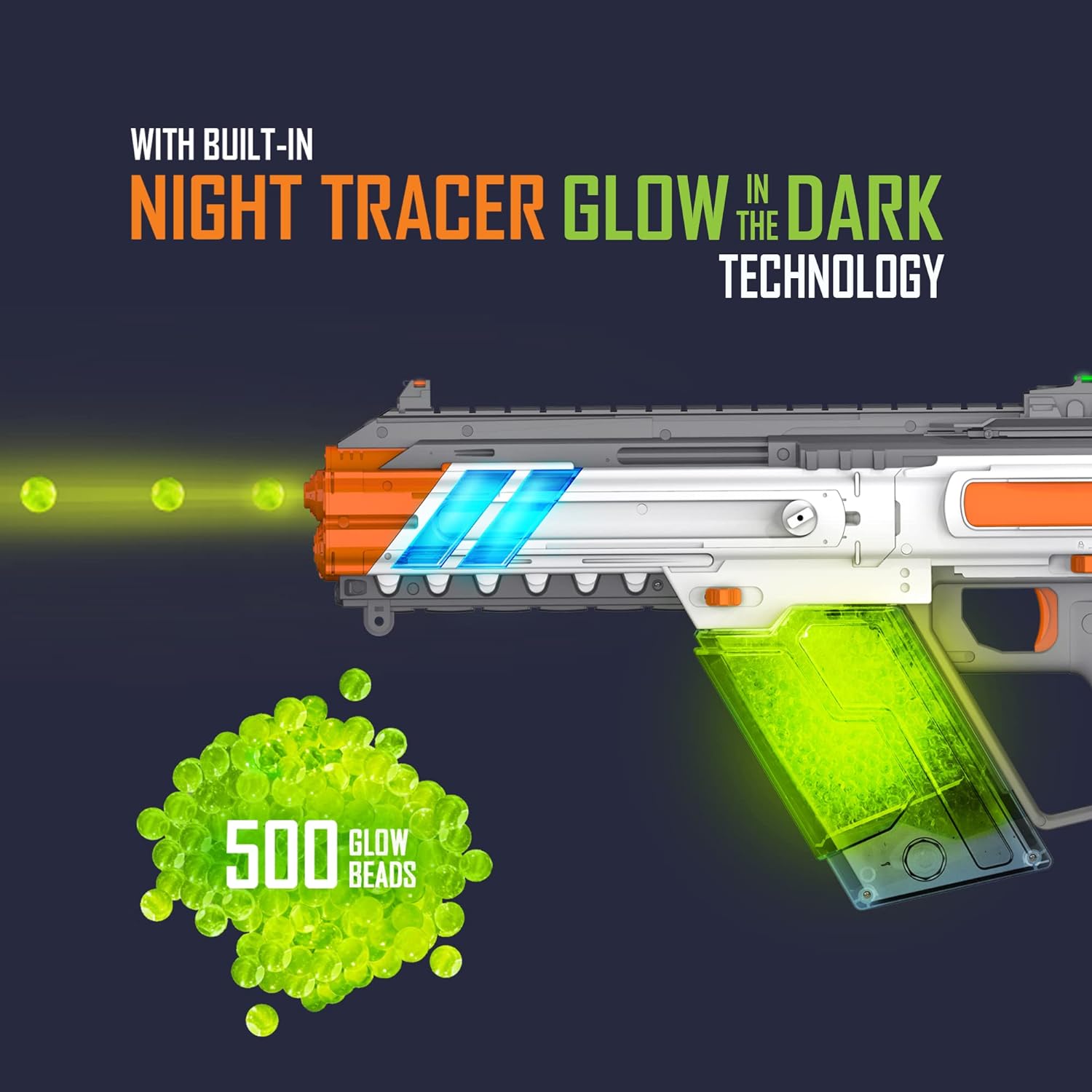
Image: A pile of 10,000 blue gel beads next to the blaster, highlighting its velocity, fire rate, capacity, blasts per charge, and range.

Image: A pile of 500 green glow-in-the-dark gel beads, with an illustration of the blaster's built-in Night Tracer technology in action.
4.2. การชาร์จแบตเตอรี่
The blaster is powered by a rechargeable LiPo battery. Ensure it is fully charged before first use.
- ค้นหาช่องใส่แบตเตอรี่บนเครื่องระเบิด
- Connect the provided USB charging cable to the battery and a compatible USB power source (e.g., computer, wall adapter).
- Charging may take several hours. The charging indicator light (if present) will change color or turn off when fully charged.
- สำคัญ: Do not overcharge the battery. Disconnect once fully charged.
4.3. Loading the Ammo Clip
The Havoc blaster features a motorized XL capacity ammo clip.
- Ensure the gel beads are fully hydrated and drained of excess water.
- Open the loading port on the ammo clip.
- Carefully pour the hydrated gel beads into the clip. The clip can hold up to 1,750 beads.
- Close the loading port securely.
- Insert the loaded ammo clip into the blaster until it clicks into place.
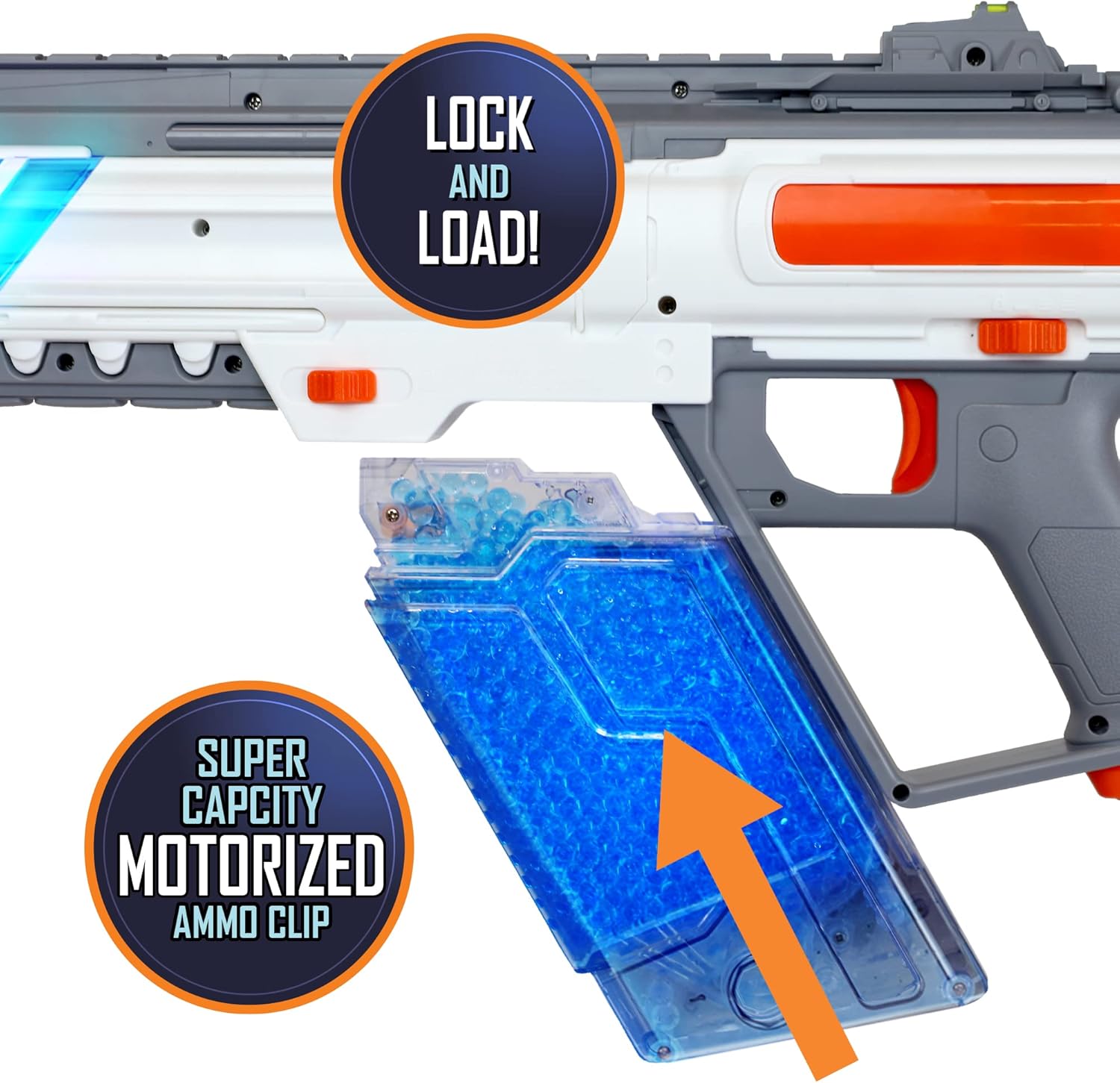
Image: Close-up of the blaster's motorized ammo clip, with an arrow indicating the direction to load gel beads, and text "LOCK and LOAD!" and "SUPER CAPACITY MOTORIZED AMMO CLIP".
4.4. App Connectivity (Optional)
The Faction Havoc Blaster can be connected to the Faction Battle System app for enhanced gameplay, but it is not required for basic operation.
- Download the "Faction Battle System" app from your device's app store (available for iOS and Android).
- ตรวจสอบให้แน่ใจว่าได้เปิดใช้งาน Bluetooth บนอุปกรณ์มือถือของคุณ
- Power on the blaster.
- Open the Faction app and follow the on-screen instructions to pair your blaster. This may involve an "unlock" process.
- The app enables features like GPS tracking, team chat, and customizable game modes.
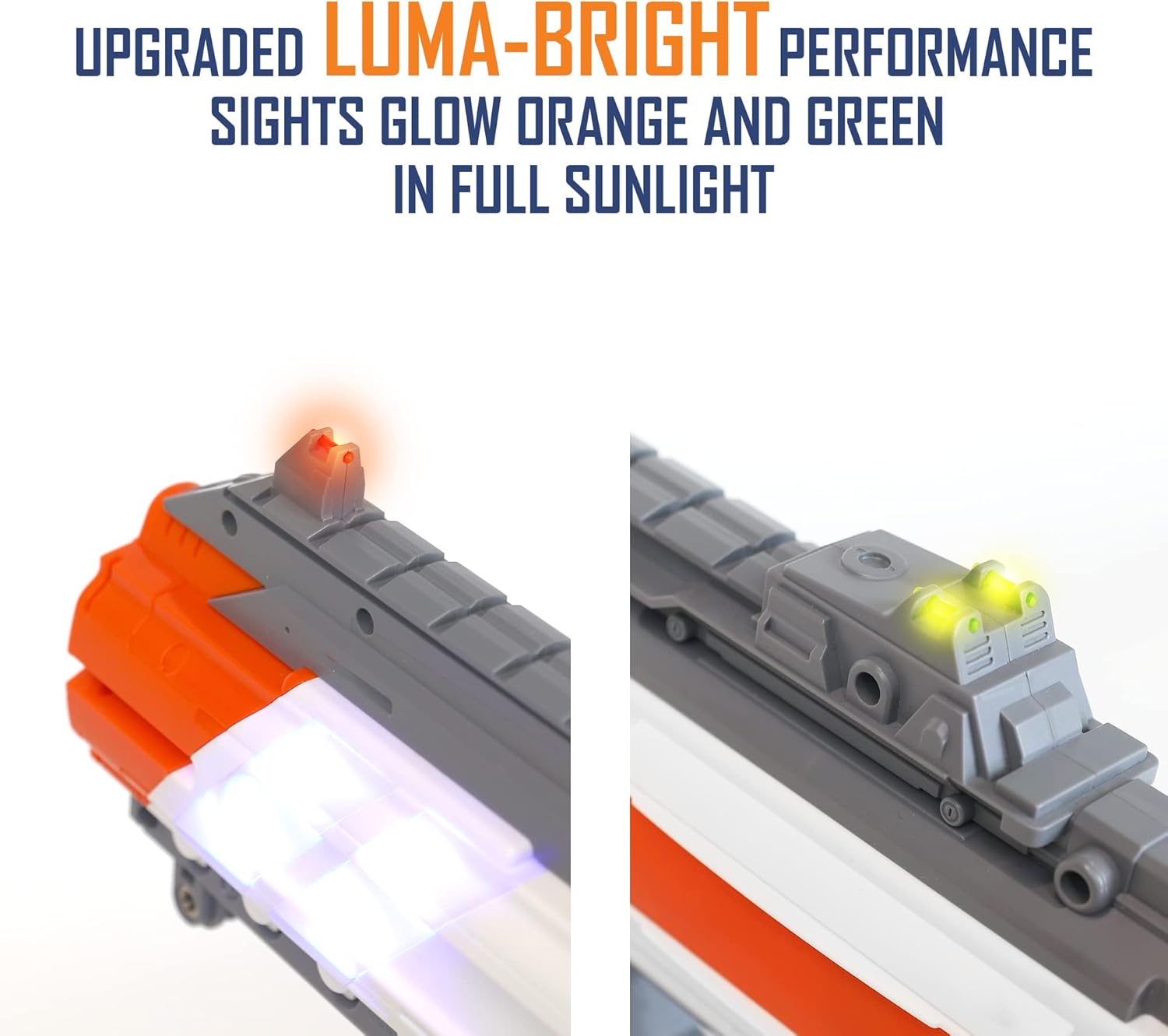
Image: Two individuals playing with Faction blasters in an outdoor setting, with a smartphone displaying the Faction Battle System app interface, showing team scores and player locations. Text indicates "PLAYS LIKE A VIDEO GAME IN THE REAL WORLD" and "BLASTER WORKS WITH OR WITHOUT APP".

Image: A diagram illustrating the Faction Battle System connectivity, showing the blaster and smart beacon connecting to a phone and the Faction cloud server. Text states "CONNECTIVITY IS NOT REQUIRED FOR USE".
5. คู่มือการใช้งาน
5.1. การเปิด/ปิดเครื่อง
Locate the power switch on the blaster. Slide it to the "ON" position to activate the blaster. Slide it to "OFF" when not in use to conserve battery.
5.2. Selecting Blasting Modes
The Havoc blaster offers three distinct blasting modes:
- ไฟเดี่ยว: Fires one gel bead per trigger pull.
- ระเบิด: Fires a short burst of gel beads per trigger pull.
- อัตโนมัติเต็มรูปแบบ: Continuously fires gel beads as long as the trigger is held down.
Use the mode selector switch (refer to the blaster diagram) to cycle between these modes. The selector may not align perfectly with the labels, but the function is clear.
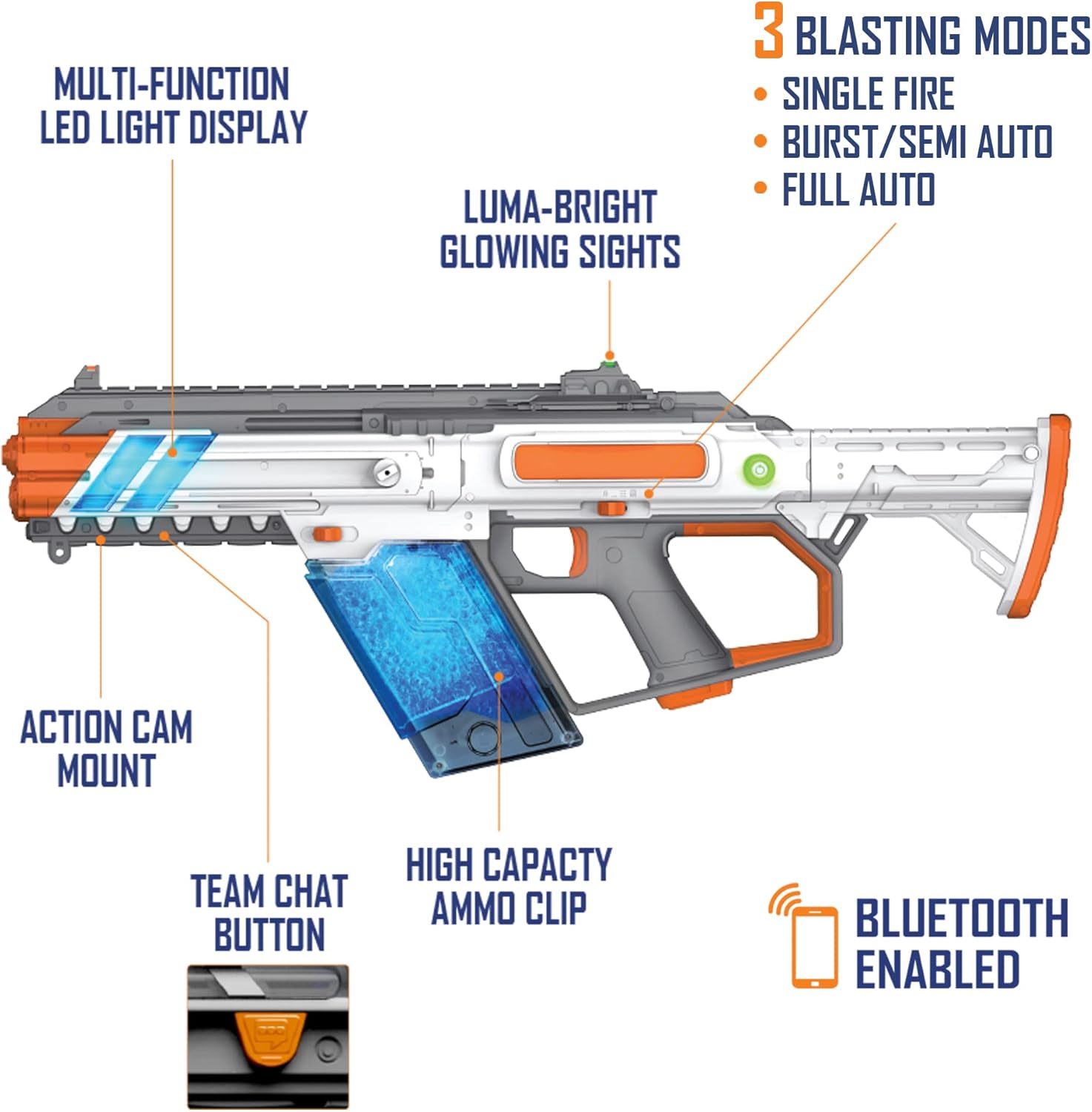
Image: A detailed diagram of the Faction Havoc Gel Bead Blaster, pointing out features such as Multi-Function LED Light Display, Luma-Bright Glowing Sights, Action Cam Mount, Team Chat Button, High Capacity Ammo Clip, and Bluetooth Enabled. It also highlights the three blasting modes: Single Fire, Burst/Semi Auto, and Full Auto.
5.3. Using Luma-Bright Sights
The Luma-Bright sights are designed for precision aiming, glowing orange and green in full sunlight for improved visibility.
ภาพ: ระยะใกล้ views of the front and rear Luma-Bright sights on the Faction Havoc Blaster, showing their orange and green glow in daylight conditions.
5.4. Night Tracer Technology
The built-in Night Tracer technology illuminates glow-in-the-dark gel beads as they exit the blaster, creating a visible tracer effect in low-light conditions. Use the included sample glow-in-the-dark beads for this feature.
5.5. Interactive Smart Beacon
The included Smart Beacon can be used for target practice or as an objective in app-enabled games.
- Assemble the beacon stand and place the Smart Beacon on top.
- Power on the beacon.
- Connect the beacon to the Faction app via Bluetooth.
- Select "Target Practice" or a game mode that utilizes the beacon within the app. The beacon features multicolor LEDs and hit detection.

Image: The Interactive Smart Beacon on its stand, with an inset showing a user shooting at it. A smartphone screen displays the "Target Practice" interface from the Faction app, showing hits and reaction time.

Image: Three panels illustrating different game objectives using the Smart Beacon: "A FLAG TO CAPTURE" (player picking up beacon), "A BOMB TO DEFUSE" (app interface with a puzzle), and "A TOWER TO DEFEND" (player aiming at beacon).
6. การบำรุงรักษา
6.1. การทำความสะอาด
- After each use, ensure the ammo clip and blaster are clear of any remaining gel beads. Dried gel beads can cause jams and damage.
- Wipe down the exterior of the blaster with a clean, damp เช็ดทำความสะอาดด้วยผ้า ห้ามจุ่มปืนลงในน้ำ
- Periodically check the barrel for obstructions and clear them carefully.
6.2. การดูแลแบตเตอรี่
- Always use the provided charging cable and battery.
- อย่าปล่อยให้แบตเตอรี่ชาร์จโดยไม่มีใครดูแล
- If the blaster will not be used for an extended period, store the battery with a partial charge (around 50%) to prolong its lifespan.
- If you notice any swelling, leakage, or unusual heat from the battery, discontinue use immediately and dispose of it properly according to local regulations.
6.3. การจัดเก็บ
- Store the blaster in a cool, dry place, away from direct sunlight and extreme temperatures.
- Remove the battery from the blaster if storing for long periods.
- Keep hydrated gel beads in an airtight container to prevent them from drying out.
7 การแก้ไขปัญหา
| ปัญหา | สาเหตุที่เป็นไปได้ | สารละลาย |
|---|---|---|
| Blaster not firing or firing weakly | Low battery; Gel beads not hydrated properly; Jammed barrel/feed mechanism; Ammo clip not inserted correctly. | Charge the battery; Ensure gel beads are fully hydrated (4-6 hours); Clear any jams from the barrel or feed; Re-insert ammo clip securely. |
| Gel beads breaking or not feeding | Gel beads are too dry or over-hydrated; Incorrect gel bead size; Obstruction in the feed mechanism. | Ensure gel beads are hydrated for the correct duration (4-6 hours); Use Faction-approved gel beads; Clear any obstructions. |
| Blaster not connecting to app | Bluetooth off; App not updated; Blaster not powered on; Interference. | Ensure Bluetooth is enabled on your device; Update the Faction app to the latest version; Power on the blaster; Try connecting in a different location away from other wireless devices. |
| Smart Beacon not responding | Beacon not powered on; Low beacon battery; Not connected to app. | Ensure beacon is powered on; Check beacon battery and replace/recharge if necessary; Connect beacon to the Faction app. |
8. ข้อมูลจำเพาะ
- แบบอย่าง: 18587
- ขนาดสินค้า : 23.5 x 3 x 11.5 นิ้ว
- น้ำหนักสินค้า: 4.9 ปอนด์
- อายุที่แนะนำของผู้ผลิต: 14 ปีขึ้นไป
- แบตเตอรี่: 1 Lithium Polymer battery (7.4V - 800mAh), included
- Gel Bead Velocity: Over 250 FPS (Feet Per Second)
- Fire Rate: Up to 12 beads/second
- Ammo Clip Capacity: ลูกปัด 1,750 เม็ด
- การเชื่อมต่อ: Bluetooth enabled for Faction Battle System app
- คุณสมบัติ: Night Tracer Technology, Luma-Bright Sights, 3 Blasting Modes (Single, Burst, Full Auto), Interactive Smart Beacon compatibility.
9. การรับประกันและการสนับสนุน
For warranty information, technical support, or replacement parts, please contact Faction Battle System customer service. Refer to the product packaging or the official Faction Battle System webเว็บไซต์นี้ใช้สำหรับตรวจสอบรายละเอียดการติดต่อล่าสุด
ผู้ผลิต: Skyrocket Toys, LLC


