1. สินค้าหมดview
The FITORCH V10 is a compact and powerful Everyday Carry (EDC) flashlight designed for versatile use. It features a high-brightness main LED, multi-color side lights including UV, red, green, and blue, and a magnetic tail cap. This manual provides instructions for safe and effective operation.

Image 1.1: FITORCH V10 EDC Flashlight, showing the device, a USB-C charging cable, and a keyring. The flashlight is compact and features two main light emitters and side lights.

ภาพที่ 1.2: จบแล้วview of FITORCH V10 features, including high brightness, beeping warning, multi-source sidelights, USB-C charging, magnetic adsorption, and mini portable design.
2. เนื้อหาบรรจุภัณฑ์
ตรวจสอบว่ามีรายการทั้งหมดอยู่ในแพ็คเกจ:
- 1 x FITORCH V10 EDC Flashlight
- สายชาร์จ 1 x USB-C
- แหวนกุญแจ 1 x
- 1 x คู่มือผู้ใช้ (เอกสารนี้)
3. การตั้งค่าและการชาร์จ
3.1 การชาร์จเริ่มต้น
Before first use, fully charge the flashlight. The FITORCH V10 features a built-in 1000mAh rechargeable battery.
- ค้นหาพอร์ตชาร์จ USB-C บนอุปกรณ์
- เชื่อมต่อสาย USB-C ที่ให้มากับไฟฉายและแหล่งจ่ายไฟ USB ที่ใช้งานร่วมกันได้ (เช่น คอมพิวเตอร์ อะแดปเตอร์ติดผนัง)
- ขณะกำลังชาร์จ ไฟสีแดงจะกะพริบ
- เมื่อชาร์จเต็มแล้ว ไฟแสดงสถานะจะเปลี่ยนเป็นสีเขียวค้าง
Charging time is approximately 120-180 minutes (2-3 hours).

Image 3.1: Illustration of the FITORCH V10's internal 1000mAh built-in battery, highlighting its capacity for extended use.

Image 3.2: The bottom right panel shows the USB-C charging port and the indicator lights: red flashing for charging, green solid for full charge.
4. คู่มือการใช้งาน
The FITORCH V10 features two main buttons: a Power button (left) and a Mode button (right).
4.1 การใช้งานไฟหลัก
The main light provides up to 1000 lumens of brightness with multiple modes.
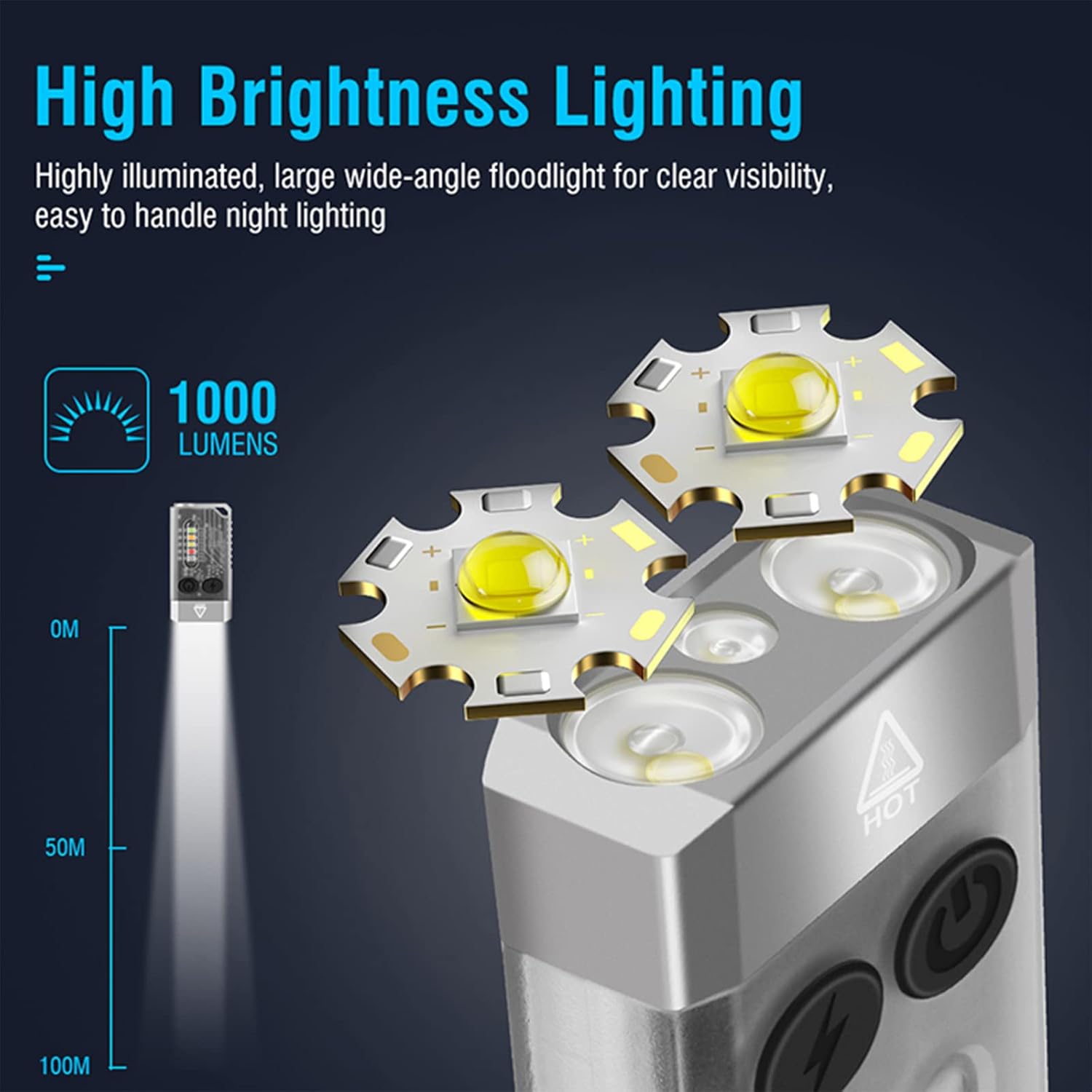
Image 4.1: Illustration of the FITORCH V10's high brightness main light, capable of 1000 lumens and projecting light up to 100 meters.
- เปิด/ปิด: Double-click the Power button to turn the main light ON. Long press the Power button to turn it OFF.
- สลับโหมด: While the main light is ON, click the Power button to cycle through High, Medium, Low, and Economic modes.
- โหมดเทอร์โบ: Long press the Power button from any state to activate Turbo mode. Release the button to turn off Turbo mode.
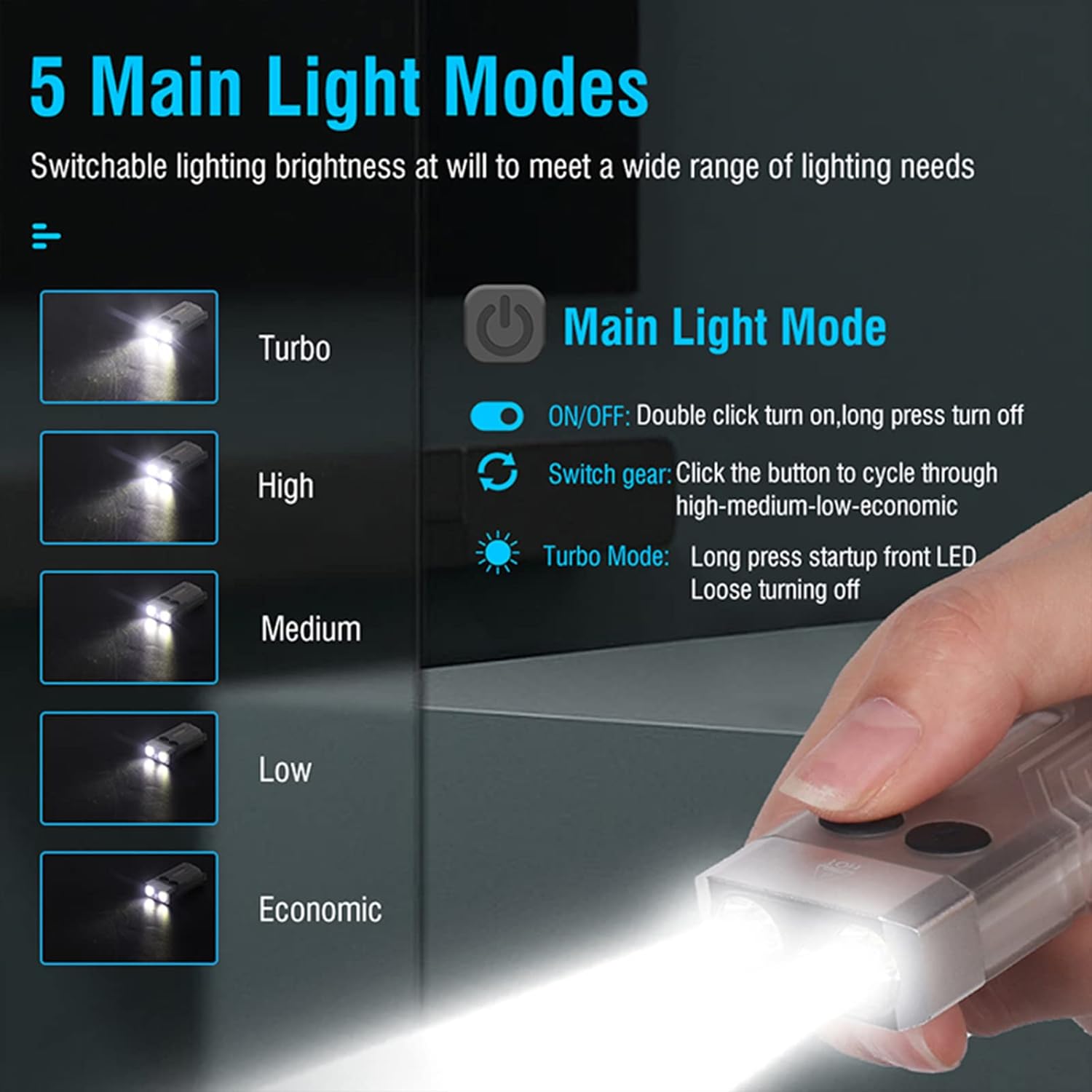
Image 4.2: Diagram illustrating the 5 main light modes (Turbo, High, Medium, Low, Economic) and their activation methods using the Power button.
4.2 Side Light Operation
The side lights offer various colors and functions, including UV light.
- เปิด/ปิด: Double-click the Mode button to turn the side light ON. Long press the Mode button to turn it OFF.
- สลับโหมด: While the side light is ON, click the Mode button to cycle through White, Warm, Green, Red, Blue, Red Flash, Red & Blue Flash.
- โหมดยูวี: Triple-click the Mode button from any state to enter UV mode.

Image 4.3: Diagram illustrating the multi-source sidelights (White, Warm, Green, Red, Blue, Red Flash, Red & Blue Strobe, UV Light) and their activation methods using the Mode button.

ภาพที่ 4.4: อดีตamples of 365nm UV light applications, including money inspection, antique appraisal, fluorescent agent detection, and treasure hunt.
4.3 ฟังก์ชั่นปลุก
The flashlight includes an 80dB beeping alarm with flashing red and blue lights.
- เปิดใช้งานการเตือน: Triple-click the Power button from any state to activate the alarm (beeping + red and blue flashing).
- ปิดใช้งานการปลุก: Long press the Power button to turn off the alarm.
4.4 Magnetic Tail Cap
The FITORCH V10 features a magnetic tail cap for convenient attachment to metal surfaces, allowing for hands-free operation.
Image 4.5: The top left panel shows the FITORCH V10 attached to a metal surface via its magnetic tail cap, illuminating an engine bay.
5. การบำรุงรักษา
5.1 การทำความสะอาด
- เช็ดตัวไฟฉายด้วยผ้านุ่มๆamp ผ้า.
- ห้ามใช้น้ำยาทำความสะอาดที่มีฤทธิ์กัดกร่อนหรือตัวทำละลาย
- รักษาพอร์ตชาร์จให้ปราศจากฝุ่นและเศษขยะ
5.2 พื้นที่จัดเก็บ
- เก็บไฟฉายไว้ในที่แห้งและเย็น หลีกเลี่ยงแสงแดดโดยตรง
- สำหรับการเก็บรักษาในระยะยาว ควรชาร์จแบตเตอรี่ให้มีระดับประมาณ 50% ทุกๆ 3-6 เดือน เพื่อรักษาสภาพแบตเตอรี่ให้ใช้งานได้ดี
5.3 การดูแลแบตเตอรี่
- หลีกเลี่ยงการทำให้แบตเตอรี่หมดจนหมดบ่อยๆ
- ใช้เฉพาะสาย USB-C ที่ให้มาหรือสายที่ได้รับการรับรองเทียบเท่าสำหรับการชาร์จ
- อย่าพยายามเปลี่ยนแบตเตอรี่ในตัว
6 การแก้ไขปัญหา
- ไฟฉายไม่ติด:
- ตรวจสอบให้แน่ใจว่าแบตเตอรี่ชาร์จเต็มแล้ว เสียบปลั๊กเข้ากับแหล่งจ่ายไฟและตรวจสอบไฟแสดงสถานะการชาร์จ
- Verify correct operation: Double-click the Power button for the main light, double-click the Mode button for side lights.
- แสงสว่างไม่เพียงพอ:
- แบตเตอรี่อาจจะใกล้หมด ชาร์จไฟฉายใหม่
- ตรวจสอบให้แน่ใจว่าเลนส์สะอาดและไม่มีสิ่งกีดขวาง
- Flashlight gets warm during use:
- It is normal for high-power LED flashlights to generate heat, especially in Turbo or High modes. This is a normal operating characteristic.
- If the flashlight becomes excessively hot, reduce the brightness mode or turn it off to allow it to cool.
- การชาร์จไม่ทำงาน:
- Check the USB-C cable for damage and ensure it is properly connected to both the flashlight and the power source.
- ลองใช้สาย USB-C หรืออะแดปเตอร์ไฟอื่น
- ตรวจสอบให้แน่ใจว่าช่องเสียบชาร์จสะอาด
7. ข้อมูลจำเพาะ
| คุณสมบัติ | รายละเอียด |
|---|---|
| แบบอย่าง | วี10 |
| ยี่ห้อ | ฟิตเตอร์ช |
| วัสดุ | โลหะผสมอลูมิเนียม |
| ประเภทแหล่งกำเนิดแสง | นำ |
| ความสว่าง | ถึง 1000 ลูเมนส์ |
| ความจุของแบตเตอรี่ | 1000mAh (Built-in Rechargeable) |
| อินเตอร์เฟซการชาร์จ | ยูเอสบี-ซี |
| ปริมาณการชาร์จtage | 4.5V-5V |
| เวลาในการชาร์จ | 120-180 นาที |
| ขนาดสินค้า | 2.6" x 1.3" x 0.6" (66 มม. x 33 มม. x 15 มม.) |
| น้ำหนักสินค้า | 1.76 ออนซ์ (50 กรัม) |
| ความต้านทานต่อน้ำ | IPX4 (กันน้ำกระเด็น) |
| คุณสมบัติพิเศษ | UV Light, Red/Green/Blue Side Lights, Magnetic Tail, Alarm Function |
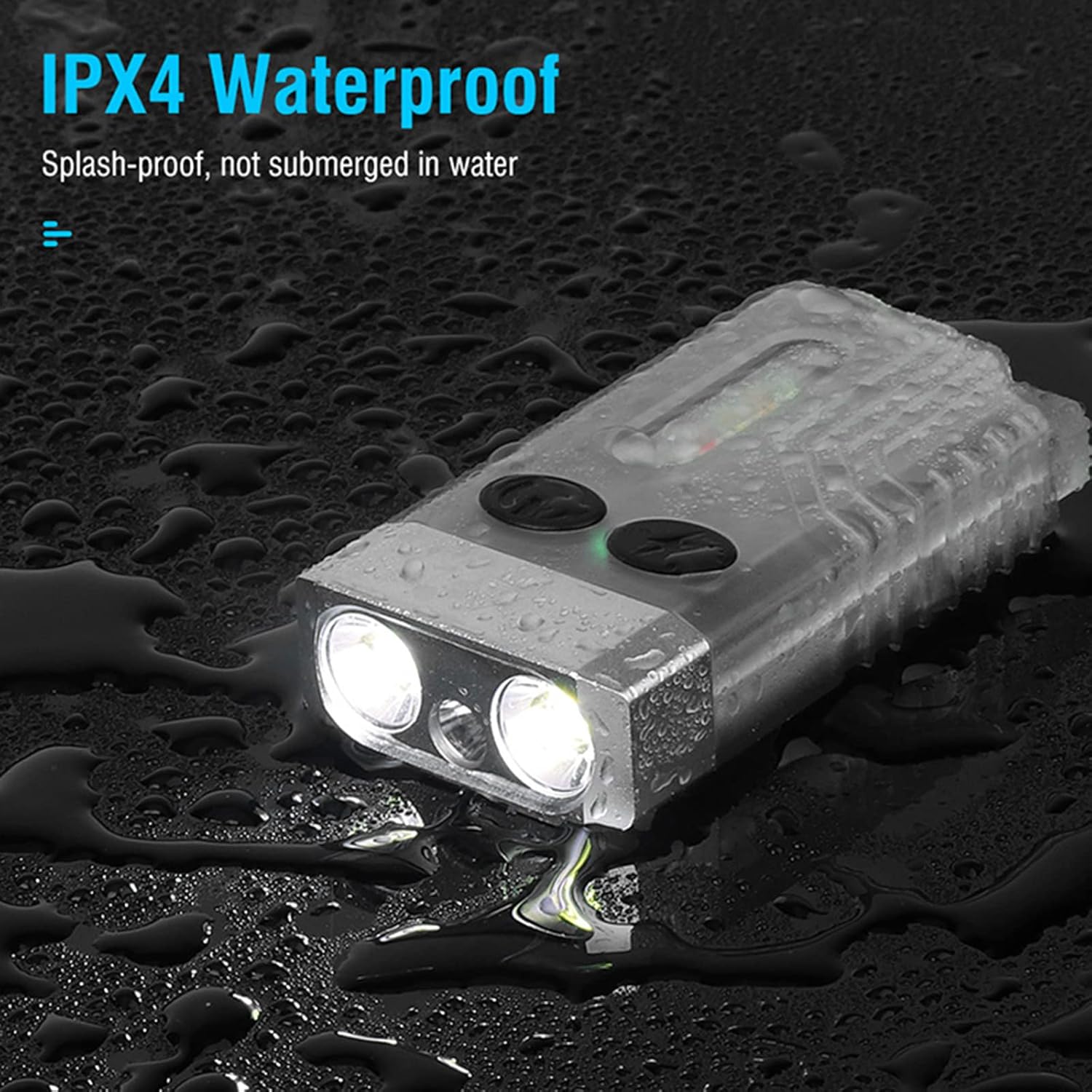
Image 7.1: The FITORCH V10 demonstrating its IPX4 splash-proof water resistance, indicating it is protected against water splashes from any direction.
8. การรับประกันและการสนับสนุน
FITORCH products are manufactured to high-quality standards. For warranty information or technical support, please refer to the official FITORCH webเว็บไซต์หรือติดต่อร้านค้าปลีกของคุณ
โปรดเก็บหลักฐานการซื้อของคุณไว้เพื่อเรียกร้องการรับประกัน


