1. สินค้าหมดview
The LXJTHT Android Auto Wireless Adapter is designed to convert your car's existing wired Android Auto system into a wireless one. This allows for a more convenient and clutter-free driving experience, enabling you to access your Android Auto features such as navigation, music, and calls without needing to physically connect your phone via a USB cable.
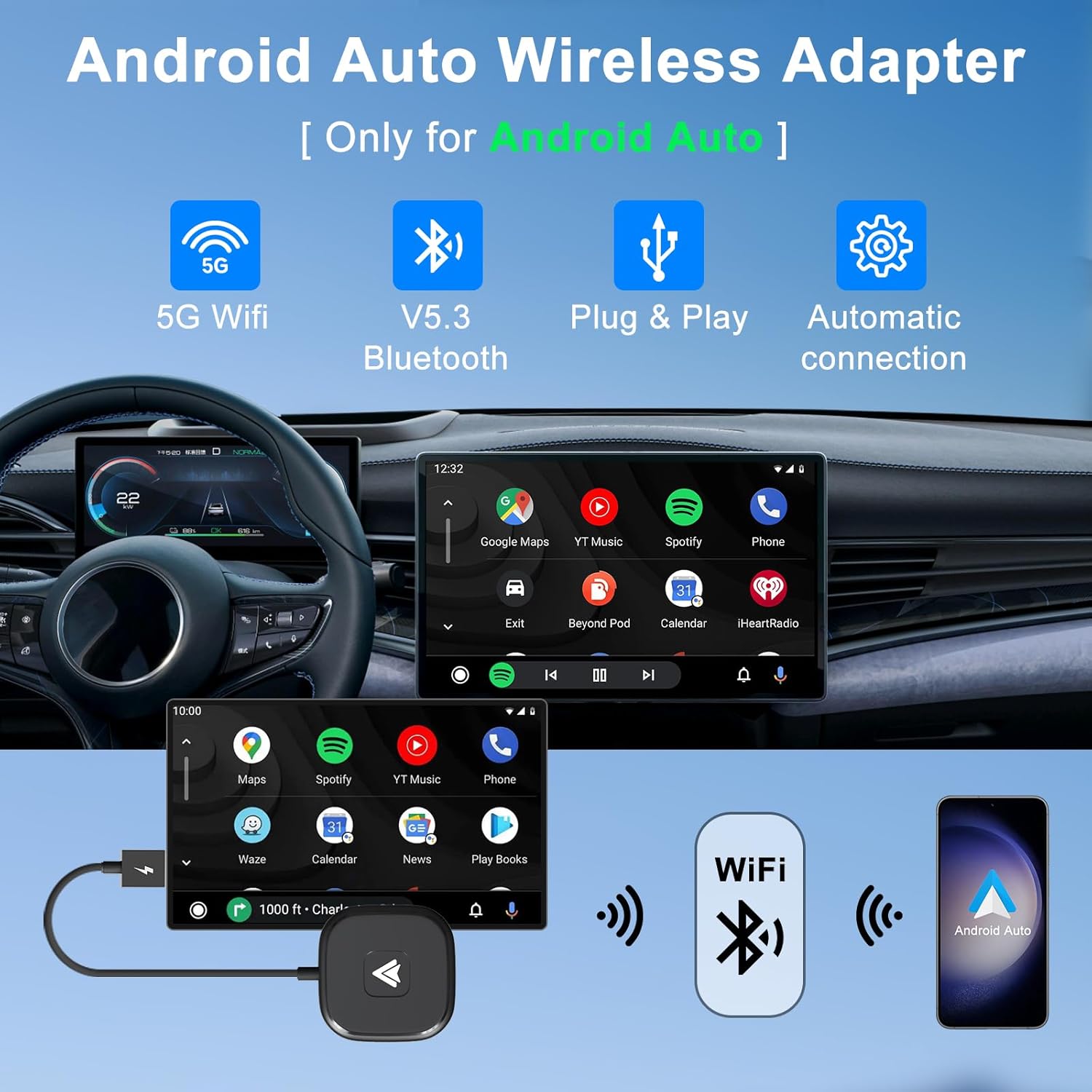
Image: The LXJTHT Android Auto Wireless Adapter highlighting its key features: 5G WiFi, Bluetooth 5.3, Plug & Play functionality, and automatic connection.
2. คุณสมบัติหลัก
- การเชื่อมต่อไร้สาย: Say goodbye to annoying wired connections with our easy-to-use Wireless Android Car Adapter, the official latest version in 2025.
- Full Android Auto Functionality: Enjoy complete Android Auto functions while maintaining your car's original operations such as navigation planning, music playing, news updates, and more.
- ประสิทธิภาพที่มั่นคง: The Android Auto wireless adapter has a built-in 5.8Ghz chip, which provides fast and stable connections for your Android phone and car through Bluetooth and 5GHz WiFi modules, speeding up heat dissipation and making it more durable and stable.
- ปลั๊กแอนด์เพลย์: Our wireless Android Auto dongle is Plug and Play, simply plug it into your car's USB or Type C port and connect to your phone's Bluetooth and Wi-Fi for an instant upgrade to your infotainment system.
- เข้ากันได้สากล: Android Auto wireless adapter is compatible with more than 1000+ car models and supports various functions such as voice control, Google Assistant, phone calls, maps, music apps and messages.

Image: Depiction of the adapter's advanced 5G technology ensuring stable, fast, and lag-free connections.
3. เนื้อหาบรรจุภัณฑ์
Your LXJTHT Android Auto Wireless Adapter package includes the following items:
- อะแดปเตอร์ไร้สาย LXJTHT Android Auto
- อะแดปเตอร์ USB-A เป็น USB-C

Image: The LXJTHT Android Auto Wireless Adapter with its included USB-C adapter.
4. ความเข้ากันได้
ความเข้ากันได้ของรถยนต์
This adapter is compatible with over 1000+ car models that come with factory-wired Android Auto. Please ensure your vehicle supports wired Android Auto before purchase. For a detailed list of compatible vehicles, please refer to the official Android Auto compatibility webเว็บไซต์: https://www.android.com/auto/compatibility
ความเข้ากันได้ของโทรศัพท์
The adapter supports Android phones running Android 11.0 and above. Please note that Huawei phones are currently not supported.

Image: Visual guide for checking car and phone compatibility with the adapter.
5. คู่มือการติดตั้ง
Follow these simple steps to set up your LXJTHT Android Auto Wireless Adapter:
- เสียบปลั๊ก: Connect the wireless adapter to your car's USB or Type C port. Use the provided USB-A to USB-C adapter if your car has a Type C port.
- การจับคู่บลูทู ธ : บนโทรศัพท์ Android ของคุณ ให้เปิดใช้งาน Bluetooth และ Wi-Fi ค้นหา available Bluetooth devices and select the adapter (e.g., "smartBox-XXXX"). Confirm the pairing request on your phone. Ensure your phone's Wi-Fi is not occupied by another network during this process.
- Use Android Auto: Once paired, your phone will automatically connect to the adapter, and Android Auto will launch on your car's infotainment screen within 5-15 seconds.

Image: A visual representation of the three-step easy setup process for the wireless adapter.
วิดีโอสาธิตการติดตั้ง
Video: An official demonstration of the wireless car dongle, showing its compact size and simple plug-and-play setup process in a vehicle.
6. คู่มือการใช้งาน
Once connected, the LXJTHT Android Auto Wireless Adapter allows you to fully utilize your car's infotainment system with Android Auto wirelessly. All standard Android Auto features are accessible.
Accessing Android Auto Functions
- การนำทาง: Use Google Maps, Waze, or other supported navigation apps directly on your car's screen.
- ดนตรีและสื่อ: Stream music from Spotify, YouTube Music, or other audio apps.
- การโทรและข้อความ: Make and receive calls, and send/read messages using voice commands or the car's controls.
- การควบคุมด้วยเสียง: Activate Google Assistant by saying "Hey Google" or pressing the voice command button on your steering wheel to control functions hands-free.

Image: The Android Auto interface displaying various supported applications for music, calls, maps, and Google Assistant.
รักษาการควบคุมรถยนต์แบบดั้งเดิมไว้
The adapter is designed to seamlessly integrate with your car's existing control mechanisms:
- ระบบควบคุมพวงมาลัย: Use your car's steering wheel buttons to manage calls, adjust volume, and navigate menus.
- ปุ่มควบคุม OEM: Utilize your car's original equipment manufacturer (OEM) control knob for precise navigation within the Android Auto interface.
- การควบคุมหน้าจอสัมผัส: If your car has a touchscreen, you can interact with Android Auto directly by touch.

Image: Demonstrates how the adapter allows retention of original car controls including voice assistant, steering wheel, OEM knob, and touchscreen.
7. การดูแลรักษา
To ensure the longevity and optimal performance of your LXJTHT Android Auto Wireless Adapter, please follow these care guidelines:
- ให้แห้ง: Avoid exposing the adapter to water or excessive moisture.
- ทำความสะอาดอย่างอ่อนโยน: ใช้ผ้าแห้งนุ่มๆ เช็ดทำความสะอาดอะแดปเตอร์ ห้ามใช้สารเคมีรุนแรงหรือน้ำยาทำความสะอาดที่มีฤทธิ์กัดกร่อน
- หลีกเลี่ยงอุณหภูมิที่สูงหรือต่ำเกินไป: Do not expose the device to extremely high or low temperatures, as this can affect its performance and lifespan.
- จัดการด้วยความระมัดระวัง: หลีกเลี่ยงการทำตกหรือให้อะแดปเตอร์ได้รับแรงกระแทกรุนแรง
8 การแก้ไขปัญหา
If you encounter any issues with your LXJTHT Android Auto Wireless Adapter, please refer to the following common troubleshooting steps:
| ปัญหา | สารละลาย |
|---|---|
| Adapter does not connect to car/phone. |
|
| Lag or performance issues. |
|
| การตัดการเชื่อมต่อบ่อยครั้ง |
|
For more detailed troubleshooting or specific issues, please refer to the comprehensive คู่มือการใช้งาน (PDF).
9. ข้อมูลจำเพาะผลิตภัณฑ์
| ข้อมูลจำเพาะ | รายละเอียด |
|---|---|
| ยี่ห้อ | LXJTHT |
| หมายเลขรุ่น | อะแดปเตอร์รถยนต์ไร้สาย Android Auto |
| ขนาดแพ็คเกจ | 6 x 3 x 0.7 นิ้ว |
| น้ำหนักสินค้า | 1.44 ออนซ์ |
| ระบบปฏิบัติการ (OS) | แอนดรอยด์ |
| คุณสมบัติพิเศษ | บลูทูธ |
| คุณสมบัติการแสดงผลอื่น ๆ | ไร้สาย |
| ผู้ผลิต | XinCeng |
| วันที่พร้อมใช้งานครั้งแรก | วันที่ 14 มิถุนายน 2023 |
| อุปกรณ์ที่รองรับ | สมาร์ทโฟน |
| การใช้งานเฉพาะของผลิตภัณฑ์ | Streaming, Travel, Work, Gaming |
| ประเภทขั้วต่อ | USB ประเภท C |
| จำนวนพอร์ต | 1 |
10. การรับประกันและการสนับสนุน
LXJTHT is committed to providing excellent customer service and product support:
- การสนับสนุนระดับมืออาชีพ: Enjoy 7x24H professional support for any queries or assistance you may need.
- การคืนสินค้าและการแลกเปลี่ยน: We offer a 30-day return and exchange service.
- การรับประกันการบริการ: Your product is covered by a 365-day warranty service.
หากต้องการความช่วยเหลือเพิ่มเติม โปรดไปที่ LXJTHT Store on Amazon.


