1. บทนำ
This manual provides detailed instructions for the installation, configuration, and operation of your Anpviz 5MP PoE IP Camera. This camera features advanced human and vehicle detection, smart dual light color night vision, a built-in microphone, and IP67 waterproofing, making it suitable for both indoor and outdoor surveillance.
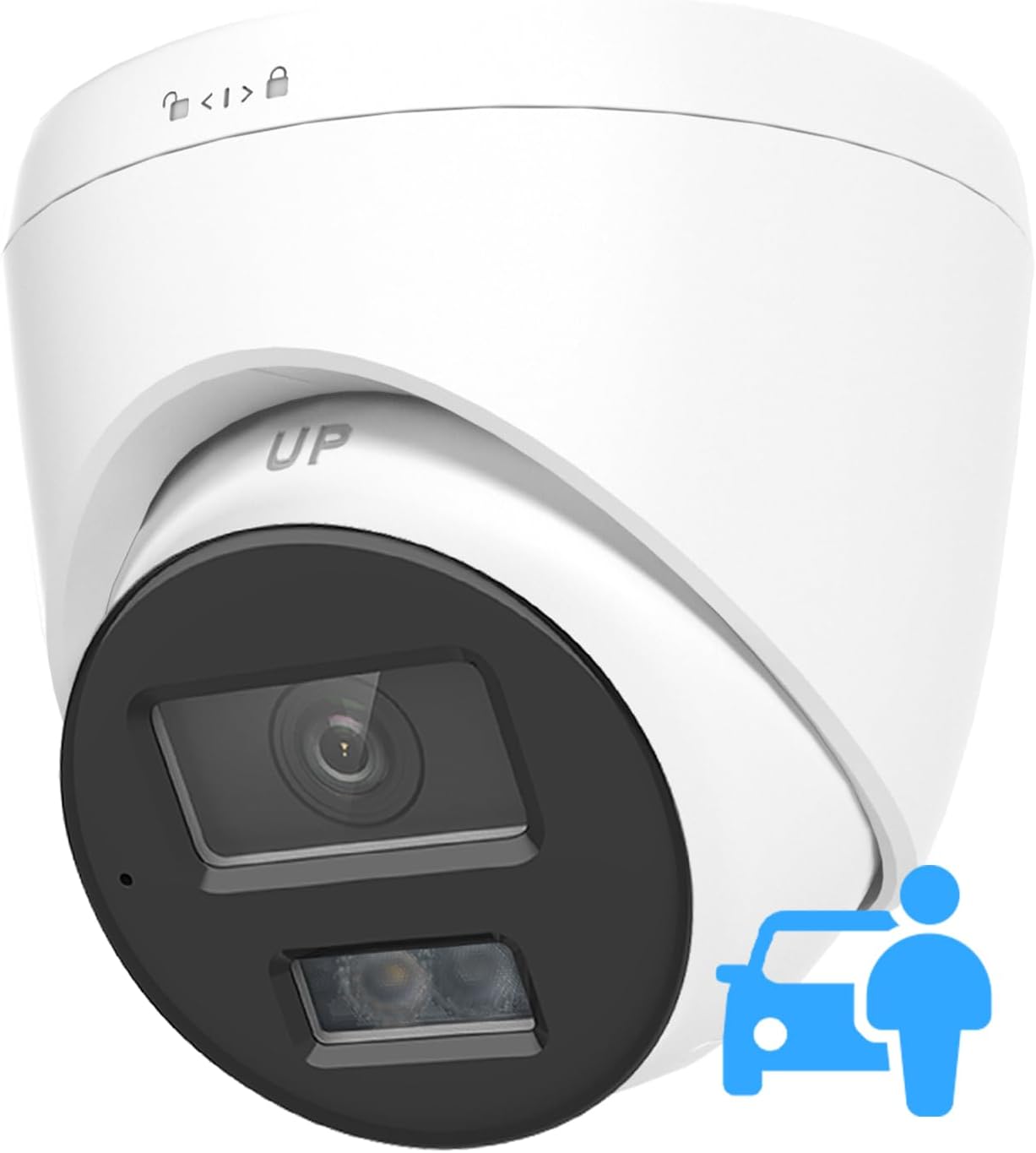
Image 1.1: Anpviz 5MP PoE IP Camera overview.
2. เนื้อหาบรรจุภัณฑ์
ตรวจสอบว่ามีรายการทั้งหมดอยู่ในแพ็คเกจ:
- 1x Anpviz 5MP PoE IP Camera
- 1x คู่มือผู้ใช้
- 1x Screw Kit for mounting
- 1x Waterproof Lid for Ethernet connection
3. คุณสมบัติหลัก
- วิดีโอความละเอียดสูง 5 ล้านพิกเซล: Captures clear and detailed images.
- การตรวจจับบุคคลและยานพาหนะ: Utilizes AI technology to accurately identify human and vehicle shapes, reducing false alarms.
- ระบบมองเห็นกลางคืนแบบสีคู่สุดอัจฉริยะ: Offers both infrared (IR) for black-and-white night vision and warm light for full-color night vision upon detection.
- ไมโครโฟนในตัว: Records audio with environmental noise filtering.
- การบีบอัดวิดีโอ H.265+: Efficiently stores more video data with reduced file ขนาด
- เลนส์มุมกว้าง 110°: Provides extensive area coverage with a 2.8mm fixed lens.
- ระดับการกันน้ำ IP67: Ensures protection against dust and water, suitable for outdoor use.
- PoE (พลังงานผ่านอีเทอร์เน็ต): ช่วยให้การติดตั้งง่ายขึ้นด้วยการจ่ายไฟและส่งข้อมูลผ่านสายอีเธอร์เน็ตเพียงเส้นเดียว
- ช่วงไดนามิกกว้าง (WDR): Balances exposure in scenes with both bright and dark areas.
4. การตั้งค่าและการติดตั้ง
4.1 การติดตั้งกล้อง
The camera supports both ceiling and wall mounting. Use the included screw kit to securely attach the camera to your desired location. Ensure the mounting surface is stable and can support the camera's weight.
4.2 การเชื่อมต่อไฟฟ้าและเครือข่าย
This camera is Power over Ethernet (PoE) compatible. Connect an Ethernet cable from a PoE switch, PoE injector, or a compatible PoE NVR directly to the camera's network port. This single cable will provide both power and data connectivity.

Image 4.1: Camera ports including Network (PoE) and optional Power input.
For non-PoE setups, a 12V DC power adapter (not included) can be used with a standard network connection to a router.

Image 4.2: Connection diagram for standalone use with PC or NVR.
4.3 การกำหนดค่าเริ่มต้น
After connecting the camera, access it via a compatible NVR (e.g., Anpviz H Series NVRs) or through a web browser (Edge, Google Chrome, Firefox) on a PC. Refer to the specific NVR or software manual for detailed configuration steps. The camera is compatible with 3rd-party NVRs and software like ISpy and Milestone.
5. การดำเนินการ
5.1 Person and Vehicle Detection
The camera's AI technology distinguishes between human and vehicle shapes and other moving objects like leaves or animals. This reduces false alarms and allows for more precise monitoring. Configure detection zones and sensitivity settings within the camera's software interface.

Image 5.1: Smart detection differentiates between humans/vehicles and other movements.
5.2 ระบบมองเห็นกลางคืนแบบสีคู่ อัจฉริยะ
The camera features both infrared (IR) and warm light sources. In low-light conditions, it typically operates in IR mode, providing clear black-and-white images. When a person or vehicle is detected, the warm lights activate, illuminating the scene for full-color video recording.

Image 5.2: Transition from IR light to white light upon detection for color night vision.
5.3 ระบบเสียงทางเดียว
The integrated microphone captures audio from the surveillance area. Environmental noise filtering enhances clarity. Audio can be monitored live and recorded alongside video footage.
5.4 Video Compression (H.265+)
The camera utilizes H.265+ compression technology, which significantly reduces video file sizes without compromising quality. This allows for longer recording times and more efficient storage usage on NVRs or SD cards (up to 256GB, not included).
5.5 ช่วงไดนามิกกว้าง (WDR)
WDR technology improves image quality in challenging lighting conditions, such as scenes with strong backlighting or areas with extreme brightness and darkness. It ensures that details are visible in both overexposed and underexposed regions of the image.

Image 5.3: Visual comparison of WDR enabled vs. disabled.
6. การบำรุงรักษา
6.1 การทำความสะอาด
Regularly clean the camera lens with a soft, dry cloth to ensure optimal image clarity. Avoid using harsh chemicals or abrasive materials.
6.2 การปกป้องสิ่งแวดล้อม
The camera has an IP67 waterproof rating, protecting it from dust and water ingress. It is designed to operate in temperatures ranging from -22°F to 140°F (-30°C to 60°C).
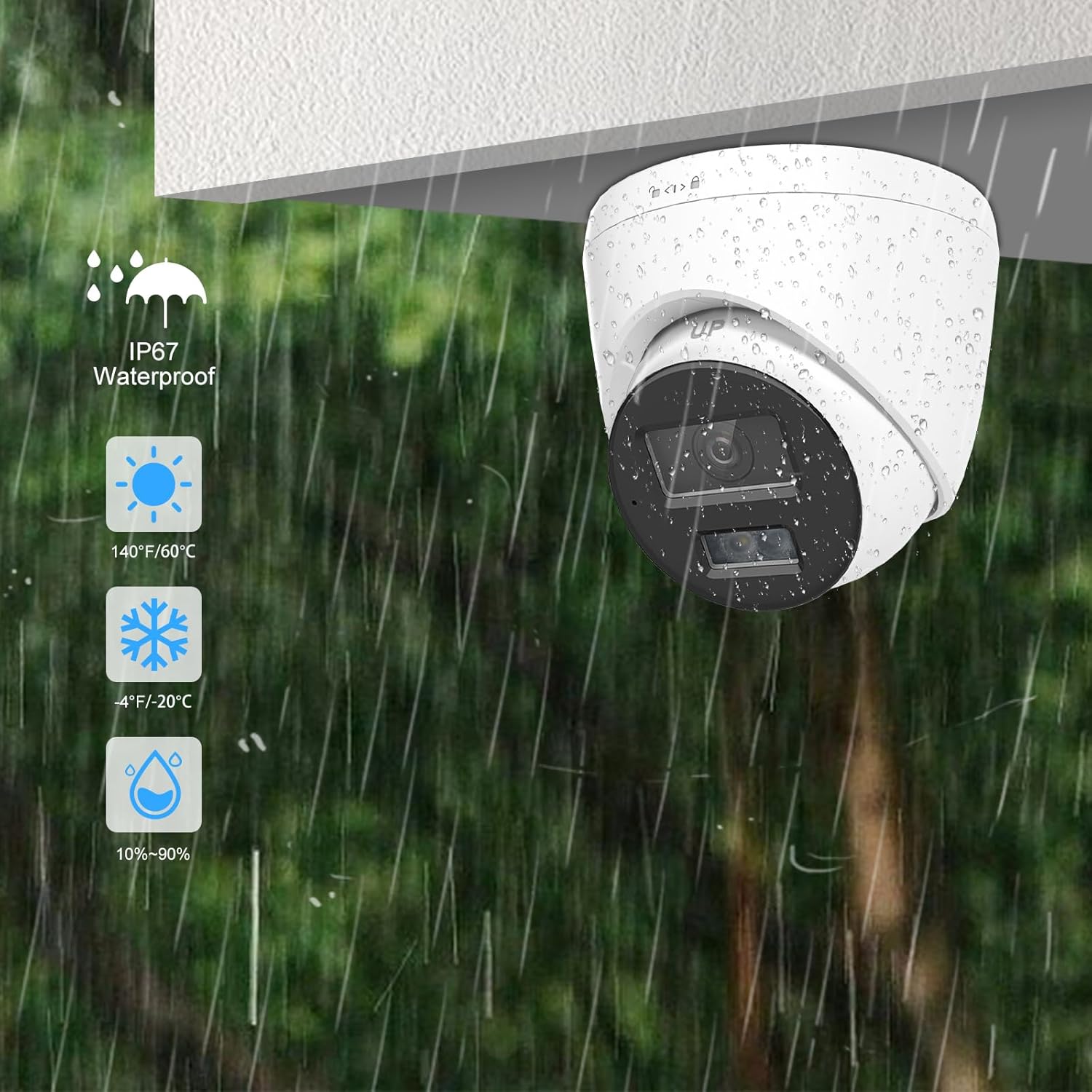
Image 6.1: Camera demonstrating IP67 waterproof capability.

Image 6.2: Operating temperature range for the camera.
7 การแก้ไขปัญหา
- ไม่มีรูปภาพ/วิดีโอ: Verify power supply and network cable connections. Ensure the camera is properly configured on your NVR or software.
- คุณภาพของภาพต่ำ: Clean the camera lens. Check network bandwidth and camera resolution settings. Ensure WDR is enabled in high-contrast scenes.
- สัญญาณเตือนที่ผิดพลาด: Adjust detection sensitivity and define specific detection zones in the camera's settings to minimize triggers from non-relevant movements.
- ไม่มีเสียง: Check microphone settings in the camera's software. Ensure the built-in microphone is enabled.
- ปัญหาการเชื่อมต่อ: Confirm network settings (IP address, gateway). Test the Ethernet cable. Ensure your NVR or software is compatible with the camera's protocol (Anpviz, ONVIF).
8. ข้อมูลจำเพาะ
| คุณสมบัติ | ข้อมูลจำเพาะ |
|---|---|
| ชื่อรุ่น | IPC-D3353WD-S(N) |
| ความละเอียดในการจับภาพวิดีโอ | 5 MP |
| เลนส์ | เลนส์คงที่ 2.8mm |
| Viewอิงแองเกิล | 110 องศา |
| ช่วงการมองเห็นตอนกลางคืน | 100 ฟุต |
| เทคโนโลยีการเชื่อมต่อ | อีเธอร์เน็ต, PoE |
| โปรโตคอลการเชื่อมต่อ | Anpviz, ONVIF |
| การใช้งานภายใน/ภายนอกอาคาร | ในร่ม, กลางแจ้ง |
| ระดับความต้านทานต่อน้ำ | กันน้ำระดับ IP67 |
| อุณหภูมิในการทำงาน | -22°F ถึง 140°F (-30°C ถึง 60°C) |
| แหล่งพลังงาน | ไฟฟ้าแบบมีสาย (PoE) |
| วัสดุ | โลหะ |
| ขนาดรายการ (ยาว x กว้าง x สูง) | 5.24 x 5.24 x 5.1 นิ้ว |
| น้ำหนักสินค้า | 1.17 ปอนด์ (0.53 กิโลกรัม) |
| อัตราเฟรม | 20 เฟรมต่อวินาที |
| คุณสมบัติพิเศษ | IP67 Waterproof, Human & Vehicle Detection, Smart Dual Light, Built-in Mic, 120dB WDR |
9. การรับประกันและการสนับสนุน
Anpviz provides a รับประกัน 2 ปี for this product, along with การสนับสนุนทางเทคนิคตลอดอายุการใช้งาน.
For any questions or issues, please contact our professional technical support team:
- 1. Amazon Seller: Contact the seller directly through your Amazon order history.
- 2. Email Support: support@anpviz.com
Support hours are typically Monday to Friday, 9:00 AM to 6:00 PM (local time).

Image 9.1: Anpviz customer support details.


