1. บทนำ
This manual provides detailed instructions for the installation, operation, and maintenance of your Ctronics 4G Indoor Surveillance Camera. This camera is designed for indoor use, offering 4G LTE connectivity, automatic tracking, color night vision, and two-way audio for comprehensive monitoring.
โปรดอ่านคู่มือนี้อย่างละเอียดก่อนใช้งานผลิตภัณฑ์ เพื่อให้มั่นใจได้ถึงการทำงานที่ถูกต้องและความปลอดภัย
2. เนื้อหาบรรจุภัณฑ์
ตรวจสอบว่ามีรายการทั้งหมดอยู่ในแพ็คเกจของคุณ:
- Ctronics 4G Indoor Surveillance Camera
- อะแดปเตอร์แปลงไฟ
- ตัวยึด
- คู่มือการใช้งาน (เอกสารนี้)
- Test SIM Card (300MB data included)

Figure 2.1: Ctronics 4G Indoor Surveillance Camera with its main components and a free SIM card.
3. คู่มือการติดตั้ง
3.1. การติดตั้งซิมการ์ด
- Locate the SIM card slot on the camera.
- Insert the provided test SIM card or your own activated 4G SIM card into the slot. Ensure the SIM card is correctly oriented.
- If using your own SIM card, ensure it is activated and the PIN request is disabled before inserting it into the camera.
- For advanced users experiencing connectivity issues with a third-party SIM, connect the camera via LAN (if available) during initial setup. Access 4G settings in the app/PC client, set APN mode to "Manual," and enter your SIM provider's APN details.

Figure 3.1: The camera highlighting its 4G LTE capability and the inclusion of a SIM card for connectivity.
3.2. เปิดเครื่อง
Connect the power adapter to the camera and plug it into a power outlet. The camera will initiate its startup sequence.
3.3. App and PC Client Installation
- Download the "Ctronics Pro" app from your smartphone's app store (iOS/Android) or the "HiP2P Client" for PC from the official Ctronics webเว็บไซต์.
- Follow the on-screen instructions to register an account and add your camera. You may need to scan a QR code on the camera or enter its UID.

Figure 3.2: The Ctronics Pro mobile application and HiP2P Client for PC, demonstrating multi-device access.
3.4. ตัวเลือกการติดตั้ง
The camera can be placed on a flat surface, mounted on a wall, or installed on a ceiling. Use the provided mounting bracket and hardware for wall or ceiling installations.

รูปที่ 3.3: อดีตamples of flexible installation options for the camera, including tabletop, wall, and ceiling mounts.
4. คู่มือการใช้งาน
4.1. สด View และการเข้าถึงระยะไกล
Once the camera is connected and added to your app/PC client, you can access the live video feed from anywhere with an internet connection. Open the Ctronics Pro app or HiP2P Client and select your camera to view สตรีมสด

Figure 4.1: Remote monitoring of the camera feed via both a laptop and a smartphone application.
4.2. การควบคุมการแพน การเอียง และการซูม (PTZ)
The camera offers 355° horizontal pan and 90° vertical tilt capabilities. Use the controls within the app or PC client to adjust the camera's viewมุมจากระยะไกล
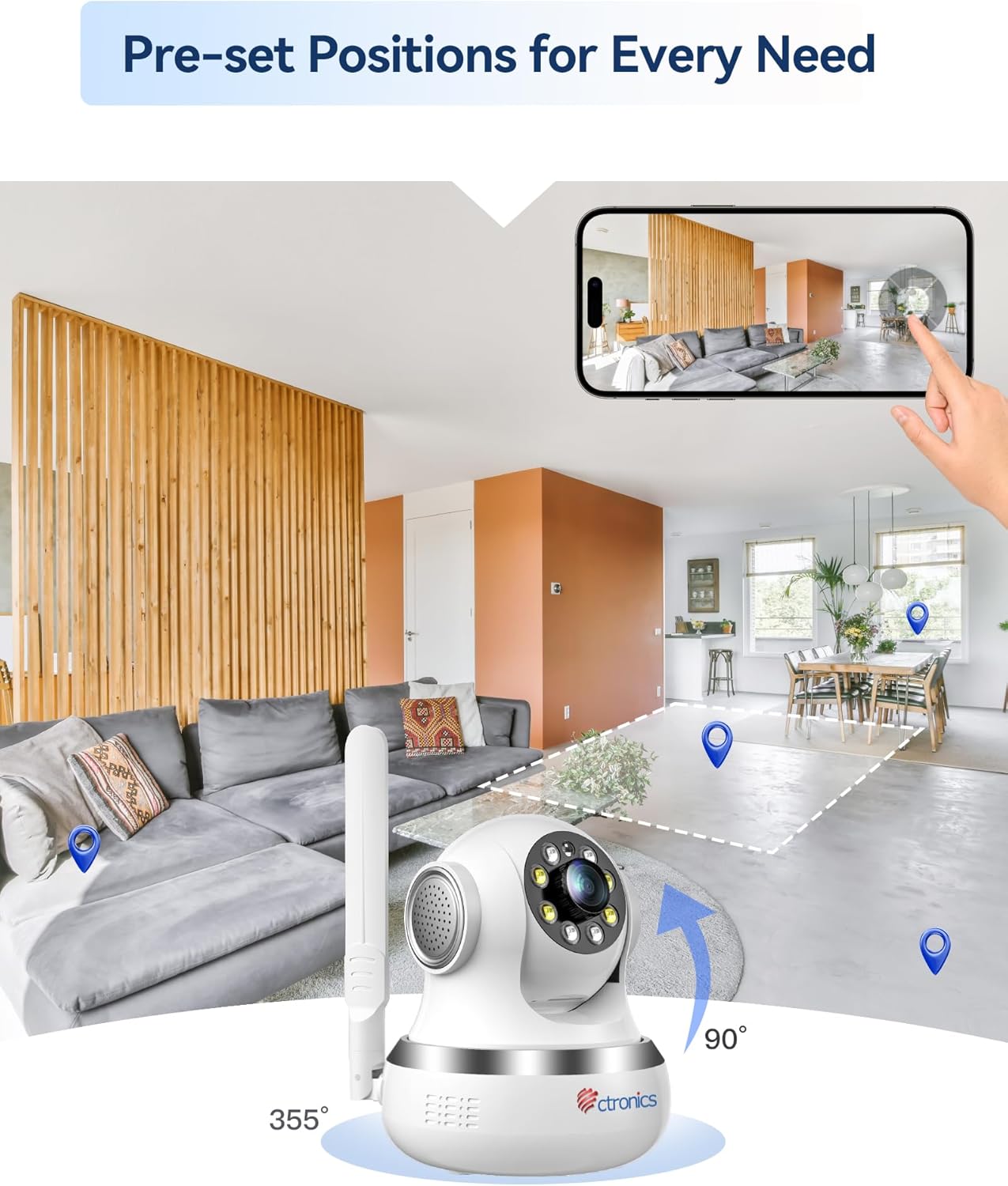
Figure 4.2: Visual representation of the camera's 355-degree horizontal rotation and 90-degree vertical tilt capabilities.
4.3. ตำแหน่งที่ตั้งไว้ล่วงหน้า
You can save up to 8 preset positions for quick navigation to specific areas. Configure these presets in the camera settings within the application.
4.4. การติดตามอัตโนมัติ
The camera features intelligent automatic tracking, allowing it to detect and follow moving subjects (people or animals) within its field of view. Enable this feature in the camera settings.
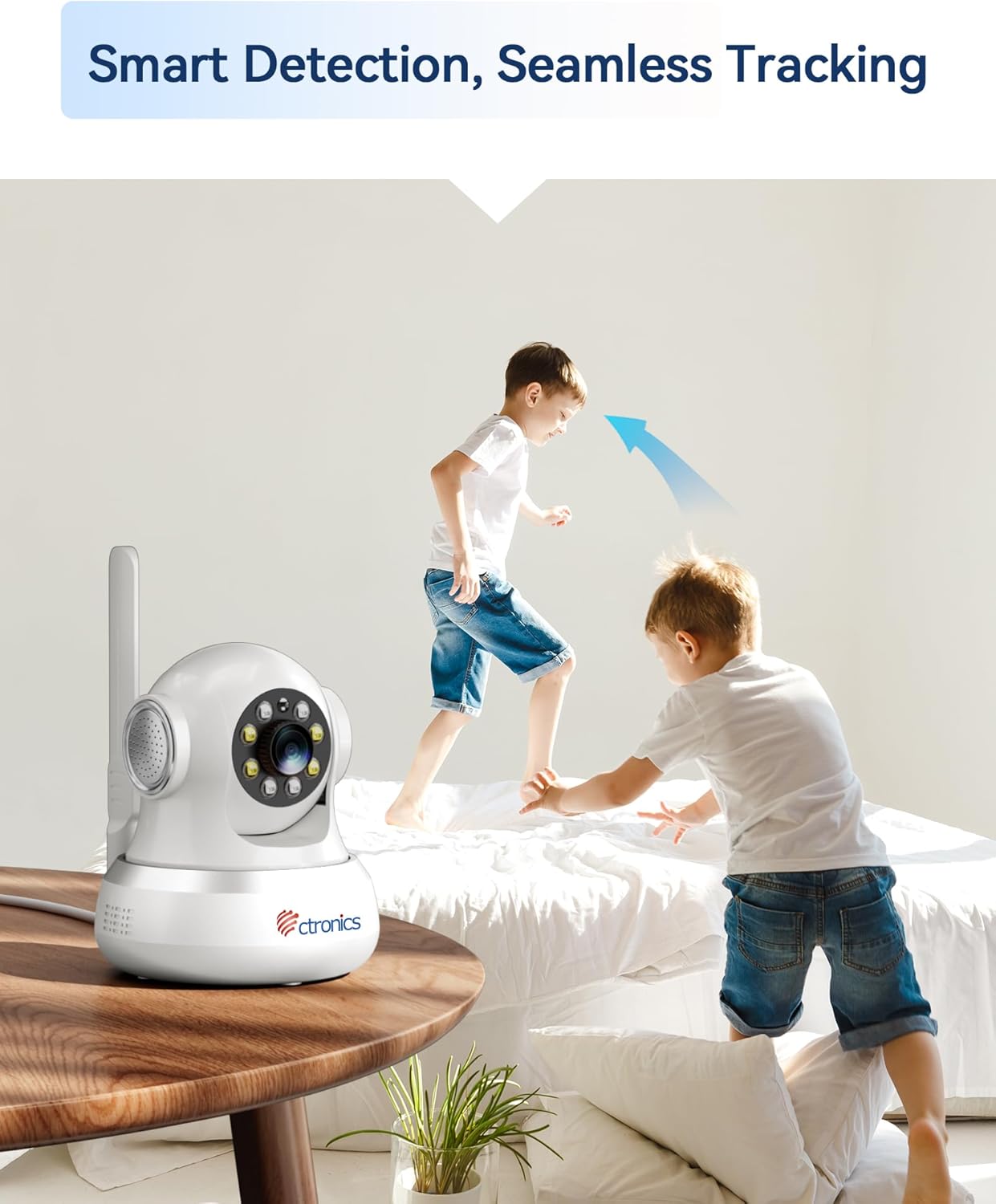
Figure 4.3: The camera's smart detection and seamless tracking feature, illustrated by its ability to follow moving subjects.
4.5. การตรวจจับการเคลื่อนไหวและการแจ้งเตือน
Configure motion detection zones and sensitivity. Upon detecting movement, the camera can trigger audible and visual alarms, and send notifications to your connected devices.
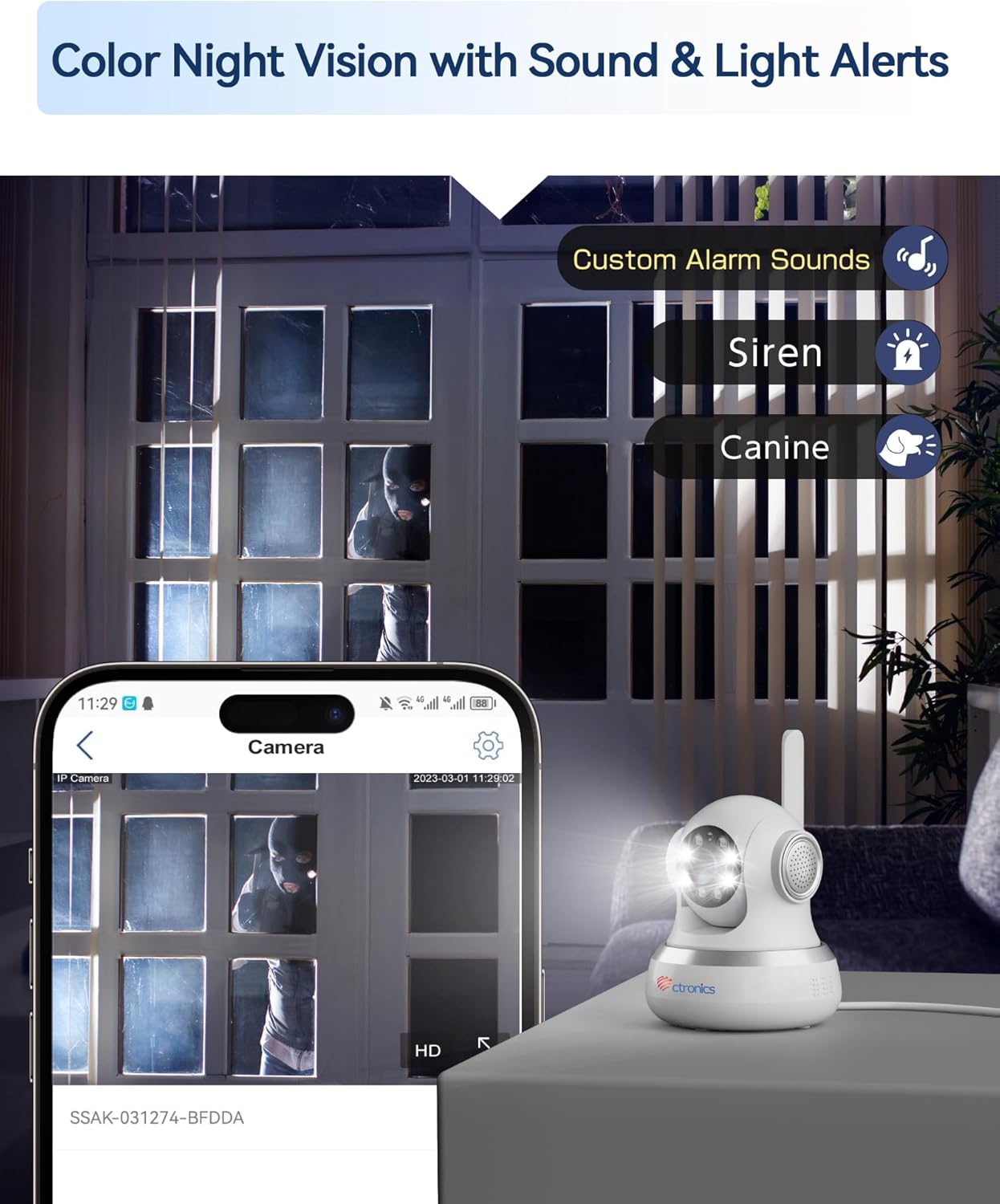
Figure 4.4: The camera's color night vision capability combined with customizable sound and light alerts for enhanced security.
4.6. เสียงสองทาง
Utilize the built-in microphone and speaker to communicate with individuals near the camera. This feature is accessible through the live view interface in the app/PC client.

Figure 4.5: The camera's two-way audio feature, allowing for communication and sharing of live moments.
4.7. การมองเห็นสีในเวลากลางคืน
The camera provides clear 1080P HD images both day and night, with a night vision range of up to 20 meters, enhanced by infrared and white LEDs for full-color night vision.
4.8. การบันทึกและจัดเก็บข้อมูล
Recordings can be stored locally on a MicroSD card (not included, but supported up to 256GB based on customer reviews) or via cloud storage services (subscription may be required). The camera also supports FTP storage.

Figure 4.6: The camera's support for both local MicroSD card storage and cloud storage options.
5. การบำรุงรักษา
- การทำความสะอาด: เช็ดเลนส์และตัวกล้องเบาๆ ด้วยผ้านุ่มและแห้ง หลีกเลี่ยงการใช้สารเคมีรุนแรงหรือวัสดุที่มีฤทธิ์กัดกร่อน
- อัพเดตเฟิร์มแวร์: Regularly check for and install firmware updates through the Ctronics Pro app or HiP2P Client to ensure optimal performance and security.
- การจัดการพื้นที่เก็บข้อมูล: รีเป็นระยะๆview และจัดการ foo ที่บันทึกไว้ของคุณtage. ลบสิ่งที่ไม่จำเป็นออก files to free up storage space on your MicroSD card or cloud service.
6 การแก้ไขปัญหา
| ปัญหา | สาเหตุที่เป็นไปได้ | สารละลาย |
|---|---|---|
| No 4G Connection | SIM card not activated, incorrect APN settings, poor signal. | Ensure SIM is activated and PIN is disabled. Check APN settings in the app/PC client (refer to Section 3.1). Relocate camera for better signal. |
| คุณภาพของภาพไม่ดี | เลนส์สกปรก แสงสว่างไม่เพียงพอ ปัญหาเรื่องแบนด์วิดท์เครือข่าย | Clean the camera lens. Ensure adequate lighting. Check your 4G signal strength. |
| การตรวจจับการเคลื่อนไหวไม่เริ่มทำงาน | Detection sensitivity too low, detection zone not configured. | Adjust motion detection sensitivity and configure detection zones in the app settings. |
| No Two-Way Audio | Microphone/speaker disabled, volume too low. | Check audio settings in the app/PC client. Ensure microphone and speaker are enabled and volume is adequate. |
| กล้องออฟไลน์ | No power, 4G signal loss, network issues. | Check power connection. Verify 4G signal. Restart the camera. |
7. ข้อมูลจำเพาะ
| คุณสมบัติ | รายละเอียด |
|---|---|
| หมายเลขรุ่น | CTIPC-750C-4G |
| ความละเอียดในการบันทึกวิดีโอ | 1080p |
| สี | สีขาว |
| ส่วนประกอบที่รวมอยู่ | Power adapter, Instruction manual, Mounting bracket |
| จำนวนช่องสัญญาณ | 2 |
| เทคโนโลยีการสื่อสารไร้สาย | 4G LTE (Note: While Wi-Fi is listed in some specifications, the primary connectivity for this model is 4G LTE.) |
| ฟอร์มแฟกเตอร์ | โดม |
| Viewอิงแองเกิล | 90 องศา |
| ช่วงการมองเห็นตอนกลางคืน | 20 เมตร |
| อัตราเฟรม | 15 เฟรมต่อวินาที |
| วัสดุ | อะคริโลไนไตรล์ บิวทาไดอีน สไตรีน (ABS) |
| เล่มที่tage | 5 โวลต์ |
| พลัง | 5 วัตต์ |
| ขนาดรายการ (ยาว x กว้าง x สูง) | 14.3 x 12 x 12 ซม. |
| ระดับความต้านทานต่อน้ำ | Not specified for indoor use (Note: "Waterproof" was listed in general specs, but product is specified as "Indoor".) |
| ผู้ผลิต | โครโทรนิกส์ |
| ปริมาณ | 1 |
| ประเภทหลอดไฟ | อินฟราเรด |
| คุณสมบัติพิเศษ | Motion detector, PTZ Technology, Night vision |
| การใช้งาน | 360 degree coverage, Surveillance |
| แบตเตอรี่ที่รวมอยู่/จำเป็น | เลขที่ |
| การใช้ที่แนะนำ | การเฝ้าระวัง |
| เทคโนโลยีการเชื่อมต่อ | 4G LTE (Note: While "Wired" is listed in some specifications, the primary connectivity for this model is 4G LTE.) |
| การใช้งานในร่ม/กลางแจ้ง | ในร่ม |
| อุปกรณ์ที่รองรับ | คอมพิวเตอร์, แล็ปท็อป, สมาร์ทโฟน, แท็บเล็ต |
| แหล่งพลังงาน | ไฟฟ้ากระแสสลับ |
| ประเภทตัวควบคุม | Android (สำหรับการควบคุมแอป) |
| ประเภทการติดตั้ง | Wall Mount, Ceiling Mount, Tabletop |
8. การรับประกันและการสนับสนุน
For warranty information and technical support, please visit the official Ctronics website or contact their customer service directly. Customer reviews indicate responsive support for setup and troubleshooting.
Ctronics Official Webเว็บไซต์: www.ctronics.com


