1. บทนำ
This manual provides comprehensive instructions for the setup, operation, maintenance, and troubleshooting of your Havit MS951GT Wireless Mouse. Please read this manual carefully before using the product to ensure optimal performance and longevity.
2. เนื้อหาบรรจุภัณฑ์
โปรดตรวจสอบว่าสินค้าทั้งหมดมีอยู่ในแพ็คเกจของคุณ:
- เมาส์ไร้สาย Havit MS951GT
- ตัวรับสัญญาณ USB
- คู่มือการใช้งาน (เอกสารนี้)
Note: An AA battery is typically not included and must be purchased separately.
3. สินค้าหมดview
The Havit MS951GT is a wireless optical mouse designed for comfortable and precise control. It features symmetrical ergonomics, making it suitable for both left and right-handed users, and includes multi-level DPI adjustment for varied sensitivity needs.

ภาพที่ 3.1: Havit MS951GT Wireless Mouse highlighting key features such as DPI adjustment and side buttons.
ส่วนประกอบหลัก:
- ปุ่มคลิกซ้าย/ขวา: Standard mouse functionality.
- ล้อเลื่อน: สำหรับการเลื่อนแนวตั้งและฟังก์ชันคลิกกลาง
- ปุ่มปรับ DPI: Cycles through sensitivity settings (800-1200-1600 DPI).
- ปุ่มด้านข้าง: Multi-functional, typically used for forward/backward page navigation.
- ช่องใส่แบตเตอรี่: อยู่บริเวณด้านล่างของตัวเมาส์
- ที่เก็บข้อมูลตัวรับ USB: A dedicated slot on the underside for the USB receiver when not in use.
4. การตั้งค่า
4.1. การติดตั้งแบตเตอรี่
- Turn the mouse over to access the underside.
- Locate the battery compartment cover and gently slide or lift it off.
- ใส่แบตเตอรี่ AA หนึ่งก้อนลงในช่องใส่แบตเตอรี่ ตรวจสอบให้แน่ใจว่าขั้ว (+/-) ตรงกับเครื่องหมายด้านใน
- ปิดฝาช่องใส่แบตเตอรี่กลับเข้าที่จนกระทั่งล็อคเข้าที่อย่างแน่นหนา
4.2. การเชื่อมต่อตัวรับสัญญาณ USB
- Locate the USB receiver, which is typically stored in a slot on the underside of the mouse or within the packaging.
- เสียบตัวรับสัญญาณ USB เข้ากับพอร์ต USB ที่พร้อมใช้งานบนคอมพิวเตอร์ของคุณ
- Your computer should automatically detect and install the necessary drivers. This is a plug-and-play device, so no additional software installation is usually required.
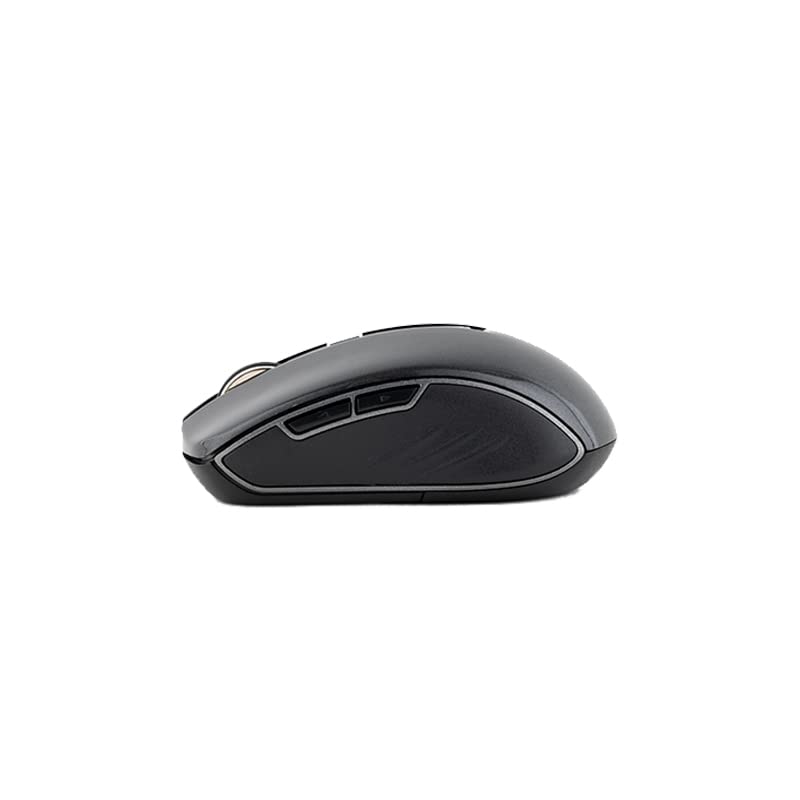
ภาพที่ 4.1: The underside of the Havit MS951GT mouse, illustrating the battery compartment and the storage slot for the USB receiver.
5. คู่มือการใช้งาน
5.1. ฟังก์ชันพื้นฐานของเมาส์
- คลิกซ้าย: Select items, open files, activate links.
- คลิกขวา: เข้าถึงเมนูบริบท
- ล้อเลื่อน: เลื่อนขึ้นหรือลงผ่านเอกสารและ web pages. Pressing the scroll wheel often acts as a middle-click.
5.2. การปรับ DPI
The DPI (Dots Per Inch) button, located behind the scroll wheel, allows you to adjust the mouse's sensitivity. Pressing this button will cycle through the available DPI settings:
- 800 จุดต่อนิ้ว: ลดค่าความไวลงสำหรับงานที่ต้องการความแม่นยำสูง
- 1200 จุดต่อนิ้ว: ค่าความไวมาตรฐานสำหรับการใช้งานทั่วไป
- 1600 จุดต่อนิ้ว: ความไวที่สูงขึ้นเพื่อการเคลื่อนที่ของเคอร์เซอร์ที่เร็วขึ้น
Choose the DPI setting that best suits your preference and task requirements.
5.3. ปุ่มด้านข้าง
The Havit MS951GT features multi-function side buttons, typically located on the left side of the mouse. By default, these buttons are configured for:
- ปุ่มไปข้างหน้า: นำทางไปข้างหน้าใน web เบราว์เซอร์หรือ file นักสำรวจ
- ปุ่มย้อนกลับ: นำทางย้อนกลับใน web เบราว์เซอร์หรือ file นักสำรวจ
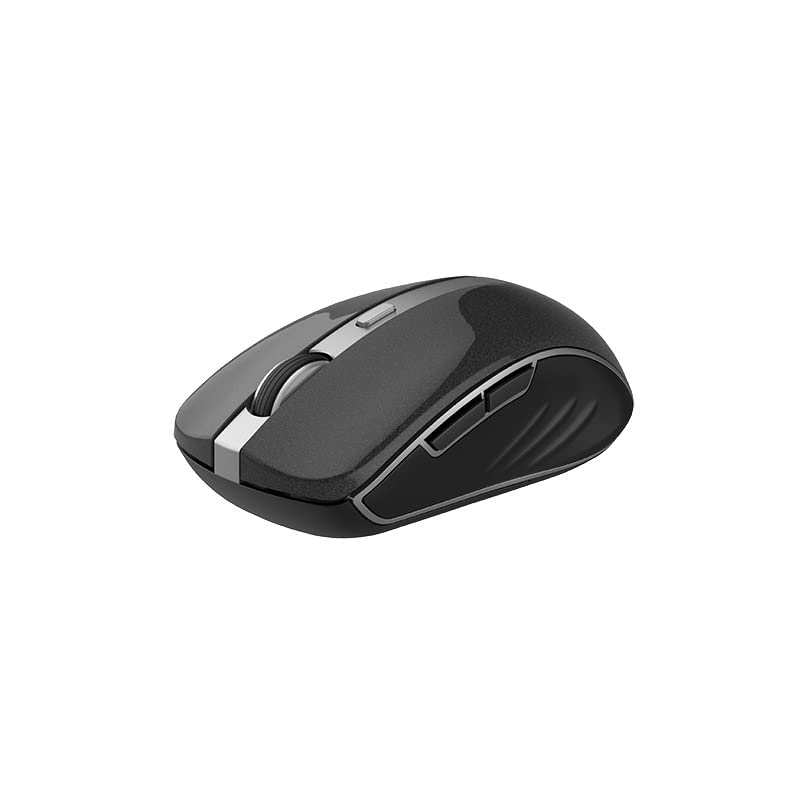
ภาพที่ 5.1: ด้านข้าง view of the Havit MS951GT mouse, illustrating the position of the multi-function side buttons.
6. การบำรุงรักษา
6.1. การทำความสะอาด
เพื่อรักษาประสิทธิภาพและสุขอนามัยที่ดีที่สุด ควรทำความสะอาดเมาส์ของคุณเป็นประจำ:
- ถอดตัวรับสัญญาณ USB ออกจากคอมพิวเตอร์ของคุณ
- ใช้ผ้านุ่มไม่เป็นขุยเช็ดเล็กน้อยampชุบน้ำหรือน้ำยาทำความสะอาดอ่อนๆ เพื่อเช็ดพื้นผิวของเมาส์
- หลีกเลี่ยงการใช้สารเคมีรุนแรงหรือวัสดุที่มีฤทธิ์กัดกร่อน
- Use a cotton swab or compressed air to clean around the scroll wheel and optical sensor.
6.2. การเปลี่ยนแบตเตอรี่
When the mouse performance degrades or it stops responding, it is likely time to replace the AA battery. Refer to Section 4.1 for battery installation instructions.
6.3. การจัดเก็บ
When not in use for an extended period, the mouse features a built-in auto-sleep function to conserve battery life. For transport or long-term storage, it is recommended to:
- Remove the AA battery to prevent leakage.
- Store the USB receiver in its dedicated slot on the underside of the mouse to prevent loss.
7 การแก้ไขปัญหา
If you encounter issues with your Havit MS951GT Wireless Mouse, please refer to the following common solutions:
7.1. เมาส์ไม่ตอบสนอง
- ตรวจสอบแบตเตอรี่: ตรวจสอบให้แน่ใจว่าใส่แบตเตอรี่ AA ถูกต้องและมีประจุเพียงพอ เปลี่ยนแบตเตอรี่หากจำเป็น
- ตรวจสอบตัวรับสัญญาณ USB: ตรวจสอบให้แน่ใจว่าตัวรับสัญญาณ USB เสียบเข้ากับพอร์ต USB ที่ใช้งานได้บนคอมพิวเตอร์ของคุณอย่างแน่นหนา ลองใช้พอร์ต USB อื่น
- วงจรไฟฟ้า: Turn off the mouse (if it has a power switch), remove the battery, wait a few seconds, then reinsert the battery and turn it back on.
7.2. การเคลื่อนที่ของเคอร์เซอร์ผิดปกติ
- เซ็นเซอร์ออปติคัลที่สะอาด: Dust or debris on the optical sensor can cause erratic movement. Clean the sensor on the underside of the mouse with a soft, dry cloth or compressed air.
- ตรวจสอบพื้นผิว: ตรวจสอบให้แน่ใจว่าคุณใช้เมาส์บนพื้นผิวที่สะอาด ไม่สะท้อนแสง และสม่ำเสมอ หลีกเลี่ยงกระจกหรือพื้นผิวที่สะท้อนแสงสูง
7.3. Connection Issues / Lag
- ลดการรบกวน: Move the mouse closer to the USB receiver. Avoid placing the receiver near other wireless devices (e.g., Wi-Fi routers, cordless phones) that might cause interference.
- Re-plug Receiver: ถอดปลั๊กและเสียบปลั๊กตัวรับสัญญาณ USB ใหม่
8. ข้อมูลจำเพาะ
| คุณสมบัติ | ข้อมูลจำเพาะ |
|---|---|
| ยี่ห้อ | ฮาวิท |
| แบบอย่าง | เอ็มเอส951จีที |
| เทคโนโลยีไร้สาย | 2.4กิกะเฮิรตซ์ |
| ระยะทางไร้สาย | 10ม. |
| ระดับ DPI | 800-1200-1600 DPI |
| หมายเลขคีย์ | 6 (Left, Right, Scroll, DPI, 2 Side Buttons) |
| แหล่งจ่ายไฟ | 1 * AA Battery |
| ขนาด (กxยxส) | 50 x 50 x 50 มม. (โดยประมาณ) |
| น้ำหนักสินค้า | 100 กรัม |
| ความเข้ากันได้ของระบบปฏิบัติการ | Windows XP and above (PC, Laptop) |
| วัสดุ | พลาสติก |
| การวางแนวมือ | ถนัดทั้งสองมือ |
9. การรับประกันและการสนับสนุน
Havit products are designed for reliability and performance. For information regarding warranty coverage, please refer to the warranty card included with your product or visit the official Havit website. If you require technical assistance or have questions not covered in this manual, please contact Havit customer support through their official channels.
โปรดเก็บหลักฐานการซื้อของคุณไว้เพื่อเรียกร้องการรับประกัน


