1. บทนำ
Thank you for choosing the TTEC Dynamite Duo Portable Wireless Bluetooth Speaker. This manual provides essential information for setting up, operating, and maintaining your speaker. Please read it carefully before use to ensure optimal performance and longevity of your device.
The TTEC Dynamite Duo offers a 360-degree wireless sound experience, featuring dual passive radiators and dual active drivers for rich audio. With Bluetooth 5.0 connectivity, up to 12 hours of battery life, and an IP65 certified water and dust resistant design, it is built for versatile use. It also includes a built-in microphone for hands-free calls and supports True Wireless Stereo (TWS) pairing for an enhanced audio experience.
2. ข้อมูลด้านความปลอดภัย
- อย่าวางลำโพงไว้ในที่ที่มีอุณหภูมิสูงหรือต่ำเกินไป แสงแดดโดยตรง หรือเปลวไฟ
- While the speaker is IP65 certified for water and dust resistance, it is not designed for submersion in water. Avoid prolonged exposure to heavy rain or splashing.
- Do not disassemble, repair, or modify the speaker. This may void the warranty and pose safety risks.
- เก็บลำโพงให้ห่างจากเด็กและสัตว์เลี้ยง
- ใช้เฉพาะสายชาร์จที่ให้มาหรือที่เทียบเท่าที่ได้รับการรับรองเท่านั้น
- ทำความสะอาดลำโพงด้วยผ้านุ่มและแห้ง ห้ามใช้น้ำยาทำความสะอาดหรือสารละลายที่มีฤทธิ์กัดกร่อน
- โปรดทิ้งลำโพงและแบตเตอรี่อย่างถูกวิธีตามระเบียบข้อบังคับท้องถิ่น
3. เนื้อหาบรรจุภัณฑ์
กรุณาตรวจสอบแพ็คเกจสำหรับรายการต่อไปนี้:
- 1 x TTEC Dynamite Duo Portable Bluetooth Speaker
- สาย 1 x AUX
- สายชาร์จ Micro USB 1 เส้น
- 1 x สายสะพาย
- 1 x คู่มือผู้ใช้ (เอกสารนี้)
4. สินค้าหมดview
Familiarize yourself with the components and controls of your TTEC Dynamite Duo speaker.
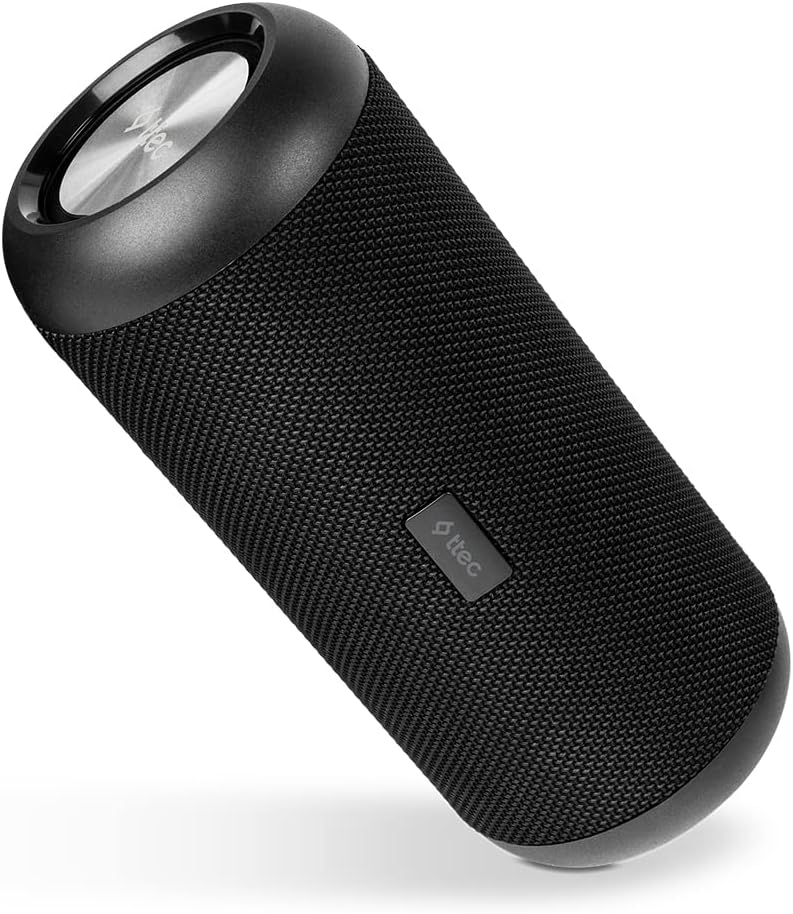
รูปที่ 4.1: หลัก view of the TTEC Dynamite Duo Portable Bluetooth Speaker, showcasing its cylindrical design and speaker grille.

รูปที่ 4.2: Close-up of the control panel on the TTEC Dynamite Duo speaker, showing the power, play/pause, volume, and mode buttons.

รูปที่ 4.3: View of the charging port (Micro USB) and auxiliary input (AUX) on the TTEC Dynamite Duo speaker, typically located under a protective flap.
การควบคุมและตัวบ่งชี้:
- ปุ่มเปิด/ปิด: กดค้างไว้เพื่อเปิด/ปิดลำโพง
- ปุ่มเล่น/หยุดชั่วคราว: Press to play or pause music. During a call, press to answer or end a call. Press and hold to reject an incoming call.
- ปุ่มลดระดับเสียง / ปุ่มเพลงก่อนหน้า: กดเพื่อลดระดับเสียง กดค้างไว้เพื่อไปยังแทร็กก่อนหน้า
- ปุ่มเพิ่มระดับเสียง / ปุ่มเพลงถัดไป: กดเพื่อเพิ่มระดับเสียง กดค้างไว้เพื่อไปยังเพลงถัดไป
- ปุ่มโหมด: กดเพื่อสลับระหว่างโหมดอินพุต Bluetooth และ AUX
- ไฟแสดงสถานะ LED: Displays charging status, Bluetooth pairing status, and operational mode.
5. การตั้งค่า
5.1 การชาร์จลำโพง
Before first use, fully charge the speaker. Use the provided Micro USB cable.
- Connect the Micro USB end of the charging cable to the speaker's charging port (refer to Figure 4.3).
- Connect the USB-A end to a USB power adapter (not included) or a computer's USB port.
- The LED indicator will show charging status (e.g., red for charging, off or green for fully charged).
- A full charge takes approximately [X] hours (specific time not provided, user should refer to product packaging or quick start guide if available).
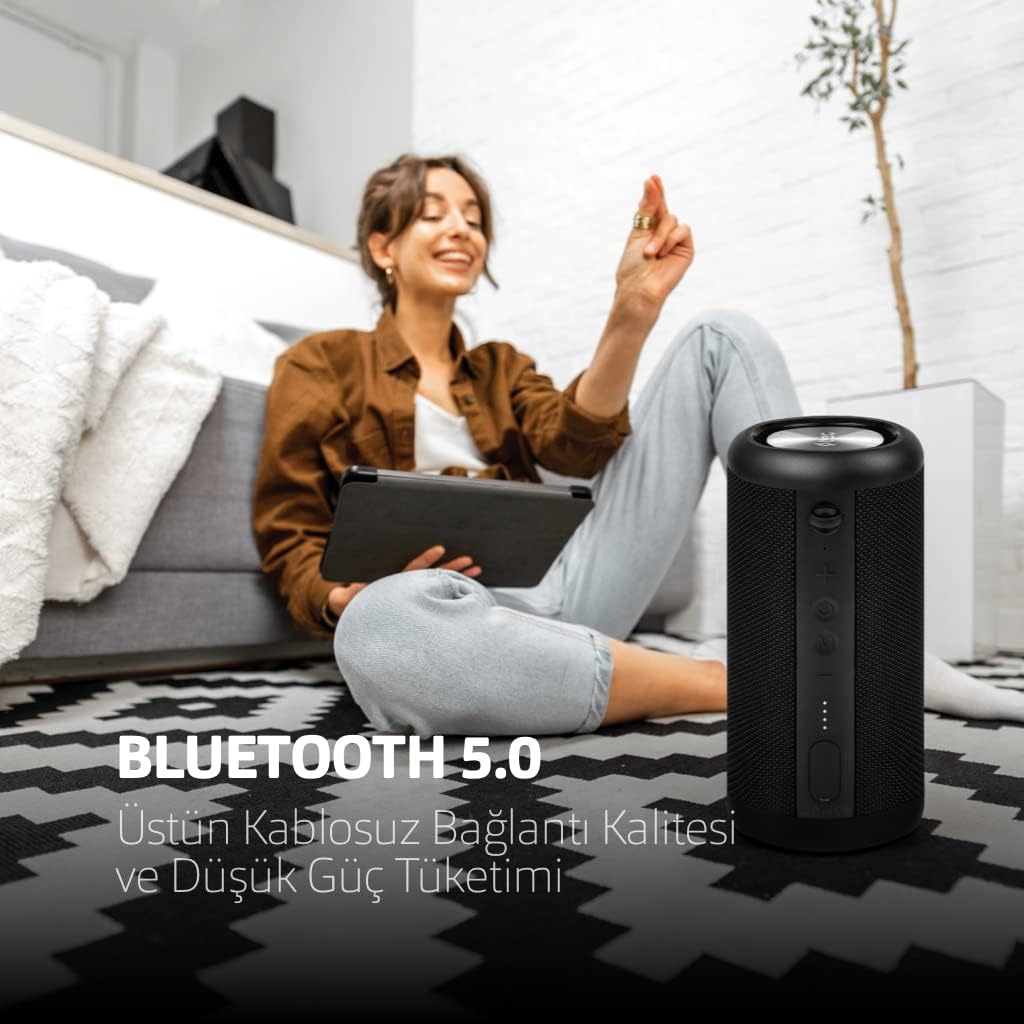
รูปที่ 5.1: The TTEC Dynamite Duo speaker highlighting its extended battery life of up to 12 hours on a single charge.
5.2 เปิด/ปิดเครื่อง
- การเปิดเครื่อง: Press and hold the Power Button (refer to Figure 4.2) for approximately 3 seconds until you hear an audible prompt and the LED indicator lights up.
- วิธีปิดเครื่อง: กดปุ่มเปิด/ปิดค้างไว้ประมาณ 3 วินาที จนกว่าคุณจะได้ยินเสียงแจ้งเตือนและไฟแสดงสถานะ LED ดับลง
5.3 การจับคู่บลูทูธ
Connect your TTEC Dynamite Duo speaker to a Bluetooth-enabled device.
- Ensure the speaker is powered on and in Bluetooth pairing mode (the LED indicator will typically flash blue rapidly). If not, press the Mode Button to switch to Bluetooth mode.
- บนอุปกรณ์ของคุณ (สมาร์ทโฟน แท็บเล็ต แล็ปท็อป) เปิดใช้งาน Bluetooth และค้นหาอุปกรณ์ที่มีอยู่
- Select "TTEC Dynamite Duo" from the list of found devices.
- Once successfully paired, the LED indicator will turn solid blue, and you will hear a confirmation sound.
- ลำโพงจะเชื่อมต่อกับอุปกรณ์ที่จับคู่ล่าสุดโดยอัตโนมัติเมื่อเปิดเครื่อง หากบลูทูธของอุปกรณ์นั้นเปิดใช้งานอยู่และอยู่ในระยะทำการ
การจับคู่ระบบเสียงสเตอริโอไร้สาย 5.4 True Wireless Stereo (TWS)
Connect two TTEC Dynamite Duo speakers for a stereo sound experience.
- Ensure both Dynamite Duo speakers are powered on and not connected to any other Bluetooth device.
- On one of the speakers (this will be the primary speaker), press and hold the Play/Pause button for approximately 3-5 seconds until you hear a pairing tone. The LED indicator will flash.
- The two speakers will automatically search for and connect to each other. Once connected, you will hear a confirmation sound, and the LED indicators on both speakers will change (e.g., primary speaker flashes slowly, secondary speaker is solid blue).
- Now, pair your device to the primary speaker via Bluetooth as described in Section 5.3. The audio will play in stereo through both speakers.

รูปที่ 5.2: Illustration of two TTEC Dynamite Duo speakers wirelessly connected to each other, enabling True Wireless Stereo (TWS) audio playback.
5.5 การเชื่อมต่อ AUX
Use the AUX cable to connect the speaker to devices without Bluetooth functionality.
- เปิดลำโพง
- Connect one end of the provided AUX cable to the speaker's AUX port (refer to Figure 4.3).
- Connect the other end of the AUX cable to the audio output jack of your device.
- The speaker will automatically switch to AUX mode, or you may need to press the Mode Button to select AUX input.
- In AUX mode, playback controls (play/pause, next/previous track) on the speaker may not function, and you will need to control playback from your connected device. Volume control on the speaker will still work.
6. คู่มือการใช้งาน
6.1 การเล่นเพลง (โหมดบลูทูธ)
- เล่น/หยุดชั่วคราว: Press the Play/Pause Button.
- เพลงถัดไป: Press and hold the Volume Up / Next Track Button.
- แทร็กก่อนหน้า: Press and hold the Volume Down / Previous Track Button.
6.2 การจัดการการโทร
With the built-in microphone, you can manage phone calls when connected via Bluetooth.
- รับสาย: Press the Play/Pause Button when an incoming call rings.
- วางสาย: Press the Play/Pause Button during an active call.
- ปฏิเสธสาย: Press and hold the Play/Pause Button when an incoming call rings.
6.3 การควบคุมระดับเสียง
- เพิ่มปริมาณ: Press the Volume Up / Next Track Button.
- ลดระดับเสียง: Press the Volume Down / Previous Track Button.
7. การบำรุงรักษา
- การทำความสะอาด: Wipe the speaker with a soft, dry, lint-free cloth. Do not use liquid cleaners, aerosols, or solvents.
- พื้นที่จัดเก็บ: When not in use for extended periods, store the speaker in a cool, dry place, away from direct sunlight and extreme temperatures. It is recommended to charge the battery at least once every three months to maintain battery health.
- ความต้านทานน้ำและฝุ่น: Ensure the protective flap covering the charging and AUX ports is securely closed to maintain the IP65 water and dust resistance.

รูปที่ 7.1: The TTEC Dynamite Duo speaker demonstrating its IP65 certification, making it resistant to water splashes and dust ingress.
8 การแก้ไขปัญหา
| ปัญหา | สาเหตุที่เป็นไปได้ | สารละลาย |
|---|---|---|
| ลําโพงไม่เปิดขึ้น | แบตเตอรี่อ่อน | ชาร์จลำโพงให้เต็ม |
| ไม่สามารถจับคู่ผ่านบลูทูธได้ | ลำโพงไม่ได้อยู่ในโหมดจับคู่ อุปกรณ์ Bluetooth ปิดอยู่ ห่างจากอุปกรณ์มากเกินไป | Ensure speaker is in pairing mode (flashing LED). Turn on device Bluetooth. Move speaker closer to device. Forget "TTEC Dynamite Duo" on your device and re-pair. |
| ไม่มีเสียง. | ระดับเสียงต่ำเกินไป; โหมดอินพุตไม่ถูกต้อง; อุปกรณ์ไม่เล่นเสียง | Increase speaker and device volume. Press Mode button to select correct input (Bluetooth/AUX). Ensure audio is playing on your device. |
| ความผิดเพี้ยนของเสียง | ระดับเสียงสูงเกินไป, แบตเตอรี่อ่อน, มีสัญญาณรบกวน | Reduce volume on speaker and device. Charge the speaker. Move away from other electronic devices. |
| การจับคู่ TWS ล้มเหลว | Speakers already paired to other devices; incorrect pairing procedure. | ตรวจสอบให้แน่ใจว่าลำโพงทั้งสองตัวไม่ได้เชื่อมต่อกับอุปกรณ์อื่น ๆ แล้ว ทำตามขั้นตอนการจับคู่ TWS อย่างระมัดระวัง (หัวข้อ 5.4) |
9. ข้อมูลจำเพาะ
| ยี่ห้อ: | TTEC |
| ชื่อรุ่น : | ไดนาไมต์ดูโอ |
| ประเภทลำโพง: | หอคอย |
| เทคโนโลยีการเชื่อมต่อ: | บลูทูธ 5.0 |
| โหมดเอาต์พุตเสียง: | สเตอริโอ |
| แหล่งพลังงาน: | ใช้พลังงานจากแบตเตอรี่ |
| อายุการใช้งานแบตเตอรี่: | นานถึง 12 ชั่วโมง |
| ความต้านทานน้ำและฝุ่น: | IP65 Certified (Resistant to water jets and dust, not submersible) |
| ไมโครโฟนในตัว: | ใช่ |
| วิธีการควบคุม: | ปุ่ม |
| ขนาดสินค้า : | 9D x 9W x 21H cm |
| น้ำหนักผลิตภัณฑ์: | 1.22 กิโลกรัม |
| อุปกรณ์ที่รองรับ: | Smartphones, tablets, laptops, game consoles, MP3 players |
| ผู้ผลิต: | Tesan |
10. การรับประกันและการสนับสนุน
The TTEC Dynamite Duo Portable Wireless Bluetooth Speaker comes with a limited warranty. Please refer to the warranty card included in your package or contact your retailer for specific terms and conditions.
For technical support or further assistance, please contact the retailer where you purchased the product or visit the official TTEC webเว็บไซต์สำหรับข้อมูลการบริการลูกค้า


