1. บทนำ
The GAMDIAS HELIOS P2-1000G is a fully modular power supply unit designed for high-performance computing systems. It features 80 Plus Gold certification for energy efficiency, supports ATX 3.1 and PCIe Gen 5.1 standards, and incorporates 100% Japanese capacitors for enhanced reliability. This manual provides essential information for the safe installation, operation, and maintenance of your power supply.
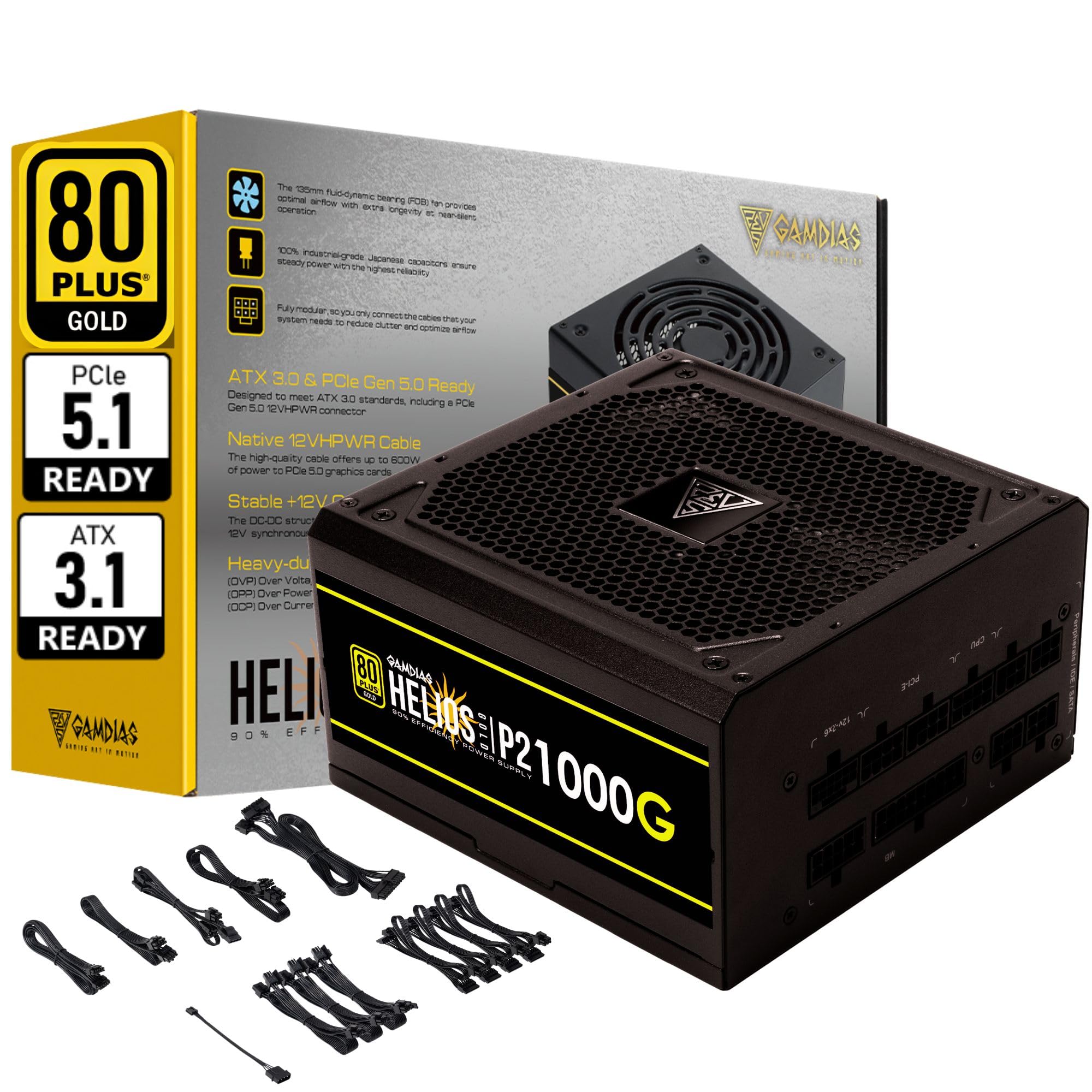
ภาพที่ 1.1: จบแล้วview of the GAMDIAS HELIOS P2-1000G Power Supply.
2. ข้อมูลด้านความปลอดภัย
- เล่มสูงtage: แหล่งจ่ายไฟมีแรงดันไฟฟ้าสูงtagส่วนประกอบต่างๆ ห้ามเปิดแหล่งจ่ายไฟasing. There are no user-serviceable parts inside. Opening the unit will void the warranty and poses a risk of electric shock.
- การต่อสายดินที่ถูกต้อง: Ensure the power supply is properly grounded using the provided power cord.
- การระบายอากาศ : อย่าปิดกั้นช่องระบายอากาศของแหล่งจ่ายไฟ ตรวจสอบให้แน่ใจว่ามีอากาศถ่ายเทเพียงพอรอบๆ ตัวเครื่องเพื่อป้องกันความร้อนสูงเกินไป
- สิ่งแวดล้อม: Avoid installing the power supply in environments with high humidity, extreme temperatures, or excessive dust.
- หมดแรง: Always disconnect the AC power cord from the wall outlet before installing, removing, or cleaning the power supply or any connected components.
- ถูกต้องแล้วtage: Ensure the power supply's wattage is sufficient for your system's components.
3. เนื้อหาบรรจุภัณฑ์
ตรวจสอบว่ามีรายการทั้งหมดอยู่ในแพ็คเกจ:
- GAMDIAS HELIOS P2-1000G Power Supply Unit
- Modular Cable Set (including 24-pin ATX, CPU, PCIe, SATA, Molex, and 12VHPWR cables)
- สายไฟ AC
- สกรูยึด
- คู่มือการใช้งาน (เอกสารนี้)
4. คุณสมบัติของผลิตภัณฑ์
The HELIOS P2-1000G power supply incorporates several features designed for performance and reliability:
- ประสิทธิภาพที่ได้รับการรับรองมาตรฐาน 80 PLUS Gold: Achieves up to 92% efficiency at 50% load, reducing power consumption and heat generation.
- ATX 3.1 and PCIe Gen 5.1 Ready: Designed to meet the latest power standards, supporting next-generation graphics cards with up to 200% total power excursion.
- สายเคเบิล Native 12VHPWR: Includes a native 16-pin (12VHPWR) PCIe connector capable of delivering up to 600W for PCIe 5.1 graphics cards.
- Quiet Operation with 135mm Dual-Ball Bearing Smart Fan: Features a high-quality 135mm fan with a dual-ball bearing design for durability and quiet operation. The smart fan control adjusts speed based on load to minimize noise.
- การออกแบบโมดูลาร์เต็มรูปแบบ: Allows for connecting only the necessary cables, improving cable management and airflow within the PC case.
- Premium Japanese Capacitors: Built with 100% high-quality Japanese 105°C/221°F electrolytic capacitors for superior durability and power stability.
- Comprehensive Protection Mechanisms: Includes Over Current Protection (OCP), Over Temperature Protection (OTP), Over Voltage Protection (OVP), Over Power Protection (OPP), Under Voltagระบบป้องกันรังสียูวี (UVP) และระบบป้องกันไฟลัดวงจร (SCP) เพื่อความปลอดภัยของระบบ
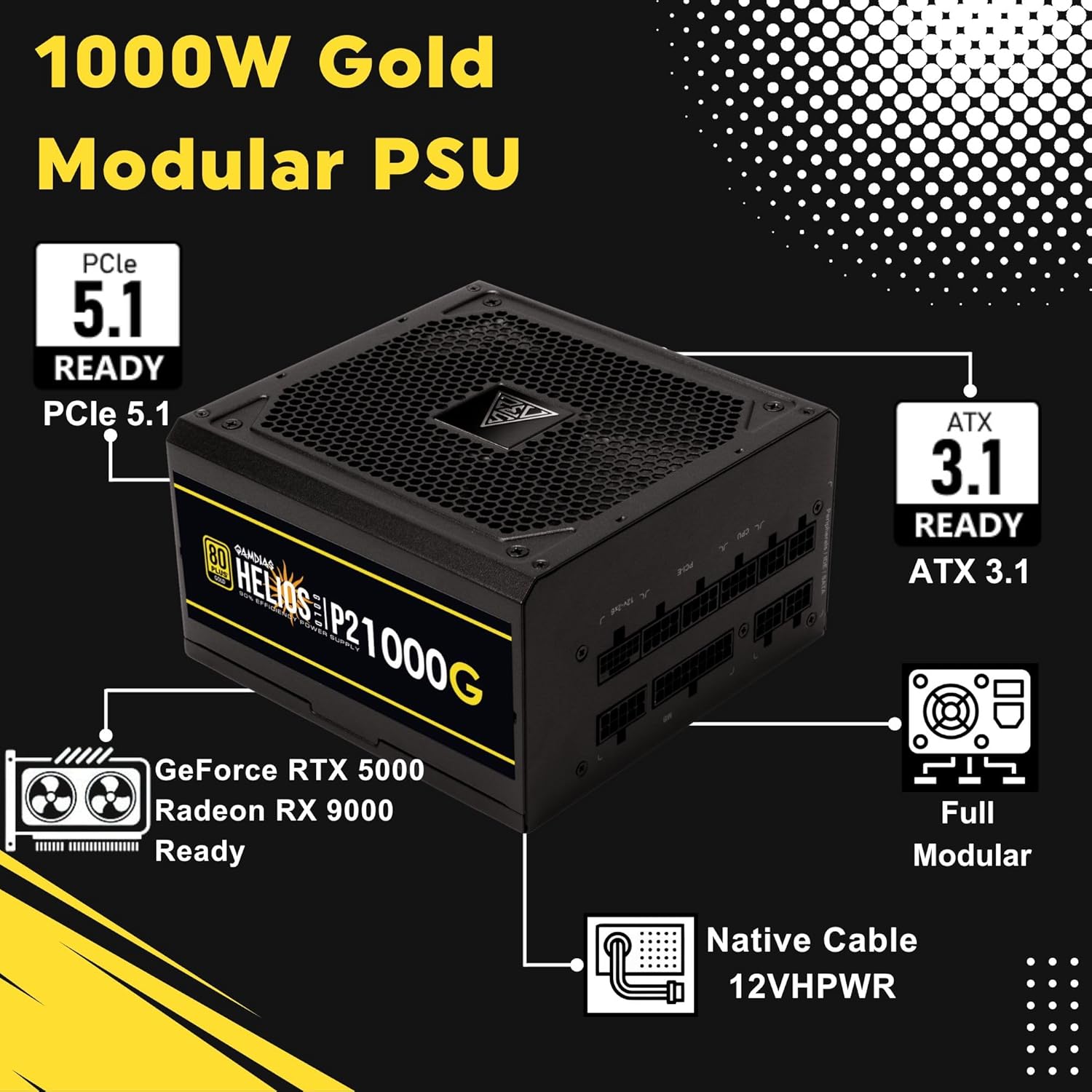
Image 4.1: Key features of the HELIOS P2-1000G, including PCIe 5.1 and ATX 3.1 readiness.

Image 4.2: The 80 Plus Gold certification ensures high energy efficiency.
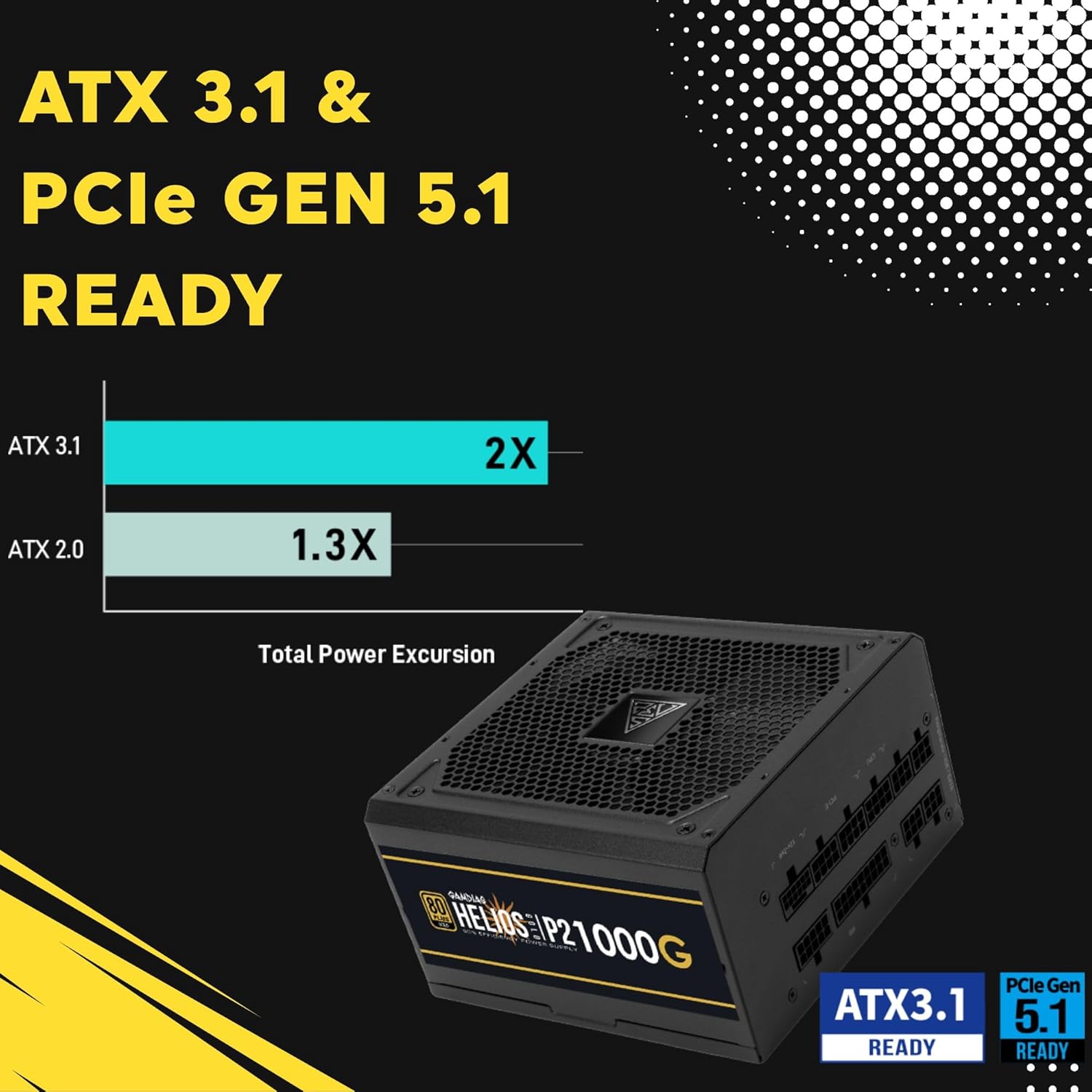
Image 4.3: The power supply is ready for ATX 3.1 and PCIe Gen 5.1, offering improved power excursion.

Image 4.4: Icons representing the various protection features integrated into the power supply.
5. การตั้งค่าและการติดตั้ง
5.1 การติดตั้งทางกายภาพ
- เตรียมระบบของคุณ: ตรวจสอบให้แน่ใจว่าคอมพิวเตอร์ของคุณปิดเครื่องอย่างสมบูรณ์และถอดปลั๊กออกจากเต้าเสียบที่ผนัง
- ติดตั้ง PSU: Carefully slide the HELIOS P2-1000G into the power supply bay of your PC case. Ensure the fan is oriented correctly (typically facing downwards for bottom-mounted PSUs, or upwards if your case design requires it for optimal airflow).
- รักษาความปลอดภัย PSU: ใช้สกรูยึดที่ให้มาเพื่อยึดแหล่งจ่ายไฟเข้ากับเคสพีซีจากด้านหลัง
5.2 การเชื่อมต่อสายเคเบิล
The HELIOS P2-1000G is fully modular. Connect only the cables required for your system components.
- สายเมนบอร์ด ATX 24 พิน: Connect the large 24-pin cable to the corresponding port on your motherboard. Ensure it clicks into place.
- CPU (EPS) Cable: Connect the 4+4-pin or 8-pin CPU cable to the CPU power connector(s) on your motherboard. High-end motherboards may require two 8-pin connectors.
- PCIe Graphics Card Cables:
- 12VHPWR Cable: For compatible PCIe 5.1 graphics cards, connect the native 16-pin 12VHPWR cable directly to the GPU. Ensure a firm connection.
- สายเคเบิล PCIe 6+2 พิน: For other graphics cards, connect the 6+2-pin PCIe cables to the GPU power connectors.
- สายไฟ SATA: เชื่อมต่อสายไฟ SATA เข้ากับ SSD, HDD และอุปกรณ์อื่นๆ ที่ใช้พลังงาน SATA
- สายต่อพ่วง (Molex): Connect Molex cables for any legacy peripherals that require them.
- สายไฟ AC: Once all internal connections are made, connect the AC power cord to the power supply and then to a grounded wall outlet.

Image 5.1: The native 16-pin 12VHPWR cable for direct connection to PCIe 5.1 graphics cards.
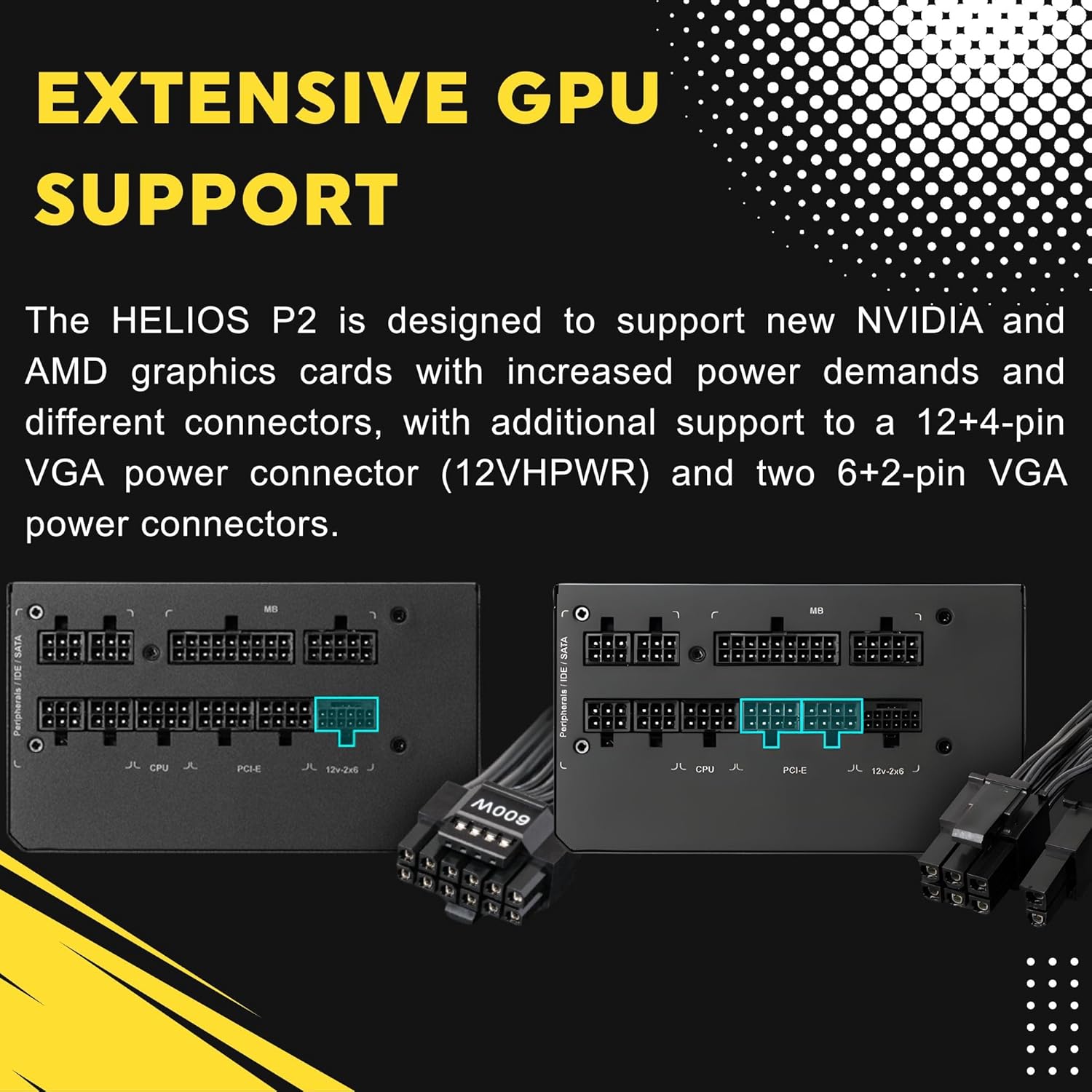
Image 5.2: Illustration of the fully modular design, showing various cable connections.
6. คู่มือการใช้งาน
6.1 การเปิดระบบของคุณ
After ensuring all cables are securely connected, flip the power switch on the back of the power supply to the 'ON' (I) position. You can then power on your computer using the case's power button.
6.2 Smart Fan Control
The HELIOS P2-1000G features a smart fan control system. The 135mm fan will adjust its speed automatically based on the power supply's load and internal temperature. This ensures optimal cooling while minimizing noise during lighter loads.

Image 6.1: Graph illustrating the smart fan's speed adjustment relative to power output.
7. การบำรุงรักษา
7.1 การทำความสะอาด
To maintain optimal performance and longevity, periodically clean the power supply:
- ตัดการเชื่อมต่อไฟฟ้า: Always unplug the AC power cord from the wall outlet and the power supply before cleaning.
- การกำจัดฝุ่น: Use compressed air to gently blow dust out of the fan grille and ventilation openings. Hold the fan blades to prevent them from spinning rapidly during cleaning, which can damage the bearings.
- การทำความสะอาดภายนอก: Wipe the exterior of the power supply with a soft, dry cloth. Do not use liquid cleaners or solvents.
7.2 พื้นที่จัดเก็บ
If storing the power supply, keep it in a cool, dry environment, away from direct sunlight and extreme temperatures. Use its original packaging if available to protect it from dust and physical damage.
8 การแก้ไขปัญหา
หากคุณพบปัญหาเกี่ยวกับแหล่งจ่ายไฟ โปรดดูขั้นตอนการแก้ไขปัญหาทั่วไปต่อไปนี้:
- ไม่มีไฟฟ้า:
- ตรวจสอบให้แน่ใจว่าสายไฟ AC เชื่อมต่อกับแหล่งจ่ายไฟและเต้ารับที่ผนังอย่างแน่นหนา
- ตรวจสอบให้แน่ใจว่าสวิตช์เปิดปิดด้านหลังของแหล่งจ่ายไฟ (PSU) อยู่ในตำแหน่ง 'เปิด' (I)
- Verify all modular cables are firmly seated in both the power supply and the components.
- ทดสอบเต้ารับไฟที่ผนังด้วยอุปกรณ์อื่นเพื่อยืนยันว่ามีไฟอยู่
- ความไม่เสถียรของระบบ/การขัดข้อง:
- ตรวจสอบให้แน่ใจว่าความต้องการพลังงานของระบบของคุณไม่เกินความจุ 1000 วัตต์ของพาวเวอร์ซัพพลาย
- Check for loose cable connections, especially to the motherboard and graphics card.
- Ensure adequate ventilation within your PC case to prevent overheating of components, including the PSU.
- เสียงพัดลมดัง:
- The fan speed adjusts based on load. High system load will naturally increase fan speed.
- Check for dust accumulation in the fan or vents and clean as described in the Maintenance section.
If issues persist after performing these steps, contact GAMDIAS customer support.
9. ข้อมูลจำเพาะ
| คุณสมบัติ | ข้อมูลจำเพาะ |
|---|---|
| ชื่อรุ่น | เฮลิออส P2-1000G |
| ยี่ห้อ | แกมเดียส |
| เอาท์พุต วัดtage | 1000 วัตต์ |
| ฟอร์มแฟกเตอร์ | เอทีเอ็กซ์ |
| การรับรองประสิทธิภาพ | โกลด์พลัส 80 |
| วิธีการทำความเย็น | Air (135mm Dual-Ball Bearing Smart Fan) |
| ประเภทขั้วต่อ | ATX, PCI Express (Native 12VHPWR) |
| อุปกรณ์ที่รองรับ | เครื่องคอมพิวเตอร์ส่วนบุคคล |
| ขนาดสินค้า (กว้าง x ยาว x สูง) | 12.8 x 8.27 x 4.13 นิ้ว |
| น้ำหนักสินค้า | 7.28 ปอนด์ (3300 กรัม) |
| วันที่พร้อมใช้งานครั้งแรก | 19 เมษายน 2023 |
10. ข้อมูลการรับประกัน
GAMDIAS products are manufactured to the highest quality standards. For detailed warranty terms and conditions, please refer to the official GAMDIAS webหรือบัตรรับประกันที่ให้มาพร้อมกับผลิตภัณฑ์ของคุณ โปรดเก็บหลักฐานการซื้อไว้เพื่อใช้ในการเรียกร้องการรับประกัน
11. การสนับสนุนลูกค้า
If you require technical assistance or have questions regarding your GAMDIAS HELIOS P2-1000G power supply, please visit the official GAMDIAS support website or contact their customer service department. Contact information can typically be found on the GAMDIAS webเว็บไซต์หรือในบรรจุภัณฑ์ของผลิตภัณฑ์


