1. บทนำ
The PETKIT EVERSWEET Solo 2.0 Connected Water Fountain is designed to provide fresh, filtered water for your pets. Featuring an upgraded wireless 3.0 pump, quiet operation, and smart app connectivity, this fountain ensures your pet stays hydrated with minimal effort from you. Its detachable design simplifies cleaning and maintenance.
2. เนื้อหาบรรจุภัณฑ์
โปรดตรวจสอบว่าสินค้าทั้งหมดมีอยู่ในแพ็คเกจ:
- 1 x PETKIT EVERSWEET Solo 2.0 Water Fountain
- 1 x ตัวกรอง
- สายไฟ 1 x USB
- 1 x คู่มือผู้ใช้ (เอกสารนี้)
3. สินค้าหมดview
The PETKIT EVERSWEET Solo 2.0 features a sleek design and advanced functionalities to ensure optimal hydration for your pet.

ภาพที่ 1: ด้านหน้า view of the PETKIT EVERSWEET Solo 2.0 Water Fountain, showing the water reservoir, pump, and water level indicator.
Key features include a wireless pump for enhanced safety and ease of cleaning, a multi-layer filtration system to remove impurities, and Bluetooth connectivity for app control and status monitoring.
4. คำแนะนำในการตั้งค่า
Follow these steps for the initial setup of your PETKIT EVERSWEET Solo 2.0 Water Fountain:
- แกะส่วนประกอบ: นำรายการทั้งหมดออกจากบรรจุภัณฑ์อย่างระมัดระวัง
- ส่วนประกอบของการล้าง: Rinse the water reservoir, tray, and pump thoroughly with clean water. Do not use soap on the pump.
- ติดตั้งตัวกรอง: Place the filter into its designated slot in the upper tray. Ensure it is securely seated.
- ประกอบน้ำพุ: Place the wireless pump into the base. Then, align the water reservoir with the base and gently press down until it clicks into place. The detachable design allows for easy separation of the body and base.
- เติมน้ำ: Fill the water reservoir with clean drinking water up to the 'MAX' line indicated on the side. Avoid overfilling.
- เชื่อมต่อพลังงาน: Connect the USB power cable to the base of the fountain and plug the other end into a compatible USB power adapter (not included) and then into a wall outlet.
- เปิดเครื่อง: The fountain will automatically start operating.
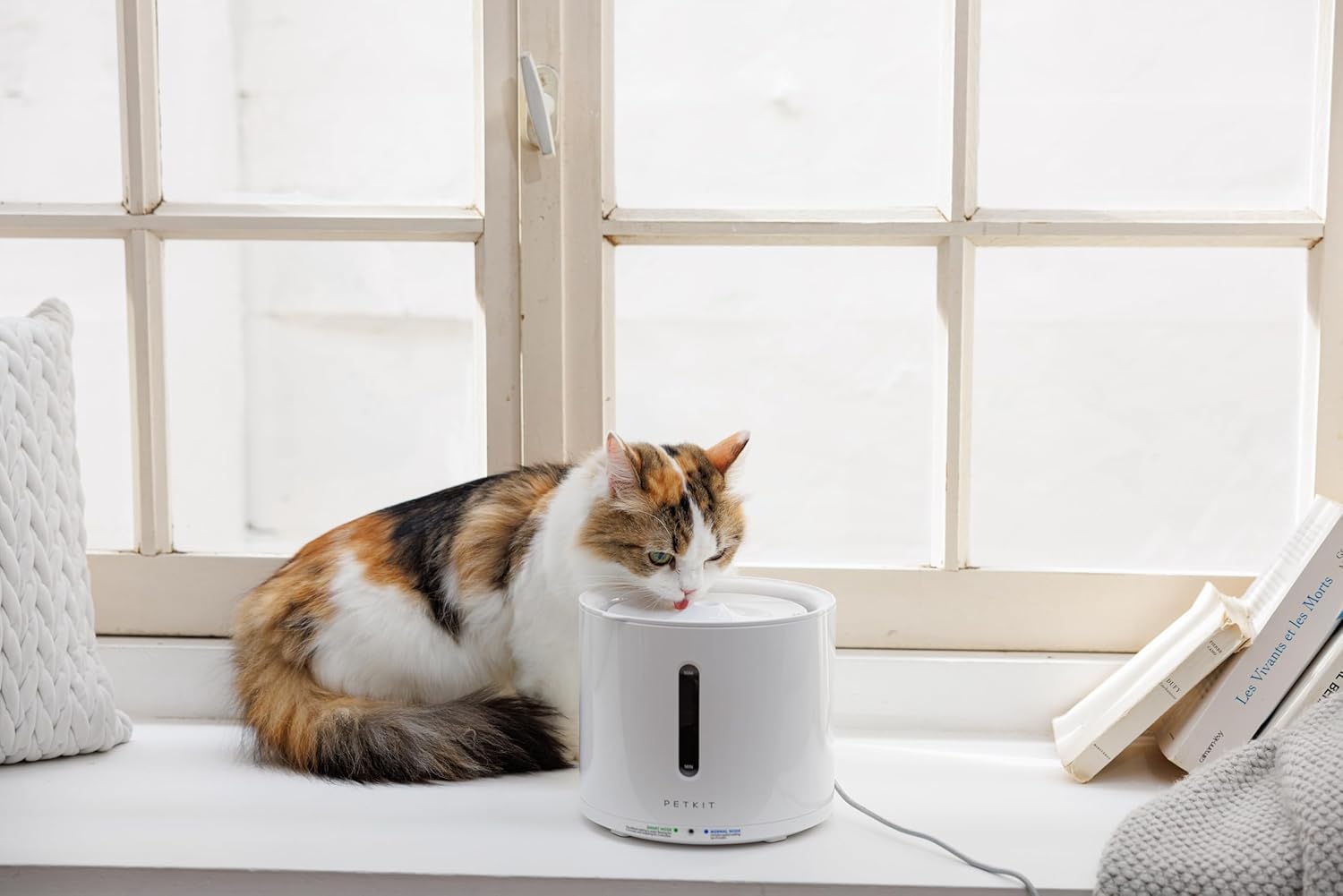
Image 2: A cat drinking water from the PETKIT EVERSWEET Solo 2.0 Water Fountain, positioned on a windowsill.
5. Operating Modes and App Connectivity
The PETKIT EVERSWEET Solo 2.0 offers various operating modes and smart features via the PETKIT app:
- โหมดอัจฉริยะ: Optimizes water dispensing based on environmental conditions and pet activity, conserving energy.
- โหมดปกติ: ให้การไหลของน้ำอย่างต่อเนื่อง
- โหมดกลางคืน: Adjusts operation for quieter performance during nighttime hours.
การเชื่อมต่อแอป
Download the PETKIT app from your device's app store. Connect the fountain via Bluetooth to:
- Monitor the water fountain's status in real-time.
- Receive alerts for low water levels.
- Adjust operating modes and settings remotely.
6. การบำรุงรักษา
การบำรุงรักษาอย่างสม่ำเสมอเป็นสิ่งสำคัญอย่างยิ่งต่ออายุการใช้งานและประสิทธิภาพสูงสุดของน้ำพุของคุณ
การทำความสะอาดน้ำพุ
We recommend dismantling and cleaning the pump and all fountain components regularly (e.g., weekly). This extends the life of the pump and water dispenser.
- ตัดการเชื่อมต่อไฟฟ้า: Unplug the fountain from the power source.
- ถอดแยกชิ้นส่วน: Separate the water reservoir from the base. Remove the filter and pump.
- ทำความสะอาดส่วนประกอบ: Wash the reservoir, tray, and other non-electrical parts with mild soap and water. Rinse thoroughly.
- ทำความสะอาดปั๊ม: Carefully disassemble the pump according to its instructions (refer to the pump's specific manual if provided). Clean all internal parts, including the impeller, with a small brush or cotton swab to remove any debris, hair, or mineral buildup. Rinse the pump thoroughly with clean water.
- ประกอบกลับเข้าที่: Reassemble the pump, then place it back into the base. Reinstall the filter and reassemble the fountain.
- Refill and Restart: Fill with fresh water and reconnect power.
Thorough cleaning of the water pump can help resolve issues such as weakened or absent water flow and increased pump noise.
การเปลี่ยนตัวกรอง
The multi-layer filter helps remove hair, dust, odors, and heavy metals. Replace the filter regularly according to the PETKIT app's recommendations or approximately every 2-4 weeks, depending on usage and water quality.
- ตัดการเชื่อมต่อไฟฟ้า: ถอดปลั๊กน้ำพุ
- ลบตัวกรองเก่า: Lift the upper tray and remove the used filter.
- ติดตั้งตัวกรองใหม่: Rinse the new filter under running water for a few minutes to remove any loose carbon dust. Place the new filter into the designated slot.
- Reassemble and Restart: Reassemble the fountain, fill with fresh water, and reconnect power.
7 การแก้ไขปัญหา
If you encounter any issues with your PETKIT EVERSWEET Solo 2.0, refer to the following common problems and solutions:
- ไม่มีน้ำไหลหรือมีน้ำไหลอ่อน:
- ตรวจสอบให้แน่ใจว่าน้ำพุประกอบอย่างถูกต้องและปั๊มติดตั้งอยู่ในตำแหน่งที่เหมาะสม
- Check the water level; refill if it's below the minimum line.
- Clean the pump thoroughly, as debris or hair can obstruct water flow. Refer to the 'Cleaning the Fountain' section.
- Replace the filter if it is clogged.
- Increased Pump Noise:
- Ensure the water level is sufficient. Low water levels can cause the pump to run dry and become noisy.
- Clean the pump thoroughly, especially the impeller, to remove any trapped debris or mineral buildup. Refer to the 'Cleaning the Fountain' section.
- Ensure the pump is securely placed in its housing and not vibrating against the fountain walls.
- ปัญหาการเชื่อมต่อแอพ:
- ตรวจสอบให้แน่ใจว่าได้เปิดใช้งาน Bluetooth บนอุปกรณ์มือถือของคุณ
- Make sure the fountain is powered on and within Bluetooth range of your device.
- Restart the PETKIT app or your mobile device.
- If issues persist, try resetting the fountain (refer to the app or PETKIT support for specific reset procedures).
8. ข้อมูลจำเพาะ
| คุณสมบัติ | ข้อมูลจำเพาะ |
|---|---|
| หมายเลขรุ่น | PTPE00421 |
| ขนาด (กว้าง x ยาว x สูง) | 8.27 x 8.27 x 7.87 นิ้ว (185 x 185 x 164 มม.) |
| น้ำหนักสินค้า | 1.76 ปอนด์ (800 กรัม) |
| ความจุ | 2 ลิตร |
| วัสดุ | พลาสติก, สแตนเลส |
| แหล่งพลังงาน | สายไฟ (USB) |
| การเชื่อมต่อ | บลูทูธ |
9. การรับประกันและการสนับสนุน
For warranty information, technical support, or further assistance, please refer to the official PETKIT website or contact PETKIT customer service. Keep your purchase receipt as proof of purchase for warranty claims.
You can visit the PETKIT store for more information: PETKIT Official Store


