1. สินค้าหมดview
The WHATOOK 2-in-1 Cordless Air Duster and Vacuum Cleaner is a versatile cleaning tool designed for various applications, from delicate electronics to car interiors and household items. It combines powerful air blowing and strong vacuum suction in a compact, portable design.
คุณสมบัติที่สำคัญ ได้แก่:
- Powerful 100,000 RPM motor for air duster mode.
- Strong 10,000 KPA suction for vacuum mode.
- Three adjustable speed settings for varied cleaning needs.
- Rechargeable 7600mAh battery with Type-C quick charge.
- Integrated LED light for improved visibility.
- Comes with multiple nozzles and brushes for diverse cleaning tasks.

Figure 1: WHATOOK 2-in-1 Cordless Air Duster & Vacuum Cleaner with included accessories.
2. เนื้อหาบรรจุภัณฑ์
โปรดตรวจสอบเนื้อหาในแพ็คเกจเมื่อแกะกล่องเพื่อให้แน่ใจว่ามีส่วนประกอบครบทั้งหมด:
- WHATOOK 2-in-1 Cordless Air Duster & Vacuum Cleaner Unit
- Dusting Tool Nozzle
- หัวดูดสุญญากาศ
- สายชาร์จ USB (Type-C)
- ตัวกรองสแตนเลส
- Various cleaning brushes and additional nozzles (8 nozzles, 3 brushes)
- กระเป๋าเก็บของ
- คู่มือการใช้งาน (เอกสารนี้)

Figure 2: Visual representation of the packing list.
3. การตั้งค่าและการชาร์จ
3.1 ค่าบริการเริ่มต้น
Before first use, fully charge the device. The integrated 7600mAh battery provides extended usage time.
- เชื่อมต่อสายชาร์จ USB Type-C ที่ให้มากับพอร์ตชาร์จบนอุปกรณ์
- Connect the other end of the USB cable to a compatible power source (e.g., car charger, adapter charger, power bank, computer USB port).
- The LED indicator will show charging status. Once fully charged, the indicator will change (refer to device specific LED behavior, usually turns green or off).
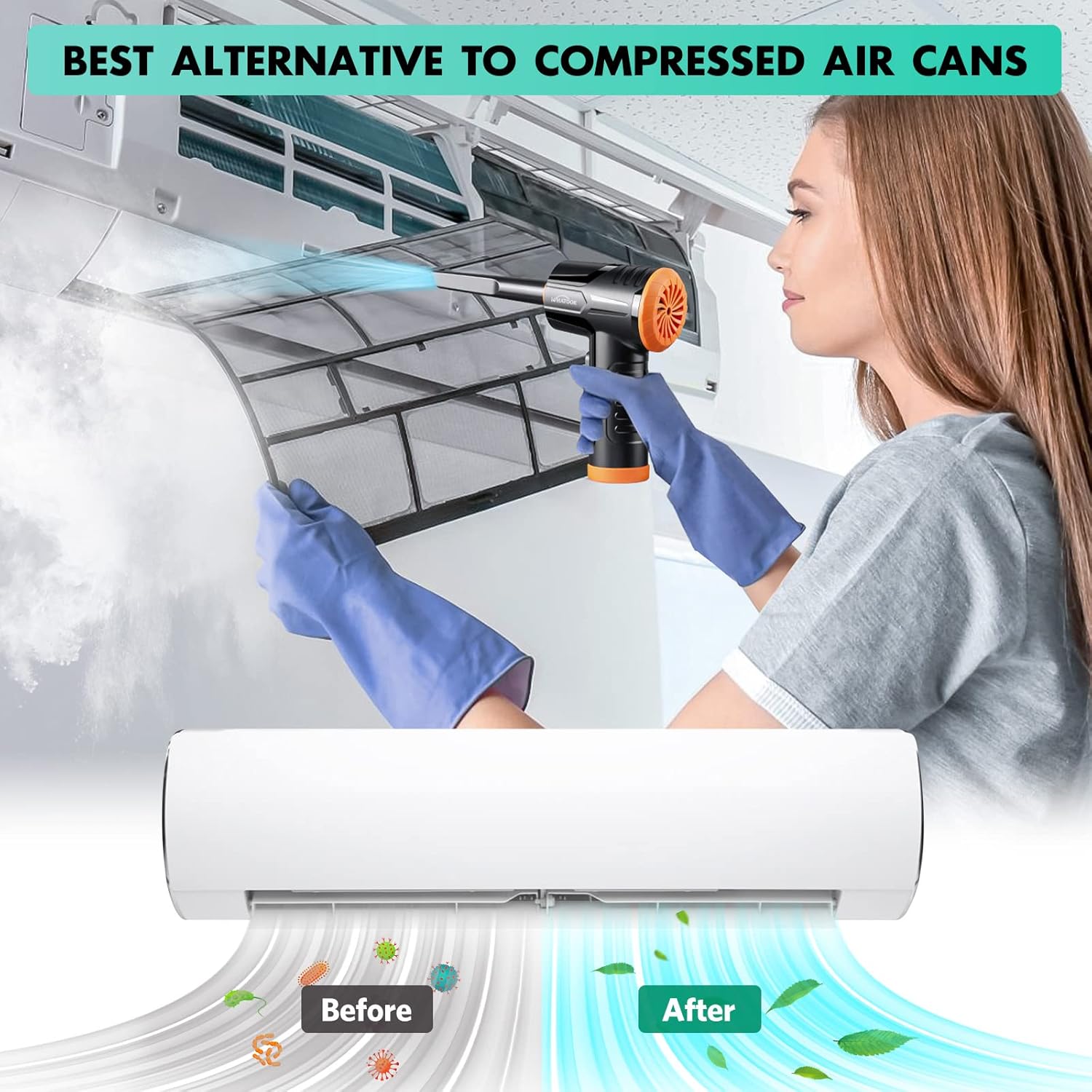
Figure 3: Charging the device using the USB Type-C cable.
3.2 การติดตั้งหัวฉีด
The device supports both air blowing and vacuuming functions. Attach the appropriate nozzle for your desired cleaning mode.
For Air Blowing:
- Identify the front air outlet.
- Select the desired dusting tool nozzle.
- Align the nozzle with the air outlet and push firmly until it clicks into place.
สำหรับการดูดฝุ่น:
- Identify the rear vacuum inlet.
- Select the desired vacuum nozzle.
- Align the nozzle with the vacuum inlet and twist or push firmly to secure it.

Figure 4: Installation and removal of air duster and vacuum nozzles.
5. คู่มือการใช้งาน
5.1 การเปิด/ปิดเครื่องและการควบคุมความเร็ว
The device features three powerful airflow modes to suit different cleaning requirements.
- หากต้องการเปิดอุปกรณ์ ให้กดปุ่มเปิดปิดค้างไว้ 3 วินาที
- Once on, briefly press the power button to cycle through the three speed settings:
- เกียร์ 1: 60,000 RPM / 6000 PA (approx. 55 minutes runtime)
- เกียร์ 2: 80,000 RPM / 8000 PA (approx. 35 minutes runtime)
- เกียร์ 3: 100,000 RPM / 10000 PA (approx. 20 minutes runtime)
- หากต้องการปิดอุปกรณ์ ให้กดปุ่มเปิด/ปิดค้างไว้ 3 วินาทีอีกครั้ง

Figure 5: Three adjustable speed settings for optimal performance.
5.2 Using the Air Duster Function
The air duster is ideal for removing dust and debris from sensitive electronics, keyboards, and hard-to-reach areas.
- Attach the desired dusting nozzle to the front air outlet.
- Select the appropriate speed setting.
- Point the nozzle at the area to be cleaned and activate the air duster.
- Use short bursts of air for delicate items or continuous airflow for larger areas.

Figure 6: Using the air duster mode for cleaning a laptop.
5.3 Using the Vacuum Function
The vacuum function is perfect for picking up dust, crumbs, and small debris from surfaces like car interiors, sofas, and tight corners.
- Attach the desired vacuum nozzle to the rear vacuum inlet.
- Select the appropriate speed setting.
- Place the nozzle over the area to be vacuumed and activate the device.
- Move the nozzle slowly over the surface to effectively pick up debris.

Figure 7: Using the vacuum mode for cleaning a laptop.

รูปที่ 8: อดีตamples of multiple usage scenarios for the device.
6. การบำรุงรักษา
การบำรุงรักษาอย่างสม่ำเสมอจะช่วยให้เครื่องทำงานได้อย่างมีประสิทธิภาพสูงสุดและยืดอายุการใช้งานของเครื่องได้
6.1 การทำความสะอาดตัวกรอง
The stainless steel filter should be cleaned regularly, especially after vacuuming fine dust.
- Twist and remove the vacuum nozzle and the dust collection cup.
- Carefully remove the stainless steel filter from the dust collection cup.
- Tap the filter to dislodge loose debris. For thorough cleaning, rinse the filter under running water.
- Ensure the filter is completely dry before reassembling. Air drying is recommended.
- Reinsert the dry filter into the dust collection cup, then reattach the cup and nozzle to the device.

Figure 9: Instructions for cleaning the vacuum filter.
6.2 การทำความสะอาดทั่วไป
- เช็ดด้านนอกของอุปกรณ์ด้วยผ้านุ่มdamp ผ้า. อย่าใช้สารเคมีที่รุนแรงหรือน้ำยาทำความสะอาดที่มีฤทธิ์กัดกร่อน
- Ensure no liquid enters the charging port or air outlets/inlets.
- Store the device and its accessories in the provided storage bag in a cool, dry place.
7 การแก้ไขปัญหา
If you encounter any issues with your WHATOOK 2-in-1 Cordless Air Duster & Vacuum Cleaner, please refer to the following common problems and solutions:
| ปัญหา | สาเหตุที่เป็นไปได้ | สารละลาย |
|---|---|---|
| อุปกรณ์ไม่เปิด | แบตเตอรี่หมด | ชาร์จอุปกรณ์ให้เต็มโดยใช้สาย USB Type-C ที่ให้มา |
| แรงดูด/การไหลของอากาศอ่อนเกินไป | ตัวกรองอุดตันหรือสกปรก | Clean the stainless steel filter as described in the Maintenance section. |
| แรงดูด/การไหลของอากาศอ่อนเกินไป | Nozzle is not properly attached. | Ensure the nozzle is securely attached to the correct port (air outlet for duster, vacuum inlet for vacuum). |
| แรงดูด/การไหลของอากาศอ่อนเกินไป | แบตเตอรี่เหลือน้อย | Recharge the device. Performance may decrease as battery level drops. |
| อุปกรณ์หยุดโดยไม่คาดคิด | เปิดใช้งานการป้องกันความร้อนสูงเกินไป | Turn off the device and let it cool down for at least 15-30 minutes before resuming use. |
If the problem persists after trying these solutions, please contact WHATOOK customer support.
8. ข้อมูลจำเพาะ
| คุณสมบัติ | รายละเอียด |
|---|---|
| หมายเลขรุ่น | 001 |
| ขนาด (กว้าง x ยาว x สูง) | 16 x 9 x 16 ซม. |
| น้ำหนัก | 680 กรัม |
| ความจุของแบตเตอรี่ | 7600 มิลลิแอมป์ |
| ประเภทการชาร์จ | ยูเอสบี ไทป์ ซี |
| Max Air Duster Speed | 100,000 รอบต่อนาที |
| Max Vacuum Suction | 10,000 พีเอ |
| จัดอันดับVoltage | 12 โวลต์ |
| Runtime (Max Speed) | ประมาณ 20 นาที |
| Runtime (Min Speed) | ประมาณ 55 นาที |
| ประเภทตัวกรอง | ตัวกรองสแตนเลส |
| คุณสมบัติพิเศษ | HEPA (implied by "Filtre HEPA" in specs, though the main filter is stainless steel, it might refer to filtration capability) |
9. การรับประกันและการสนับสนุน
WHATOOK is committed to providing high-quality products and excellent customer service.
- การรับประกัน: สินค้ามีการรับประกัน 24 เดือน
- การสนับสนุนลูกค้า: WHATOOK offers 7*24 hour stand-by support with a 12-hour response time. Lifetime after-sales support is also provided.
- For any inquiries, technical assistance, or warranty claims, please contact WHATOOK customer service through their official channels or the retailer where you purchased the product.

Figure 10: WHATOOK customer support is available to assist you.


