1. บทนำ
This manual provides comprehensive instructions for the setup, operation, and maintenance of your Arlo Pro 5S XL Spotlight Security Camera system. Designed for both indoor and outdoor use, this system offers advanced features for home surveillance.
คุณสมบัติที่สำคัญ ได้แก่:
- 2K HDR Video with 12X Digital Zoom for clear details.
- Color Night Vision and Integrated Spotlight for enhanced visibility in low light.
- Dual-Band Wi-Fi (2.4Ghz and 5Ghz) for reliable connectivity.
- Two-Way Audio for communication.
- Long-lasting XL Rechargeable Battery.
- Advanced Object Detection (Person, Vehicle, Package, Animal) with AI.
- Compatibility with Amazon Alexa, Apple Home, and Google Assistant.
2. อะไรอยู่ในกล่อง
Your Arlo Pro 5S XL Spotlight Security Camera package includes the following components:
- (3) Arlo Pro 5S 2K XL Cameras
- (3) XL Rechargeable Batteries
- (1) สายชาร์จแม่เหล็ก
- (3) Wall Mounts and Screw Kits
- (1) คู่มือเริ่มต้นใช้งานฉบับย่อ
- (1) รูปลอกการตรวจสอบวิดีโอ

Figure 2.1: Contents of the Arlo Pro 5S XL 3-pack, including cameras, hub, and mounting hardware.
3. การตั้งค่าและการติดตั้ง
Follow these steps to set up your Arlo Pro 5S XL Security Camera system:
- ชาร์จแบตเตอรี่: Fully charge all XL rechargeable batteries using the provided magnetic charging cable before initial use.
- ดาวน์โหลดแอป Arlo: Download the Arlo Secure App from your device's app store.
- สร้างบัญชี: Open the app and follow the on-screen instructions to create an Arlo account or log in to an existing one.
- เพิ่มอุปกรณ์: Select "Add New Device" in the app and choose your Arlo Pro 5S XL camera.
- เชื่อมต่อกับ Wi-Fi: The camera supports Dual-Band Wi-Fi (2.4Ghz and 5Ghz) and will automatically connect to the stronger network for seamless setup.
- การติดตั้ง: Use the included wall mounts and screw kits to securely install your cameras in desired locations. Ensure the camera has a clear field of view (160 องศา)

Figure 3.1: Simple wire-free installation of the Arlo camera using the included mount.

Figure 3.2: The camera automatically connects to the strongest 2.4 GHz or 5 GHz Wi-Fi network.
คู่มือวิดีโอการตั้งค่า:
Video 3.1: An official guide demonstrating the setup process for the Arlo Pro 5S camera.
4. การใช้งานกล้อง
Your Arlo Pro 5S XL camera offers a range of features for comprehensive surveillance:
- วิดีโอ 2K HDR: บันทึกภาพอาหารได้อย่างชัดเจนและละเอียดtage. You can zoom up to 12X to see finer details.
- Color Night Vision & Spotlight: The integrated spotlight illuminates your property at night, enabling full-color night vision for better identification.
- เสียงสองทาง: Use the Arlo app to listen in and speak through the camera, allowing for direct communication with visitors or deterring intruders.
- การตรวจจับการเคลื่อนไหวและการแจ้งเตือน: Receive real-time notifications on your smartphone when motion is detected. The camera's AI can differentiate between people, vehicles, packages, and animals.
- การสตรีมวิดีโอสด: Access a live feed of your camera's view anytime, anywhere through the Arlo Secure App.
- Remote Siren: Activate a siren remotely from the app to deter unwanted visitors.

Figure 4.1: The Arlo Secure App provides real-time notifications and control over camera features.
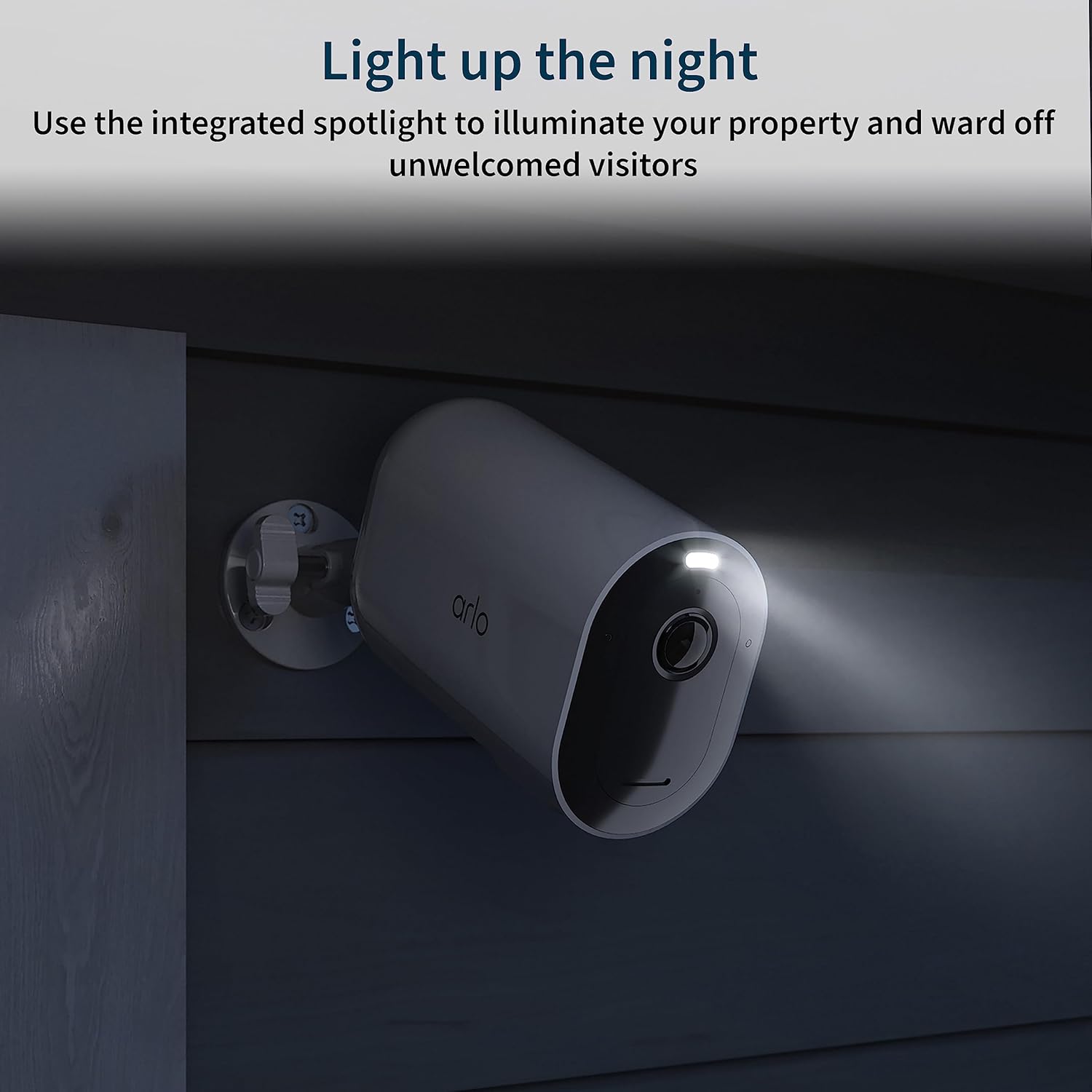
Figure 4.2: Advanced AI object detection helps identify specific events like packages, persons, or animals.

Figure 4.3: The integrated spotlight enhances night vision and can deter unwanted visitors.
5. การบำรุงรักษา
- อายุการใช้งานแบตเตอรี่: The XL rechargeable battery provides extended battery life, up to 12 months on a single charge, depending on usage and settings.
- การชาร์จไฟ: Recharge batteries as needed using the magnetic charging cable.
- การทำความสะอาด: ทำความสะอาดเลนส์และตัวเรือนกล้องเป็นระยะด้วยผ้านุ่มๆamp cloth to ensure optimal video quality and performance. Avoid abrasive cleaners.

Figure 5.1: The XL rechargeable battery offers extended power for your camera.
6. ความเป็นส่วนตัวและความปลอดภัยของข้อมูล
Arlo is committed to protecting your privacy and personal data. Your data belongs to you, and Arlo employs military-grade encryption for data protection. You have control over who sees your account and content.
Arlo Privacy Pledge Video:
Video 6.1: An official video from Arlo Technologies, Inc. detailing their commitment to user privacy and data security.
7 การแก้ไขปัญหา
If you encounter issues with your Arlo Pro 5S XL camera, consider the following:
- ปัญหาการเชื่อมต่อ: Ensure your Wi-Fi network is active and the camera is within range. Check the Arlo app for network status.
- แบตเตอรี่ต่ำ: If the camera is unresponsive, check the battery level in the app and recharge if necessary.
- ไม่มีการตรวจจับการเคลื่อนไหว: Verify motion detection settings in the Arlo app, including activity zones and sensitivity.
- คุณภาพวิดีโอไม่ดี: Ensure the camera lens is clean and free from obstructions. Check your Wi-Fi signal strength.
For further assistance, refer to the official Arlo support resources available through the Arlo app or their webเว็บไซต์.
8. ข้อมูลจำเพาะ
| คุณสมบัติ | รายละเอียด |
|---|---|
| หมายเลขรุ่น | VMC4060A, VMC4060B |
| การใช้งานภายใน/ภายนอกอาคาร | กลางแจ้ง |
| ความละเอียดในการจับภาพวิดีโอ | 2K |
| เทคโนโลยีการเชื่อมต่อ | ไวไฟ |
| แหล่งพลังงาน | ใช้พลังงานจากแบตเตอรี่ |
| ประเภทแบตเตอรี่ | ลิเธียมไอออน |
| Viewอิงแองเกิล | 160 องศา |
| ซูมดิจิตอล | 12X |
| การมองเห็นตอนกลางคืน | การมองเห็นกลางคืนแบบสี |
| เสียง | ระบบเสียง 2 ทาง |
| ระดับความต้านทานต่อน้ำ | ทนน้ำ (IP65) |
| ขนาด (กว้าง x ยาว x สูง) | 3.5 x 2 x 3 นิ้ว |
| น้ำหนักสินค้า | 5.33 pounds (total for 3 cameras) |
| อุปกรณ์ที่รองรับ | แล็ปท็อป เดสก์ท็อป สมาร์ทโฟน |
| วิธีการควบคุม | แอป |
9. การรับประกันและการสนับสนุน
Arlo provides expert support for its products. For any questions or issues, you can access 24/7 chat support via the Arlo app or their official website. Product use and support are available for the United States only.
สำหรับข้อมูลการรับประกันโดยละเอียด โปรดดูที่เว็บไซต์อย่างเป็นทางการของ Arlo webไซต์หรือเอกสารที่รวมอยู่กับผลิตภัณฑ์ของคุณ
You can also find additional user guides and support documents on the Amazon product page or directly from Arlo's support portal. A user manual in PDF format is available ที่นี่.


