การแนะนำ
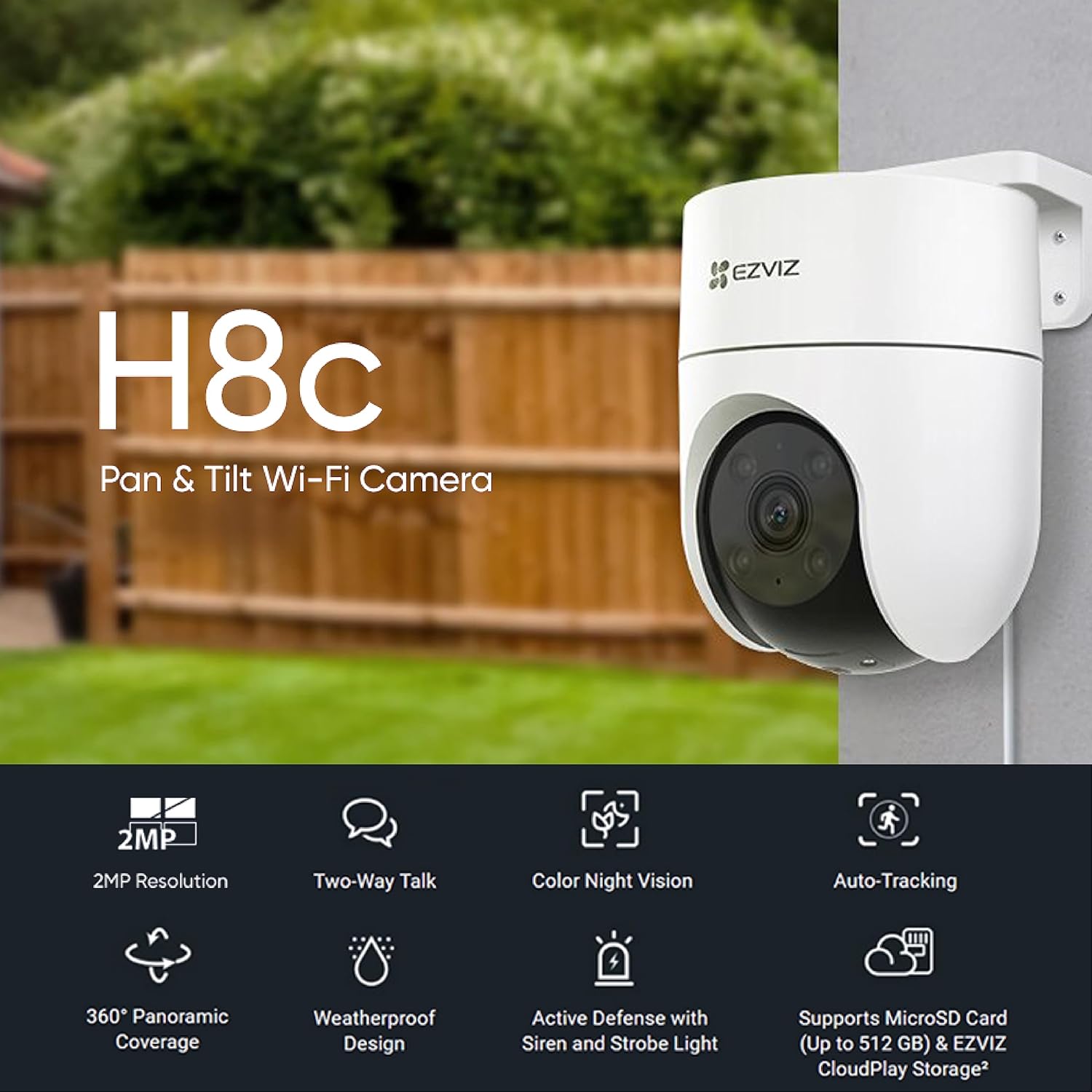
The EZVIZ H8c camera integrates smart features into a compact unit for smart home protection. This reliable and accessible camera performs consistently in all weather conditions and integrates seamlessly with residential internet platforms. It offers clear 1080p images, 360-degree panoramic view, human shape detection, active defense, two-way audio, and robust weatherproof design.
คุณสมบัติหลัก
- 1080p Resolution & 360-degree Panoramic View: Provides clear images and comprehensive coverage, eliminating blind spots. The camera's motor allows viewing of every important angle.
- Smart Detection and Tracking: Differentiates between people, pets, and other moving objects. Upon detecting human activity, the camera automatically tracks the target's movement.
- Active Defense System: Features a 24/7 vigilant guard function. When intruders are detected, it activates a loud siren and flashes two bright spotlights to deter unwanted visitors.
- พรีเซ็ต Viewอิงมุม: Allows users to define up to 12 preferred viewing angles via the EZVIZ app. The camera can automatically return to these preset points after tracking.
- เสียงสองทาง: Enables remote communication through your mobile phone, allowing you to listen and speak to delivery personnel, greet guests, or deter intruders.
- การออกแบบที่ทนฝนและแดด: Built with a robust outer casing, ensuring long-term, worry-free protection in various weather conditions.
มีอะไรอยู่ในกล่อง
The EZVIZ H8C camera package includes the following components:
- กล้อง EZVIZ H8C
- เจาะแม่แบบ
- ชุดสกรู
- ชุดกันน้ำ
- อะแดปเตอร์แปลงไฟ
- ข้อมูลด้านกฎระเบียบ
- คู่มือเริ่มต้นอย่างรวดเร็ว
การตั้งค่า
ทำตามขั้นตอนต่อไปนี้เพื่อตั้งค่ากล้อง EZVIZ H8C ของคุณ:
- เตรียมความพร้อมสำหรับการติดตั้ง: Choose a suitable outdoor location for mounting the camera. Ensure the area provides a clear view and is within range of your Wi-Fi network.
- ติดตั้งกล้อง: Use the provided drill template to mark the screw holes. Securely mount the camera to the wall or ceiling using the screw kit. Ensure the camera is firmly attached to prevent accidental falls.
- เชื่อมต่อพลังงาน: เชื่อมต่ออะแดปเตอร์แปลงไฟเข้ากับกล้อง แล้วเสียบเข้ากับเต้ารับไฟฟ้า
- ดาวน์โหลดแอป EZVIZ: ดาวน์โหลดแอป EZVIZ จากแอปสโตร์ของสมาร์ทโฟนของคุณ (iOS หรือ Android)
- Create Account & Add Device: Open the EZVIZ app, create an account if you don't have one, and follow the in-app instructions to add your H8C camera. Scan the QR code on the camera or its packaging when prompted.
- ตั้งค่า Wi-Fi: Follow the app's instructions to connect the camera to your home Wi-Fi network. Ensure a strong signal for optimal performance.
- การปรับขั้นสุดท้าย: Adjust the camera's angle and position using the app to achieve the desired viewพื้นที่ที่กำลังก่อสร้าง

คำแนะนำการใช้งาน
Once your EZVIZ H8C camera is set up, you can operate it using the EZVIZ mobile application.
- สด View: Open the EZVIZ app and select your H8C camera to view ฟีดสด
- การควบคุมแพนและเอียง: Use the on-screen controls in the app to remotely pan (horizontal rotation up to 350°) and tilt (vertical rotation up to 80°) the camera to adjust its viewมุมอิง

Image: A visual representation of the EZVIZ H8C camera's 360-degree panoramic view, highlighting its 350° horizontal and 80° vertical rotation capabilities. - การพูดคุยแบบสองทาง: Tap the microphone icon in the app to activate two-way audio. You can speak through your phone, and your voice will be projected through the camera's speaker, allowing you to communicate with people near the camera.
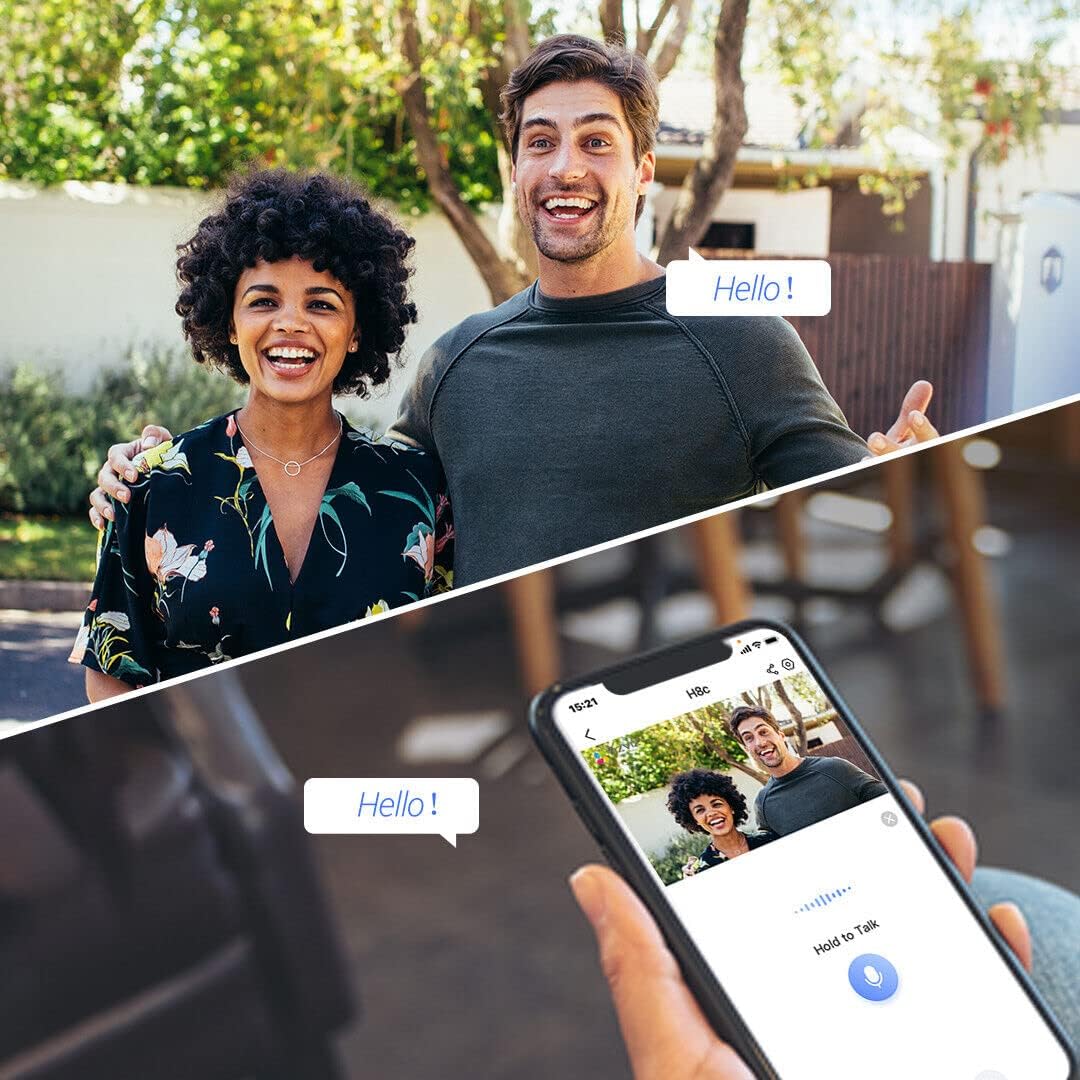
Image: This image demonstrates the two-way audio feature, allowing users to communicate with individuals near the camera via their smartphone. - การตรวจจับและติดตามการเคลื่อนไหว: The camera automatically detects human movement and tracks the subject. You will receive notifications on your phone when motion is detected.
- การป้องกันเชิงรุก: If enabled, the camera will activate its siren and spotlights upon detecting intruders to deter them.
- การมองเห็นตอนกลางคืน: The camera automatically switches to night vision mode in low-light conditions, providing clear surveillance even in the dark. It supports color night vision.
- การบันทึกและการเล่นซ้ำ: การเข้าถึงที่บันทึกไว้ footage through the EZVIZ app. You can view past events and download clips. The camera supports MicroSD card storage up to 512GB and EZVIZ CloudPlay Storage.
การซ่อมบำรุง
Regular maintenance ensures optimal performance and longevity of your EZVIZ H8C camera.
- ทำความสะอาดเลนส์: Periodically wipe the camera lens with a soft, clean cloth to remove dust, dirt, or water spots that may affect image clarity. Do not use harsh chemicals.
- ตรวจสอบการเชื่อมต่อ: ตรวจสอบให้แน่ใจว่าการเชื่อมต่อไฟฟ้าและเครือข่ายทั้งหมดมีความปลอดภัยและไม่มีความเสียหาย
- อัพเดตเฟิร์มแวร์: Regularly check for and install firmware updates via the EZVIZ app. Updates often include performance improvements and security enhancements.
- ตรวจสอบความเสียหาย: Periodically inspect the camera's casing and mounting for any signs of wear, damage, or loose components, especially after severe weather.

Image: The EZVIZ H8C camera enduring rain, illustrating its weatherproof design and the importance of checking for wear after exposure to elements. - การจัดการพื้นที่เก็บข้อมูล: หากใช้การ์ด MicroSD ควรชาร์จใหม่เป็นระยะview และจัดการ foo ที่เก็บไว้tage to ensure sufficient space. Consider EZVIZ CloudPlay for continuous backup.
การแก้ไขปัญหา
| ปัญหา | สาเหตุที่เป็นไปได้ | สารละลาย |
|---|---|---|
| กล้องออฟไลน์ | No power, Wi-Fi signal loss, network issues. | Check power connection. Verify Wi-Fi signal strength. Restart router and camera. Reconfigure Wi-Fi in the app if necessary. |
| คุณภาพของภาพไม่ดี | Dirty lens, low light, poor network bandwidth. | Clean the camera lens. Ensure adequate lighting or check night vision settings. Improve Wi-Fi signal or internet speed. |
| การตรวจจับความเคลื่อนไหวไม่ทำงาน | Detection settings incorrect, camera obstructed. | Check motion detection sensitivity and area settings in the EZVIZ app. Ensure no physical obstructions block the camera's view. |
| ปัญหาเกี่ยวกับระบบเสียงสองทาง | Microphone/speaker muted, low volume, network delay. | Ensure microphone and speaker are enabled and volume is up in the app. Check network connection for stability. |
| MicroSD Card Not Recording | บัตรเต็ม บัตรเสียหาย หรือเสียบบัตรไม่ถูกต้อง | Check card status in the app. Format the card (this will erase data). Replace with a new card if corrupted. Ensure it's inserted correctly. |
ข้อมูลจำเพาะ
| คุณสมบัติ | รายละเอียด |
|---|---|
| หมายเลขรุ่น | CS-H8C (1080P) |
| ความละเอียดในการจับภาพวิดีโอ | 1080p |
| View มุม | 360 degrees (Pan: 350°, Tilt: 80°) |
| เทคโนโลยีการสื่อสารไร้สาย | ไวไฟ |
| ฟอร์มแฟกเตอร์ | โดม |
| ประเภทการติดตั้ง | Ceiling Mount / Screw-in |
| ระดับความต้านทานต่อน้ำ | กันน้ำ |
| คุณสมบัติพิเศษ | Night Vision, Two-Way Audio, Motion Detection, Auto-Tracking, Active Defense |
| แหล่งพลังงาน | ใช้ไฟฟ้าแบบมีสาย (6 วัตต์) |
| ขนาดรายการ (LxWxH) | 10 x 12.9 x 15 ซม. |
| น้ำหนักสินค้า | 420 กรัม |
| อุปกรณ์ที่รองรับ | สมาร์ทโฟน (แอนดรอยด์) |
| การสนับสนุนการจัดเก็บข้อมูล | การ์ด microSD (สูงสุด 512GB), พื้นที่จัดเก็บข้อมูล EZVIZ CloudPlay |
การรับประกันและการสนับสนุน
สำหรับข้อมูลการรับประกันและการสนับสนุนทางเทคนิค โปรดดูที่เว็บไซต์อย่างเป็นทางการของ EZVIZ website or contact their customer service. Details regarding extended warranty options may also be available from your retailer.
- ผู้ผลิต: EZVIZ, หางโจว Ezviz Network Co. Ltd.
- วันที่พร้อมใช้งานครั้งแรก: 20 เมษายน 2023