1. บทนำ
This manual provides detailed instructions for the installation, operation, and maintenance of your Energeeks Guardian EG-CIPEXT002 Outdoor WiFi IP Camera. This camera is designed for outdoor surveillance, offering features such as high-resolution video, motion detection with human filtering, two-way audio, and night vision. Please read this manual thoroughly before using the product to ensure proper functionality and safety.
2. ข้อมูลด้านความปลอดภัย
- ตรวจสอบให้แน่ใจว่าได้ถอดแหล่งจ่ายไฟออกก่อนการติดตั้งหรือการบำรุงรักษา
- ใช้เฉพาะอะแดปเตอร์แปลงไฟที่ให้มาพร้อมกับกล้องเท่านั้น
- Do not expose the camera to extreme temperatures or corrosive environments.
- Avoid placing the camera in direct sunlight for prolonged periods, as this may affect performance.
- Ensure all cables are properly secured to prevent tripping hazards or damage.
- This product is rated IP65 for water resistance, meaning it is protected against dust and low-pressure water jets. Do not submerge the camera in water.
3. เนื้อหาบรรจุภัณฑ์
ตรวจสอบว่ามีรายการทั้งหมดอยู่ในแพ็คเกจ:
- Energeeks Guardian EG-CIPEXT002 IP Camera
- ตัวยึดติดผนัง
- Power Adapter (Transformer)
- สกรูยึดและปลั๊กผนัง
- คู่มือการใช้งาน (เอกสารนี้)

Image: The product box for the Energeeks Guardian EG-CIPEXT002 camera, showing the camera and its features.
4. การตั้งค่าและการติดตั้ง
4.1 การติดตั้งทางกายภาพ
- เลือกตำแหน่ง: เลือกสถานที่กลางแจ้งที่ให้บรรยากาศที่ต้องการ viewing angle and is within range of your Wi-Fi network. Ensure the camera is mounted securely and has access to a power outlet.
- ติดวงเล็บ: Use the provided wall mounting bracket, screws, and wall plugs to securely attach the bracket to the chosen surface.
- ติดกล้อง: Secure the camera to the mounted bracket.
- เชื่อมต่อพลังงาน: Connect the power adapter to the camera and plug it into a suitable outdoor power outlet.
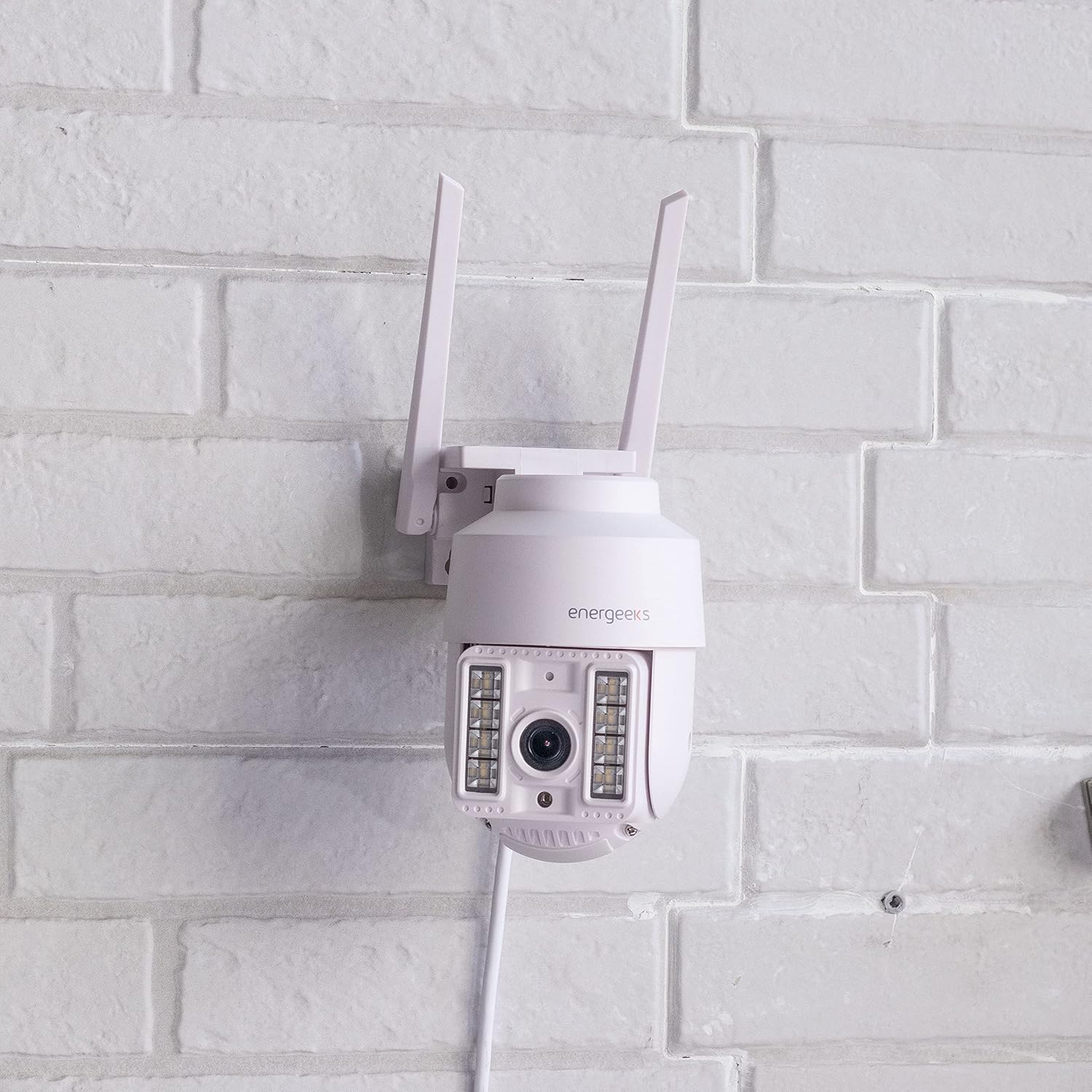
Image: The Energeeks Guardian EG-CIPEXT002 camera mounted on a white brick wall, showing its outdoor installation.

Image: The Energeeks Guardian EG-CIPEXT002 camera mounted on a white brick wall, with its integrated lights illuminated.
4.2 การเชื่อมต่อเครือข่าย
- ดาวน์โหลดแอป: ค้นหา the "Energeeks 3.0" app on Google Play Store or Apple App Store and install it on your smartphone.
- สร้างบัญชี: เปิดแอปและทำตามคำแนะนำบนหน้าจอเพื่อสร้างบัญชีผู้ใช้ใหม่หรือเข้าสู่ระบบหากคุณมีบัญชีผู้ใช้อยู่แล้ว
- เพิ่มอุปกรณ์: In the app, select "Add Device" or the "+" icon. Choose "Security Camera" or the relevant camera type.
- เชื่อมต่อกับ Wi-Fi: Follow the app's instructions to connect the camera to your 2.4GHz Wi-Fi network. This typically involves scanning a QR code displayed on your phone with the camera.
- การเชื่อมต่อแบบใช้สาย (ไม่บังคับ): The camera also supports an RJ45 Ethernet connection for a stable wired network connection. Connect an Ethernet cable from your router to the camera's RJ45 port.
5. คู่มือการใช้งาน
5.1 สด View และการควบคุม
- Open the Energeeks 3.0 app and select your camera from the device list.
- You will see a live feed from the camera.
- ใช้ปุ่มควบคุมบนหน้าจอเพื่อแพน (355° ในแนวนอน) และเอียง (90° ในแนวตั้ง) เลนส์กล้องเพื่อปรับตำแหน่ง viewมุมอิง
5.2 คุณสมบัติหลัก
- วิดีโอความละเอียดสูง: Records in Super HD 3 Megapixel (1296p) resolution for clear images.
- Motion Detection with Human Filter: The camera detects movement and can specifically filter for human shapes, reducing false alarms. Notifications are sent to your smartphone upon detection.
- การมองเห็นตอนกลางคืน: Equipped with infrared LEDs for clear vision in low-light conditions. Integrated lights can also be activated.
- เสียงสองทาง: Use the app to listen to the camera's surroundings and speak through the camera's built-in speaker.
- การจัดเก็บข้อมูลภายในเครื่อง: Supports recording to a MicroSD card (not included). Insert the card into the designated slot on the camera.
- การเก็บข้อมูลบนคลาวด์: Optional cloud storage service is available (subscription required) for secure off-site video backup.
- ไซเรนในตัว: The camera features an integrated siren that can be activated manually or automatically upon detection to deter intruders.
- การรวมระบบบ้านอัจฉริยะ: Compatible with Google Home and Amazon Alexa for voice control and integration into smart home routines.
6. การบำรุงรักษา
- การทำความสะอาด: ทำความสะอาดเลนส์และตัวเรือนกล้องเป็นระยะด้วยผ้านุ่มๆamp ผ้า. อย่าใช้สารเคมีที่รุนแรงหรือน้ำยาทำความสะอาดที่มีฤทธิ์กัดกร่อน
- อัพเดตเฟิร์มแวร์: Check the Energeeks 3.0 app regularly for available firmware updates. Keeping the firmware updated ensures optimal performance and security.
- การตรวจสอบสายเคเบิล: Regularly inspect power and network cables for any signs of wear or damage. Replace damaged cables immediately.
7 การแก้ไขปัญหา
| ปัญหา | สาเหตุที่เป็นไปได้ | สารละลาย |
|---|---|---|
| กล้องไม่เชื่อมต่อกับ Wi-Fi | Incorrect Wi-Fi password; Camera too far from router; Router is 5GHz only; Network interference. | Verify Wi-Fi password; Move camera closer to router; Ensure router supports 2.4GHz (camera only supports 2.4GHz); Reduce interference from other devices. |
| คุณภาพของภาพไม่ดี | Dirty lens; Low light conditions; Poor network connection. | Clean the camera lens; Ensure night vision is active in low light; Check Wi-Fi signal strength or use wired connection. |
| การตรวจจับการเคลื่อนไหวไม่ทำงาน | Motion detection disabled in app; Sensitivity set too low; Incorrect detection zone. | Enable motion detection in the app settings; Adjust sensitivity; Configure detection zones correctly. |
| เสียงสองทางไม่ทำงาน | Microphone/speaker muted in app; App permissions not granted. | Check audio settings in the app; Ensure the app has microphone permissions on your phone. |
8. ข้อมูลจำเพาะ
| คุณสมบัติ | รายละเอียด |
|---|---|
| หมายเลขรุ่น | EG-CIPEXT002 |
| ความละเอียดในการบันทึกวิดีโอ | 1296p (3 Megapixel Super HD) |
| แพน/เอียงการเคลื่อนไหว | แนวนอน 355° / แนวตั้ง 90° |
| ระดับการต้านทานน้ำ | IP65 |
| เทคโนโลยีการเชื่อมต่อ | Wi-Fi (2.4GHz), RJ45 Ethernet |
| คุณสมบัติพิเศษ | Two-way audio, Motion detection with human filter, Night vision, Integrated siren, Integrated lights |
| อุปกรณ์ที่รองรับ | Google Home, Amazon Alexa |
| แหล่งพลังงาน | สายไฟฟ้า |
| ขนาด (กว้าง x ยาว x สูง) | 12 x 14 x 18 ซม. |
| น้ำหนัก | 570 กรัม |
| รวมส่วนประกอบ | Camera, Wall Mounting Bracket, Power Adapter |
9. การรับประกันและการสนับสนุน
For warranty information and technical support, please refer to the documentation provided with your purchase or visit the official Energeeks website. Information regarding spare parts availability is not provided at this time. Please retain your proof of purchase for warranty claims.


