1. บทนำ
Thank you for choosing the Auna Connect 100 MKII Portable Bluetooth DAB/DAB+/FM Radio. This device offers a versatile listening experience with access to digital DAB/DAB+ radio, traditional FM radio, and wireless audio streaming via Bluetooth. It also features USB playback, an AUX input, a TFT display, and an alarm clock function. This manual provides essential information for safe operation, setup, and maintenance of your radio.
2. คำแนะนำด้านความปลอดภัย
- อ่านคำแนะนำทั้งหมดอย่างละเอียดก่อนใช้อุปกรณ์
- เก็บคู่มือนี้ไว้เพื่อใช้อ้างอิงในอนาคต
- ห้ามให้อุปกรณ์โดนฝน ความชื้น หรืออุณหภูมิที่สูงหรือต่ำเกินไป
- ตรวจสอบให้แน่ใจว่ามีการระบายอากาศที่เหมาะสม อย่าปิดกั้นช่องระบายอากาศใดๆ
- ใช้เฉพาะอะแดปเตอร์ไฟฟ้าที่มาพร้อมกับเครื่องเท่านั้น
- อย่าพยายามถอดประกอบหรือดัดแปลงตัวเครื่อง แนะนำให้ช่างผู้ชำนาญเข้ารับบริการทั้งหมด
- Clean the unit only with a dry, soft cloth.
3. สินค้าหมดview
การควบคุมและการแสดงผลที่แผงด้านหน้า

ภาพ: ด้านหน้า view of the Auna Connect 100 MKII radio, showing the central TFT display, two rotary knobs (Volume and Navigate/Snooze), and various control buttons below the display, including USB IN port.
- จอแสดงผล TFT: Shows current mode, station information, track details, time, and menu options.
- ปุ่มปรับระดับเสียง/เปิดปิด: หมุนเพื่อปรับระดับเสียง กดเพื่อเปิด/ปิดเครื่อง
- OK/Navigate/Snooze Knob: Rotate to navigate menus/stations; press to confirm selection or snooze alarm.
- พอร์ต USB ใน: สำหรับเชื่อมต่ออุปกรณ์จัดเก็บข้อมูล USB สำหรับการเล่นเสียง
- ปุ่มควบคุม: Include Home, Scan, Presets (1-5+), Menu/Info, Back, and Headphone Jack.
การเชื่อมต่อแผงด้านหลัง

ภาพ: ด้านหลัง view of the Auna Connect 100 MKII radio, highlighting the telescopic antenna, AUX IN, DC power input, and Line-Out ports.
- เสาอากาศยืดไสลด์: For DAB/DAB+ and FM radio reception.
- ช่องรับสัญญาณเสียงเข้า: แจ็คขนาด 3.5 มม. สำหรับเชื่อมต่อแหล่งสัญญาณเสียงภายนอก
- DC IN: Power input for the mains adapter.
- ไลน์เอาท์: สำหรับการเชื่อมต่อกับภายนอก ampเครื่องขยายเสียง หรือ ลำโพง
4. การตั้งค่า
4.1 การแกะกล่อง
Carefully remove the radio from its packaging. Retain the packaging materials for future transport or storage.
4.2 การเชื่อมต่อสายไฟ
- Connect the supplied power adapter to the DC IN port on the rear of the radio.
- Plug the power adapter into a suitable mains power outlet.
- The radio is designed for mains operation.
4.3 การปรับเสาอากาศ
Extend the telescopic antenna fully and adjust its position for optimal DAB/DAB+ and FM radio reception.
5. การดำเนินการ
5.1 เปิด/ปิดเครื่อง
กดปุ่ม ปุ่มปรับระดับเสียง/เปิด/ปิด to turn the radio on or off.
การเลือกโหมด 5.2
กดปุ่ม บ้าน button to access the main menu and select your desired mode (e.g., DAB, FM, Bluetooth, USB, AUX). Use the OK/Navigate Knob to scroll and select.

ภาพ: ด้านบน view of the Auna Connect 100 MKII radio, showing icons for various connection types and modes such as FM Antenna, DAB/DAB+, USB, Headphone, Aux, WiFi, and Bluetooth.
5.3 วิทยุ DAB/DAB+
- เลือก แดบ mode from the main menu.
- The radio will automatically scan for available DAB/DAB+ stations.
- ใช้ OK/Navigate Knob to browse the station list and press to select a station.
- กดปุ่ม เมนู/ข้อมูล ปุ่มที่จะ view ข้อมูลสถานี
5.4 วิทยุ FM
- เลือก FM mode from the main menu.
- กดปุ่ม สแกน button to automatically scan for FM stations.
- ใช้ OK/Navigate Knob to fine-tune frequencies or select a scanned station.

Image: Two individuals smiling and enjoying music, illustrating the stereo sound output of the Auna Connect 100 MKII radio.
5.5 การจับคู่บลูทูธ
- เลือก บลูทูธ mode from the main menu. The display will show "Pairing".
- Enable Bluetooth on your smartphone or tablet and search for available devices.
- Select "Auna Connect 100 MKII" from the list to pair.
- เมื่อจับคู่เสร็จแล้ว คุณสามารถสตรีมเสียงจากอุปกรณ์ของคุณไปยังวิทยุได้
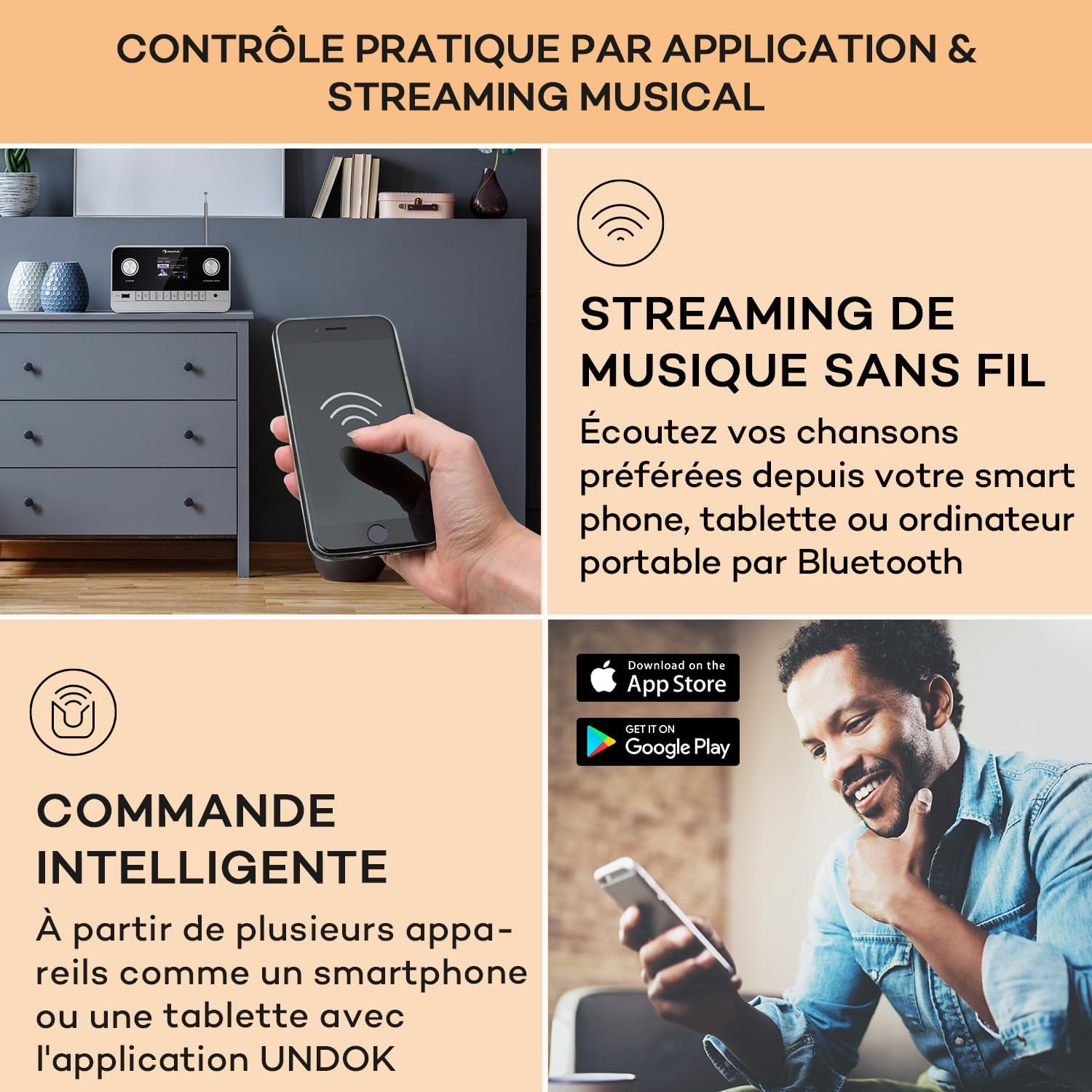
Image: A hand holding a smartphone, demonstrating wireless music streaming and smart control of the Auna Connect 100 MKII radio via a dedicated application.
5.6 การเล่น USB
- เสียบอุปกรณ์จัดเก็บข้อมูล USB เข้าไป USB เข้า พอร์ตที่แผงด้านหน้า
- เลือก ยูเอสบี mode from the main menu.
- ใช้ OK/Navigate Knob to browse folders and tracks, then press to play.
อินพุต AUX 5.7 ช่อง
- Connect an external audio device (e.g., MP3 player) to the AUX IN port on the rear panel using a 3.5mm audio cable.
- เลือก อ๊อกซ์ mode from the main menu.
- Audio from the external device will now play through the radio.
5.8 นาฬิกาปลุกและตัวตั้งเวลาปิดเครื่อง
The radio includes an alarm clock and sleep timer function. Access these settings via the เมนู button and follow the on-screen instructions to set alarms or a sleep timer.
5.9 การตั้งค่าการแสดงผล
Adjust display brightness and other settings through the เมนู options. The TFT color display provides clear visibility of information.
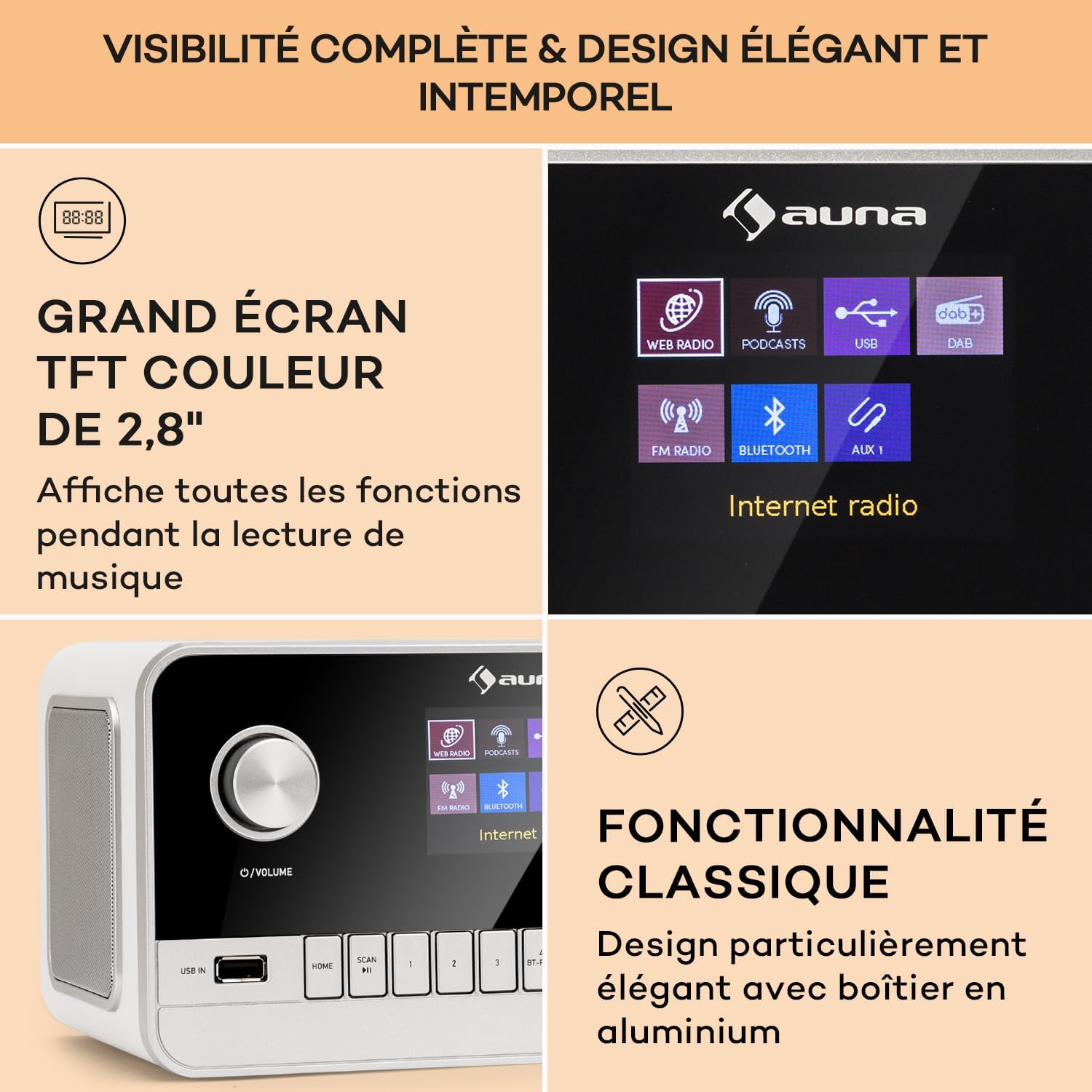
Image: Close-up of the Auna Connect 100 MKII's 2.8-inch TFT color display, showing various function icons and music playback information, highlighting its elegant design.
5.10 การควบคุมระยะไกล
The included remote control allows for convenient operation of all radio functions from a distance. Ensure the remote's battery is correctly inserted.
6. การบำรุงรักษา
- การทำความสะอาด: Disconnect the power before cleaning. Use a soft, dry cloth to wipe the surface of the radio. Do not use liquid cleaners or abrasive materials.
- พื้นที่จัดเก็บ: If not using the radio for an extended period, unplug it from the power outlet and store it in a cool, dry place.
7 การแก้ไขปัญหา
| ปัญหา | สาเหตุที่เป็นไปได้ | สารละลาย |
|---|---|---|
| ไม่มีไฟฟ้า | ไม่ได้เชื่อมต่ออะแดปเตอร์ไฟหรือเต้ารับไฟฟ้าชำรุด | Check power connections and try a different outlet. |
| การรับสัญญาณวิทยุไม่ดี (DAB/FM) | เสาอากาศไม่ยืดออกหรือพื้นที่สัญญาณไม่ดี | Fully extend and adjust the telescopic antenna. Try repositioning the radio. |
| ไม่สามารถจับคู่บลูทูธได้ | วิทยุไม่ได้อยู่ในโหมดจับคู่ หรืออุปกรณ์อยู่ไกลเกินไป | Ensure radio is in Bluetooth mode and displaying "Pairing". Move device closer to the radio. |
| ไม่มีเสียงจาก USB | ไม่ได้รับการสนับสนุน file format or USB device issue. | Check USB device for compatible audio files. Ensure USB is properly inserted. |
8. ข้อมูลจำเพาะ
| คุณสมบัติ | รายละเอียด |
|---|---|
| ยี่ห้อ | อาน่า |
| หมายเลขรุ่น | Connect 100 MKII |
| สี | สีขาว |
| เทคโนโลยีการเชื่อมต่อ | Bluetooth, USB, อุปกรณ์เสริม |
| คุณสมบัติพิเศษ | Portable, Alarm Clock |
| อุปกรณ์ที่รองรับ | Devices with Bluetooth or USB connectivity |
| ขนาดสินค้า (กxยxส) | 22.5 x 16.5 x 12.1 ซม. |
| เทคโนโลยีการปรับแต่ง | ดิจิตอล |
| แถบความถี่วิทยุที่รองรับ | ตบเบา ๆ / ตบเบา ๆ + / FM |
| แหล่งพลังงาน | Electric Cable (Mains Powered) |
9. อะไรอยู่ในกล่อง
- 1 x Auna Connect 100 MKII Portable DAB+/FM Radio
- อะแดปเตอร์ไฟฟ้า 1 ตัว
- 1 x รีโมทคอนโทรล
- คู่มือผู้ใช้หลายภาษา 1 เล่ม
10. การรับประกันและการสนับสนุน
For warranty information and technical support, please refer to the documentation provided with your purchase or contact Auna customer service. Keep your proof of purchase for any warranty claims.


