สินค้าเกินview
The DEPOW Black Surge Protector Power Strip (Model: QT560-CU) is designed to provide power and protection for multiple electronic devices. It features 5 grounded AC outlets and 4 USB ports (2 USB-A, 2 USB-C) to charge up to 9 devices simultaneously. The ultra-thin flat plug and 5-foot extension cord offer flexible placement options, while its 1700 Joules surge protection safeguards your electronics from power fluctuations.
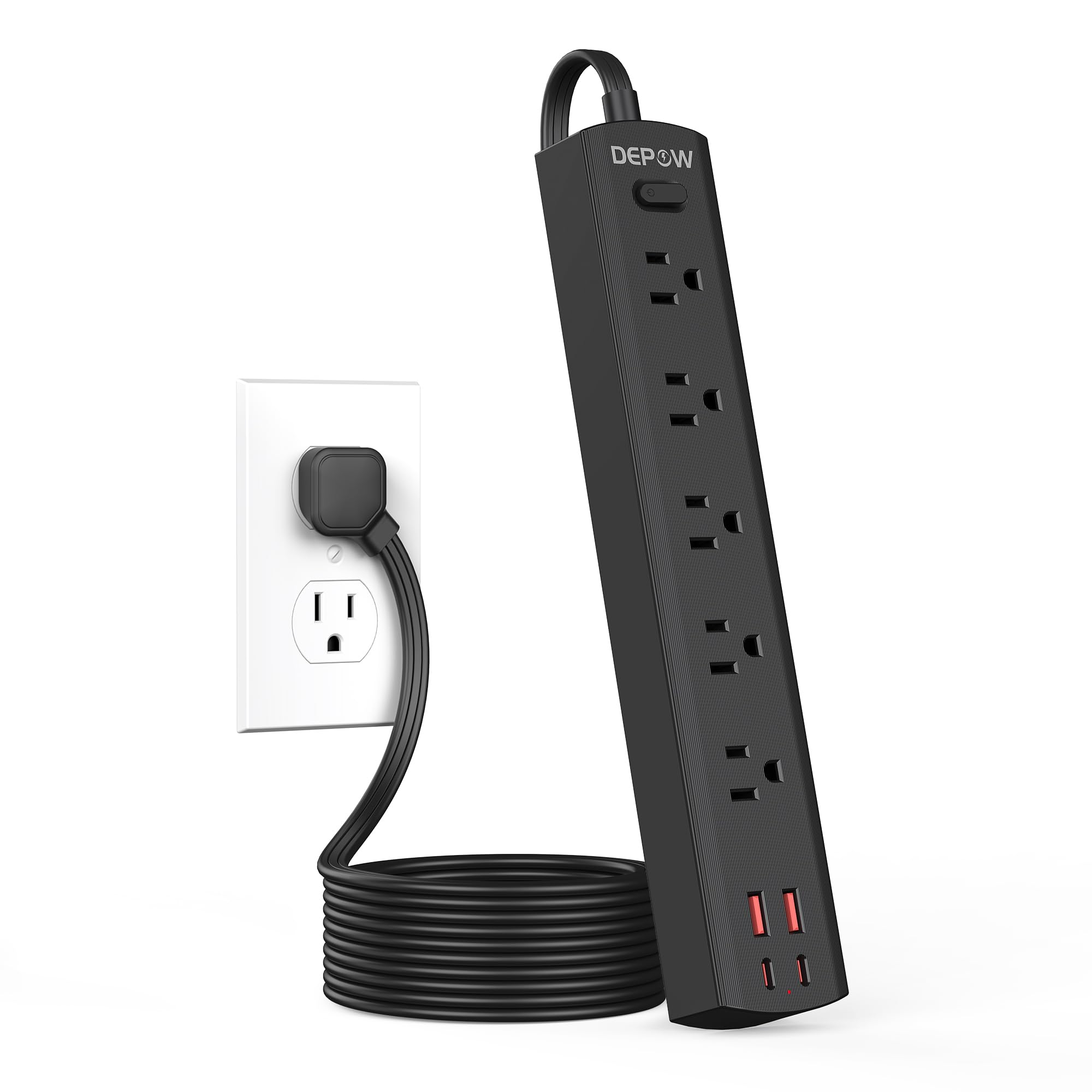
Image: The DEPOW Black Surge Protector Power Strip, showcasing its 5 AC outlets and 4 USB ports (2 USB-A, 2 USB-C) on a flat surface.
คุณสมบัติหลัก:
- โซลูชันด้านพลังงาน 9-in-1: 5 AC outlets and 4 USB ports (2 USB-A, 2 USB-C) for simultaneous charging.
- การป้องกันไฟกระชากขั้นสูง: 1700 Joules rating protects devices from power surges and spikes.
- การออกแบบประหยัดพื้นที่: Ultra-thin flat plug (0.33-inch profile) with a 45° right-angle design allows placement behind furniture without blocking other outlets.
- การจัดวางแบบยืดหยุ่น: 5-foot flat extension cord and wall-mountable design with 2 mounting holes.
- การชาร์จ USB อัจฉริยะ: USB ports deliver optimized charging (Max 3.4A/17W Shared) for smartphones, tablets, and other USB-powered devices.
- ความปลอดภัยที่ครอบคลุม: Features overload, short-circuit, grounded, USB over-voltage, USB over-current, USB over-heat, and flame retardant protection.
คำแนะนำการตั้งค่า
Follow these steps to set up your DEPOW Surge Protector Power Strip:
1. การแกะบรรจุภัณฑ์และการตรวจสอบ:
- แกะปลั๊กพ่วงออกจากบรรจุภัณฑ์อย่างระมัดระวัง
- ตรวจสอบตัวเครื่องว่ามีร่องรอยความเสียหายหรือไม่ หากพบว่าชำรุด ห้ามใช้งาน
- Ensure all components are present: power strip, mounting screws (if applicable).

Image: The underside of the DEPOW power strip, highlighting the two mounting holes and product dimensions (10.83in length, 1.97in width).
2. การเลือกสถานที่ตั้ง:
- Select a dry indoor location away from water sources and heat.
- Consider using the wall-mount feature for a tidy setup, especially in offices or behind furniture.
3. การเชื่อมต่อกับพลังงาน:
- Plug the power strip's flat plug into a standard 125V AC wall outlet. The 45° right-angle design ensures it doesn't block adjacent outlets.
- The power indicator light on the strip will illuminate, confirming it is receiving power.

Image: A visual comparison demonstrating how the ultra-thin flat plug (0.33 inches) of the DEPOW power strip fits flush against a wall, unlike a thicker standard plug (2.04 inches).
4. Wall Mounting (Optional):
- Identify the two mounting holes on the back of the power strip.
- Mark the desired screw locations on the wall, ensuring they align with the mounting holes.
- Drill pilot holes if necessary and insert the provided screws, leaving them slightly protruding.
- Align the power strip's mounting holes with the screws and slide the strip down to secure it.
คำแนะนำการใช้งาน
This section details how to use your DEPOW Surge Protector Power Strip effectively.
1. การเปิด/ปิดเครื่อง:
- The power strip features an On/Off switch. Press the switch to toggle power to all connected devices.
- The switch also acts as an overload protection reset button. If the strip experiences an overload (exceeding 1625W), it will automatically shut off. Press the switch to reset after reducing the load.
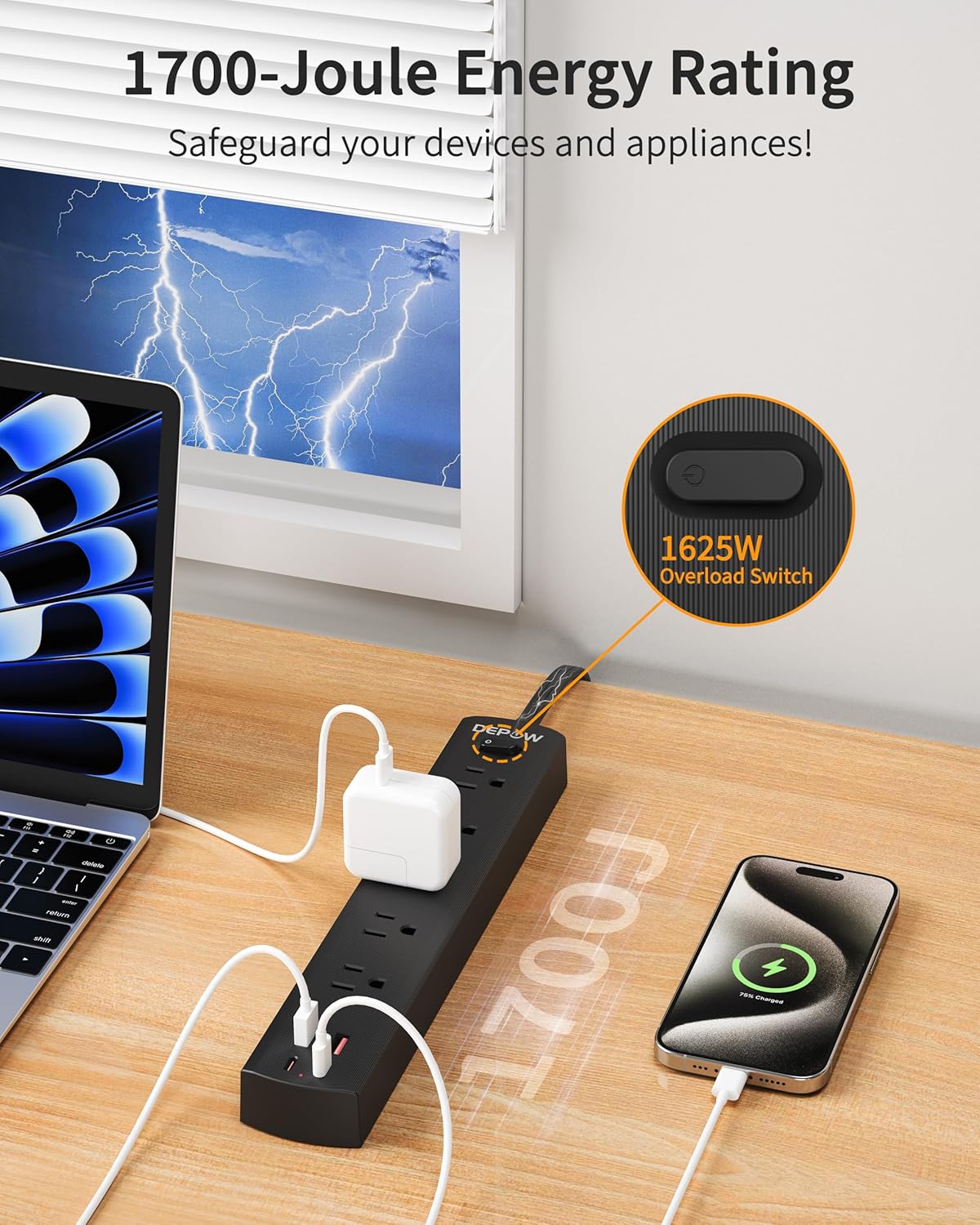
Image: The DEPOW power strip in use, highlighting the 1625W overload switch and indicating 1700 Joules of surge protection.
2. Connecting AC Devices:
- Plug your AC-powered devices into any of the 5 grounded AC outlets.
- The widely spaced outlets accommodate larger power adapters without blocking adjacent ports.
- Ensure the total power consumption of all connected AC devices does not exceed 1625W (13A at 125V).

Image: The DEPOW power strip on a desk, with various devices like laptops, phones, and chargers plugged into its AC and USB ports, demonstrating its multi-device charging capability.
3. Using USB Charging Ports:
- Connect your USB-powered devices (smartphones, tablets, smartwatches, etc.) to the 2 USB-A or 2 USB-C ports.
- The USB ports provide optimized charging with a maximum shared output of 3.4A/17W.

Image: A close-up of the DEPOW power strip's USB ports, illustrating the charging capabilities for USB-A (12W Max) and USB-C (15W Max) with a total shared output of 17W.
4. การสาธิตผ่านวิดีโอ:
Video: An official DEPOW video demonstrating the features and usage of the power strip, including its multiple outlets and USB ports. Note: This video title mentions "10 Ft" but the product is "5 Ft". The video content is generally applicable to the product's features.
การซ่อมบำรุง
Proper maintenance ensures the longevity and safe operation of your power strip.
- การทำความสะอาด: ถอดปลั๊กรางปลั๊กไฟออกจากเต้ารับก่อนทำความสะอาด ใช้ผ้าแห้งและนุ่มเช็ดทำความสะอาดพื้นผิว ห้ามใช้น้ำยาทำความสะอาดหรือสเปรย์กระป๋อง
- พื้นที่จัดเก็บ: เมื่อไม่ได้ใช้งานเป็นเวลานาน ควรเก็บปลั๊กพ่วงไว้ในที่แห้งและเย็น
- การตรวจสอบปกติ: Periodically check the power cord and the unit for any signs of damage, such as frayed wires, cracks, or loose connections. If any damage is found, discontinue use immediately.
- หลีกเลี่ยงการโอเวอร์โหลด: ตรวจสอบให้แน่ใจเสมอว่าปริมาณน้ำทั้งหมดเพียงพอtage of connected devices does not exceed the maximum rating of 1625W to prevent tripping the overload protection.
การแก้ไขปัญหา
If you encounter issues with your DEPOW Surge Protector Power Strip, refer to the following common problems and solutions:
| ปัญหา | สาเหตุที่เป็นไปได้ | สารละลาย |
|---|---|---|
| ไม่มีไฟเข้าอุปกรณ์ |
|
|
| อุปกรณ์ไม่สามารถชาร์จผ่าน USB ได้ |
|
|
| ปลั๊กไฟให้ความรู้สึกอบอุ่น |
|
|
ข้อมูลจำเพาะทางเทคนิค
| คุณสมบัติ | รายละเอียด |
|---|---|
| หมายเลขรุ่น | QT560-CU |
| AC Outlets AC | เต้ารับสายดิน 5 ช่อง |
| พอร์ต USB | พอร์ต USB-A 2 พอร์ต, พอร์ต USB-C 2 พอร์ต |
| เอาท์พุต USB | Max 3.4A/17W Shared |
| อินพุต/เอาต์พุต AC | 125V~, 60Hz, 13A, 1625W Max |
| ระบบป้องกันไฟกระชาก | 1700 จูล |
| ความยาวสายไฟ | 5 Feet (Flat Plug) |
| ขนาด (กว้าง x ยาว x สูง) | 10.83 x 1.97 x 0.1 นิ้ว |
| น้ำหนักสินค้า | 10.8 ออนซ์ |
| คุณสมบัติด้านความปลอดภัย | Overload, Short-circuit, Grounded, USB Over-voltage, USB Over-current, USB Over-heat, Flame Retardant Protection |
การรับประกันและการสนับสนุน
ข้อมูลการรับประกัน:
DEPOW products are designed for reliability and performance. This product comes with a standard manufacturer's warranty. Please refer to the product packaging or the official DEPOW webเว็บไซต์สำหรับข้อกำหนดและเงื่อนไขการรับประกันโดยเฉพาะ
การสนับสนุนลูกค้า:
For technical assistance, troubleshooting, or warranty claims, please contact DEPOW customer support through the following channels:
- ออนไลน์: Visit the official DEPOW webไซต์สำหรับคำถามที่พบบ่อยและทรัพยากรสนับสนุน
- อีเมล: Refer to your product packaging for the customer service email address.
- โทรศัพท์: Contact details may be available on the DEPOW webเว็บไซต์หรือเอกสารผลิตภัณฑ์
Please have your model number (QT560-CU) and purchase information ready when contacting support.


