การแนะนำ
This manual provides comprehensive instructions for the proper setup, operation, and maintenance of your Baseus [All in One] MagSafe Car Mount. This device offers 15W fast wireless charging for compatible Apple iPhone models (8-15 series) and includes a 40W USB-A car charger for additional devices. Its magnetic design ensures stable support and convenient usage while driving.
มีอะไรอยู่ในกล่อง
- Baseus CW01 MagSafe Wireless Car Mount
- อะแดปเตอร์ชาร์จรถยนต์ 40W
- คู่มือการใช้งาน
- Metal Ring Sticker (for non-MagSafe compatible phones)
- Alignment Guide (for metal ring sticker)
การติดตั้งและการตั้งค่า
1. Attaching to Air Vent
The Baseus MagSafe Car Mount features a secure tail hook design for stable attachment to your car's air vent. Turn the knob on the back of the mount to extend the hooks, then position them over an air vent blade. Tighten the knob to secure the mount firmly in place.

Figure 1: Snapping the tail hook onto the air vent grilles.
2. การเชื่อมต่อไฟฟ้า
Plug the integrated car charger adapter into your vehicle's cigarette lighter port. The mount will receive power for both wireless charging and the additional USB-A port.

Figure 2: Plugging the car charger into the cigarette lighter port.
3. Phone Compatibility (for non-MagSafe phones)
For Apple iPhone 8-11 series models or other non-MagSafe compatible phones, use the provided metal ring sticker. Clean the back of your phone or phone case, then use the alignment guide to accurately place the metal ring sticker to ensure optimal magnetic connection and wireless charging.

Figure 3: Wide compatibility with Apple phones, including instructions for metal ring sticker.
คำแนะนำการใช้งาน
1. การชาร์จแบบไร้สาย
Once the mount is powered, simply place your MagSafe-compatible iPhone onto the magnetic charging pad. The powerful N52 neodymium magnets will securely hold your phone, and 15W fast wireless charging will begin automatically. The ambient light ring will indicate the charging status.
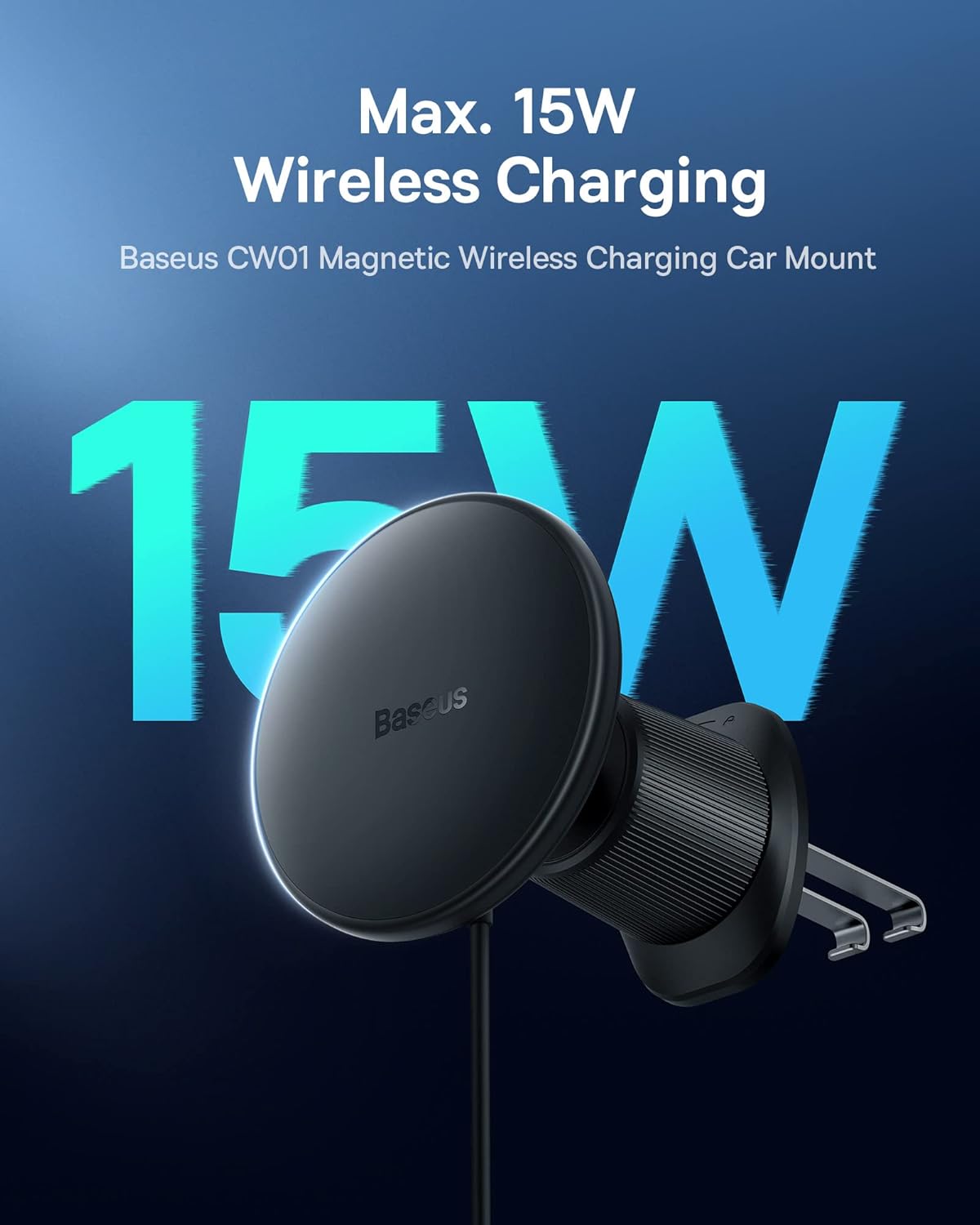
Figure 4: Max. 15W Wireless Charging in action.
2. Additional USB-A Charging Port
The included 40W car charger adapter is equipped with a 25W USB-A fast charging port. This allows you to charge another device simultaneously, such as a passenger's phone, earphones, or other USB-powered accessories.

Figure 5: 2-in-1 Wireless Car Charger with 40W Total Output Car Adapter.
3. Ambient Light Ring
The ambient light ring on the charger indicates its status. It can show standby, charging, or abnormal conditions. There is an independent switch on the cable to control the on/off of the wireless charging function, which helps protect your phone's battery by allowing you to stop charging when full.

Figure 6: Ambient Light Ring indicating different statuses.

Figure 7: Separate control for the wireless charging function.
4. การสาธิตวิดีโอ
Watch this official product video from Baseus Official Store for a visual guide on the features and installation of the MagSafe Car Mount Charger.
Video: Baseus Mag-safe Car Mount Charger (Official Seller Video).
การซ่อมบำรุง
- การทำความสะอาด: Use a soft, dry cloth to wipe down the surface of the car mount and charging pad regularly. Avoid using harsh chemicals or abrasive cleaners.
- อุณหภูมิ: Avoid exposing the device to extreme temperatures (very hot or very cold) as this can affect its performance and lifespan.
- พื้นที่จัดเก็บ: If not in use for an extended period, store the car mount in a cool, dry place away from direct sunlight.
การแก้ไขปัญหา
- Phone not charging:
- Ensure the car charger adapter is securely plugged into the cigarette lighter port and the vehicle's ignition is on.
- Verify your phone is MagSafe compatible or has the metal ring sticker correctly applied and aligned with the charging coil.
- Check if the independent on/off switch for wireless charging is in the "on" position.
- Ensure there are no foreign objects between the phone and the charging pad.
- If the ambient light ring indicates an "Abnormal" status, refer to the ambient light ring section for possible issues.
- โทรศัพท์จับไม่แน่น:
- Ensure your phone is MagSafe compatible or has the metal ring sticker correctly applied.
- Check for any obstructions or debris on the magnetic surface of the mount or your phone/case.
- The mount uses powerful N52 neodymium magnets, but very thick or non-magnetic cases may reduce magnetic strength.
- Mount is loose on the vent:
- Re-tighten the knob on the back of the mount to ensure the tail hooks are securely gripping the air vent blade.
ข้อมูลจำเพาะ
| ยี่ห้อ | เบสอุส |
| หมายเลขรุ่น | บีเอส-CW01 |
| ขนาดสินค้า | 2.36 x 2.36 x 2.55 นิ้ว |
| น้ำหนักสินค้า | 6.7 ออนซ์ |
| เอาท์พุทชาร์จไร้สาย | สูงสุดถึง 15W |
| เอาต์พุตเครื่องชาร์จในรถยนต์ | 40W Total (25W USB-A) |
| อินพุต Voltage | 12 โวลต์ |
| ประเภทการติดตั้ง | ช่องระบายอากาศ |
| รุ่นโทรศัพท์ที่รองรับ | iPhone 12, iPhone 13, iPhone 14, iPhone 15 series (MagSafe compatible); iPhone 8-11 series (with metal ring sticker) |
การรับประกันและการสนับสนุน
For warranty information or technical support, please contact the Baseus Official Store directly through your purchase platform. Keep your proof of purchase for any warranty claims.


