1. บทนำ
Thank you for choosing the Ambrane Wireless Gaming Controller OP-WLGC01. This controller is designed to provide an immersive gaming experience across multiple platforms, including PC (Windows), PS3 Console, and Android TV. Featuring 2.4GHz wireless technology, dual vibration motors, and dynamic RGB lighting, this manual will guide you through its setup, operation, and maintenance.

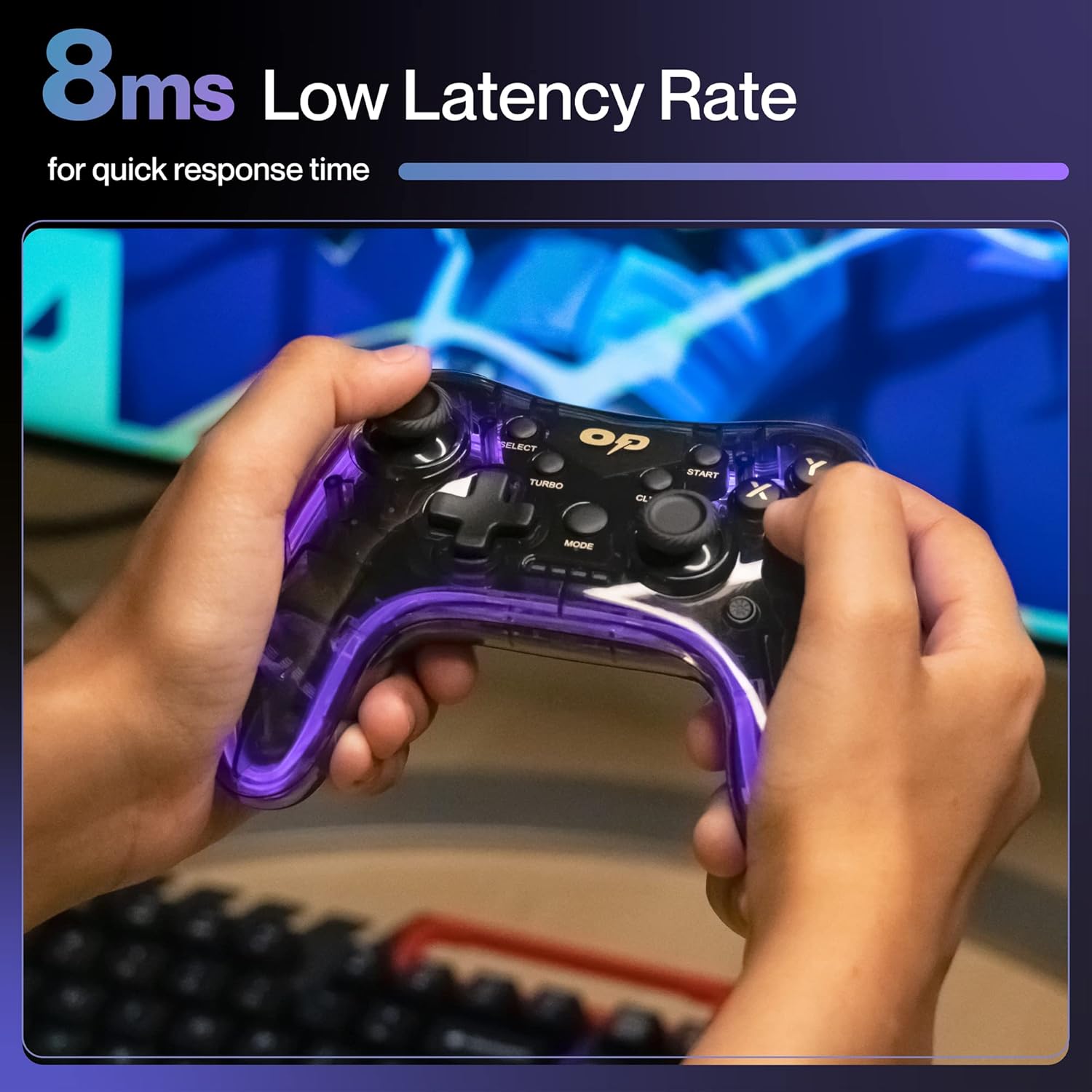
Image 1.1: The Ambrane Wireless Gaming Controller OP-WLGC01, showcasing its transparent design and illuminated elements.
2. สินค้าหมดview
The Ambrane OP-WLGC01 controller combines advanced features with a unique aesthetic. Key components and features include:
- การออกแบบที่โปร่งใส: A visually distinct transparent casing.
- เทคโนโลยีไร้สาย 2.4GHz: Ensures stable and responsive connectivity.
- Integrated Dual Intensity Motor: มอบการตอบสนองแบบสัมผัสเพื่อประสบการณ์การเล่นเกมที่สมจริงยิ่งขึ้น
- Illuminated Pad (RGB Lighting): Features 16.8 million colors with breathing RGB effects.
- การออกแบบตามหลักสรีรศาสตร์: Easy-to-hold body for comfortable extended gaming sessions.
- ปุ่มฟังก์ชั่นพิเศษ: Dedicated Turbo and Clear buttons for enhanced gameplay.

Image 2.1: Illustration of the dual vibrating motors providing haptic feedback.

Image 2.2: The controller displaying its dynamic 16.8 million color breathing RGB lighting effect.
3. การตั้งค่า
3.1 การชาร์จคอนโทรลเลอร์
Before initial use, fully charge the controller. The integrated 800mAh battery provides up to 12 hours of gameplay on a full charge.
- Connect the provided Type-C charging cable to the charging port on the controller.
- เชื่อมต่อปลายสายอีกด้านหนึ่งเข้ากับแหล่งพลังงาน USB (เช่น พอร์ต USB ของคอมพิวเตอร์ อะแดปเตอร์ติดผนัง USB)
- ไฟแสดงสถานะบนตัวควบคุมจะแสดงสถานะการชาร์จ และจะดับลงหรือเปลี่ยนสีเมื่อชาร์จเต็มแล้ว

Image 3.1: The controller highlighting its Type-C charging port and other features.
3.2 การเชื่อมต่อกับอุปกรณ์
The controller utilizes 2.4GHz wireless technology for connection. It is compatible with PC (Windows systems, supporting X-Input & D-Input modes), PS3 consoles, and Android TV devices.
- Insert the 2.4GHz USB receiver (dongle) into an available USB port on your PC, PS3 console, or Android TV.
- Turn on the controller by pressing the MODE button.
- The controller will automatically pair with the receiver. The indicator lights will stabilize once connected.
- For PC, ensure the correct input mode (X-Input or D-Input) is selected if prompted by your game or system.

Image 3.2: The controller demonstrating its compatibility with PS3 Console, Windows System, Android TV, and PC.
4. คู่มือการใช้งาน
4.1 เค้าโครงปุ่มและฟังก์ชั่น
ทำความคุ้นเคยกับตำแหน่งปุ่มบนจอยควบคุมเพื่อการเล่นเกมที่ดีที่สุด

Image 4.1: Detailed diagram of the controller's buttons, including joysticks, directional pad, action buttons (A, B, X, Y), shoulder buttons (L1, L2, R1, R2), SELECT, START, TURBO, CLEAR, MODE, and RGB Control.
- จอยสติ๊กซ้าย/ขวา: For analog movement and camera control.
- Directional Button (D-Pad): เพื่อการป้อนทิศทางที่แม่นยำ
- ปุ่มการกระทำ (A, B, X, Y): การกระทำมาตรฐานของเกม
- ปุ่มไหล่ (L1, L2, R1, R2): For various in-game functions.
- เลือก/เริ่ม: Menu and pause functions.
- ปุ่มโหมด: Power on/off and mode switching.
- การควบคุม RGB: Button or combination for adjusting RGB lighting effects.
โหมดเทอร์โบ 4.2
The Turbo mode allows for rapid and continuous actions by repeatedly pressing a single button. This can be useful for certain in-game scenarios.
- Press and hold the desired action button (e.g., A, B, X, Y, L1, R1).
- ขณะกดปุ่มแอ็คชั่นค้างไว้ ให้กดปุ่ม เทอร์โบ ปุ่มหนึ่งครั้ง
- Release both buttons. The selected action button will now perform rapid presses when held down.
ภาพที่ 4.2: ภาพระยะใกล้ view of the TURBO and CLEAR special function buttons.
4.3 Clearing Turbo Mode
To deactivate Turbo mode for a specific button:
- Press and hold the action button for which Turbo mode is active.
- ขณะกดปุ่มแอ็คชั่นค้างไว้ ให้กดปุ่ม ชัดเจน ปุ่มหนึ่งครั้ง
- Release both buttons. Turbo mode for that button is now deactivated.
To clear all Turbo settings, press and hold the ชัดเจน กดปุ่มนี้ประมาณ 3 วินาที
5. การบำรุงรักษา
Proper maintenance ensures the longevity and optimal performance of your controller.
- การทำความสะอาด: ใช้ผ้านุ่มและแห้งเช็ดคอนโทรลเลอร์ สำหรับสิ่งสกปรกฝังแน่น ให้เช็ดเบาๆampชุบผ้าด้วยน้ำ หลีกเลี่ยงสารเคมีรุนแรงหรือวัสดุที่มีฤทธิ์กัดกร่อน
- พื้นที่จัดเก็บ: เก็บตัวควบคุมไว้ในที่แห้งและเย็น ห่างจากแสงแดดโดยตรงและอุณหภูมิที่สูงหรือต่ำมาก
- การดูแลแบตเตอรี่ หลีกเลี่ยงการปล่อยแบตเตอรี่จนหมดบ่อยๆ หากเก็บไว้เป็นเวลานาน ควรชาร์จแบตเตอรี่คอนโทรลเลอร์ให้เหลือประมาณ 50% เพื่อยืดอายุการใช้งานแบตเตอรี่
- หลีกเลี่ยงการหยด: Protect the controller from physical impact, which can damage internal components.
6 การแก้ไขปัญหา
| ปัญหา | สาเหตุที่เป็นไปได้ | สารละลาย |
|---|---|---|
| ตัวควบคุมไม่เปิดใช้งาน | แบตเตอรี่อ่อน | Charge the controller using the provided Type-C cable. |
| ตัวควบคุมไม่สามารถเชื่อมต่อกับอุปกรณ์ได้ | USB receiver not properly inserted or out of range. | Ensure the USB receiver is securely plugged in. Move closer to the receiver (within 10 meters). Re-pair by turning the controller off and on. |
| ปุ่มกดหรือจอยสติ๊กไม่ตอบสนอง | Software glitch or physical obstruction. | Restart the controller and the connected device. Check for any physical debris around buttons/joysticks. |
| ฟังก์ชันการสั่นไม่ทำงาน | เกมไม่รองรับระบบสั่น หรือฟีเจอร์นี้ถูกปิดใช้งานอยู่ | Check in-game settings for vibration options. Ensure the game supports haptic feedback. |
7. ข้อมูลจำเพาะ
| คุณสมบัติ | รายละเอียด |
|---|---|
| หมายเลขรุ่น | OP-WLGC01 |
| การเชื่อมต่อ | 2.4GHz ไร้สาย |
| ความเข้ากันได้ | PC (Windows X-Input/D-Input), PS3 Console, Android TV |
| ความจุของแบตเตอรี่ | แบตเตอรี่ลิเธียม 800mAh |
| แบตเตอรี่สำรอง | นานถึง 12 ชั่วโมง |
| พอร์ตชาร์จ | ประเภทซี |
| การสั่นสะเทือน | Dual Intensity Motor |
| แสงสว่าง | 16.8M Colours Breathing RGB |
| ระยะการทำงาน | สูงสุด 10 เมตร |
| ขนาด (กxยxส) | 16.9 x 15.9 x 9 ซม. |
| น้ำหนักสินค้า | 195 กรัม |
8. การรับประกันและการสนับสนุน
This Ambrane product comes with a 365-day (1 Year) brand warranty against any manufacturing-related issues.
For warranty claims, technical support, or any inquiries, please contact Ambrane customer service:
- อีเมล: Care@ambraneindia.com
โปรดเก็บใบเสร็จรับเงินไว้เพื่อใช้ยืนยันการรับประกัน


