1. บทนำ
This user manual provides comprehensive instructions for the installation, operation, and maintenance of the Axis Communications AXIS Q6225-LE PTZ Camera. Please read this manual thoroughly before using the product to ensure proper functionality and safety. This camera is designed for robust outdoor surveillance in challenging conditions.
2. ข้อมูลด้านความปลอดภัย
Observe the following safety precautions to prevent damage to the product or injury to personnel:
- การติดตั้ง: Installation must be performed by qualified personnel in accordance with all local and national electrical and building codes.
- แหล่งจ่ายไฟ: Use only the specified power supply (60 watts) for this device. Ensure the power source is stable and meets the camera's requirements.
- สิ่งแวดล้อม: The camera is designed for outdoor use. However, avoid exposing it to extreme conditions beyond its specified operating range.
- การทำความสะอาด: ถอดปลั๊กไฟออกก่อนทำความสะอาด ใช้ผ้านุ่มและแห้ง ห้ามใช้น้ำยาทำความสะอาดชนิดน้ำหรือสเปรย์
- การปรับเปลี่ยน: Do not attempt to modify or disassemble the camera. This may void the warranty and pose safety risks.
3. เนื้อหาบรรจุภัณฑ์
ตรวจสอบว่ามีรายการทั้งหมดอยู่ในแพ็คเกจ:
- กล้อง AXIS Q6225-LE PTZ
- คู่มือการติดตั้ง
- ขายึดและฮาร์ดแวร์
- Network Cable Connector
- Documentation and Software CD (if applicable)
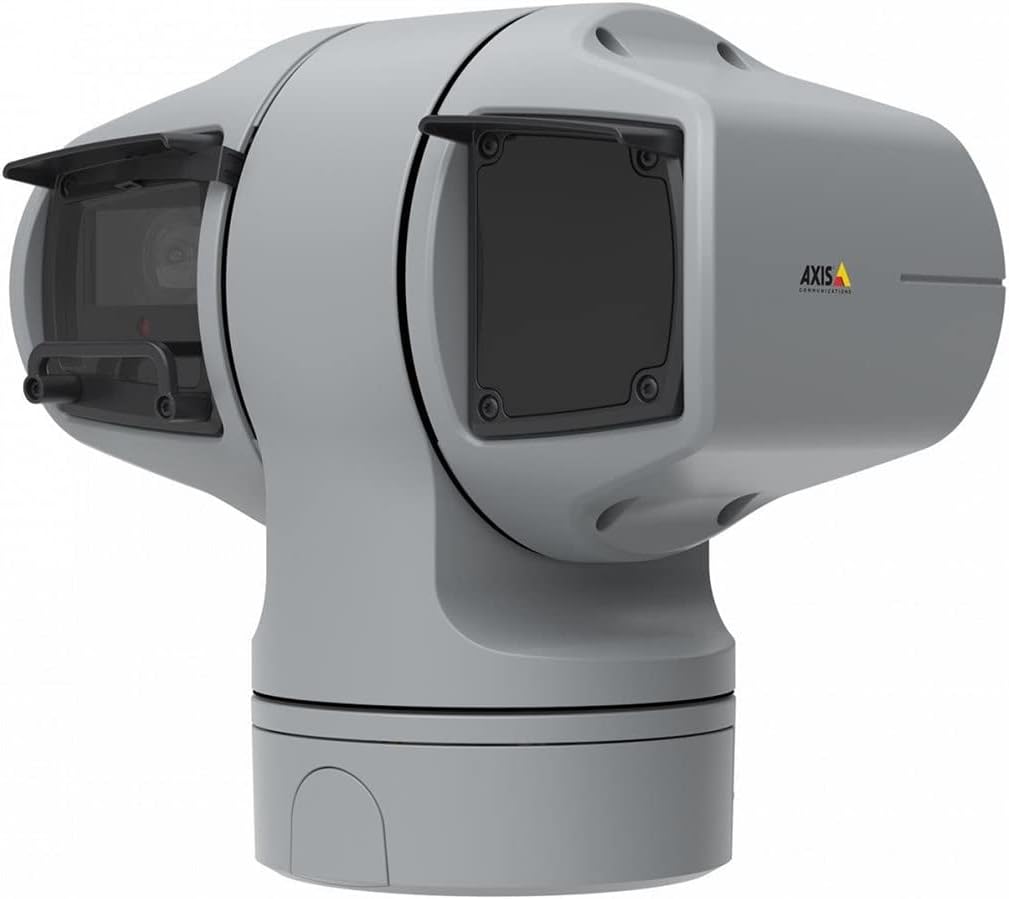
รูปที่ 1: AXIS Q6225-LE PTZ Camera. This image displays the grey-colored PTZ camera unit, highlighting its robust housing and integrated lens system, designed for outdoor surveillance.
4. การตั้งค่าและการติดตั้ง
4.1 การติดตั้งกล้อง
The AXIS Q6225-LE is designed for wall mount installation. Ensure the mounting surface is strong enough to support the camera's weight and withstand environmental conditions.
- เลือกตำแหน่งติดตั้งที่เหมาะสมซึ่งให้พื้นที่ตามต้องการ view และอยู่ในระยะที่สามารถเชื่อมต่อไฟฟ้าและเครือข่ายได้
- Use the provided mounting template to mark drill holes on the wall.
- Drill pilot holes and secure the mounting bracket using appropriate screws and anchors.
- Attach the camera to the mounting bracket, ensuring it is firmly locked in place.
4.2 การเชื่อมต่อไฟฟ้าและเครือข่าย
Connect the camera to power and network as follows:
- พลัง: Connect the power cable to a 60-watt power source. Ensure the connection is secure and weatherproof.
- เครือข่าย: Connect an Ethernet cable from your network switch or router to the camera's network port. The camera supports Wi-Fi for wireless communication. Refer to the network configuration section for wireless setup.
4.3 การกำหนดค่าเริ่มต้น
หลังจากติดตั้งและเชื่อมต่อเสร็จแล้ว ให้เข้าถึงข้อมูลของกล้อง web interface for initial configuration:
- เปิด web browser on a computer connected to the same network as the camera.
- Enter the camera's IP address in the browser's address bar. If the IP address is unknown, use the AXIS IP Utility tool to discover it.
- Follow the on-screen prompts to set up a new password for the administrator account.
- Configure basic network settings, date/time, and video stream settings.
5. การใช้งานกล้อง
5.1 การควบคุมการแพน การเอียง และการซูม (PTZ)
The AXIS Q6225-LE camera features full PTZ capabilities, allowing remote adjustment of its viewing angle and zoom level. Control is typically performed via the camera's web interface or compatible video management software (VMS).
- แพน: Rotate the camera horizontally to cover a wider area.
- เอียง: Adjust the camera vertically to view objects at different heights.
- ซูมออปติคอล: Use the optical zoom feature to magnify distant objects without loss of image quality.
5.2 การตรวจจับการเคลื่อนไหวและการแจ้งเตือน
The camera supports motion-only alerts. Configure motion detection zones and sensitivity settings in the web interface to trigger recordings or notifications when movement is detected.
5.3 Infrared (IR) Illumination
Equipped with infrared light sources, the camera provides clear video surveillance in low-light or complete darkness. IR illumination activates automatically or can be manually controlled.
6. การบำรุงรักษา
6.1 การทำความสะอาด
Regular cleaning of the camera lens and housing is recommended to ensure optimal performance, especially in dusty or harsh environments.
- Gently wipe the lens with a soft, lint-free cloth. For stubborn dirt, use a lens cleaning solution specifically designed for optical surfaces.
- ทำความสะอาดตัวกล้องด้วยโฆษณาamp ผ้า หลีกเลี่ยงน้ำยาทำความสะอาดหรือตัวทำละลายที่มีฤทธิ์กัดกร่อน
การอัปเดตเฟิร์มแวร์ 6.2 รายการ
ตรวจสอบระบบสื่อสารของ Axis เป็นระยะ website for firmware updates. Keeping the camera's firmware up-to-date ensures access to the latest features, security enhancements, and bug fixes.
7 การแก้ไขปัญหา
ส่วนนี้จะกล่าวถึงปัญหาทั่วไปที่คุณอาจพบเจอขณะใช้งานกล้อง AXIS Q6225-LE
| ปัญหา | สาเหตุที่เป็นไปได้ | สารละลาย |
|---|---|---|
| ไม่มีฟีดวิดีโอ | ไฟฟ้าดับ เกิดปัญหาเครือข่าย ที่อยู่ IP ไม่ถูกต้อง | Check power connection. Verify network cable or Wi-Fi connection. Confirm camera's IP address. |
| คุณภาพของภาพไม่ดี | Dirty lens, improper focus, low light conditions. | Clean the lens. Adjust focus via web interface. Ensure adequate lighting or verify IR functionality. |
| ระบบควบคุม PTZ ไม่ตอบสนอง | Network latency, software glitch, motor issue. | Check network connection. Restart the camera. If problem persists, contact support. |
8. ข้อมูลจำเพาะ
| คุณสมบัติ | รายละเอียด |
|---|---|
| หมายเลขรุ่น | 02316-002 |
| ยี่ห้อ | แอ็กซิส คอมมิวนิเคชั่นส์ |
| ประเภทการติดตั้ง | ติดผนัง |
| สี | สีขาว |
| วัสดุ | โลหะ |
| วัดtage | 60 วัตต์ |
| เทคโนโลยีการเชื่อมต่อ | ไร้สาย, Wi-Fi |
| การใช้งานภายใน/ภายนอกอาคาร | กลางแจ้ง |
| วิธีการควบคุม | ระยะไกล |
| เทคโนโลยีโฟโต้เซนเซอร์ | ซีมอส |
| รูปแบบการจับภาพวิดีโอ | MPEG-4 |
| ประเภทแหล่งกำเนิดแสง | อินฟราเรด |
| ประเภทการแจ้งเตือน | การเคลื่อนไหวเท่านั้น |
| ประเภทการซูม | ซูมออปติคอล |
| น้ำหนักสินค้า | 0.01 กิโลกรัม (0.352 ออนซ์) |
| ส่วนประกอบที่รวมอยู่ | กล้อง/อุปกรณ์เสริม |
9. การรับประกันและการสนับสนุน
สำหรับข้อมูลการรับประกันและการสนับสนุนทางเทคนิค โปรดดูที่เว็บไซต์อย่างเป็นทางการของ Axis Communications webหรือติดต่อตัวแทนจำหน่ายที่ได้รับอนุญาต เก็บใบเสร็จรับเงินไว้เป็นหลักฐานการซื้อ
แหล่งข้อมูลออนไลน์: www.axis.com


