1. บทนำ
This manual provides detailed instructions for the safe and efficient use of your Havit H2590BT PRO Wireless Bluetooth Headphones. Please read this guide thoroughly before operating the device to ensure optimal performance and longevity. Keep this manual for future reference.

ภาพที่ 1.1: ด้านหน้า view of the Havit H2590BT PRO Wireless Bluetooth Headphones, showcasing the sleek black design and over-ear cups.
2. สินค้าหมดview
The Havit H2590BT PRO headphones are designed for wireless audio playback, offering comfort and convenience. Familiarize yourself with the components and controls:
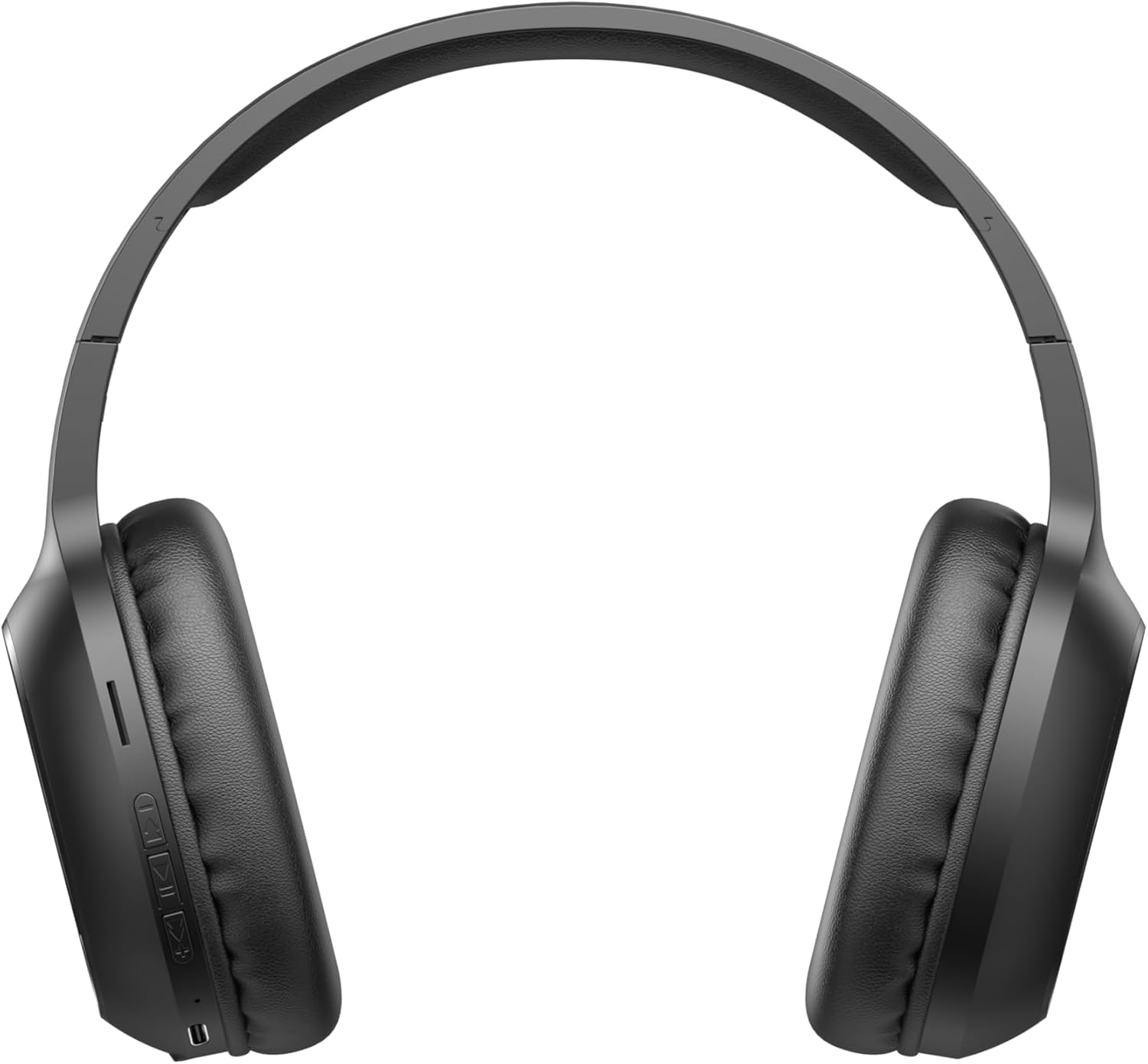
Image 2.1: Close-up of the left earcup showing the control buttons and charging port.
2.1. การควบคุมและตัวชี้วัด
- ปุ่มเปิด/ปิด/มัลติฟังก์ชั่น: Used to power on/off, play/pause music, answer/end calls, and activate pairing mode.
- ปุ่มเพิ่มระดับเสียง (+): Increases audio volume. Long press for next track.
- ปุ่มลดระดับเสียง (-): Decreases audio volume. Long press for previous track.
- ไฟแสดงสถานะ LED: แสดงสถานะพลังงาน สถานะการชาร์จ และสถานะการจับคู่บลูทูธ
- ไมโครโฟน: สำหรับการโทรแบบแฮนด์ฟรี
- พอร์ตชาร์จ: สำหรับเชื่อมต่อสายชาร์จ
3. การตั้งค่า
3.1. การชาร์จหูฟัง
Before first use, fully charge the headphones. The headphones include a Lithium-polymer battery.
- เชื่อมต่อสายชาร์จเข้ากับพอร์ตชาร์จบนหูฟัง
- ต่อปลายอีกด้านของสายชาร์จเข้ากับแหล่งจ่ายไฟ USB (เช่น พอร์ต USB ของคอมพิวเตอร์ อะแดปเตอร์ติดผนัง USB)
- ไฟ LED จะแสดงสถานะการชาร์จ (เช่น สีแดงเมื่อกำลังชาร์จ สีน้ำเงิน/ดับเมื่อชาร์จเต็มแล้ว)
- เมื่อชาร์จเต็มแล้ว ให้ถอดสายชาร์จออก
3.2. การจับคู่บลูทู ธ
วิธีเชื่อมต่อหูฟังของคุณกับอุปกรณ์ที่รองรับ Bluetooth:
- ตรวจสอบให้แน่ใจว่าหูฟังปิดอยู่
- Press and hold the Power/Multi-function Button until the LED indicator flashes rapidly (e.g., blue and red alternately), indicating pairing mode.
- บนอุปกรณ์ของคุณ (สมาร์ทโฟน แท็บเล็ต คอมพิวเตอร์) เปิดใช้งาน Bluetooth และค้นหาอุปกรณ์ที่มีอยู่
- Select "Havit H2590BT PRO" from the list of found devices.
- Once paired, the LED indicator will typically show a slow blue flash or turn off, and you will hear an audible confirmation.
- หากได้รับแจ้งให้ป้อนรหัสผ่าน ให้ป้อน "0000"
4. คู่มือการใช้งาน
4.1. เปิด/ปิดเครื่อง
- เปิดเครื่อง: Press and hold the Power/Multi-function Button for approximately 3 seconds until the LED indicator lights up and you hear a power-on prompt.
- หมดแรง: Press and hold the Power/Multi-function Button for approximately 3-5 seconds until the LED indicator turns off and you hear a power-off prompt.
4.2. การเล่นเพลง
- เล่น/หยุดชั่วคราว: Press the Power/Multi-function Button once.
- ปรับระดับเสียงขึ้น: กดปุ่มเพิ่มระดับเสียง (+)
- ลดเสียงลง: กดปุ่มลดระดับเสียง (-)
- เพลงถัดไป: กดปุ่มเพิ่มระดับเสียง (+) ค้างไว้
- แทร็กก่อนหน้า: กดปุ่มลดระดับเสียง (-) ค้างไว้
4.3. การจัดการการโทร
- รับสาย: Press the Power/Multi-function Button once when an incoming call rings.
- วางสาย: Press the Power/Multi-function Button once during a call.
- ปฏิเสธสาย: Press and hold the Power/Multi-function Button for approximately 2 seconds when an incoming call rings.
- โทรซ้ำหมายเลขล่าสุด: กดปุ่มเปิด/ปิดเครื่องสองครั้งติดกัน
5. การบำรุงรักษา
การดูแลรักษาอย่างถูกวิธีจะช่วยให้หูฟังของคุณใช้งานได้ยาวนาน:
- การทำความสะอาด: ใช้ผ้านุ่มและแห้งเช็ดทำความสะอาดหูฟัง ห้ามใช้น้ำยาทำความสะอาดหรือสารละลายที่มีฤทธิ์กัดกร่อน
- พื้นที่จัดเก็บ: เก็บหูฟังไว้ในที่แห้งและเย็น หลีกเลี่ยงแสงแดดโดยตรงและอุณหภูมิที่สูงหรือต่ำเกินไป
- หลีกเลี่ยงน้ำ: หูฟังเหล่านี้ไม่กันน้ำ หลีกเลี่ยงการสัมผัสกับน้ำหรือความชื้นมากเกินไป
- การชาร์จ: ควรชาร์จหูฟังเป็นประจำ แม้ว่าจะไม่ได้ใช้งาน เพื่อรักษาอายุการใช้งานของแบตเตอรี่
6 การแก้ไขปัญหา
หากคุณพบปัญหาเกี่ยวกับหูฟังของคุณ โปรดดูวิธีแก้ไขทั่วไปต่อไปนี้:
| ปัญหา | สาเหตุที่เป็นไปได้ | สารละลาย |
|---|---|---|
| ไม่สามารถเปิดเครื่องได้ | แบตเตอรี่ต่ำ | ชาร์จหูฟังให้เต็ม |
| ไม่สามารถจับคู่กับอุปกรณ์ได้ | Headphones not in pairing mode; Bluetooth off on device; device too far | ตรวจสอบให้แน่ใจว่าหูฟังอยู่ในโหมดจับคู่ (ไฟ LED กระพริบ) เปิดบลูทูธบนอุปกรณ์ของคุณ ขยับอุปกรณ์ให้เข้าใกล้หูฟังมากขึ้น (ภายใน 10 เมตร) |
| ไม่มีเสียง | ระดับเสียงเบาเกินไป; ไม่ได้เชื่อมต่อหูฟัง; เลือกเอาต์พุตเสียงไม่ถูกต้อง | เพิ่มระดับเสียงทั้งบนหูฟังและอุปกรณ์ เชื่อมต่อหูฟังใหม่อีกครั้ง ตรวจสอบการตั้งค่าเอาต์พุตเสียงของอุปกรณ์ |
| คุณภาพการโทรไม่ดี | สัญญาณอ่อน ไมโครโฟนถูกกีดขวาง | ย้ายไปยังพื้นที่ที่มีสัญญาณดีกว่า ตรวจสอบให้แน่ใจว่าไมโครโฟนไม่ถูกปิดบัง |
| ปัญหาการชาร์จ | สายเคเบิลหรือแหล่งพลังงานชำรุด | Try a different charging cable and USB power source. |
7. ข้อมูลจำเพาะ
- ชื่อรุ่น : H2590BT โปร
- หมายเลขรุ่น: 6939119045722
- ยี่ห้อ: ฮาวิท
- สี: สีดำ
- ประเภทแบตเตอรี่: 1. แบตเตอรี่ลิเธียมโพลิเมอร์ (รวมอยู่ในชุด)
- ขนาดสินค้า (กว้าง x ยาว x สูง) : 15 x 19.5 x 6.8 ซม.
- น้ำหนักสินค้า: 1000 กรัม (1 กก.) (Note: This weight is as provided in product data and may include packaging or be a data entry error.)
- ส่วนประกอบที่รวมอยู่: 1 package (typically headphones and charging cable)
8. การรับประกันและการสนับสนุน
8.1. ข้อมูลการรับประกัน
The Havit H2590BT PRO Wireless Bluetooth Headphones come with a รับประกันจากผู้ผลิต 2 ปีการรับประกันนี้ครอบคลุมข้อบกพร่องด้านวัสดุและฝีมือการผลิตภายใต้การใช้งานปกติ โปรดเก็บหลักฐานการซื้อไว้เพื่อขอรับสิทธิ์การรับประกัน
8.2. การสนับสนุนลูกค้า
For further assistance, technical support, or warranty inquiries, please contact Havit customer service through their official website or the retailer where the product was purchased. Refer to the product packaging or Havit's official channels for specific contact details.


