1. บทนำ
The Eve MotionBlinds Upgrade Kit allows you to transform your existing roller blinds into smart, automated window coverings. This kit integrates seamlessly with Apple HomeKit, enabling control via the Eve app, Siri voice commands, and custom schedules. It supports Thread technology for a robust and responsive smart home network.

Image 1.1: The Eve MotionBlinds motor and the Eve Home app interface on an iPhone.
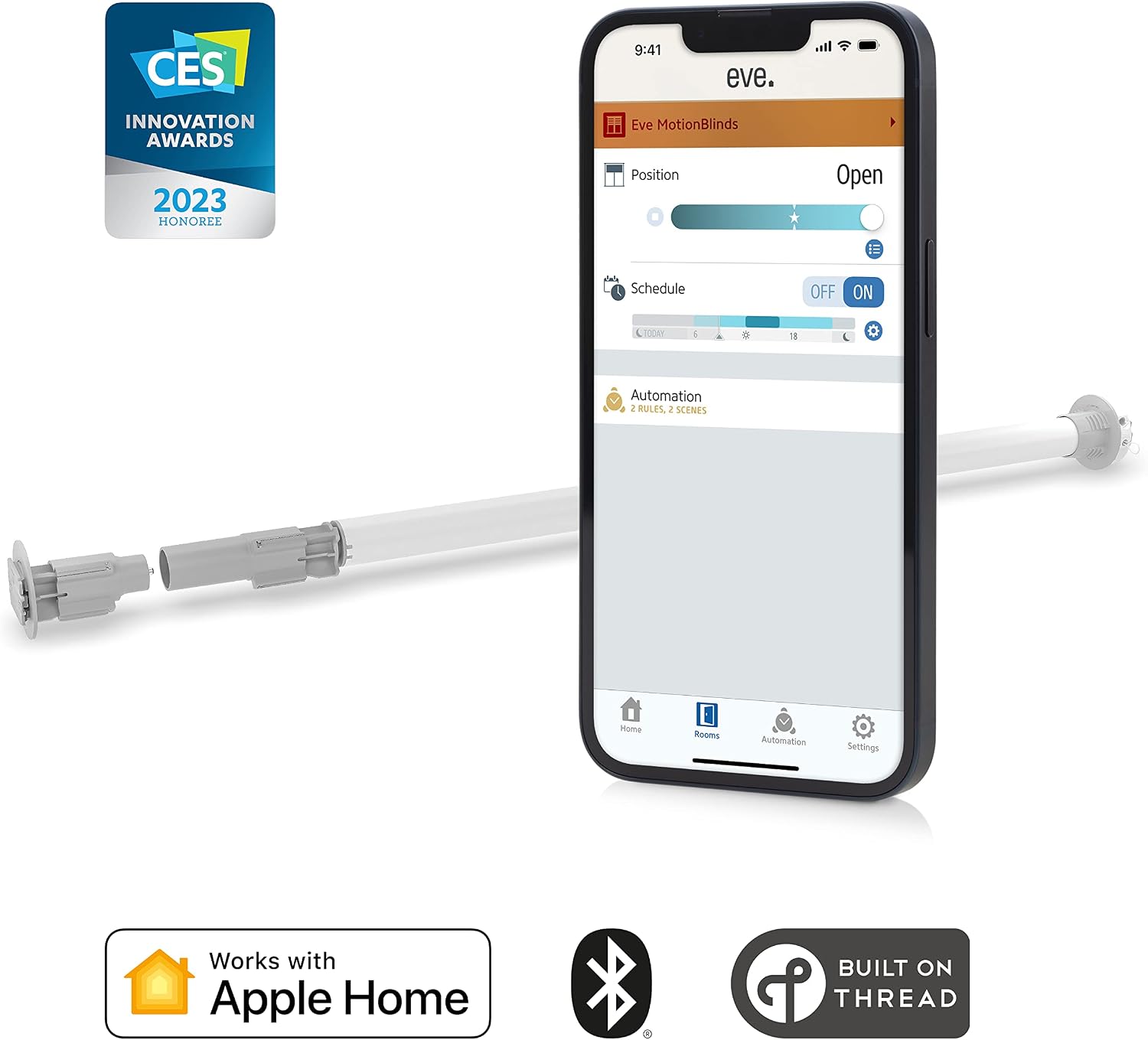
Image 1.2: Eve MotionBlinds highlighting Apple Home, Bluetooth, and Thread compatibility.
2. เนื้อหาบรรจุภัณฑ์
Verify that all components are present in your Eve MotionBlinds Upgrade Kit:
- Eve MotionBlinds Motor
- สายชาร์จ
- Retrofit Crown
- Drive/End Plug
- Brackets/Covers
- คู่มือการติดตั้ง

Image 2.1: All components included in the Eve MotionBlinds Upgrade Kit.
3. ข้อกำหนดด้านความเข้ากันได้
Before installation, ensure your existing roller blinds meet the following specifications:
- Tube Outer Diameter (without fabric): 1.5 - 2 นิ้ว (38 - 51 มม.)
- Minimum Blind Width: 26.75 นิ้ว (680 มม.)
- Smart Home System: Apple HomeKit (requires HomePod mini, HomePod (2nd gen.), or Apple TV (2nd gen. / 3rd gen. 128 GB) as a home hub for remote access and Thread functionality).
Note: IKEA and Hunter Douglas blinds cannot be retrofitted with the Eve MotionBlinds Upgrade Kit due to their tube diameters.

Image 3.1: Dimensional requirements for roller blind compatibility.
4. การติดตั้ง
The Eve MotionBlinds Upgrade Kit is designed for simple, wireless installation.
- Remove your existing roller blind from its mounting brackets.
- Carefully remove the existing chain mechanism from the roller blind tube.
- Slide the Eve MotionBlinds motor into the tube of your existing blind. Ensure it fits securely.
- Attach the appropriate retrofit crown and drive/end plug to the motor and blind tube ends.
- Mount the blind back into position using the provided brackets/covers, ensuring stable wall mounting.

Image 4.1: Hands inserting the Eve MotionBlinds motor into a roller blind tube.
5. การตั้งค่าและการจับคู่
After physical installation, set up your Eve MotionBlinds with Apple HomeKit.
- ดาวน์โหลด แอพอีฟ from the Apple App Store on your iPhone or iPad.
- Open the Eve app and follow the on-screen instructions to add a new accessory.
- Scan the HomeKit setup code located on the Eve MotionBlinds motor or in the included guide.
- Assign the blind to a room and give it a descriptive name within the Eve app or Apple Home app.
- The Eve MotionBlinds will automatically join your Thread network if a compatible home hub (HomePod mini, HomePod (2nd gen.), or Apple TV (2nd gen. / 3rd gen. 128 GB)) is present.
6. การดำเนินการ
Control your Eve MotionBlinds using various methods:
6.1. การควบคุมแอป
Use the Eve app or Apple Home app to precisely adjust the position of your blinds. You can open, close, or set them to any desired percentage.

Image 6.1: Controlling blind position via the Eve MotionBlinds app.
6.2. การควบคุมด้วยเสียง Siri
With Apple HomeKit integration, you can use Siri to control your blinds with voice commands. For example, say, "Hey Siri, open the living room blinds" or "Hey Siri, set the bedroom blinds to 50 percent."
6.3. Autonomous Schedules
Set up schedules within the Eve app to automate your blinds. Blinds can open and close at specific times, independently of your iPhone or home network, once schedules are configured.

Image 6.2: Setting up autonomous schedules in the Eve MotionBlinds app.
6.4. Remote Control (On the Go)
If you have a HomePod mini, HomePod (2nd gen.), or Apple TV (2nd gen. / 3rd gen. 128 GB) set up as a home hub, you can control your blinds remotely when you are away from home.

Image 6.3: Remote control of blinds using the Apple Home app.
7. Thread Network Integration
Eve MotionBlinds support Thread technology, which enhances your smart home network by making it more responsive, robust, and extending its range. Thread creates a self-healing mesh network, where devices can communicate directly with each other.

Image 7.1: Illustration of a Thread mesh network in a smart home.
8. ความเป็นส่วนตัวและความปลอดภัย
Eve MotionBlinds are designed with privacy in mind. Eve does not collect your personal data, and there is no Eve cloud service. All processing is done locally, and Eve accessories communicate directly with your iPhone, iPad, or home hub without cloud dependency or a bridge, ensuring your data remains private.

Image 8.1: Eve's commitment to user privacy.
9. การบำรุงรักษา
To maintain your Eve MotionBlinds Upgrade Kit, follow these guidelines:
- การทำความสะอาด: Spot clean only. Do not immerse the motor in water or use harsh chemicals.
- แบตเตอรี่: The motor contains a rechargeable Lithium Polymer battery. Recharge as needed using the provided cord.
10 การแก้ไขปัญหา
If you encounter issues with your Eve MotionBlinds, consider the following:
- ไม่ตอบสนอง: Ensure the motor is charged. Check the connection in the Eve app or Apple Home app.
- ปัญหาการเชื่อมต่อ: Verify your Apple Home hub (HomePod mini, HomePod, or Apple TV) is online and within range. For Thread devices, ensure your Thread network is active.
- ปัญหาการติดตั้ง: Double-check that your blind's tube diameter and width meet the compatibility requirements (refer to Section 3).
- รีเซ็ต: If problems persist, consult the Eve app for device-specific reset instructions or contact Eve support.
11. ข้อมูลจำเพาะ
| คุณสมบัติ | รายละเอียด |
|---|---|
| หมายเลขรุ่น | N003460 |
| วัสดุ | โลหะ, พลาสติก |
| ขนาดสินค้า | ยาว 2.95 นิ้ว x กว้าง 30.51 นิ้ว |
| น้ำหนักสินค้า | 1.37 ปอนด์ (620 กรัม) |
| สี | สีขาว |
| โหมดการทำงาน | อัตโนมัติ |
| ประเภทการควบคุม | App control, Siri voice control, Autonomous schedules |
| อุปกรณ์ที่รองรับ | Devices that support Apple HomeKit |
| ประเภทการติดตั้ง | ติดผนัง |
| ประเภทแบตเตอรี่ | ลิเธียมโพลีเมอร์ (รวม 1 ชิ้น) |
| เล่มที่tage | 10.8 โวลต์ |
| การเชื่อมต่อ | บลูทูธ, เธรด |
12. การรับประกันและการสนับสนุน
For warranty information or technical assistance, please refer to the official Eve website or contact Eve customer support directly. Keep your purchase receipt for warranty claims.


