การแนะนำ
The ARENTI OP1-OD is a 4MP outdoor security camera designed for comprehensive home surveillance. It features Pan/Tilt functionality, dual-band 2.4G/5GHz WiFi connectivity, color night vision, sound and light alarms, AI human filtering, auto-tracking, and two-way talk. This manual will guide you through its features and ensure optimal performance.
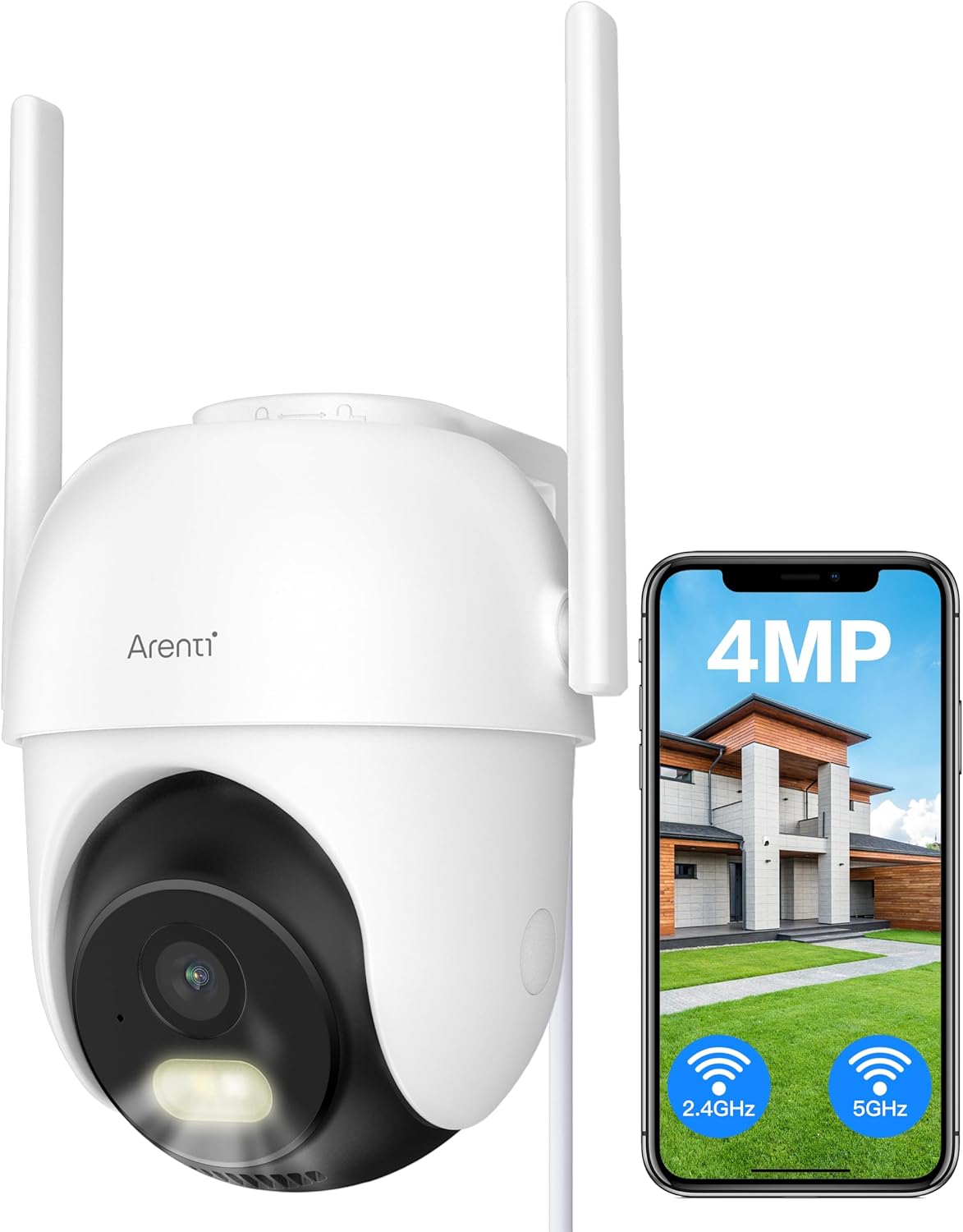
Image: ARENTI OP1-OD Outdoor Security Camera with its accompanying smartphone application interface.
มีอะไรอยู่ในกล่อง
เมื่อเปิดบรรจุภัณฑ์คุณจะพบส่วนประกอบดังต่อไปนี้:
- ARENTI OP1-OD Security Camera (x1)
- อะแดปเตอร์ไฟ (x1)
- สาย USB Type-C (1 เส้น)
- แท่นยึด (x1)
- ชุดสกรู (x1)
- คู่มือฉบับย่อ (1)
- Silicone Plug for Power Cable (x1)
วิดีโอ: การแกะกล่องและภาพรวมเบื้องต้นview of the ARENTI 5g WiFi Outdoor Security Camera, demonstrating the contents of the package and the camera's physical features.
การตั้งค่า
การติดตั้ง
The camera is designed for wall mounting. Use the provided mounting bracket and screws to securely attach the camera to your desired outdoor location. Ensure the location provides a clear view and is within range of your WiFi network. The camera is IP65 waterproof, suitable for outdoor use in various weather conditions.

Image: The ARENTI OP1-OD camera shown mounted outdoors, highlighting its IP65 waterproof design.
Video: A demonstration of the easy installation process for the ARENTI 5g WiFi Outdoor Security Camera, including mounting and power connection.
การกำหนดค่าแอป
Download the 'Arenti' app from your smartphone's app store (iOS or Android). Follow the in-app instructions to pair your camera. This typically involves scanning a QR code displayed on your phone with the camera's lens to establish a connection. The camera supports both 2.4GHz and 5GHz WiFi bands for flexible connectivity.

Image: The ARENTI OP1-OD camera positioned next to a smartphone, illustrating the camera's dual WiFi band capability and app integration.
คำแนะนำการใช้งาน
แพน, เอียง และซูม (PTZ)
ควบคุมกล้อง viewing angle remotely through the Arenti app. The camera offers 355° pan and 90° tilt capabilities, allowing you to monitor a wide area. Digital zoom is also available for closer inspection.

Image: The camera illustrating its extensive pan and tilt range, alongside its AI human filtering feature.
การมองเห็นตอนกลางคืน
The camera provides 4MP full-color night vision up to 10 meters, ensuring clear surveillance even in low-light conditions. It also features infrared (IR) night vision for traditional black and white viewการไอเอ็นจี

Image: The camera's full-color night vision capability, providing clear images in dark environments.
คุยสองทาง
Utilize the built-in microphone and speaker for two-way audio communication. This allows you to speak to visitors or deter intruders directly through the camera via the app.
Motion Detection, AI Human Filtering & Auto Tracking
The camera features advanced motion detection with AI human filtering to reduce false alarms. When human motion is detected, the camera can automatically track the subject, ensuring continuous monitoring of relevant activity.
นาฬิกาปลุกเสียงและแสง
Configure the camera to activate a sound and light alarm upon detecting suspicious activity. This active deterrence feature can help ward off intruders and alert you to potential threats.

Image: The camera's active deterrence feature, showing a sound and light alarm being triggered.
24/7 Recording & Playback
The camera supports 24/7 continuous recording to an SD card (up to 128GB, not included) without a subscription fee. You can also access cloud storage services for backup. Easily review บันทึกเสียงฟูtagผ่านฟังก์ชันการเล่นของแอปพลิเคชัน
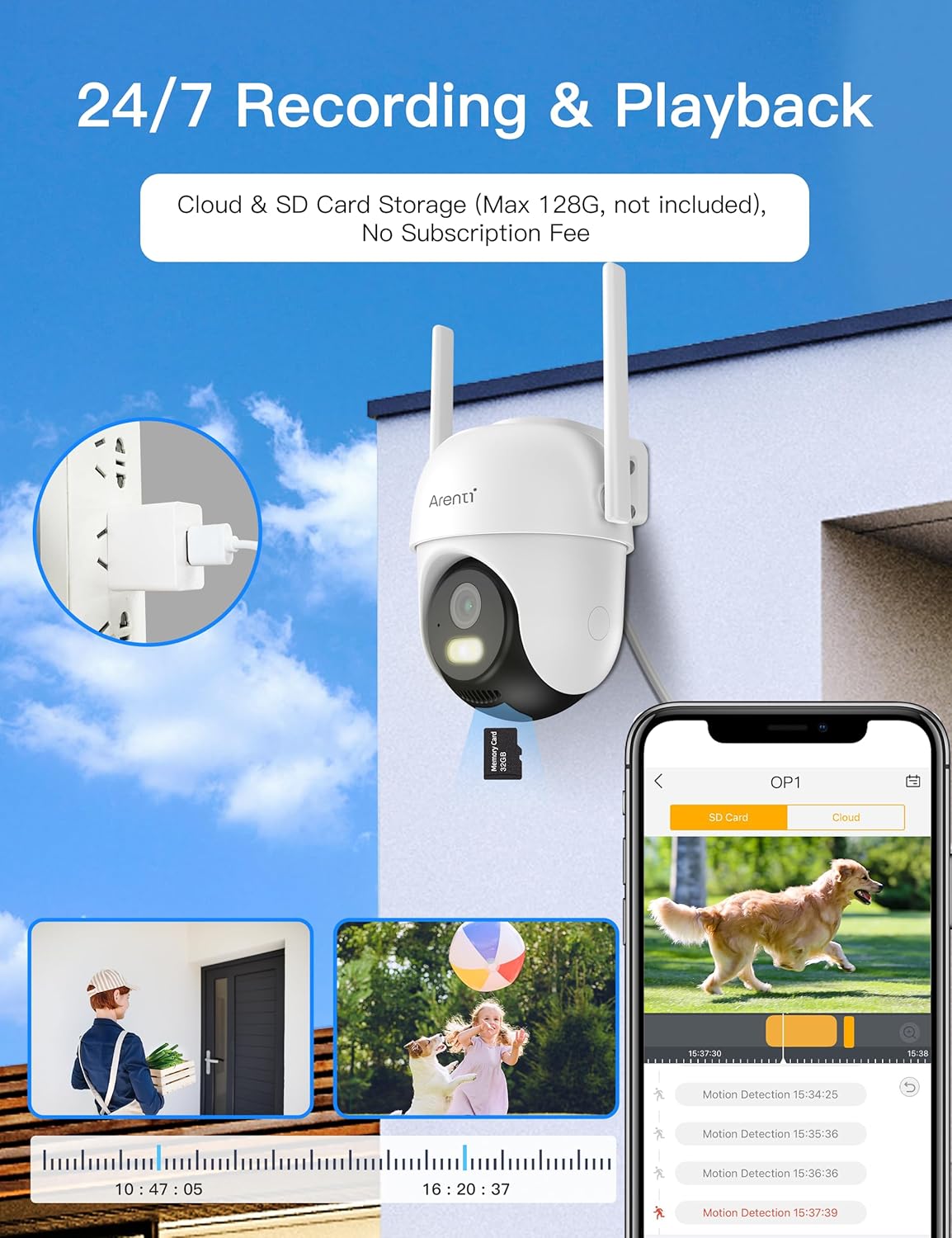
Image: The camera's 24/7 recording and playback capabilities, including options for cloud and SD card storage.
การซ่อมบำรุง
ทำความสะอาดเลนส์กล้องเป็นประจำด้วยผ้านุ่มๆamp cloth to ensure clear image quality. Periodically check for firmware updates through the Arenti app to ensure your camera has the latest features and security enhancements. Ensure the power cable connection remains secure and protected from environmental elements.
การแก้ไขปัญหา
- ไม่มีไฟฟ้า: Ensure the power adapter is securely plugged into both the camera and a working electrical outlet. Check the power cable for any damage.
- สถานะออฟไลน์: Verify your WiFi network is active and the camera is within range. Try restarting your router and the camera. Re-pair the camera with the app if necessary.
- คุณภาพของภาพต่ำ: ทำความสะอาดเลนส์กล้อง ตรวจสอบให้แน่ใจว่าไม่มีสิ่งกีดขวางใดๆ ในมุมมองของกล้อง viewตรวจสอบความเร็วการเชื่อมต่ออินเทอร์เน็ตของคุณ
- การแจ้งเตือนการเคลื่อนไหวที่ผิดพลาด: Adjust the motion detection sensitivity settings in the app. Utilize the AI human filtering feature to minimize alerts from non-human movements.
- ไม่มีเสียง: Check the two-way talk settings in the app. Ensure your phone's volume is up and the camera's microphone/speaker are not obstructed.
ข้อมูลจำเพาะ
| คุณสมบัติ | รายละเอียด |
|---|---|
| หมายเลขรุ่น | OP1-OD |
| ความละเอียดในการจับภาพวิดีโอ | 4 MP |
| โปรโตคอลการเชื่อมต่อ | Wi-Fi (2.4G/5GHz Dual Bands) |
| ประเภทการติดตั้ง | ติดผนัง |
| การให้คะแนนการคุ้มครองระหว่างประเทศ | IP65 |
| เทคโนโลยีแสงน้อย | สีกลางคืน |
| ประเภทการแจ้งเตือน | การเคลื่อนไหวเท่านั้น |
| คุยสองทาง | ใช่ |
| AI Human Filtering | ใช่ |
| ติดตามอัตโนมัติ | ใช่ |
| แหล่งพลังงาน | สายไฟ |
| น้ำหนักสินค้า | 1.47 ปอนด์ |
การรับประกันและการสนับสนุน
For warranty information or technical support, please contact ARENTI customer service directly. Refer to the Quick Guide included in your package for contact details or visit the official ARENTI website. Your product is verified by Transparency, ensuring authenticity.


