1. บทนำ
This manual provides essential information for the safe and efficient installation, operation, and maintenance of your Antec NeoECO NE650G M 80+ Gold Certified Fully Modular Power Supply Unit (PSU). Please read this manual thoroughly before installation and keep it for future reference.
The Antec NeoECO Gold Modular series is designed to provide stable and efficient power to your PC system. Featuring an 80 PLUS Gold certification and a 100% full modular design, it ensures convenient installation and reduced electricity consumption. The integrated 120mm silent fan with Zero RPM mode optimizes cooling while maintaining quiet operation.
2. ข้อมูลด้านความปลอดภัย
ปฏิบัติตามข้อควรระวังด้านความปลอดภัยต่อไปนี้เสมอเพื่อป้องกันการบาดเจ็บหรือความเสียหายต่ออุปกรณ์ของคุณ:
- ตรวจสอบให้แน่ใจว่าได้ตัดการเชื่อมต่อแหล่งจ่ายไฟจากเต้ารับไฟฟ้ากระแสสลับก่อนการติดตั้งหรือการบำรุงรักษา
- ห้ามเปิด PSUasinก. ปริมาตรสูงtages ยังคงอยู่ภายในแม้จะไม่ได้เชื่อมต่อก็ตาม
- Install the PSU in a well-ventilated area, away from heat sources and moisture.
- Use only the modular cables provided with this power supply. Using incompatible cables may damage the PSU or connected components.
- This product is designed for use in personal computer systems. Do not use it for any other purpose.
- Handle with care to avoid dropping or impacting the unit.
3. เนื้อหาบรรจุภัณฑ์
ตรวจสอบว่ามีรายการทั้งหมดอยู่ในแพ็คเกจของคุณ:
- Antec NeoECO NE650G M Power Supply Unit
- Modular Cable Set (including ATX 24-pin, CPU 4+4-pin, PCIe 6+2-pin, SATA, and Molex cables)
- สายไฟ AC
- สกรูยึด
- คู่มือการใช้งาน (เอกสารนี้)
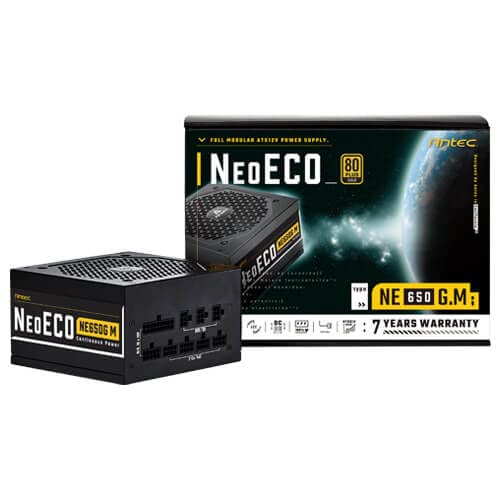
Figure 3.1: Antec NeoECO NE650G M Power Supply with its retail packaging.
4. การตั้งค่าและการติดตั้ง
Follow these steps to install your Antec NeoECO NE650G M PSU into your computer system:
- เตรียมระบบของคุณ: ตรวจสอบให้แน่ใจว่าคอมพิวเตอร์ของคุณปิดเครื่องสนิทแล้ว และถอดปลั๊กออกจากเต้ารับที่ผนัง เปิดเคสคอมพิวเตอร์ของคุณ
- ถอด PSU เก่าออก (ถ้ามี): ถอดสายเคเบิลทั้งหมดออกจากแหล่งจ่ายไฟเก่าของคุณ คลายสกรูและถอดแหล่งจ่ายไฟเก่าออกจากเคส
- ติดตั้ง PSU ใหม่: Carefully slide the Antec NeoECO NE650G M into the PSU mounting bay of your computer case. Ensure the fan faces the correct direction (usually downwards if your case has a bottom vent, or upwards if it's a top-mounted PSU). Secure the PSU with the provided mounting screws.
- เชื่อมต่อสายเคเบิลโมดูลาร์: Identify the necessary cables for your components (motherboard, CPU, graphics card, storage drives). Connect the appropriate modular cables to the corresponding ports on the PSU. The ports are clearly labeled on the PSU.
- เชื่อมต่อกับส่วนประกอบ: Route the connected modular cables neatly through your case and connect them to your motherboard (24-pin ATX, 4+4-pin CPU), graphics card(s) (6+2-pin PCIe), and storage devices (SATA, Molex). Ensure all connections are firm and secure.
- ปิดเคสและเชื่อมต่อพลังงาน: Once all internal connections are made, close your computer case. Connect the AC power cord to the PSU's inlet and then to a wall outlet or surge protector.
- เปิดเครื่อง: Flip the power switch on the back of the PSU to the 'ON' position. You can now power on your computer.
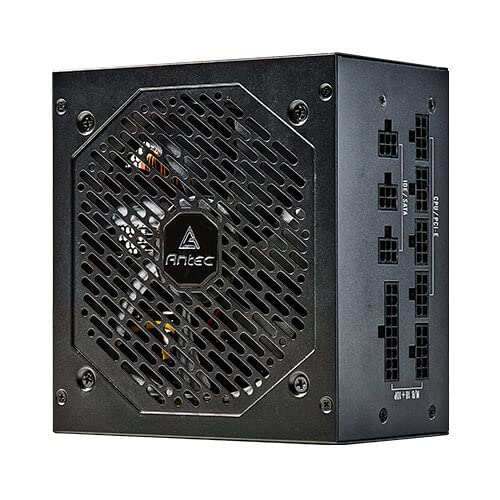
รูปที่ 4.1: ด้านข้าง view of the Antec NeoECO NE650G M PSU, highlighting the modular cable connection ports.
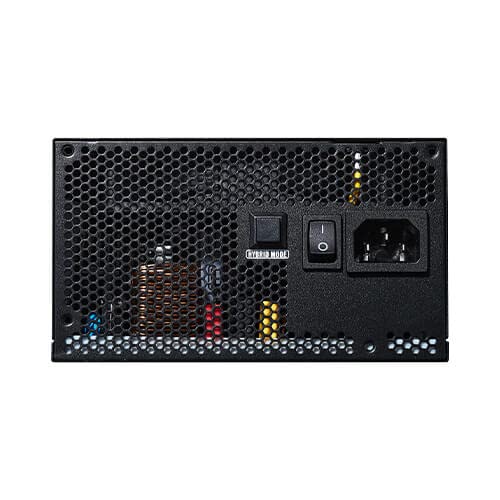
Figure 4.2: The Antec NeoECO NE650G M PSU with various modular cables attached, ready for system integration.
รูปที่ 4.3: ด้านหลัง view of the Antec NeoECO NE650G M PSU, showing the main power switch and AC power inlet.
5. คู่มือการใช้งาน
The Antec NeoECO NE650G M PSU is designed for reliable and efficient operation. Key features include:
- 80 PLUS Gold Certification: Ensures high power efficiency, reducing heat generation and electricity costs.
- การออกแบบโมดูลาร์เต็มรูปแบบ: Allows for cleaner cable management and improved airflow within your PC case by only using the necessary cables.
- โหมด RPM ศูนย์: The 120mm silent fan will remain off at low loads (typically below 30% of total wattage) to provide absolute silence. As the load increases, the fan will automatically spin up to maintain optimal temperatures. This feature helps extend the fan's lifespan and reduces noise during light usage.
- CircuitShield Protection: Incorporates industrial-grade protections including OVP (Over Voltage Protection), UVP (ภายใต้ฉบับที่tage Protection), OCP (Over Current Protection), OPP (Over Power Protection), SCP (Short Circuit Protection), OTP (Over Temperature Protection), and NLO (No Load Operation) to safeguard your system.
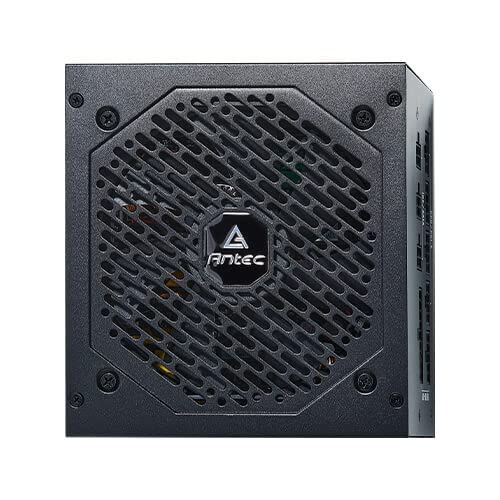
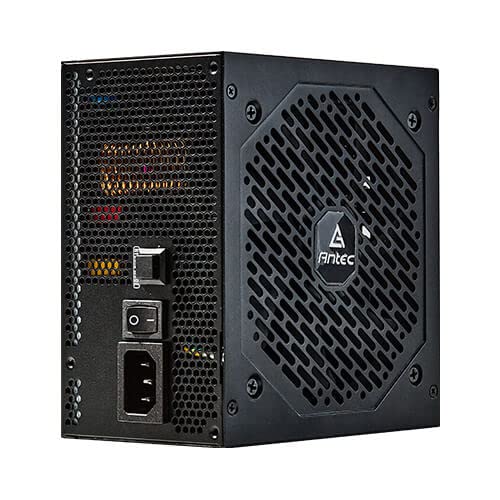
รูปที่ 5.1 : ด้านหน้า view of the Antec NeoECO NE650G M PSU, showcasing the 120mm silent cooling fan grill.
6. การบำรุงรักษา
Proper maintenance ensures the longevity and optimal performance of your PSU:
- การกำจัดฝุ่น: Periodically clean dust from the PSU's fan grill and vents using compressed air. Ensure the PSU is powered off and unplugged before cleaning.
- การจัดการสายเคเบิล: ตรวจสอบให้แน่ใจว่าสายเคเบิลถูกจัดวางอย่างเป็นระเบียบและไม่กีดขวางการไหลเวียนของอากาศภายในเคสคอมพิวเตอร์
- สภาพแวดล้อม : ควรใช้งาน PSU ภายในช่วงอุณหภูมิและความชื้นที่แนะนำ หลีกเลี่ยงสภาวะที่รุนแรง
- ไม่มีชิ้นส่วนที่ผู้ใช้สามารถซ่อมบำรุงได้: Do not attempt to open the PSU casinก. ไม่มีชิ้นส่วนใดที่ผู้ใช้สามารถซ่อมบำรุงเองได้ภายใน และหากเปิดออก การรับประกันจะถือเป็นโมฆะ
7 การแก้ไขปัญหา
If you encounter issues with your Antec NeoECO NE650G M PSU, refer to the following common problems and solutions:
| ปัญหา | สาเหตุที่เป็นไปได้ | สารละลาย |
|---|---|---|
| เครื่องพีซีไม่สามารถเปิดเครื่องได้ |
|
|
| ระบบเปิดอยู่แต่ปิดลงทันที |
|
|
| พัดลมไม่หมุน |
|
|
| มีเสียงผิดปกติจากแหล่งจ่ายไฟ (PSU) |
|
|
If the problem persists after attempting these solutions, please contact Antec customer support or refer to the warranty section for service information.
8. ข้อมูลจำเพาะ
| คุณสมบัติ | รายละเอียด |
|---|---|
| ยี่ห้อ | แอนเทค |
| ชื่อรุ่น | NE650G M |
| ฟอร์มแฟกเตอร์ | เอทีเอ็กซ์ |
| วัดtage | 650 วัตต์ |
| ใบรับรอง 80 PLUS | ทอง |
| ความเป็นโมดูลาร์ | ครบถ้วน |
| ขนาดพัดลม | พัดลมเงียบ 120 มม. |
| โหมด Zero RPM | ใช่ |
| ตัวเก็บประจุแบบญี่ปุ่น | ใช่ |
| ขนาด (กxยxส) | 15 x 14 x 9 ซม. |
| น้ำหนักสินค้า | 1.5 กก. |
| อุปกรณ์ที่รองรับ | เครื่องคอมพิวเตอร์ส่วนบุคคล |
| ประเภทขั้วต่อ | เอทีเอ็กซ์ |
| Protections (CircuitShield) | OVP, UVP, OCP, OPP, SCP, OTP, NLO |
9. การรับประกันและการสนับสนุน
The Antec NeoECO NE650G M Power Supply Unit is backed by a รับประกัน 7 ปี ตั้งแต่วันที่ซื้อ การรับประกันนี้ครอบคลุมถึงข้อบกพร่องในวัสดุและฝีมือการผลิตภายใต้การใช้งานปกติ
For warranty claims or technical support, please contact Antec customer service. Keep your proof of purchase for warranty validation.
For more information, visit the official Antec webไซต์หรือดูรายละเอียดการติดต่อที่ให้มาพร้อมกับบรรจุภัณฑ์ผลิตภัณฑ์ของคุณ


Antec provides a comprehensive warranty and is recognized as a top brand in PC components.


