1. บทนำ
The SONICAKE EQ Equalizer is a professional 10-band graphic equalizer pedal designed with an analog circuit. It features ten carefully selected frequency bands, allowing musicians to precisely and quickly shape their instrument's tone. This pedal is suitable for a variety of instruments and is built with a true bypass circuit to maintain signal integrity.
This manual provides detailed instructions for the setup, operation, and maintenance of your EQ Equalizer pedal to ensure you achieve the best possible sound.
2. คุณสมบัติของผลิตภัณฑ์
- 100% Analog 10-Band Equalizer: Based on classic EQ effect pedal frequency bands.
- Adjustable Gain Range: ±15dB adjustable gain range for each band, suitable for various instruments.
- Precise Tone Shaping: 11 high-quality sliders for quick and accurate parameter control.
- True Bypass Circuit: Ensures a clean signal path when the effect is disengaged.
- โครงสร้างทนทาน: Aluminium-alloy casing for lightweight yet robust performance.
3. การควบคุมและฟังก์ชั่น
Familiarize yourself with the controls of your SONICAKE EQ Equalizer pedal:

ภาพ: ด้านหน้า view of the SONICAKE EQ Equalizer pedal with numbered control labels.
- Input Jack (1/4 inch): Connect your instrument or the output of a preceding effect pedal here.
- กำลังไฟเข้า DC 9V: Connect a standard 9V DC center-negative power supply (not included).
- Output Jack (1/4 inch): เชื่อมต่อสิ่งนี้เข้ากับของคุณ ampตัวขยายสัญญาณหรืออินพุตของแป้นเอฟเฟกต์ถัดไปในเชนของคุณ
- Frequency Band Sliders (31.25Hz to 16kHz): Ten individual sliders to boost or cut specific frequency ranges by ±15dB. Adjust these to shape your tone.
- ตัวเลื่อนระดับ: Controls the overall output volume of the pedal. Use this to match the volume when the effect is engaged or disengaged.
- ฟุตสวิตช์: Engages or disengages the equalizer effect. This pedal features true bypass, ensuring your signal remains unaffected when the pedal is off. The LED indicator above the footswitch illuminates when the effect is active.

ภาพ: จากบนลงล่าง view of the SONICAKE EQ Equalizer pedal, showing all sliders and the footswitch.

Image: A hand demonstrating the adjustment of the frequency sliders on the EQ Equalizer pedal.
4. การตั้งค่า
Follow these steps to set up your EQ Equalizer pedal:
- การเชื่อมต่อไฟฟ้า: Connect a standard 9V DC center-negative power supply (not included) to the DC 9V input jack (2). Ensure the power supply meets the specified voltagข้อกำหนดด้าน e และขั้วไฟฟ้า
- อินพุตเครื่องมือ: Connect your instrument (e.g., guitar) or the output of a previous effect pedal to the Input Jack (1) on the right side of the pedal.
- การเชื่อมต่อเอาท์พุต: Connect the Output Jack (3) on the left side of the pedal to your amplifier's input or the input of the next effect pedal in your signal chain.
- เปิดเครื่อง: เมื่อเชื่อมต่อทุกอย่างเรียบร้อยแล้ว ให้เปิดเครื่องของคุณ ampเครื่องขยายเสียงและอุปกรณ์อื่นๆ

ภาพ: มุมเอียง view of the EQ Equalizer pedal, highlighting the DC 9V power input and its central negative polarity requirement.
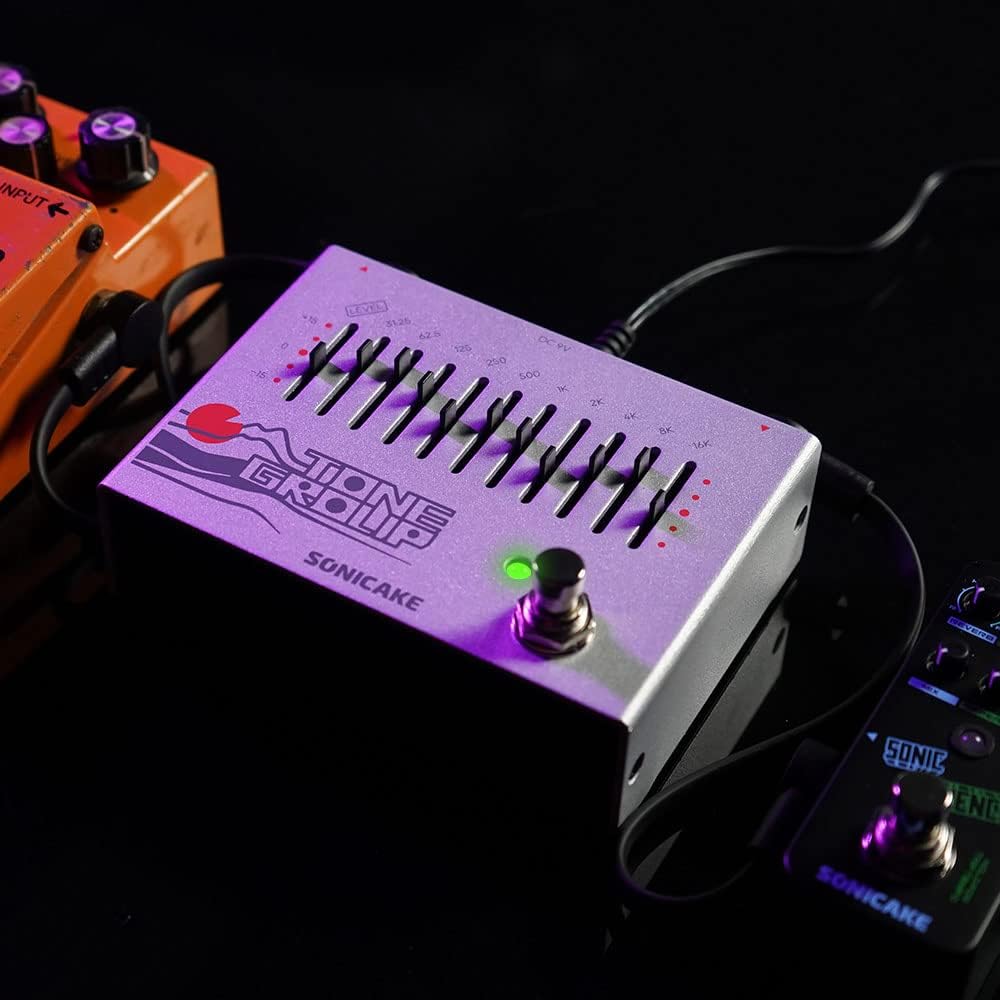
Image: The EQ Equalizer pedal integrated into a pedalboard setup, demonstrating typical connections.
5. คู่มือการใช้งาน
To operate your SONICAKE EQ Equalizer pedal:
- Engage/Disengage Effect: Press the footswitch (6) to toggle the equalizer effect on or off. The LED indicator will light up when the effect is active.
- Adjusting Frequency Bands: Use the ten frequency band sliders (4) to boost or cut specific frequencies. Moving a slider up boosts that frequency, while moving it down cuts it. Experiment with different settings to find your desired tone.
- Adjusting Overall Level: Use the Level slider (5) to control the overall output volume of the pedal. This is useful for compensating for volume changes introduced by EQ adjustments or for matching the volume with other pedals in your chain.
- เคล็ดลับการปรับแต่งโทนเสียง:
- Low Frequencies (31.25Hz - 125Hz): Affect bass and sub-bass. Boosting can add warmth and fullness; cutting can reduce muddiness.
- Mid Frequencies (250Hz - 2kHz): Crucial for presence and clarity. Boosting around 500Hz-1kHz can add body; cutting can reduce harshness. Boosting 2kHz can add bite.
- High Frequencies (4kHz - 16kHz): Control treble and brilliance. Boosting can add sparkle and air; cutting can reduce hiss or harshness.

ภาพ: ระยะใกล้ view of the footswitch on the EQ Equalizer pedal, illustrating its true bypass functionality.
6. การบำรุงรักษา
เพื่อให้แป้นเหยียบของคุณมีอายุการใช้งานยาวนานและทำงานได้อย่างมีประสิทธิภาพสูงสุด:
- การทำความสะอาด: ใช้ผ้าแห้งเนื้อนุ่มเช็ดทำความสะอาดด้านนอกของแป้นเหยียบ หลีกเลี่ยงการใช้สารทำความสะอาดที่มีฤทธิ์กัดกร่อนหรือตัวทำละลาย
- พื้นที่จัดเก็บ: เก็บแป้นเหยียบไว้ในที่แห้ง หลีกเลี่ยงอุณหภูมิที่สูงหรือต่ำเกินไป ความชื้น และแสงแดดโดยตรง
- แหล่งจ่ายไฟ: Always use a regulated 9V DC center-negative power supply. Incorrect power can damage the unit.
- การเชื่อมต่อ: Periodically check all cable connections for wear and tear.
7 การแก้ไขปัญหา
If you encounter issues with your EQ Equalizer pedal, consider the following:
- ไม่มีเสียง:
- ตรวจสอบให้แน่ใจว่าได้เชื่อมต่อแหล่งจ่ายไฟอย่างถูกต้องและใช้งานได้ปกติ
- Check all instrument cables for proper connection and functionality.
- ตรวจสอบว่า ampเครื่องขยายเสียงเปิดอยู่และปรับระดับเสียงขึ้นแล้ว
- Ensure the pedal's Level slider is not set to minimum.
- เสียงเบาหรือเพี้ยน:
- Check the power supply; insufficient power can cause distortion.
- Ensure instrument cables are not faulty.
- Adjust the Level slider to prevent signal clipping.
- เสียงรบกวน/เสียงฮัมที่ไม่ต้องการ:
- ใช้แหล่งจ่ายไฟคุณภาพสูงที่มีการควบคุมแรงดันไฟฟ้าอย่างเหมาะสม
- ตรวจสอบให้แน่ใจว่าสายเคเบิลทั้งหมดได้รับการป้องกันและเชื่อมต่ออย่างเหมาะสม
- Try isolating the pedal from other power sources or noisy equipment.
8. ข้อมูลจำเพาะ
| หมายเลขรุ่น | คิวดีเอส |
| น้ำหนักสินค้า | 12.7 ออนซ์ (0.36 กิโลกรัม) |
| ขนาดสินค้า | 3.54"ยาว x 2.16"กว้าง x 4.88"สูง (9 x 5.5 x 12.4 ซม.) |
| แหล่งพลังงาน | DC Power Supply (9V Center Negative, not included) |
| เล่มที่tage | 9 โวลต์ |
| รูปแบบสัญญาณ | อนาล็อก |
| ประเภทขั้วต่อ | แจ็คเสียงขนาด 1/4 นิ้ว |
| ฮาร์ดแวร์อินเตอร์เฟซ | เสียงขนาด 1/4 นิ้ว |
9. การรับประกันและการสนับสนุน
For warranty information, technical support, or service inquiries regarding your SONICAKE EQ Equalizer pedal, please refer to the documentation included with your purchase or visit the official SONICAKE webไซต์ เก็บหลักฐานการซื้อของคุณไว้เพื่อใช้ในกรณีเรียกร้องการรับประกัน


