การแนะนำ
Welcome to the user manual for your new Pro-Ject Debut III Phono SB Audiophile Turntable. This manual provides essential information for setting up, operating, and maintaining your turntable to ensure optimal performance and longevity. Please read these instructions carefully before first use.

Figure 1: Pro-Ject Debut III Phono SB Turntable (Walnut)
The Pro-Ject Debut III Phono SB is an audiophile-grade turntable featuring an 8.6" aluminum tonearm, electronic speed selection, and a pre-mounted Ortofon OM5e phono cartridge. It includes a built-in phono preamp เพื่อการเชื่อมต่อที่หลากหลาย
เนื้อหาแพ็คเกจ
Before beginning setup, please ensure all components listed below are present in your package:
- Pro-Ject Debut III Phono SB Turntable
- ผ้าคลุมกันฝุ่น
- เสื่อสักหลาด
- แหล่งจ่ายไฟ
- RCA Cable (semi-balanced shielded audio cable, 1.23m)
- Standard Flat Belt (for 33/45 RPM)
- ไม้โปรแทรกเตอร์การจัดตำแหน่งตลับหมึก
- Round Belt (for 78 RPM)
- น้ำหนักป้องกันสเก็ต
- Adapter for 7" Singles
- Ortofon OM5e Phono Cartridge (pre-mounted)
คำแนะนำการตั้งค่า
Follow these steps carefully to set up your turntable.
1 การวาง
วางเครื่องเล่นแผ่นเสียงบนพื้นผิวที่มั่นคงและเรียบเสมอกัน ห่างจากแสงแดดโดยตรง แหล่งความร้อน และการสั่นสะเทือนรุนแรง ตรวจสอบให้แน่ใจว่ามีการระบายอากาศที่เพียงพอรอบๆ ตัวเครื่อง
2. การติดตั้งจานหมุนและสายพาน
- Carefully place the heavy steel platter onto the turntable spindle.
- Locate the drive motor pulley. Gently stretch the standard flat belt (for 33/45 RPM) around the motor pulley and the inner rim of the platter. For 78 RPM playback, use the round belt.

Figure 2: Turntable Platter
Ensure the drive belt is correctly seated around the motor pulley and the platter's inner rim for stable rotation.
3. การตั้งค่าโทนอาร์มและหัวเข็ม
Your Ortofon OM5e cartridge is pre-mounted and pre-adjusted. However, you will need to set the tracking force and anti-skating.
- ตั้งค่าแรงกดติดตาม: Rotate the counterweight at the rear of the tonearm until the tonearm floats freely and is balanced horizontally. Lock the tonearm in its rest. Rotate the tracking force dial (the numbered ring on the counterweight) to '0'. Then, rotate the entire counterweight (including the dial) counter-clockwise until the desired tracking force is set. For the Ortofon OM5e, the recommended tracking force is typically 1.75g.
- ตั้งค่าระบบป้องกันการลื่นไถล: Attach the anti-skating weight to the small thread loop on the tonearm support. The thread should pass through the second groove for the Ortofon OM5e cartridge.

Figure 3: Tonearm with Anti-Skating Weight
Proper adjustment of tracking force and anti-skating is crucial for optimal sound quality and record preservation.
4. การเชื่อมต่อกับ Ampชีวิต
The Debut III Phono SB features a built-in phono preamp, offering two output options:
- บรรทัดออก: Use this if your ampลิไฟเออร์ทำ ไม่ have a dedicated phono input. Connect the supplied RCA cable from the turntable's "Line Out" jacks to any standard line-level input on your ampเครื่องขยายสัญญาณ (เช่น AUX, CD, Tuner)
- โฟโนออก: Use this if your ampชีวิต ทำ have a dedicated phono input. Connect the supplied RCA cable from the turntable's "Phono Out" jacks to your amplifier's "Phono" input.
Always connect the ground wire from the turntable to the ground terminal on your ampใช้เครื่องขยายเสียงเพื่อลดเสียงฮัม

Figure 4: RCA Outputs and Ground Terminal
Choose the appropriate output based on your ampความสามารถของลิไฟเออร์
5. การเชื่อมต่อไฟฟ้า
Connect the power supply to the DC input jack on the turntable and then plug it into a suitable wall outlet.
คำแนะนำการใช้งาน
1. การเปิด/ปิดเครื่อง
The power switch is located on the underside of the turntable plinth. Flip the switch to the 'ON' position to power on the unit.

รูปที่ 5: ตำแหน่งสวิตช์เปิดปิด
The discreetly placed power switch maintains the clean aesthetic of the turntable.
2. การเลือกความเร็ว
The Debut III Phono SB features electronic speed selection for 33, 45, and 78 RPM.
- To switch between 33 and 45 RPM, press the speed control button located on the underside of the plinth. The platter will adjust to the selected speed.
- For 78 RPM playback, you must manually change the drive belt to the larger diameter step on the motor pulley and use the round belt provided. Then, select 45 RPM using the electronic speed control.
3. เล่นแผ่นเสียง
- Place a record on the platter. If playing a 7" single, use the provided adapter.
- Select the correct playback speed (33, 45, or 78 RPM).
- ค่อยๆ ยกแขนโทนอาร์มขึ้นโดยใช้คันโยกสำหรับยกหัวอ่าน
- วางแขนจับหัวอ่านแผ่นเสียงให้ตรงกับร่องเริ่มต้นที่ต้องการของแผ่นเสียง
- ค่อยๆ ลดคันโยกขึ้นลงเพื่อวางเข็มลงบนแผ่นเสียงอย่างเบามือ
- At the end of the record, lift the tonearm using the cueing lever and return it to the tonearm rest. Secure it with the tonearm clip.
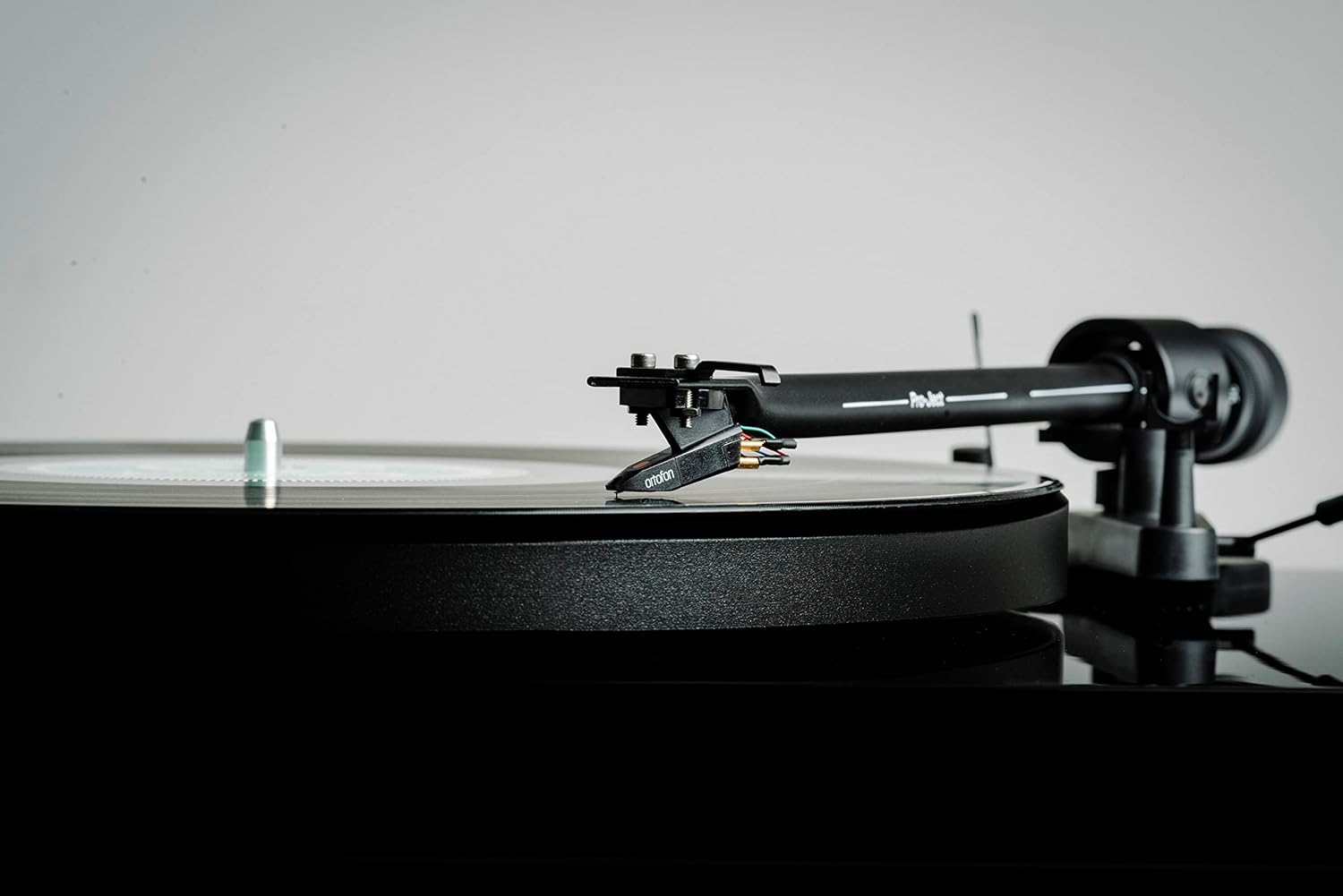
Figure 6: Cartridge on Record
Handle the tonearm and cartridge with care to prevent damage to the stylus or records.
การซ่อมบำรุง
Regular maintenance will help preserve the performance and appearance of your turntable.
- Cleaning the Plinth and Dustcover: Use a soft, lint-free cloth to wipe down the plinth and dustcover. For stubborn marks, a slightly damp สามารถใช้ผ้าเช็ดทำความสะอาดได้ ตามด้วยผ้าแห้ง หลีกเลี่ยงน้ำยาทำความสะอาดที่มีฤทธิ์กัดกร่อนหรือตัวทำละลาย
- การทำความสะอาดสไตลัส: Use a dedicated stylus cleaning brush or fluid. Always brush from back to front (away from the cantilever). Clean the stylus regularly to prevent debris buildup, which can degrade sound quality and damage records.
- การเปลี่ยนสายพาน: The drive belt may stretch over time. If you notice inconsistent speed or reduced torque, consider replacing the belt.
- การดูแลรักษาตลับหมึก: Avoid touching the stylus with your fingers. If the cartridge needs replacement, consult a qualified technician or refer to the cartridge manufacturer's instructions.

Figure 7: Turntable with Dustcover
Keep the dustcover closed when not in use to protect the turntable from dust and debris.
การแก้ไขปัญหา
If you encounter issues with your turntable, refer to the following common problems and solutions.
| ปัญหา | สาเหตุที่เป็นไปได้ | สารละลาย |
|---|---|---|
| No power / No rotation | Power cable not connected; Power switch off; Faulty power supply. | Check power connections; Ensure power switch is ON; Test with another power outlet. |
| ไม่มีเสียงหรือเสียงเบา | เลือกอินพุตไม่ถูกต้อง amplifier; RCA cables not connected properly; Phono/Line Out switch incorrect; Stylus dirty or damaged. | Select correct input (e.g., AUX, CD, Phono); Reconnect RCA cables firmly; Ensure Phono/Line Out switch matches amplifier input; Clean or replace stylus. |
| เสียงฮัมเพลง | Ground wire not connected; Nearby electrical interference; Loose connections. | Connect ground wire to amplifier; Move turntable away from other electronics; Check all cable connections. |
| เสียงเพี้ยน | Incorrect tracking force; Dirty stylus; Damaged stylus; Worn record. | Adjust tracking force; Clean stylus; Replace stylus; Try a different record. |
| ความเร็วไม่สม่ำเสมอ | Drive belt stretched or dirty; Platter not seated correctly; Motor issue. | Clean or replace drive belt; Re-seat platter; Contact support if issue persists. |
ข้อมูลจำเพาะ
Key technical specifications for the Pro-Ject Debut III Phono SB Turntable:
- แบบอย่าง: Debut III Phono HG OM5e
- Drive Principle: สายพานไดรฟ์
- ความเร็ว: 33, 45, 78 RPM (electronic speed selection for 33/45)
- แผ่นเสียง: 1.7kg heavy steel platter
- โทนอาร์ม: 8.6" Aluminum Tonearm
- ตลับหมึก: Ortofon OM5e (pre-mounted)
- โฟโนพรีamp: Built-in (switchable Phono/Line Out)
- ประเภทมอเตอร์: มอเตอร์ DC
- ขนาดสินค้า (กว้าง x ยาว x สูง) : 16.34 x 12.6 x 4.65 นิ้ว (41.5 x 32 x 11.8 ซม.)
- น้ำหนักสินค้า: 12.1 ปอนด์ (5.5 กก.)
- วัสดุ: Engineered Wood (Plinth)
- สี: วอลนัท
การรับประกันและการสนับสนุน
สำหรับข้อมูลการรับประกันและการสนับสนุนทางเทคนิค โปรดดูที่เว็บไซต์อย่างเป็นทางการของ Pro-Ject Audio Systems webหรือติดต่อตัวแทนจำหน่ายที่ได้รับอนุญาต เก็บหลักฐานการซื้อไว้เพื่อใช้ในการเคลมประกัน
ผู้ผลิต: ระบบเสียง Pro-Ject


