การแนะนำ
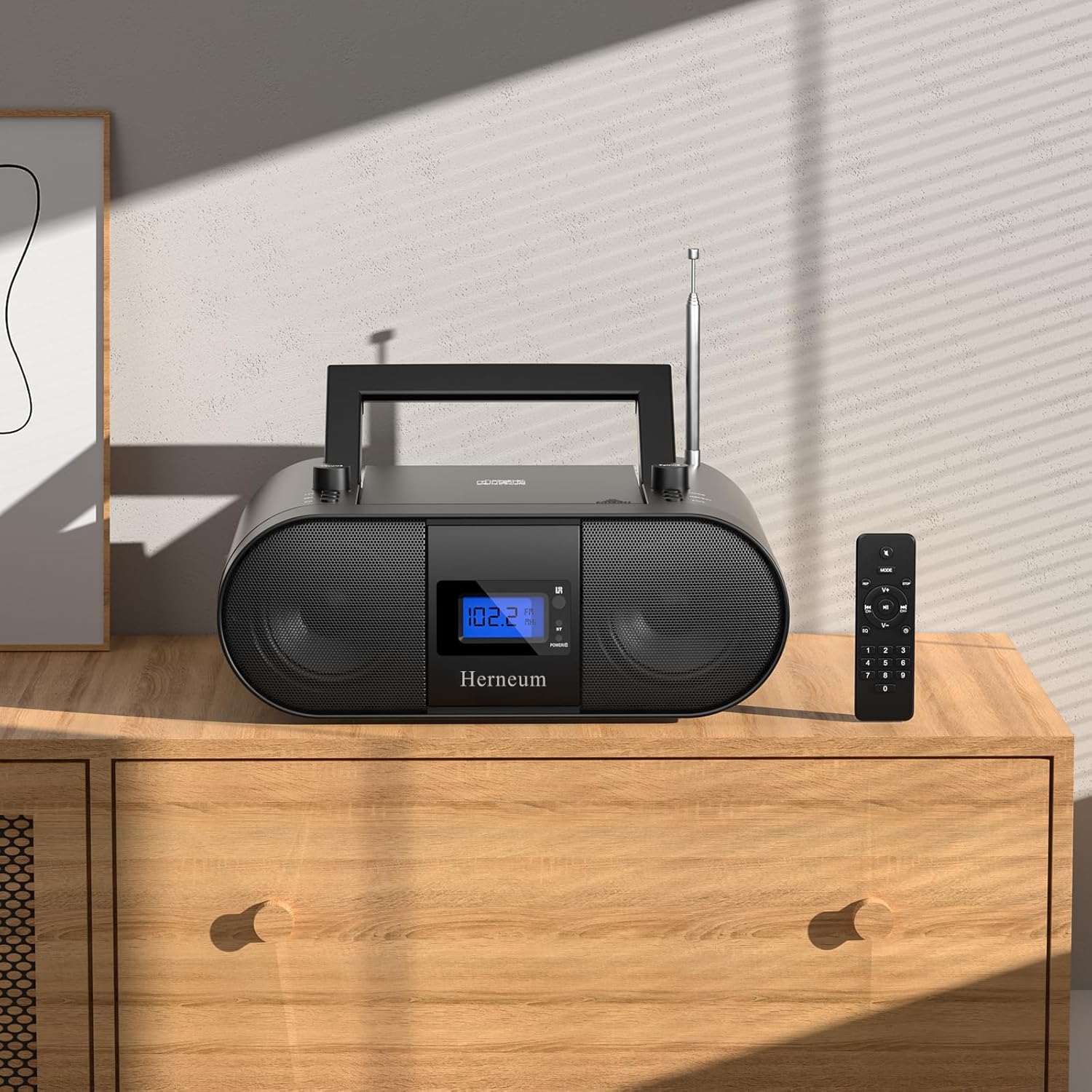
This manual provides essential instructions for the safe and efficient operation of your Herneum FC Portable CD Player Boombox. Please read this manual thoroughly before using the device and retain it for future reference.
คุณสมบัติผลิตภัณฑ์
- Portable CD Player: Top-loading CD player with play/pause, skip, and repeat functions.
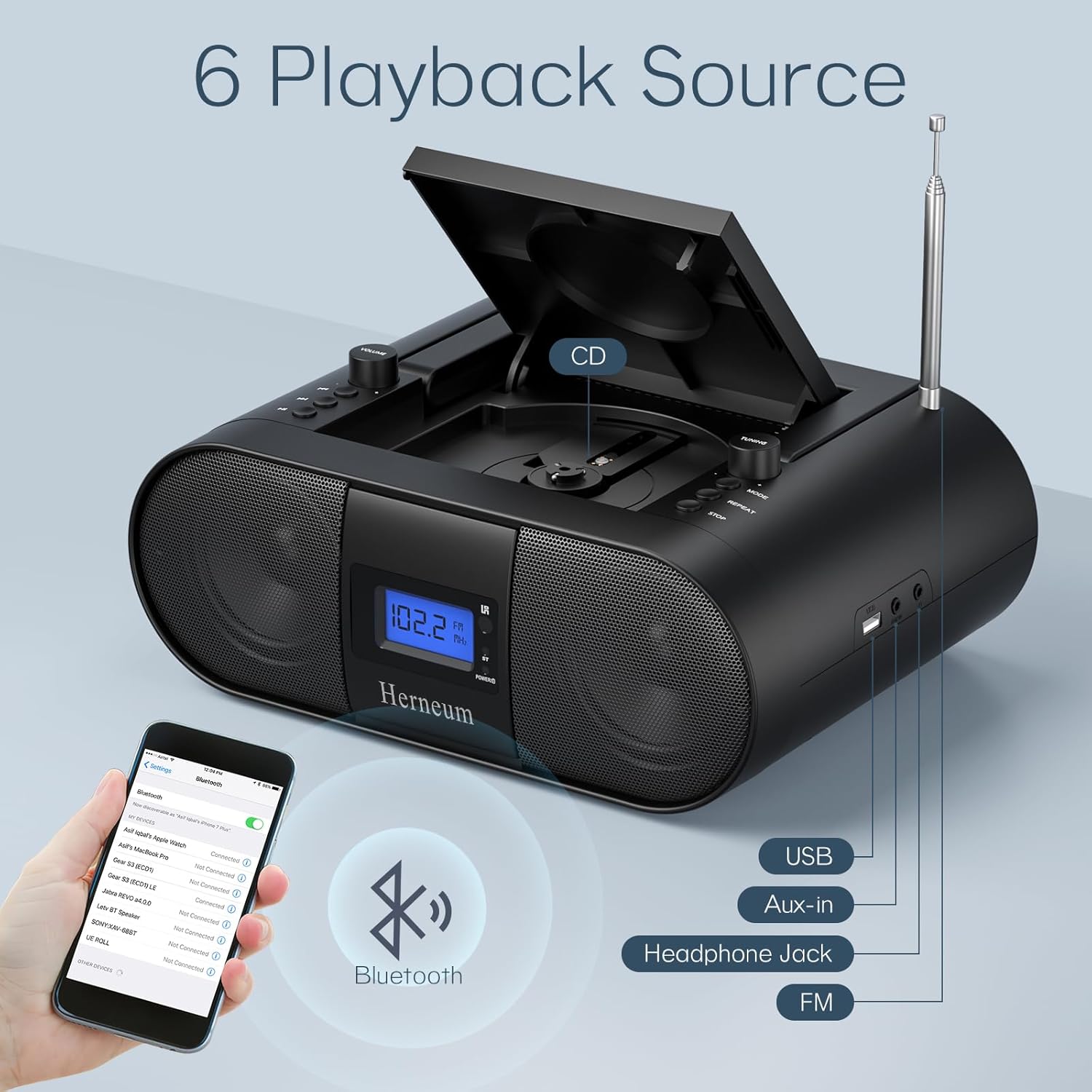
- วิทยุ FM: Built-in FM radio with telescopic antenna for enhanced reception.
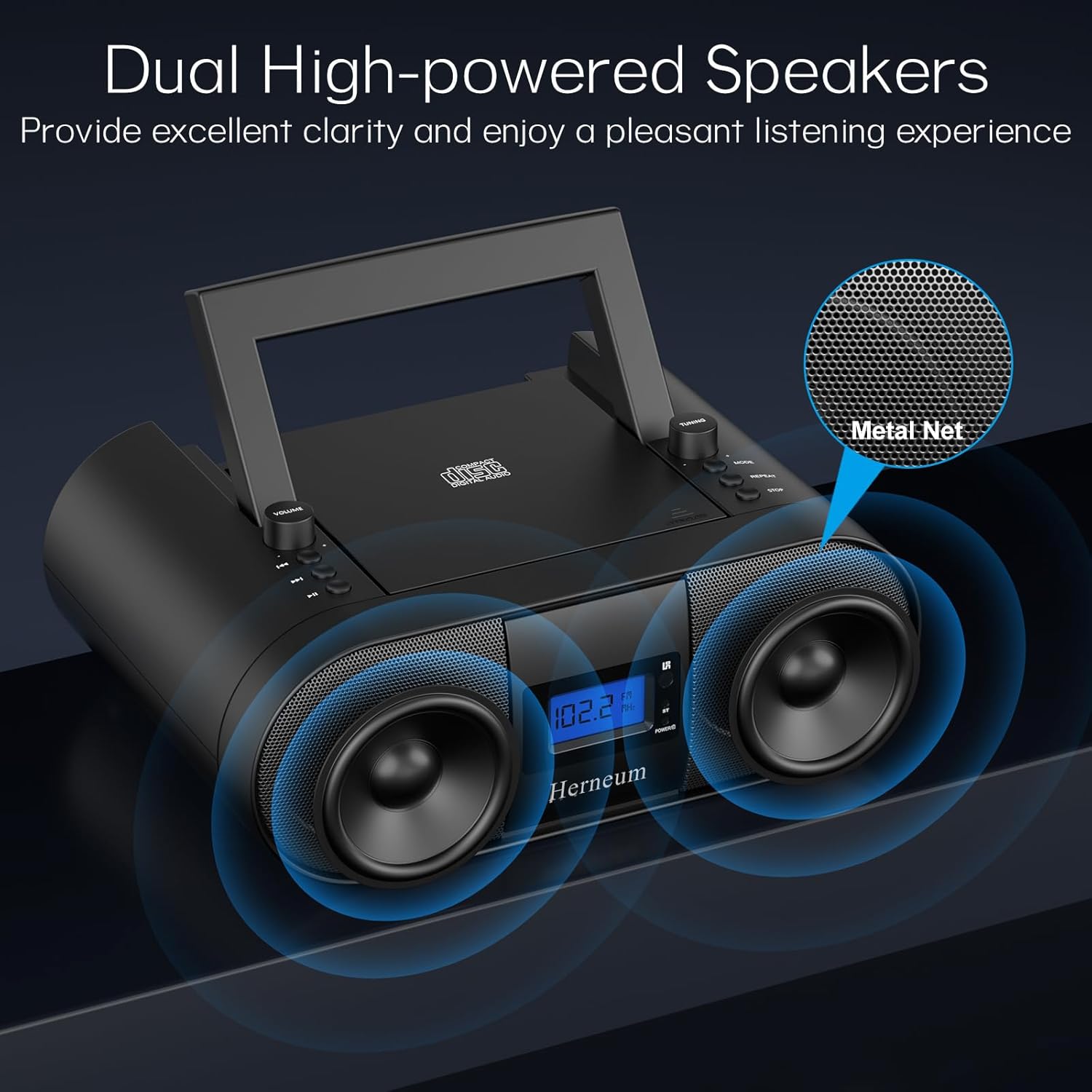
- Dual Stereo Sound System: High-performance speakers for clear audio.
- แบตเตอรี่แบบชาร์จไฟได้: Integrated 2000mAh battery providing 4-5 hours of playback.
- การเชื่อมต่อบลูทูธ: การสตรีมเสียงแบบไร้สายจากอุปกรณ์ที่รองรับ
- อินพุตหลายตัว: Supports USB and AUX-in for versatile audio sources.
- เอาท์พุตหูฟัง: สำหรับการฟังส่วนตัว
- รีโมทคอนโทรล: Convenient operation from a distance, including sleep timer function.
เนื้อหาแพ็คเกจ
ตรวจสอบให้แน่ใจว่ามีสิ่งของครบทั้งหมดเมื่อแกะกล่อง:
- Herneum FC Portable CD Player Boombox
- รีโมทคอนโทรล
- คู่มือการใช้งาน
- สายไฟ
ข้อมูลด้านความปลอดภัย
- อย่าให้อุปกรณ์โดนฝนหรือความชื้น
- หลีกเลี่ยงการวางอุปกรณ์ใกล้แหล่งความร้อนหรือแสงแดดโดยตรง
- อย่าเปิดอุปกรณ์casinก. ส่งต่อการบริการไปยังบุคลากรที่มีคุณสมบัติ
- เก็บให้พ้นจากมือเด็ก
- ใช้เฉพาะอะแดปเตอร์ที่ให้มาเท่านั้น
การตั้งค่า
1. การเปิดเครื่อง
The Herneum FC can be powered by its internal rechargeable battery or by connecting it to an AC power outlet.
- ไฟฟ้ากระแสสลับ: Connect the provided power cable to the "Power socket" (19) on the back of the unit and then to a wall outlet.
- แบตเตอรี่แบบชาร์จไฟได้: The unit has a built-in 2000mAh rechargeable battery. It charges automatically when connected to AC power. A full charge provides approximately 4-5 hours of playback.
2 การปรับเสาอากาศ
For optimal FM radio reception, extend the telescopic antenna fully and adjust its position.

คำแนะนำการใช้งาน
1. General Controls
The device features various controls on its top panel and a remote control for convenient operation.

- สวิตช์ไฟ (18): อยู่ด้านหลังตัวเครื่อง
- Volume +/- (1): ปรับระดับเอาต์พุตเสียง
- โหมด (7): สามารถสลับโหมดระหว่าง CD, FM, Bluetooth, USB และ AUX ได้
- จอแสดงผล (14): Shows current mode, track number, and FM frequency.
2. การเล่นซีดี
- Open the CD compartment (10) by gently lifting the lid.
- วางแผ่นซีดีโดยให้ด้านที่มีฉลากหงายขึ้น
- ปิดช่องใส่ซีดี
- กดปุ่ม โหมด button (7) to select CD mode.
- กด เล่น/หยุดชั่วคราว (4) เพื่อเริ่มเล่น
- ใช้ เพลงก่อนหน้า (2) และ เพลงถัดไป (3) to navigate tracks.
- กด ทำซ้ำ (8) for single track or all track repeat.
- กด หยุด (9) to end playback.
3. การใช้งานวิทยุ FM
- ขยายเสาอากาศยืดไสลด์
- กดปุ่ม โหมด button (7) to select FM radio mode.
- ใช้ ปรับ +/- (6) to manually tune to a station.
- For automatic scanning, press and hold ปรับ +/- (6).
4. การเชื่อมต่อบลูทูธ
- กดปุ่ม โหมด button (7) to select Bluetooth mode. The display will show "BT" and flash, indicating it's ready for pairing.
- On your mobile device, enable Bluetooth and search for "Herneum FC" (or similar device name).
- Select the device to pair. Once connected, the "BT" indicator will stop flashing.
- You can now stream audio from your device to the boombox.
5. การเล่นผ่าน USB
- Insert a USB drive containing MP3/WMA files into the USB PORT (11).
- กดปุ่ม โหมด button (7) to select USB mode.
- Playback will start automatically. Use track navigation buttons to select songs.
6. ช่องต่อ AUX-in
- Connect an external audio device (e.g., smartphone, MP3 player) to the AUX-in jack (12) using a 3.5mm audio cable.
- กดปุ่ม โหมด button (7) to select AUX mode.
- ควบคุมการเล่นและระดับเสียงจากอุปกรณ์ภายนอกของคุณ
7. การใช้หูฟัง
Plug headphones into the Headphone jack (13) for private listening. The speakers will automatically mute.
8. รีโมทคอนโทรล
The included remote control allows for convenient operation of all functions from a distance. Insert 2 x AAA batteries (not included) into the remote.
- ปิดเสียง/เปิดเสียง: Temporarily silences or restores audio.
- ข้ามแทร็ก: Navigates to the next or previous track.
- Change Radio: Adjusts FM frequency.
- การควบคุมระดับเสียง: เพิ่มหรือลดระดับเสียง
- Stop Playing: Halts current playback.
- โหมด EQ: Adjusts sound equalization settings.
- เวลานอน: Set preferred running time (15, 30, 45, 60, or 90 minutes).

การซ่อมบำรุง
- การทำความสะอาด: ใช้ผ้านุ่มและแห้งเช็ดทำความสะอาดภายนอกตัวเครื่อง ห้ามใช้น้ำยาทำความสะอาดที่มีฤทธิ์กัดกร่อนหรือตัวทำละลาย
- การดูแลรักษาซีดี: จับแผ่นซีดีที่ขอบ ทำความสะอาดแผ่นซีดีที่สกปรกด้วยผ้าเนื้อนุ่มที่ไม่เป็นขุย โดยเช็ดจากตรงกลางออกไปด้านนอก
- พื้นที่จัดเก็บ: When not in use for extended periods, store the boombox in a cool, dry place.
การแก้ไขปัญหา
| ปัญหา | สาเหตุที่เป็นไปได้ | สารละลาย |
|---|---|---|
| ไม่มีไฟฟ้า | Power cable not connected; battery drained; power switch off. | Check power cable connection; charge battery; ensure power switch (18) is ON. |
| แผ่นซีดีเล่นไม่ได้/เล่นสะดุด | CD dirty or scratched; CD inserted incorrectly; CD compartment not closed. | Clean or replace CD; ensure CD is label-side up; close compartment firmly. |
| การรับสัญญาณ FM ไม่ดี | Antenna not extended/adjusted; weak signal. | Extend and adjust antenna; try moving the unit to a different location. |
| บลูทูธไม่จับคู่ | Device not in pairing mode; Bluetooth disabled on external device. | Ensure boombox is in Bluetooth mode; enable Bluetooth on your device and search again. |
| รีโมตคอนโทรลไม่ทำงาน | Batteries drained or inserted incorrectly; obstruction between remote and unit. | Replace remote batteries; ensure correct polarity; remove obstructions. |
ข้อมูลจำเพาะ
- แบบอย่าง: FC
- ยี่ห้อ: ไส้เลื่อน
- ขนาดสินค้า : 12.6 x 8.66 x 5.9 นิ้ว
- น้ำหนักสินค้า: 4.36 ปอนด์
- เทคโนโลยีการเชื่อมต่อ: Bluetooth, CD, USB, AUX-in, FM Radio
- สี: สีดำ
- ประเภทลำโพง: ลำโพงคู่
- แบตเตอรี่: แบตเตอรี่ชาร์จไฟในตัว 2000mAh
- ระยะเวลาการเล่น (แบตเตอรี่): 4-5 ชั่วโมง
การรับประกันและการสนับสนุน
The Herneum FC Portable CD Player Boombox comes with an 18-month warranty. For warranty claims, technical support, or any inquiries, please contact Herneum customer service.
Visit the official Herneum store for more information: Herneum Store


