การแนะนำ
This manual provides detailed instructions for the installation, operation, and maintenance of your CP PLUS CP-V41A 4MP Wi-Fi Camera. Please read this manual thoroughly before using the product to ensure correct usage and optimal performance. Keep this manual for future reference.
สินค้าเกินview
The CP PLUS CP-V41A is a 4MP Wi-Fi camera designed for home security and surveillance. It features high-resolution imaging, night vision capabilities, and smart integration options.
คุณสมบัติหลัก:
- 4MP CMOS Image Sensor: ให้ภาพวิดีโอที่ชัดเจนและมีรายละเอียดtage.
- เลนส์ 3.6 มม.: เสนอสาขาที่กว้างขวางของ view เพื่อความคุ้มครองที่ครอบคลุม
- การบีบอัดวิดีโอ H.265: Efficiently compresses video to save storage space without compromising quality.
- รองรับ Wi-Fi: Enables wireless connectivity for flexible placement.
- IR Distance of 15 Mtr.: Ensures clear night vision up to 15 meters.
- ระดับ IP65: Suitable for both indoor and outdoor use, offering protection against dust and water jets.
- การรวมระบบบ้านอัจฉริยะ: Works with Google Assistant and Amazon Alexa for voice control and smart automation.
อะไรอยู่ในกล่อง:
- CP PLUS CP-V41A 4MP Wi-Fi Camera
- อะแดปเตอร์แปลงไฟ
- สกรูและปลั๊กสำหรับติดตั้ง
- คู่มือเริ่มต้นใช้งานฉบับย่อ (ดูรายละเอียดเพิ่มเติมได้ในคู่มือนี้)

Image: The CP PLUS CP-V41A 4MP Wi-Fi Camera, highlighting its model and key features.
การตั้งค่า
1. การติดตั้งทางกายภาพ
- เลือกตำแหน่ง: เลือกตำแหน่งที่เหมาะสมสำหรับกล้องของคุณ โดยคำนึงถึงผลลัพธ์ที่ต้องการ viewing area, Wi-Fi signal strength, and power source accessibility. The camera is rated IP65, making it suitable for both indoor and outdoor environments.
- ติดตั้งกล้อง:
- ใช้ฐานยึดกล้องเป็นแบบในการทำเครื่องหมายจุดที่จะเจาะบนผนังหรือเพดาน
- เจาะรูและเสียบพุกที่ให้มาลงไป
- Secure the camera's mounting base with the screws.
- ปรับมุมกล้องได้ตามต้องการ
- เชื่อมต่อพลังงาน: Plug the power adapter into the camera's power input and then into a power outlet. The camera will power on and initiate its startup sequence.
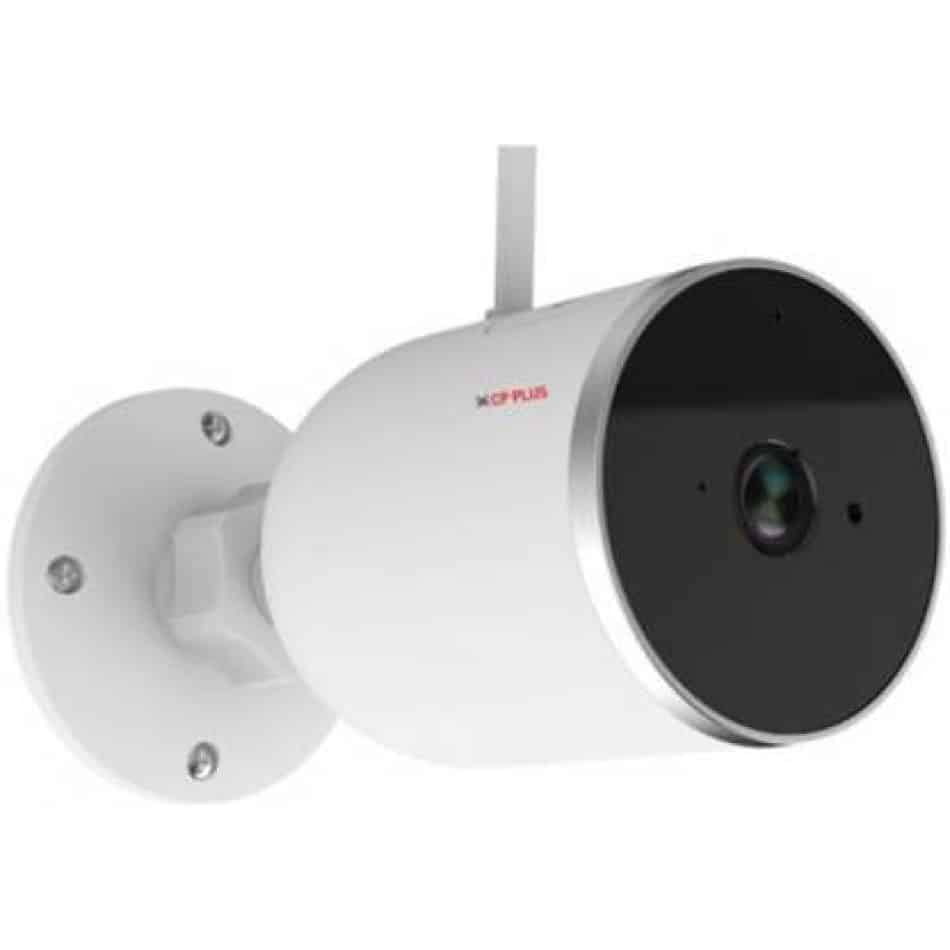
ภาพ: ด้านข้าง view of the CP PLUS CP-V41A camera showing its mounting base and antenna, illustrating physical installation.
2. การเชื่อมต่อเครือข่าย (Wi-Fi)
- ดาวน์โหลดแอป: ค้นหา the official CP PLUS mobile application on your smartphone's app store (iOS or Android) and install it.
- สร้างบัญชี: เปิดแอปและลงทะเบียนบัญชีใหม่หรือเข้าสู่ระบบหากคุณมีบัญชีอยู่แล้ว
- เพิ่มอุปกรณ์: Follow the in-app instructions to add your new camera. This typically involves:
- Scanning a QR code on the camera.
- Connecting your phone to the camera's temporary Wi-Fi hotspot.
- Selecting your home Wi-Fi network and entering its password.
- เสร็จสิ้น: Once connected, the camera's status indicator will change, and you will see the camera online in your app.
คำแนะนำการใช้งาน
1. สด View และการบันทึก
- เข้าถึงสด View: Open the CP PLUS app and select your camera from the device list to view ฟีดสด
- การบันทึกด้วยตนเอง: Tap the record button in the app to start or stop manual video recording.
- สแนปช็อต: Use the snapshot button to capture still images from the live feed.
2. การตรวจจับการเคลื่อนไหวและการแจ้งเตือน
- เปิดใช้งานการตรวจจับการเคลื่อนไหว: Navigate to the camera settings in the app and enable motion detection.
- ปรับความไว: Set the motion detection sensitivity to minimize false alarms.
- Set Alert Schedule: Configure specific times or days for receiving motion alerts.
- รับการแจ้งเตือน: The app will send push notifications to your smartphone when motion is detected.
3. การมองเห็นในเวลากลางคืน
The camera automatically switches to night vision mode in low-light conditions, utilizing its infrared (IR) LEDs to provide clear black-and-white video up to 15 meters. Ensure no obstructions block the IR lights for optimal performance.
4. Smart Home Integration (Google Assistant / Amazon Alexa)

Image: The CP PLUS CP-V41A camera integrated into a smart home environment, indicating compatibility with Google Assistant.
- เชื่อมโยงบัญชี: In your Google Home or Amazon Alexa app, search for the CP PLUS skill/service and link your CP PLUS account.
- ค้นพบอุปกรณ์: Once linked, ask your smart assistant to discover new devices.
- คำสั่งเสียง: ตอนนี้คุณสามารถใช้คำสั่งเสียงเพื่อ... view your camera feed on compatible smart displays (e.g., "Hey Google, show me the front door camera" or "Alexa, show me the living room camera").
การซ่อมบำรุง
- การทำความสะอาด:
- ค่อยๆ เช็ดเลนส์และตัวกล้องด้วยผ้าแห้งเนื้อนุ่ม
- อย่าใช้สารเคมีรุนแรงหรือน้ำยาทำความสะอาดที่มีฤทธิ์กัดกร่อน
- ตรวจสอบให้แน่ใจว่ากล้องปิดอยู่ก่อนทำความสะอาด
- อัพเดตเฟิร์มแวร์: Regularly check the CP PLUS app for available firmware updates. Updates often include performance improvements, new features, and security enhancements. Follow the in-app instructions to perform updates.
- การจัดการพื้นที่เก็บข้อมูล: If using a local storage (e.g., microSD card, not included), periodically review และจัดการ foo ที่บันทึกไว้tagเพื่อให้แน่ใจว่ามีพื้นที่เพียงพอ
การแก้ไขปัญหา
| ปัญหา | สาเหตุที่เป็นไปได้ | สารละลาย |
|---|---|---|
| กล้องไม่สามารถเปิดได้ | อะแดปเตอร์ไฟไม่ได้เชื่อมต่อหรือมีข้อบกพร่อง | ตรวจสอบให้แน่ใจว่าอะแดปเตอร์แปลงไฟเชื่อมต่อกับกล้องและเต้ารับไฟฟ้าที่ใช้งานได้แน่นหนาแล้ว ลองเสียบกับเต้ารับอื่นดู |
| ไม่สามารถเชื่อมต่อ Wi-Fi ได้ | Incorrect Wi-Fi password, weak signal, or camera too far from router. | Verify Wi-Fi password. Move the camera closer to the router. Ensure your router is broadcasting a 2.4GHz network (5GHz is not supported by many smart devices). Reset the camera and try pairing again. |
| คุณภาพของภาพไม่ดีหรือวิดีโอเบลอ | Protective film on lens, dirty lens, or insufficient lighting. | Remove any protective film. Clean the lens with a soft cloth. Ensure adequate lighting or check night vision functionality. |
| การตรวจจับการเคลื่อนไหวไม่ทำงาน | Motion detection disabled, sensitivity too low, or incorrect schedule. | Check app settings to ensure motion detection is enabled, sensitivity is appropriate, and the schedule is correctly configured. |
| No sound or poor audio. | Microphone/speaker blocked, app volume low, or network issues. | Ensure nothing is obstructing the microphone or speaker. Check volume settings in the app and on your phone. Verify stable network connection. |
ข้อมูลจำเพาะ
| คุณสมบัติ | รายละเอียด |
|---|---|
| หมายเลขรุ่น | ซีพี-วี41เอ |
| เซ็นเซอร์รับภาพ | 1/2.8” 4MP CMOS (0.9071cm) |
| เลนส์ | 3.6มม. |
| การบีบอัดวิดีโอ | เอช.265 |
| การเชื่อมต่อ | ไวไฟ, อีเทอร์เน็ต |
| ระยะอินฟราเรด | 15 เมตร |
| การป้องกันการไหลเข้า | IP65 |
| ความเข้ากันได้กับผู้ช่วยอัจฉริยะ | ผู้ช่วย Google, Amazon Alexa |
| แหล่งพลังงาน | สายไฟ |
| การใช้งานภายใน/ภายนอกอาคาร | ในร่ม, กลางแจ้ง |
| น้ำหนักสินค้า | 460 กรัม |
| ขนาด (กxยxส) | 20 x 10 x 5 เซนติเมตร |
| ส่วนประกอบที่รวมอยู่ | อะแดปเตอร์ |

Image: An office setting with the CP PLUS CP-V41A camera mounted, illustrating its 4MP CMOS image sensor capability.
การรับประกันและการสนับสนุน
ผลิตภัณฑ์ CP PLUS ได้รับการออกแบบมาเพื่อความน่าเชื่อถือและประสิทธิภาพ สำหรับข้อมูลการรับประกัน โปรดดูบัตรรับประกันที่แนบมากับผลิตภัณฑ์ของคุณ หรือเยี่ยมชมเว็บไซต์อย่างเป็นทางการของ CP PLUS website. For technical support, troubleshooting assistance, or service inquiries, please contact CP PLUS customer support through their official channels.
หมายเหตุ: ข้อมูลจำเพาะและคุณสมบัติของผลิตภัณฑ์อาจมีการเปลี่ยนแปลงโดยไม่ต้องแจ้งให้ทราบล่วงหน้า


