1. สินค้าหมดview
The LDNIO C706Q is a versatile in-car accessory that combines an FM transmitter, Bluetooth connectivity, and multiple USB charging ports. It allows you to stream audio from your smartphone to your car's FM radio, make hands-free calls, and charge your devices simultaneously.
คุณสมบัติหลัก:
- Bluetooth 5.0 for stable connection and improved audio.
- FM Transmitter function for audio streaming to car radio.
- Dual USB ports for charging (USB-A1 and USB-A2).
- AUX output for direct audio connection.
- Hands-free calling with "One Touch" operation.
- Digital display for FM frequency.

Image: The LDNIO C706Q FM Transmitter plugged into a car's cigarette lighter socket, displaying "87.5" on its digital screen. A smartphone is connected via a charging cable, showing 85% battery. This image illustrates the device in an operational car environment.
2. เนื้อหาบรรจุภัณฑ์
โปรดตรวจสอบให้แน่ใจว่ามีสินค้าทั้งหมดอยู่ในแพ็คเกจ:
- LDNIO C706Q Bluetooth FM Transmitter
- คู่มือการใช้งาน (เอกสารนี้)

Image: The retail packaging for the LDNIO C706Q Bluetooth FM Transmitter. The front of the box highlights "Bluetooth FM Transmitter Dual USB charger" and shows an image of the device. The back of the box details features like Bluetooth 5.0, QC3.0 fast charging, and hands-free calling.
3. เค้าโครงอุปกรณ์
Familiarize yourself with the various components of your LDNIO C706Q:
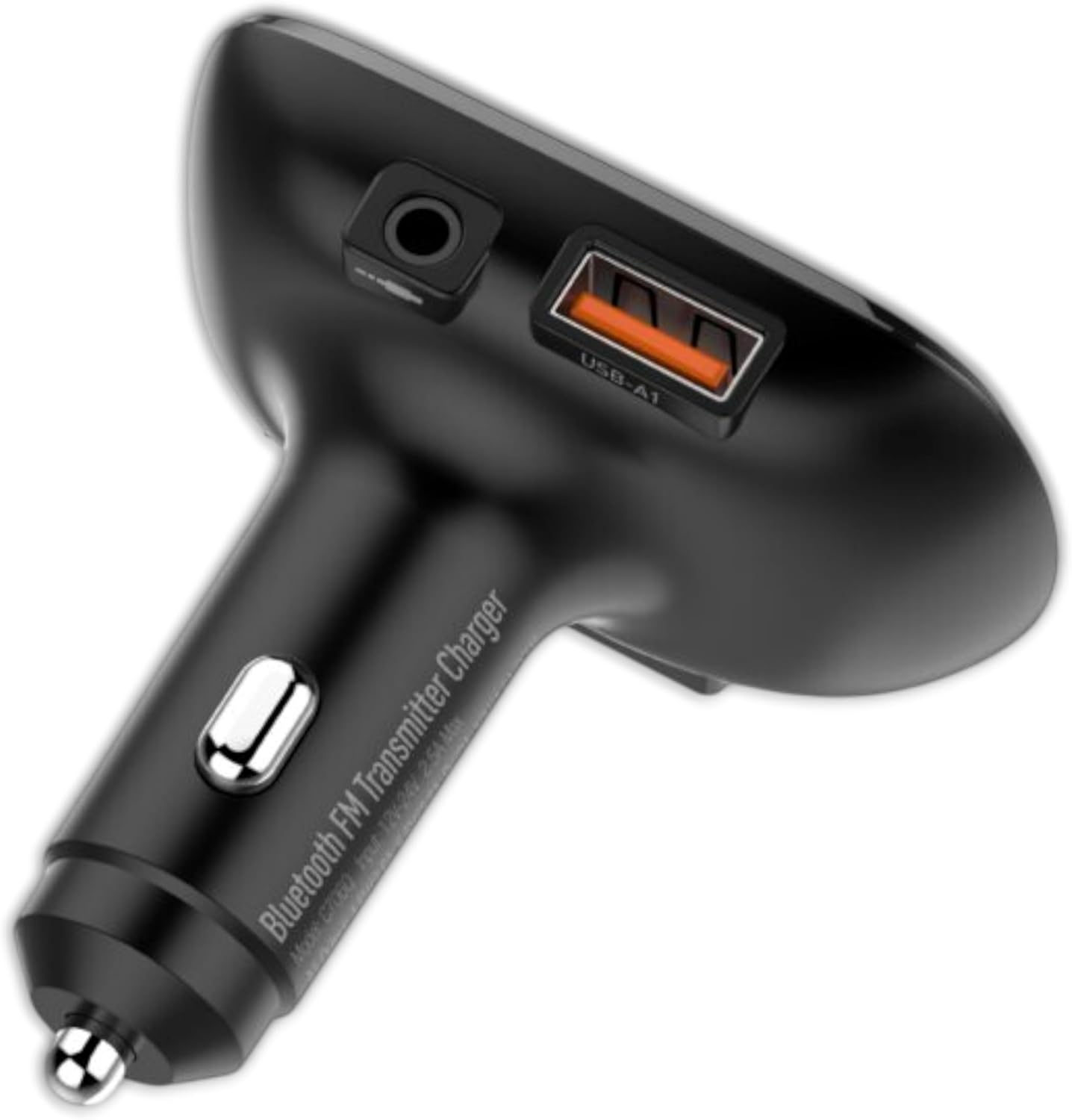
ภาพ: จากบนลงล่าง view of the LDNIO C706Q FM Transmitter. Visible features include the digital display, play/pause button, track skip buttons, a 3.5mm AUX output, and a USB-A charging port (USB-A1).

ภาพ: ด้านหนึ่ง view of the LDNIO C706Q FM Transmitter, highlighting the 3.5mm AUX output, the USB-A1 charging port, and the main body that plugs into the car's cigarette lighter.

ภาพ: ก. view of the LDNIO C706Q FM Transmitter from the bottom, showing an additional USB-A2 charging port and a slot for a MicroSD card.
ส่วนประกอบ:
- Digital Display: Shows FM frequency.
- Play/Pause/Call Button: Multifunction button for media control and call management.
- Previous/Next Track Buttons: Also used for FM frequency adjustment.
- USB-A1 Port: Charging port.
- USB-A2 Port: Charging port.
- AUX Output: 3.5mm audio jack for direct connection to car stereo.
- Microphone: For hands-free calls.
- MicroSD Card Slot: For playing music directly from a memory card.
4. คำแนะนำในการตั้งค่า
4.1. เปิดเครื่อง
- Insert the LDNIO C706Q into your car's 12V/24V cigarette lighter socket.
- The device will power on automatically, and the digital display will light up.
4.2. FM Frequency Pairing
- ปรับคลื่นวิทยุ FM ในรถของคุณไปที่ความถี่ที่ไม่ได้ใช้งาน (ความถี่ที่ไม่มีเสียงรบกวนหรือการกระจายสัญญาณ)
- On the LDNIO C706Q, press and hold the Play/Pause button until the FM frequency on the display starts flashing.
- Use the Previous/Next track buttons to adjust the FM frequency of the transmitter to match your car's radio frequency.
- Once matched, press the Play/Pause button again to confirm the frequency.
4.3. การเชื่อมต่อบลูทู ธ
- After powering on, the device will enter Bluetooth pairing mode automatically. The display might show "bt" or a similar indicator.
- บนสมาร์ทโฟนของคุณ เปิดใช้งาน Bluetooth และค้นหาอุปกรณ์ที่มีอยู่
- Select "LDNIO C706Q" (or similar name) from the list to connect.
- เมื่อเชื่อมต่อแล้ว จะมีเสียงแจ้งเตือนยืนยันการจับคู่สำเร็จ
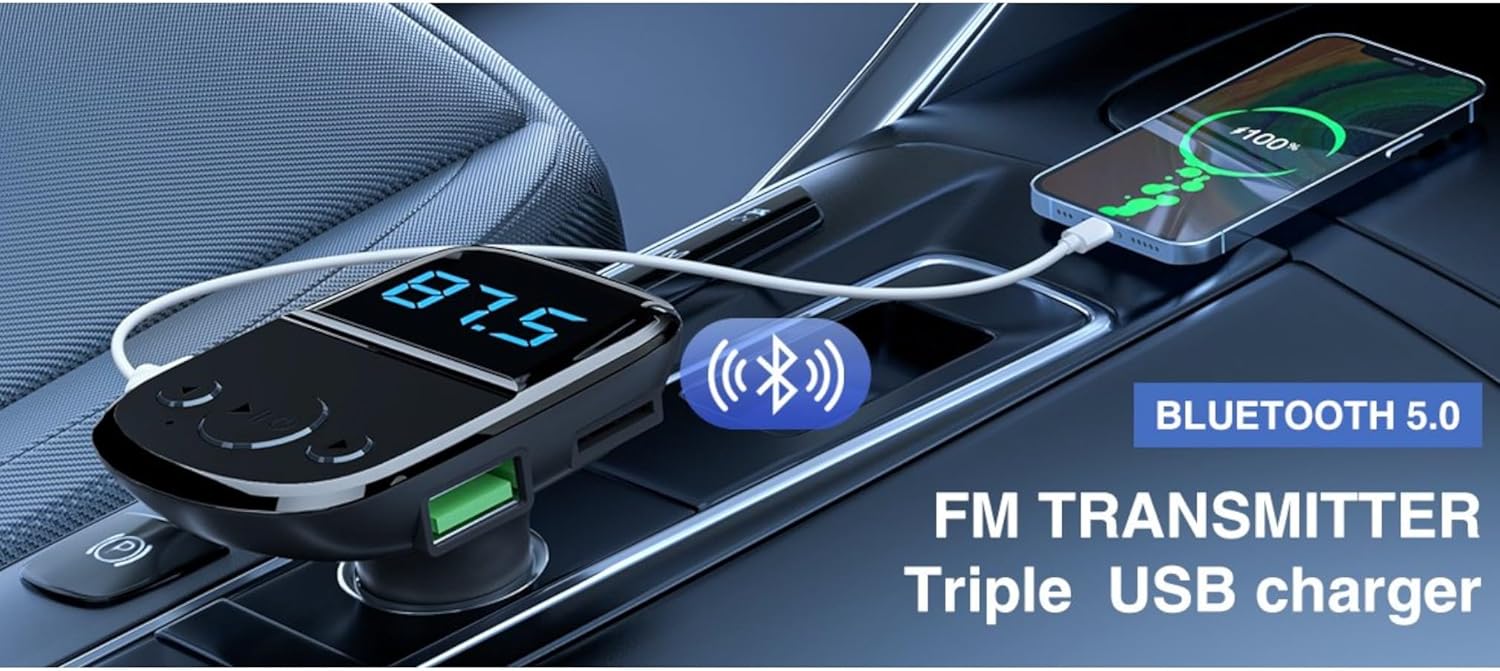
Image: The LDNIO C706Q FM Transmitter plugged into a car's power outlet, with a smartphone connected via a charging cable. Text overlays highlight "Bluetooth 5.0" and "FM TRANSMITTER Triple USB charger," illustrating its core functionalities.
5. คู่มือการใช้งาน
5.1. เล่นเพลง
ผ่านบลูทูธ:
- Ensure your phone is paired with the LDNIO C706Q via Bluetooth.
- Open your music player on your phone and start playback.
- Audio will be transmitted to your car's FM radio.
- Use the Play/Pause button on the transmitter to control playback.
- Use the Previous/Next track buttons to skip tracks.
Via MicroSD Card:
- Insert a MicroSD card with MP3/WMA/WAV/FLAC audio fileเข้าไปในช่องเสียบการ์ด
- The device should automatically detect and start playing music from the card.
- Use the Play/Pause and Previous/Next track buttons for control.
Via AUX Output:
- Connect one end of a 3.5mm audio cable to the AUX output of the LDNIO C706Q.
- Connect the other end to your car's AUX input.
- Select AUX input on your car stereo.
- Play music from your phone (connected via Bluetooth or cable to the transmitter).
5.2. การโทรแบบแฮนด์ฟรี

Image: The LDNIO C706Q FM Transmitter, highlighting its "One Touch" feature for hands-free calls. The device is shown plugged into a car's power outlet, emphasizing its ease of use for communication.
- เมื่อมีสายเรียกเข้า ให้กดปุ่มเล่น/หยุดชั่วคราว/รับสายหนึ่งครั้งเพื่อรับสาย
- To end a call, press the Play/Pause/Call button once.
- To reject an incoming call, press and hold the Play/Pause/Call button.
- To redial the last number, double-press the Play/Pause/Call button.
5.3. อุปกรณ์ชาร์จ
The LDNIO C706Q features two USB-A charging ports:
- Connect your device's USB charging cable to either USB-A1 or USB-A2 port on the transmitter.
- อุปกรณ์จะเริ่มชาร์จโดยอัตโนมัติ
6. การบำรุงรักษา
To ensure the longevity and optimal performance of your LDNIO C706Q:
- เก็บอุปกรณ์ให้แห้ง หลีกเลี่ยงการสัมผัสกับความชื้นหรือของเหลว
- ทำความสะอาดอุปกรณ์ด้วยผ้านุ่มและแห้ง ห้ามใช้สารเคมีรุนแรงหรือน้ำยาทำความสะอาดที่มีฤทธิ์กัดกร่อน
- หลีกเลี่ยงอุณหภูมิที่สูงหรือต่ำเกินไป
- อย่าพยายามถอดประกอบหรือซ่อมแซมอุปกรณ์ด้วยตนเอง หากจำเป็น โปรดติดต่อเจ้าหน้าที่บริการที่มีคุณสมบัติเหมาะสม
- Unplug the device from the car's power socket when not in use for extended periods.
7 การแก้ไขปัญหา
If you encounter issues with your LDNIO C706Q, refer to the following common problems and solutions:
| ปัญหา | สารละลาย |
|---|---|
| ไม่มีไฟฟ้า | Ensure the device is securely plugged into the car's cigarette lighter socket. Check if the car's power socket is functional. |
| คุณภาพเสียงคงที่หรือไม่ดี |
|
| บลูทูธไม่เชื่อมต่อ |
|
| การชาร์จช้าหรือไม่ทำงาน |
|
8. ข้อมูลจำเพาะ
| แบบอย่าง | ซี706คิว |
| ยี่ห้อ | Ldnio |
| เทคโนโลยีการเชื่อมต่อ | Bluetooth 5.0, FM, USB, AUX |
| แหล่งพลังงาน | Cable Electric (Car Cigarette Lighter) |
| วัสดุ | โพลีคาร์บอเนต (พีซี) |
| ขนาด | 18.1 x 8.2 x 4.9 ซม. |
| น้ำหนัก | 180 กรัม |
| คุณสมบัติพิเศษ | บลูทูธ |
| เอาท์พุต USB | Dual USB (Specific output details not fully provided in source, but generally for charging) |
9. การรับประกันและการสนับสนุน
For warranty information and customer support, please refer to the documentation provided with your purchase or contact Ldnio customer service directly. Specific warranty terms may vary by region and retailer.


