1. คู่มือการติดตั้ง
1.1 การแกะกล่องและการตรวจสอบเบื้องต้น
นำส่วนประกอบทั้งหมดออกจากบรรจุภัณฑ์อย่างระมัดระวัง ตรวจสอบให้แน่ใจว่ามีส่วนประกอบต่อไปนี้:
- ZAGG Pro Keys คีย์บอร์ดไร้สายและเคสแบบถอดได้
- สายชาร์จ USB-C
- คู่มือเริ่มต้นใช้งานฉบับย่อ (ถ้ามี)
1.2 การชาร์จคีย์บอร์ด
Before initial use, fully charge your Pro Keys keyboard. Connect the supplied USB-C charging cable to the keyboard's charging port and to a compatible USB power source. The charging indicator light will illuminate during charging and turn off when fully charged.
1.3 การติด iPad เข้ากับเคส
Align your iPad 10.9" (10th Gen) or iPad 11" (A16) with the protective case. Gently press the iPad into the case, ensuring all edges and corners are securely seated. The case is designed to provide 6.6ft (2m) drop protection.
1.4 การจับคู่บลูทูธ
- Turn on the Pro Keys keyboard by sliding the power switch. The Bluetooth indicator light will begin to flash.
- On your iPad, navigate to Settings > Bluetooth and ensure Bluetooth is enabled.
- Select 'ZAGG Pro Keys' from the list of available devices.
- Follow any on-screen prompts to complete the pairing process. The Bluetooth indicator light will stop flashing once successfully paired.
The Pro Keys keyboard supports multi-device pairing, allowing connection to up to two devices simultaneously. To pair a second device, press and hold the Bluetooth 2 key until the indicator flashes, then repeat steps 2-4 on the second device. Toggle between devices using the dedicated Bluetooth 1 and Bluetooth 2 keys.

Image: The ZAGG Pro Keys keyboard demonstrating its multi-device pairing capability, connected to both an iPad and a smartphone.
2. คู่มือการใช้งาน
2.1 ฟังก์ชั่นคีย์บอร์ด
The Pro Keys keyboard features an ergonomic keyframe design for precise and comfortable typing. It includes backlit keys with seven color options, enhancing visibility in low-light conditions. Adjust backlight settings using the dedicated function keys.
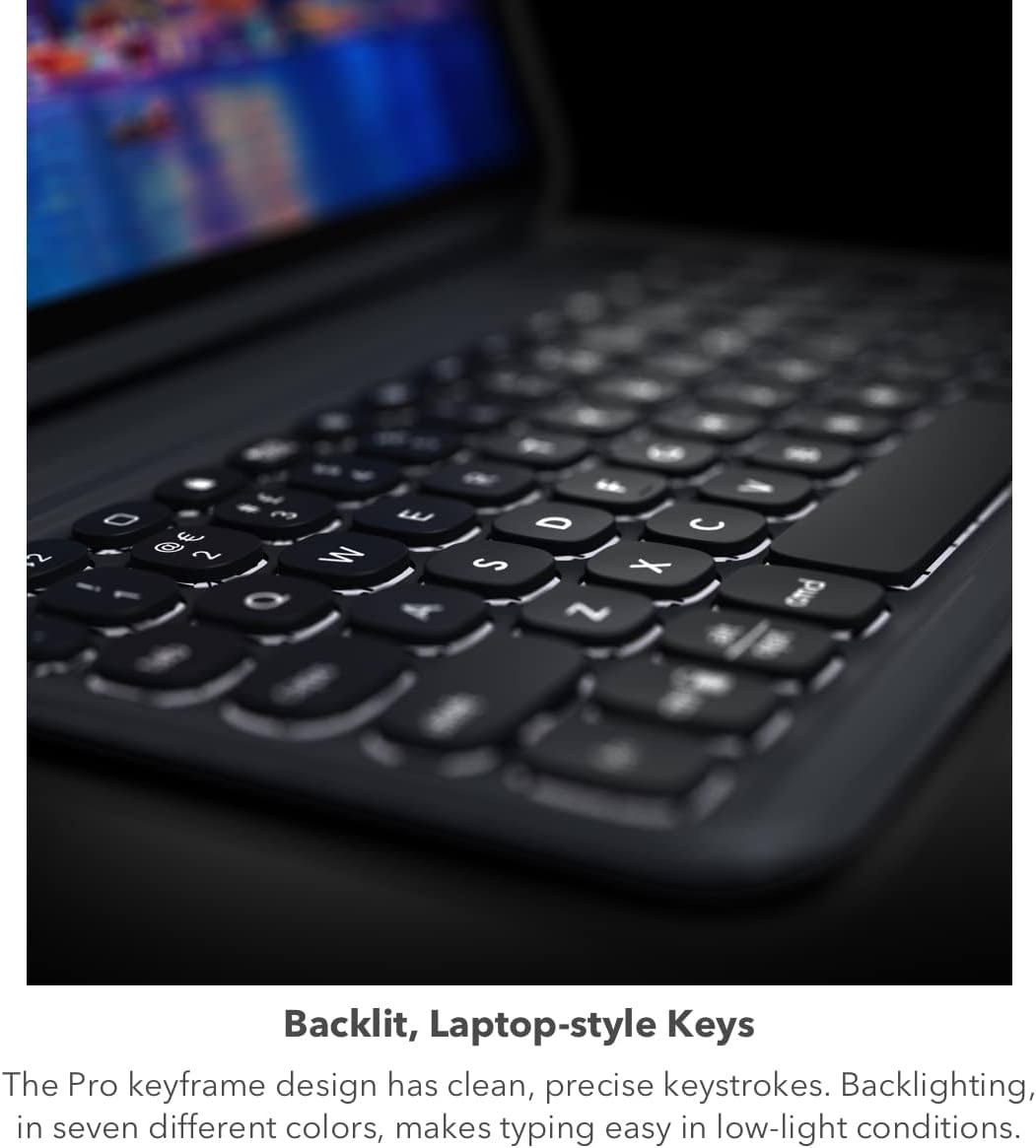
Image: A close-up of the ZAGG Pro Keys keyboard, highlighting its backlit keys for typing in various lighting conditions.
2.2 Using the Detachable Case and Stand
The keyboard and case are detachable, offering flexibility for different uses. The integrated adjustable stand allows for multiple viewing angles, transforming your iPad into a workstation. Simply detach the keyboard when only the protective case is needed.

Image: The ZAGG Pro Keys case with an iPad positioned in its adjustable stand, demonstrating the detachable keyboard feature.
2.3 Apple Pencil Holder
The case includes a dedicated holder for your Apple Pencil, ensuring it is securely stored and accessible. This feature also allows for charging the Apple Pencil while it is held in place.
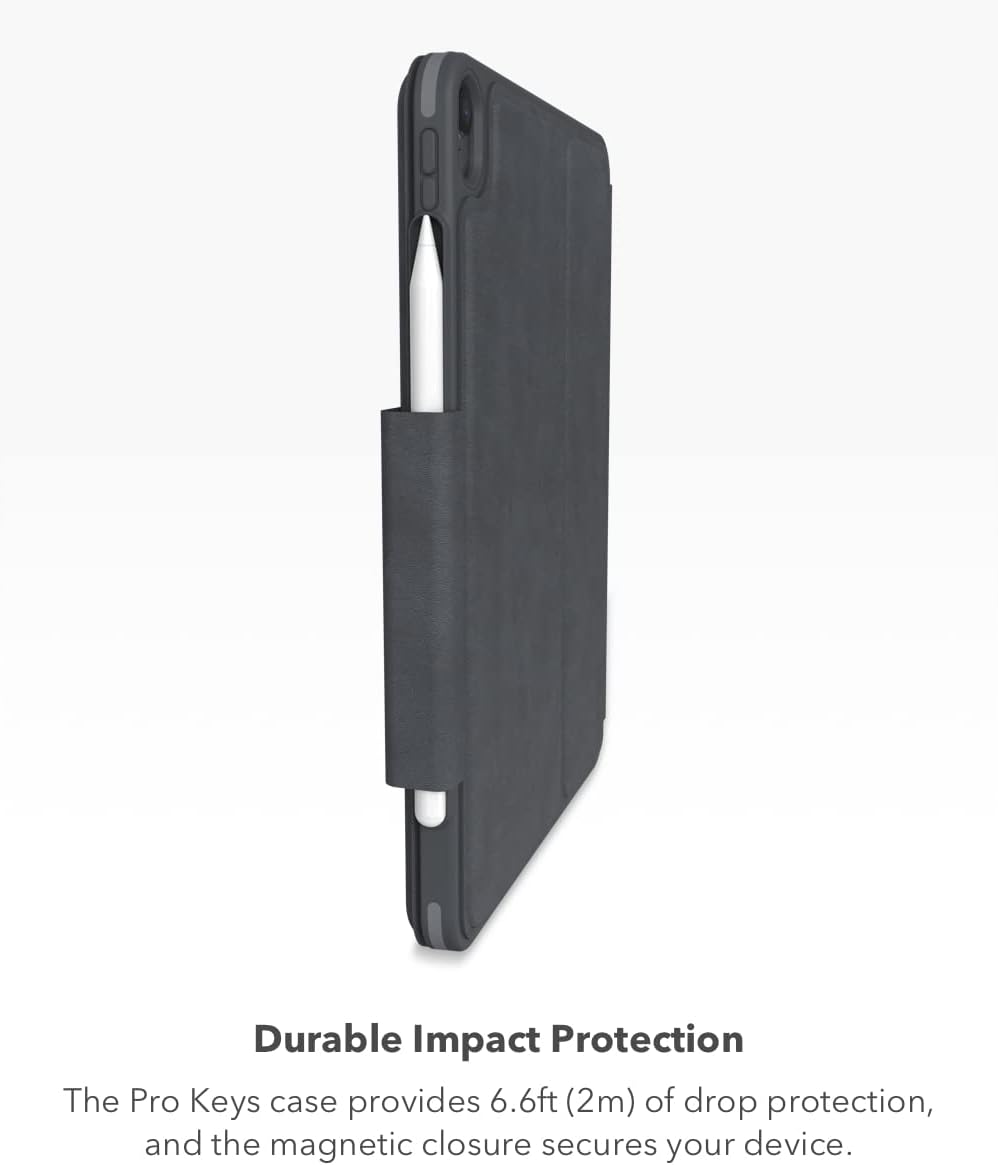
ภาพ: ด้านหนึ่ง view of the ZAGG Pro Keys case, illustrating the integrated holder designed to secure and charge an Apple Pencil.
2.4 การจัดการพลังงาน
The Pro Keys keyboard features a long-lasting rechargeable battery, providing up to one year of use between charges, depending on usage and backlight intensity. The automatic sleep/wake function helps conserve battery life when the keyboard is not in active use.
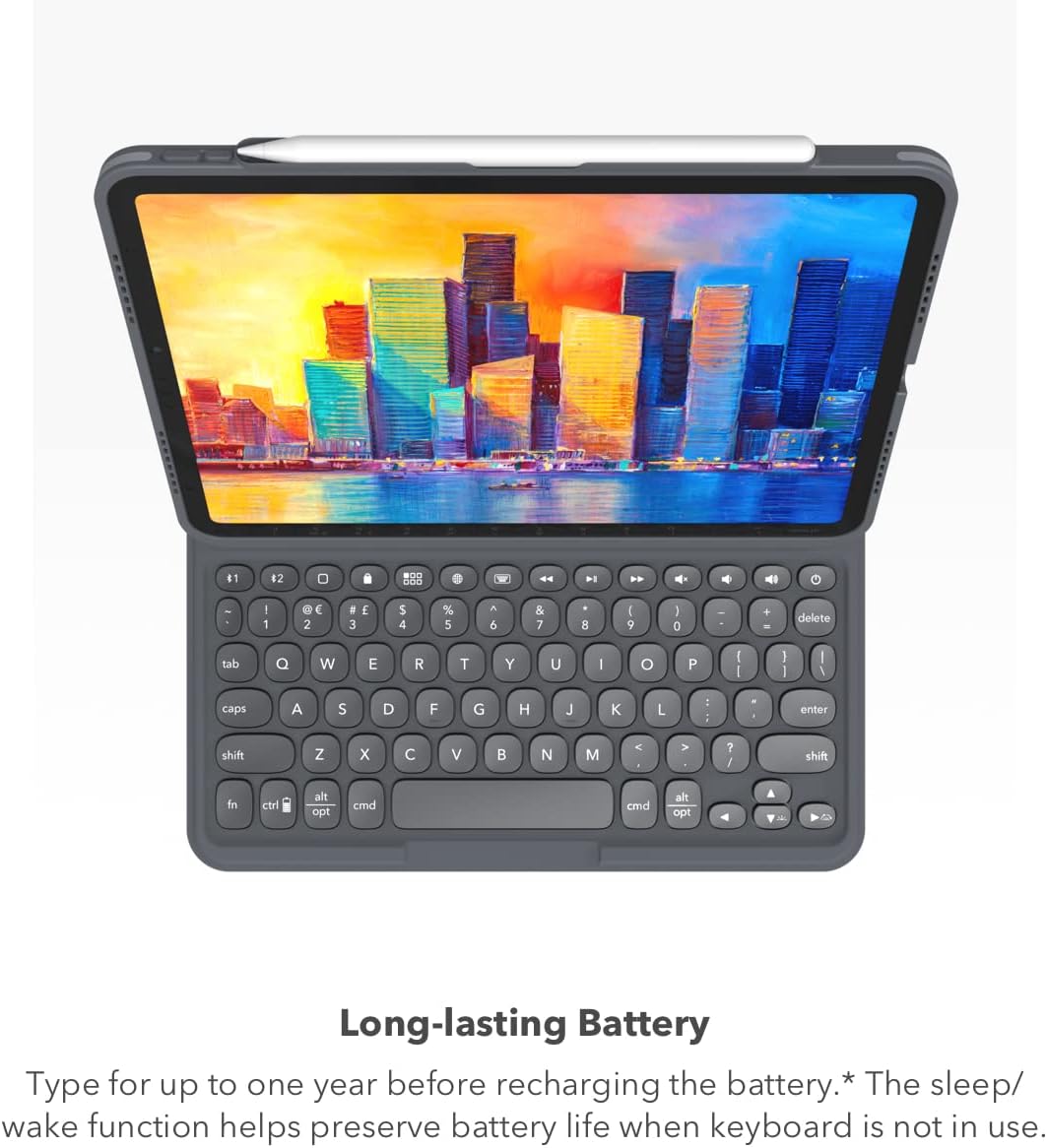
Image: The ZAGG Pro Keys keyboard, emphasizing its long-lasting battery performance.
3. การบำรุงรักษา
3.1 การทำความสะอาด
To clean your Pro Keys keyboard and case, use a soft, lint-free cloth. For stubborn marks, slightly dampen the cloth with water or a mild, non-abrasive cleaner. Avoid using harsh chemicals or abrasive materials, as these can damage the surfaces.
3.2 พื้นที่จัดเก็บ
When not in use for extended periods, ensure the keyboard is turned off to preserve battery life. Store the device in a cool, dry place away from direct sunlight and extreme temperatures.
4 การแก้ไขปัญหา
4.1 แป้นพิมพ์ไม่ตอบสนอง
- ตรวจสอบให้แน่ใจว่าแป้นพิมพ์เปิดอยู่
- ตรวจสอบระดับแบตเตอรี่และชาร์จคีย์บอร์ดหากจำเป็น
- Verify that the keyboard is properly paired with your iPad via Bluetooth. If not, re-pair the device.
- รีสตาร์ท iPad และคีย์บอร์ดของคุณ
4.2 ปัญหาการจับคู่บลูทูธ
- Ensure the keyboard is in pairing mode (Bluetooth indicator flashing).
- Forget the device from your iPad's Bluetooth settings and attempt to re-pair.
- ตรวจสอบให้แน่ใจว่าไม่มีอุปกรณ์บลูทูธอื่นใดรบกวนการเชื่อมต่อ
4.3 ไฟแบ็คไลท์ไม่ทำงาน
- Check the keyboard's battery level; backlighting may be disabled at low battery.
- Use the backlight function keys to adjust brightness or cycle through colors.
5. ข้อมูลจำเพาะผลิตภัณฑ์
| คุณสมบัติ | ข้อมูลจำเพาะ |
|---|---|
| ยี่ห้อ | แซ็ก |
| หมายเลขรุ่น | 103410811 |
| อุปกรณ์ที่รองรับ | iPad 10.9-inch (Gen 10), iPad 11-inch (A16) |
| เทคโนโลยีการเชื่อมต่อ | บลูทูธ |
| คำอธิบายแป้นพิมพ์ | Integrated, Laptop-style |
| คุณสมบัติพิเศษ | Lightweight, Magnetic, Detachable, Apple Pencil Holder, Backlit Keys, Multi-Device Pairing, Adjustable Stand, 6.6ft Drop Protection |
| วัสดุ | โพลีคาร์บอเนต |
| สี | สีดำ |
| น้ำหนักสินค้า | 1.48 ปอนด์ |
| แหล่งพลังงาน | ใช้พลังงานจากแบตเตอรี่ (ชาร์จใหม่ได้) |
6. การรับประกันและการสนับสนุน
6.1 การรับประกันสินค้า
ZAGG products are designed for durability and performance. For specific warranty details regarding your Pro Keys keyboard and case, please refer to the warranty information provided with your purchase or visit the official ZAGG webเว็บไซต์.
6.2 การสนับสนุนลูกค้า
If you encounter any issues or have questions not covered in this manual, please contact ZAGG customer support. You can find contact information and additional resources on the official ZAGG webเว็บไซต์: www.zagg.com/support


