การแนะนำ
The DESTEK V5 VR Headset provides an immersive virtual reality experience for compatible smartphones. This manual outlines the setup, operation, maintenance, and troubleshooting procedures to ensure optimal use of your device. Please read this manual thoroughly before using the headset.
มีอะไรอยู่ในกล่อง
- ชุดหูฟัง V5 VR
- ตัวควบคุม Bluetooth

Image: The DESTEK V5 VR Headset and its accompanying Bluetooth controller, both in black, displayed together.
การตั้งค่า
1. ความเข้ากันได้กับโทรศัพท์
The DESTEK V5 VR headset supports smartphones with a GYRO SENSOR, with screen sizes between 4.7 and 6.8 inches, and dimensions up to 6.4 inches (L) x 3.3 inches (W) x 0.39 inches (H). Compatible models include iPhone 13/12/11/Pro/Max/Mini/Xs Max/XR/X/Xs, and Samsung S22/S21/S20/S10/S10e/S10 Plus/S9/S9 Plus/S8/S8 Plus/ Note 10 Plus/Note 10/ 9/8/A20e/A50/. Please note that iPhone 13 Pro Max, iPhone 14/14 Pro/14 Pro Max, S22 Ultra, and S21 Ultra/S20 Ultra are not compatible.
2. เสียบสมาร์ทโฟนของคุณ
- เปิดฝาครอบด้านหน้าของชุดหูฟัง VR
- Carefully place your compatible smartphone into the designated slot, ensuring it is centered.
- ปิดฝาครอบด้านหน้าอย่างแน่นหนา

ภาพ: ด้านหลัง view of the DESTEK V5 VR Headset showing the phone compartment and adjustable lenses.
3. Adjusting Head Straps
The V5 headset features a T-shaped headband designed to fit most head sizes, both adults and children. Adjust the buckles on both sides of the strap to achieve a comfortable and secure fit, reducing pressure around your face.
4. Adjusting Pupil Distance (PD)
Locate the pupil distance adjustment button on the headset. Adjust this button to optimize your visual experience and ensure clarity, especially if you wear glasses. The V5 provides ample space for most glasses.

Image: Close-up of the DESTEK V5 VR Headset's lenses, highlighting their high-definition, eye protection, and 94% light transmittance features.
5. Bluetooth Controller Pairing (Android Only)
The included Bluetooth remote controller is designed for maximum compatibility with Android phones. To pair:
- ตรวจสอบให้แน่ใจว่าโทรศัพท์ของคุณเปิดใช้งานบลูทูธแล้ว
- Turn on the Bluetooth controller.
- ค้นหา the controller in your phone's Bluetooth settings and pair.
Note: The Bluetooth remote controller does not support Daydream apps. iOS devices are currently incompatible with the VR remote controller's Game Mode.
คำแนะนำการใช้งาน
1. ประสบการณ์ 3D ที่ดื่มด่ำ
Once your phone is securely in place and the headset is adjusted, you can begin to experience VR games, movies, and videos. The 110° field of view provides an immersive experience, balancing immersion with clarity.

Image: A person standing on a virtual platform, looking up at hot air balloons in a vast landscape, illustrating the 110-degree large field of view ของชุดหูฟัง
2. Using the Bluetooth Controller
For Android users, the Bluetooth controller allows for natural interaction within VR games and videos. Refer to specific app instructions for controller mapping. Remember, iOS devices do not support the controller's game mode.
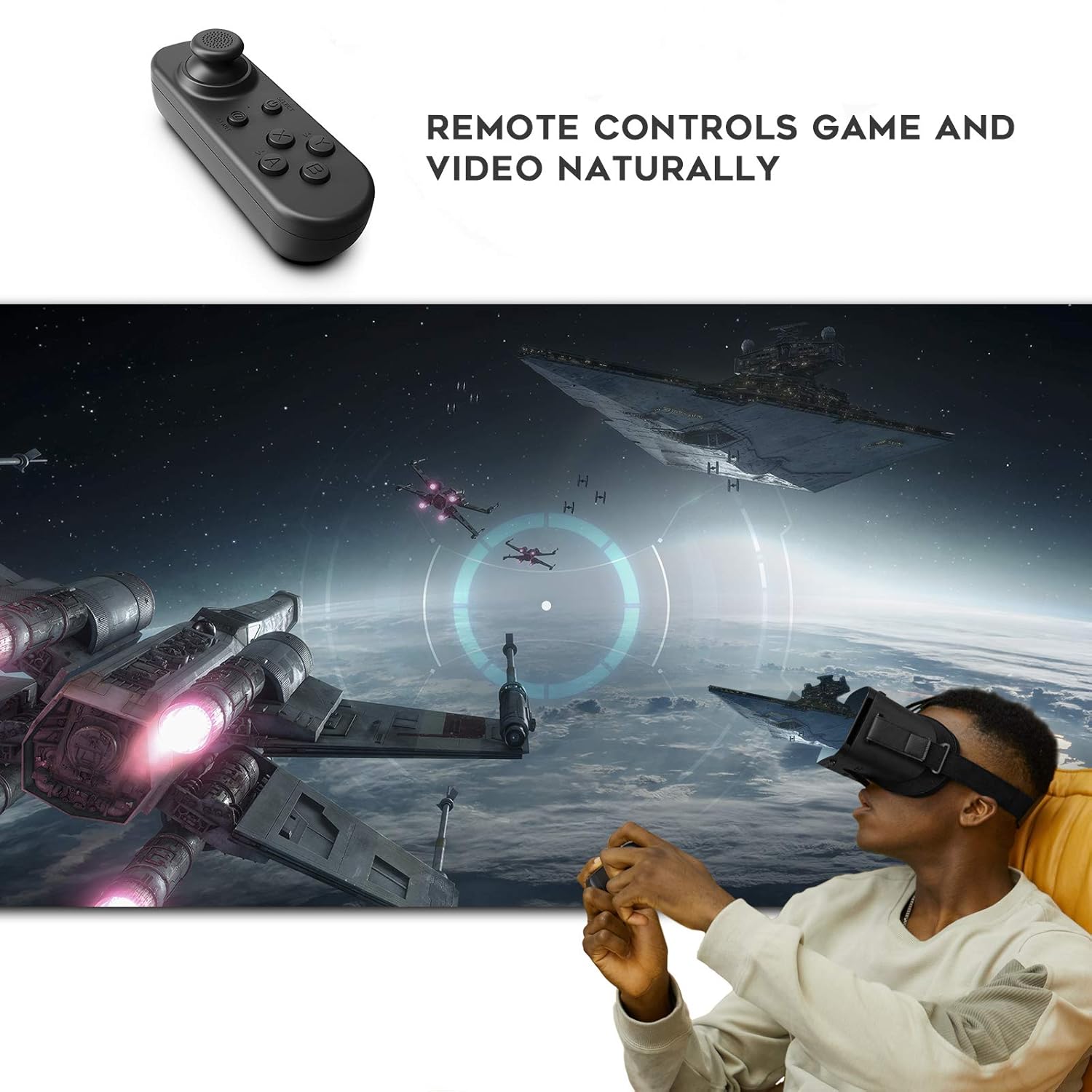
Image: A person wearing the DESTEK V5 VR Headset and holding the remote controller, engaged in a virtual reality game with spaceships in the background.
3. Accessing VR Content
To find recommended VR applications, scan the QR code located on the V5 headset. This will direct you to a selection of VR apps suitable for games, videos, and educational content.

Image: A person wearing the DESTEK V5 VR Headset, looking up at a virtual aurora borealis over a snowy mountain and water, illustrating the ability to visit scenic spots virtually.
การซ่อมบำรุง
- การทำความสะอาดเลนส์: Use a soft, dry microfiber cloth specifically designed for optical lenses to clean the headset lenses. Do not use liquid cleaners or abrasive materials.
- การทำความสะอาดตัวหูฟัง: เช็ดทำความสะอาดด้านนอกของหูฟังด้วยผ้าที่เปียกหมาดๆampใช้ผ้าเนื้อนุ่มเช็ด ระวังอย่าให้ความชื้นเข้าไปในช่องเปิดต่างๆ
- พื้นที่จัดเก็บ: Store the headset in a cool, dry place away from direct sunlight and extreme temperatures. Keep it free from dust.
- การดูแลคอนโทรลเลอร์: Keep the Bluetooth controller dry and clean. If batteries are removable, remove them during long periods of disuse.
การแก้ไขปัญหา
| ปัญหา | สาเหตุที่เป็นไปได้ | สารละลาย |
|---|---|---|
| Bluetooth controller not working with my iPhone. | The controller's Game Mode is not compatible with iOS devices. | The controller is primarily designed for Android phones. Some VR apps may have limited functionality on iOS without controller support. |
| ภาพดูเบลอหรือไม่ชัด | Incorrect pupil distance (PD) adjustment or phone not centered. | Adjust the pupil distance button until the image is clear. Ensure your smartphone is properly centered within the headset's phone slot. |
| My phone does not fit into the headset. | Phone dimensions exceed compatibility limits. | Verify your phone's screen size (4.7-6.8 inches) and physical dimensions (max 6.4*3.3*0.39 inches L*W*H). Refer to the "Phone Compatibility" section. |
ข้อมูลจำเพาะ
| คุณสมบัติ | รายละเอียด |
|---|---|
| แบบอย่าง | V5 |
| ขนาดสินค้า | 7.1 x 4.1 x 3.3 นิ้ว |
| น้ำหนักสินค้า | 13 ออนซ์ |
| ขนาดหน้าจอโทรศัพท์ที่รองรับ | 4.7-6.8 นิ้ว |
| ขนาดโทรศัพท์สูงสุด | 6.4 x 3.3 x 0.39 inches (L*W*H) |
| ทุ่งแห่ง View (เอฟโอวี) | 110 องศา |
| ผู้ผลิต | SHENZHEN XINLIANYOUPIN TECHNOLOGY CO.,LIMITED |
| วันที่พร้อมใช้งานครั้งแรก | วันที่ 16 ธันวาคม 2022 |
การรับประกันและการสนับสนุน
For warranty information or technical support, please refer to the product packaging or contact DESTEK customer service directly. Contact details can typically be found on the official DESTEK webไซต์หรือผ่านจุดซื้อของคุณ
You can visit the DESTEK Store for more information: DESTEK Store on Amazon