1. บทนำ
ขอบคุณสำหรับการซื้อasing the Sharp CP-SS30(BK) Active Bookshelf Speakers. These speakers are designed to provide superior sound reproduction with versatile connectivity options. Please read this manual carefully before using the product to ensure proper operation and to maximize your listening experience.
The CP-SS30(BK) features a robust plywood cabinet, 60W RMS (2 x 30W) two-way active sound, and multiple input options including Bluetooth v5.0, USB, Optical, Auxiliary, and RCA. It also includes an equalizer with preset and custom bass/treble adjustments, and a full-function remote control for convenience.
2. ข้อมูลด้านความปลอดภัย
Please observe the following safety precautions to prevent damage to the product and to ensure your safety:
- อย่าให้ลำโพงโดนฝนหรือความชื้น
- ห้ามปิดกั้นช่องระบายอากาศใดๆ
- ห้ามติดตั้งใกล้แหล่งความร้อน เช่น หม้อน้ำ เครื่องทำความร้อน เตา หรืออุปกรณ์อื่น ๆ (รวมถึง ampเครื่องให้ความร้อน) ที่ผลิตความร้อน
- ปกป้องสายไฟไม่ให้ถูกเหยียบหรือถูกหนีบ โดยเฉพาะที่ปลั๊ก เต้ารับไฟฟ้า และจุดที่สายไฟออกจากเครื่อง
- ใช้เฉพาะอุปกรณ์เสริม/สิ่งที่แนบตามที่ผู้ผลิตกำหนดเท่านั้น
- ถอดปลั๊กอุปกรณ์นี้ในระหว่างพายุฝนฟ้าคะนองหรือเมื่อไม่ได้ใช้งานเป็นเวลานาน
- แจ้งบริการทั้งหมดให้ช่างที่ผ่านการรับรองทราบ จำเป็นต้องให้บริการเมื่ออุปกรณ์ได้รับความเสียหายในลักษณะใดก็ตาม เช่น สายไฟหรือปลั๊กชำรุด ของเหลวหกหรือมีวัตถุตกลงไปในอุปกรณ์ อุปกรณ์โดนฝนหรือความชื้น ไม่สามารถทำงานได้ตามปกติ หรือตกหล่น
3. เนื้อหาบรรจุภัณฑ์
โปรดตรวจสอบว่าสินค้าทั้งหมดมีอยู่และอยู่ในสภาพดี:
- 2 x Sharp CP-SS30(BK) Bookshelf Speakers
- 1 x รีโมทคอนโทรล (รวมแบตเตอรี่)
- 1 x RCA Audio Cable (3 meters)
- 1 x AUX Audio Cable (1.2 meters)
- 1 x Power Cable (1.2 meters)
- 1 x Speaker Connection Cable
- เอกสารประกอบการใช้งาน

Image: All components included in the Sharp CP-SS30(BK) package, including two speakers, remote control, and various cables.
4. คุณสมบัติของผลิตภัณฑ์
The Sharp CP-SS30(BK) speakers offer a range of features for an enhanced audio experience:
- เอาท์พุตเสียงอันทรงพลัง: 60W RMS (2 x 30W) two-way active speakers for clear and dynamic sound.
- การก่อสร้างพรีเมี่ยม: Plywood cabinet design ensures superior sound reproduction and durability.
- การเชื่อมต่อไร้สาย: Seamless audio streaming with Bluetooth v5.0.
- อินพุตหลายตัว: Connect various devices via Bluetooth, USB, Optical, Auxiliary (AUX), and RCA inputs.
- เสียงที่ปรับแต่งได้: Built-in equalizer with five preset settings and independent bass and treble adjustment.
- การออกแบบที่ทันสมัย: Removable speaker grilles allow for a contemporary aesthetic.
- การควบคุมที่สะดวก: Full-function remote control for easy operation from a distance.

ภาพ: ด้านหน้า view of the Sharp CP-SS30(BK) speakers with the remote control, showcasing their design and compact size.

ภาพ: ภาพระยะใกล้ view of the front panel of one Sharp CP-SS30(BK) speaker with the grille removed, highlighting the tweeter, woofer, indicator light, and volume/input knob.
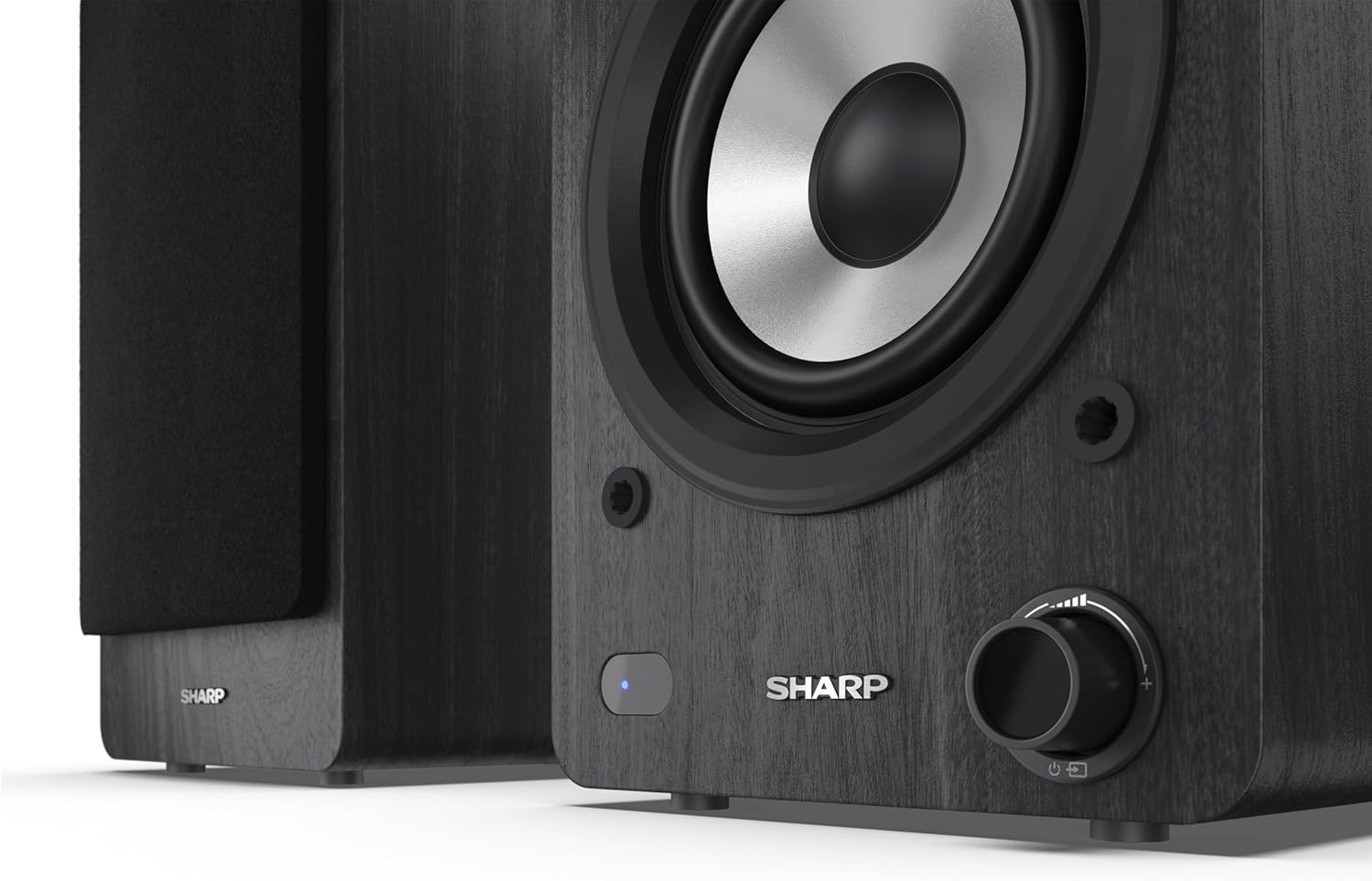
Image: A detailed shot of the control knob and the blue indicator light on the Sharp CP-SS30(BK) speaker, showing the subtle branding.
5. การตั้งค่า
5.1 การจัดวางลำโพง
For optimal sound quality, place the speakers on a stable, flat surface. Position them at an equal distance from your listening position, forming an equilateral triangle for the best stereo imaging. Ensure there is adequate space behind the speakers for ventilation and cable connections.
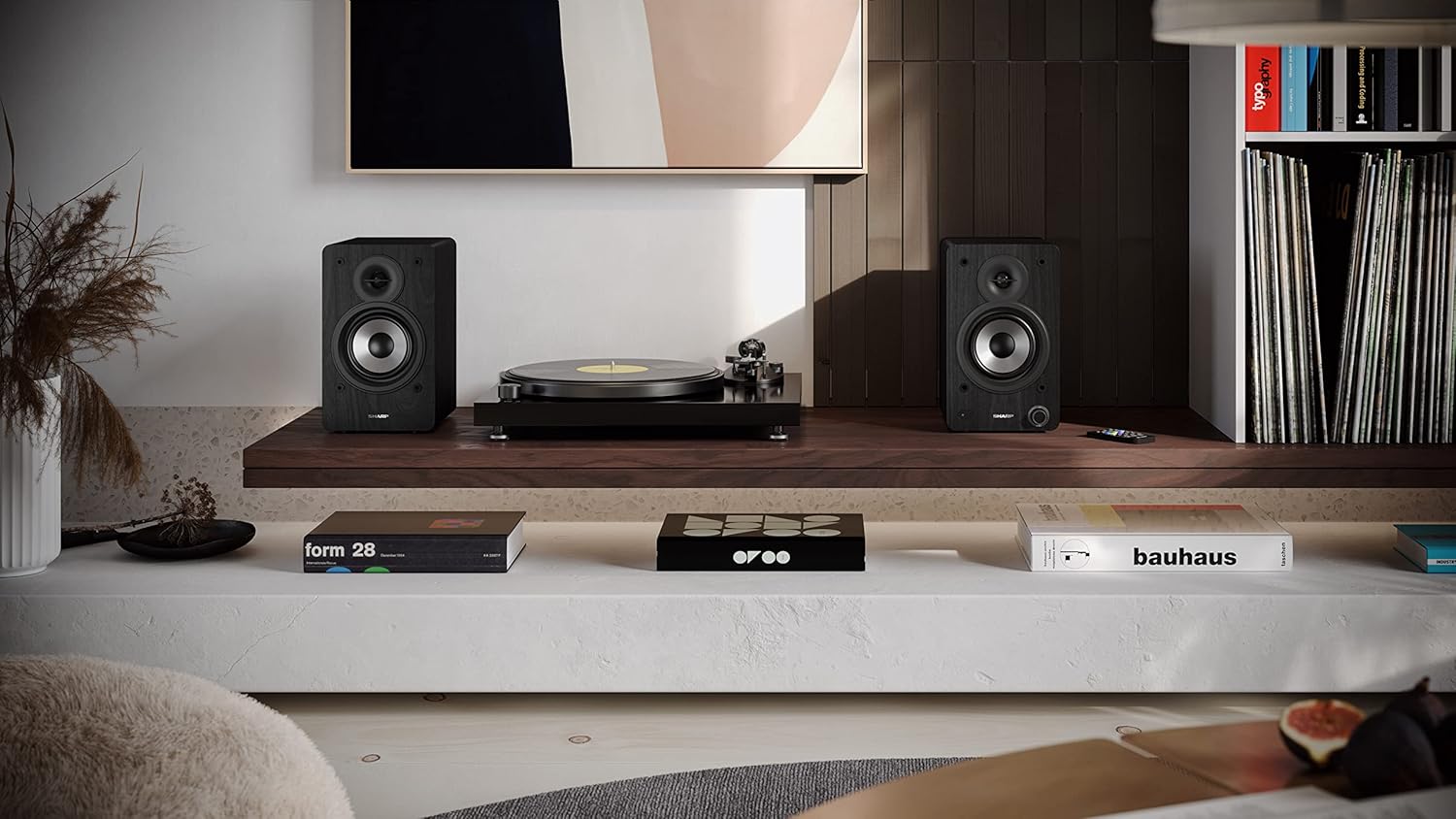
Image: The Sharp CP-SS30(BK) speakers positioned on a shelf in a living room setting, demonstrating a typical setup with a turntable.
5.2 การเชื่อมต่อลำโพง
The CP-SS30(BK) consists of one active (main) speaker and one passive (secondary) speaker. Connect them using the provided speaker connection cable.
- Identify the active speaker (with controls and input ports) and the passive speaker.
- Connect one end of the speaker connection cable to the speaker terminals on the active speaker, ensuring correct polarity (+ to + and - to -).
- Connect the other end of the speaker connection cable to the speaker terminals on the passive speaker, maintaining correct polarity.

Image: The rear panel of the Sharp CP-SS30(BK) speakers, illustrating the various input ports (USB, Optical, RCA, AUX) and the speaker connection terminals.
5.3 การเชื่อมต่อสายไฟ
- Ensure the power switch on the active speaker is in the OFF position.
- Connect the provided power cable to the AC input on the active speaker.
- เสียบปลายสายไฟอีกด้านหนึ่งเข้ากับเต้ารับไฟฟ้าที่เหมาะสม
6. คู่มือการใช้งาน
6.1 การเปิด/ปิดเครื่อง
To power on the speakers, flip the power switch on the active speaker to the ON position. The indicator light on the front will illuminate. To power off, flip the switch back to OFF.
6.2 การเลือกอินพุต
You can select the input source using the remote control or the knob on the front of the active speaker. Available inputs include Bluetooth, USB, Optical, Auxiliary (AUX), and RCA.
- บลูทูธ: Select Bluetooth input. The indicator light will flash, indicating pairing mode. ค้นหา "SHARP CP-SS30(BK)" on your device and connect. The light will become solid once paired.
- ยูเอสบี: ใส่ไดรฟ์ USB พร้อมเสียง files into the USB port on the active speaker.
- ออปติคอล: Connect an optical cable from your audio source (e.g., TV, game console) to the Optical input.
- ช่องเสริม: Connect an AUX cable from your audio source (e.g., smartphone, tablet) to the AUX input.
- อาร์ซีเอ: Connect RCA cables from your audio source (e.g., turntable, CD player) to the RCA inputs.
6.3 การควบคุมระดับเสียง
Adjust the volume using the remote control's volume buttons or by rotating the knob on the front of the active speaker.
6.4 การตั้งค่าอีควอไลเซอร์
The speakers feature an equalizer to tailor the sound to your preference. Use the remote control to:
- Select from five preset equalizer modes (e.g., Flat, Rock, Pop, Classical, Jazz).
- Adjust bass and treble levels independently for a customized sound profile.
7. การบำรุงรักษา
To ensure the longevity and optimal performance of your Sharp CP-SS30(BK) speakers, follow these maintenance guidelines:
- การทำความสะอาด: Use a soft, dry cloth to clean the speaker cabinets. Do not use liquid cleaners or aerosol sprays, as they may damage the finish or internal components.
- ลูกกรง: The speaker grilles are removable for cleaning. Gently pull them off to clean any dust accumulation on the drivers. Reattach them carefully.
- การระบายอากาศ : Ensure that the ventilation openings on the back of the active speaker are not obstructed to prevent overheating.
- พื้นที่จัดเก็บ: หากต้องเก็บรักษาลำโพงเป็นเวลานาน ควรตัดการเชื่อมต่อจากแหล่งจ่ายไฟและเก็บไว้ในที่แห้งและเย็น หลีกเลี่ยงแสงแดดโดยตรงและอุณหภูมิที่สูงหรือต่ำเกินไป
8 การแก้ไขปัญหา
If you encounter any issues with your speakers, please refer to the following common problems and solutions:
| ปัญหา | สาเหตุที่เป็นไปได้ | สารละลาย |
|---|---|---|
| ไม่มีไฟฟ้า | Power cable not connected; Power outlet not active; Power switch off. | Ensure power cable is securely connected. Check power outlet with another device. Flip power switch to ON. |
| ไม่มีเสียง | Incorrect input selected; Volume too low; Cables not connected properly; Source device issue. | Select the correct input source. Increase volume. Check all audio cables (RCA, AUX, Optical, USB) and speaker connection cable for secure fit and correct polarity. Test with a different audio source. |
| การจับคู่บลูทูธล้มเหลว | ลำโพงไม่ได้อยู่ในโหมดจับคู่; อุปกรณ์อยู่ไกลเกินไป; มีสัญญาณรบกวน | Ensure Bluetooth input is selected and indicator light is flashing. Move device closer to speakers. Avoid strong electromagnetic interference. Try unpairing and re-pairing. |
| เสียงเพี้ยน | Volume too high; Source audio quality is poor; Speaker placement. | Reduce volume. Check the audio source quality. Adjust speaker placement to avoid reflections or resonance. |
| รีโมตคอนโทรลไม่ทำงาน | Batteries depleted; Obstruction between remote and speaker; Remote not pointed correctly. | Replace remote control batteries. Remove any obstructions. Point the remote directly at the active speaker's sensor. |
9. ข้อมูลจำเพาะ
| คุณสมบัติ | รายละเอียด |
|---|---|
| หมายเลขรุ่น | CP-SS30(BK) |
| กำลังขับ | 60 Watts RMS (2 x 30W) |
| ประเภทลำโพง | Active Bookshelf, 2-Way |
| วัสดุของตู้ | Wood (Plywood) |
| เทคโนโลยีการเชื่อมต่อ | Bluetooth v5.0, USB, Optical, Auxiliary (AUX), RCA |
| เวอร์ชันบลูทูธ | v5.0 |
| โหมดเอาต์พุตเสียง | สเตอริโอ (2.0 ช่อง) |
| การตอบสนองความถี่ | 60 เฮิรตซ์ |
| ประเภทตัวควบคุม | ปุ่ม, รีโมทคอนโทรล |
| ขนาดผลิตภัณฑ์ (แต่ละลำโพง) | ขนาด 19D x 15.8W x 24.8H ซม. (7.5D x 6.2W x 9.8H นิ้ว) |
| น้ำหนักสินค้า | 4.3 กิโลกรัม (9.5 ปอนด์) |
| สี | สีดำ |
| การใช้ที่แนะนำ | Gaming console, Music player, Smartphone/Tablet, Ambient sound system, Television |
| อุปกรณ์ที่รองรับ | แล็ปท็อป, สมาร์ทโฟน, แท็บเล็ต |

Image: Diagram showing the dimensions of one Sharp CP-SS30(BK) speaker (Height: 248mm, Width: 158mm, Depth: 190mm).
10. การรับประกันและการสนับสนุน
การรับประกัน: This product comes with a 1-year warranty for spare parts availability from the date of purchase. Please retain your proof of purchase for warranty claims.
For technical support, troubleshooting assistance beyond this manual, or warranty inquiries, please contact Sharp customer service. Refer to the contact information provided in the user documentation included in your package or visit the official Sharp webเว็บไซต์.
Note: Software updates guaranteed until information is not available.


