1. บทนำ
This manual provides essential information for setting up, operating, maintaining, and troubleshooting your HP ProDesk 600 G4 Mini PC. The HP ProDesk 600 G4 is a compact and powerful micro-form-factor computer designed for various applications, from business to home entertainment. It features an Intel i7 Hexa-Core processor, 32GB DDR4 RAM, and a 512GB NVMe M.2 SSD, running on Windows 11 Pro.

ภาพที่ 1.1: ด้านหน้า view of the HP ProDesk 600 G4 Mini PC, showcasing การออกแบบที่กะทัดรัด
2. เนื้อหาบรรจุภัณฑ์
ตรวจสอบว่ามีรายการทั้งหมดอยู่ในแพ็คเกจก่อนดำเนินการตั้งค่า
- HP ProDesk 600 G4 Mini Computer Desktop PC
- Altec Wireless Keyboard Mouse Combo
- TJJ Large Mouse Pad (color may vary)
- สายไฟ
- อะแดปเตอร์ DP เป็น HDMI
3. คุณสมบัติของผลิตภัณฑ์
The HP ProDesk 600 G4 Mini PC offers robust performance and connectivity in a small footprint.
- โปรเซสเซอร์: Intel i7-8700T (2.40-4.00 GHz, 6 Cores, 12 Threads, 12 MB Cache)
- ระบบปฏิบัติการ: วินโดวส์ 11 โปร
- หน่วยความจำ: แรม DDR32 4GB
- พื้นที่จัดเก็บ: 512GB NVMe M.2 Solid State Drive
- กราฟิก: Intel UHD Graphics 630 (supports 4K resolution)
- การเชื่อมต่อไร้สาย: Built-in WiFi + Bluetooth 6E AX210 Combo
- พอร์ต:
- 1x USB-C 3.1 Port
- 3x พอร์ต USB-A 3.1
- 3x พอร์ต USB-A 3.0
- พอร์ตแสดงผล 2x
- 1x Ethernet Port (RJ-45)
- 1x HDMI (via included DP to HDMI Adapter)
- ขนาด : 7.1 x 1.3 x 7 นิ้ว
- น้ำหนัก: 4.1 ปอนด์

Image 3.1: The HP ProDesk 600 G4 Mini PC is suitable for office, education, and home entertainment.
4. คำแนะนำในการตั้งค่า
4.1 การเชื่อมต่ออุปกรณ์ต่อพ่วง
Before powering on your Mini PC, connect the necessary peripherals.
- เชื่อมต่อจอแสดงผล: Use a DisplayPort cable or the included DP to HDMI adapter to connect your monitor(s) to the DisplayPort(s) on the back of the Mini PC. The system supports up to two 4K displays.
- เชื่อมต่อคีย์บอร์ดและเมาส์: Plug the USB receiver for the Altec wireless keyboard and mouse combo into any available USB-A port.
- เชื่อมต่อเครือข่าย (ทางเลือก): For a wired internet connection, connect an Ethernet cable to the RJ-45 port. For wireless, the device has built-in Wi-Fi.
4.2 การเปิดเครื่อง
- เชื่อมต่อพลังงาน: Plug the power cord into the power connector on the back of the Mini PC, then plug the other end into a power outlet.
- เปิดเครื่อง: Press the power button located on the front of the Mini PC. The system will boot up, and the Windows 11 Pro operating system will load.
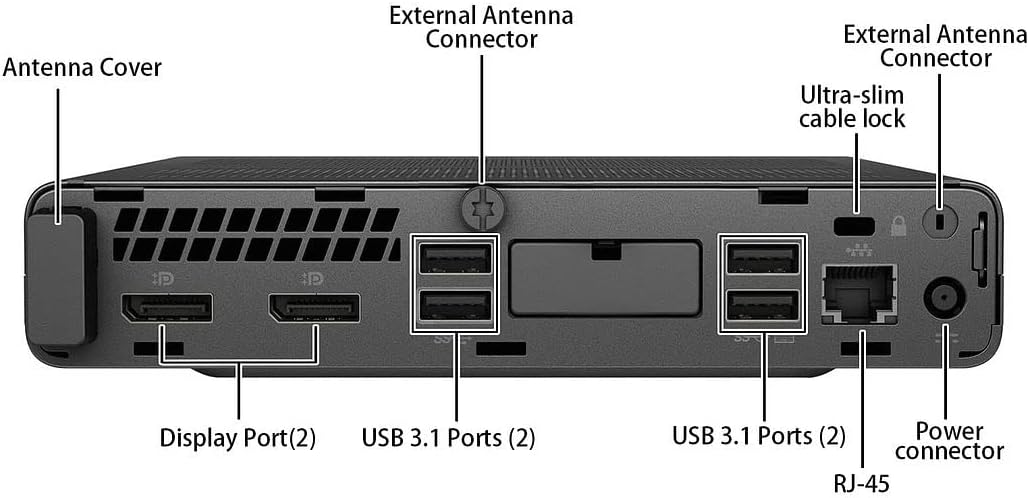
ภาพที่ 4.1: รายละเอียด view of the rear ports, including DisplayPort, USB 3.1, Ethernet, and power connector.
5. คู่มือการใช้งาน
5.1 การตั้งค่า Windows 11 ครั้งแรก
Upon first boot, you may be guided through the Windows 11 initial setup process, which includes setting up your region, keyboard layout, network connection, and user account.
5.2 การเชื่อมต่อกับ Wi-Fi
If you did not connect an Ethernet cable during setup, you can connect to a wireless network:
- คลิกที่ เครือข่าย ไอคอน (Wi-Fi หรือ Ethernet) ในแถบงาน
- เลือกเครือข่าย Wi-Fi ที่คุณต้องการจากรายการ
- ป้อนรหัสความปลอดภัยของเครือข่าย (รหัสผ่าน) หากระบบถาม จากนั้นคลิก เชื่อมต่อ.
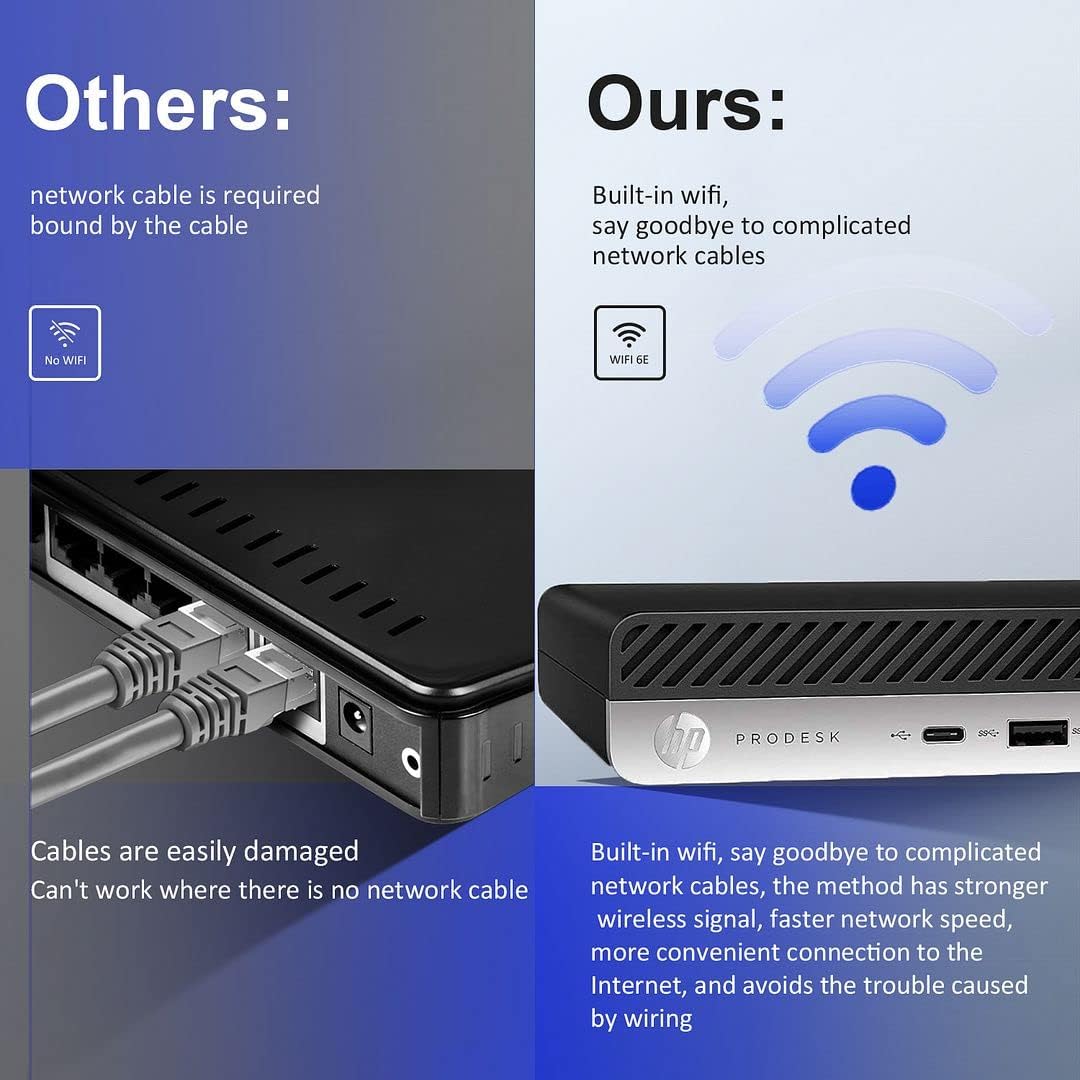
Image 5.1: The HP ProDesk 600 G4 features built-in Wi-Fi 6E for convenient wireless connectivity.
5.3 Using Multiple Displays
The HP ProDesk 600 G4 supports up to two 4K displays simultaneously via its DisplayPort outputs. To configure multiple displays in Windows 11:
- Right-click on an empty area of the desktop and select การตั้งค่าการแสดงผล.
- ภายใต้ จอแสดงผลหลายจอ section, you can detect, identify, and arrange your displays.
- Choose how you want your desktop to appear: ทำสำเนาจอแสดงผลเหล่านี้, ขยายจอภาพเหล่านี้, หรือ Show only on 1/2.

Image 5.2: The Mini PC supports high-definition dual-screen display setups for enhanced productivity.
5.4 คุณสมบัติของ Windows 11
Familiarize yourself with the new features of Windows 11 Pro, including the redesigned Start menu, Snap Layouts for multitasking, and improved widgets.
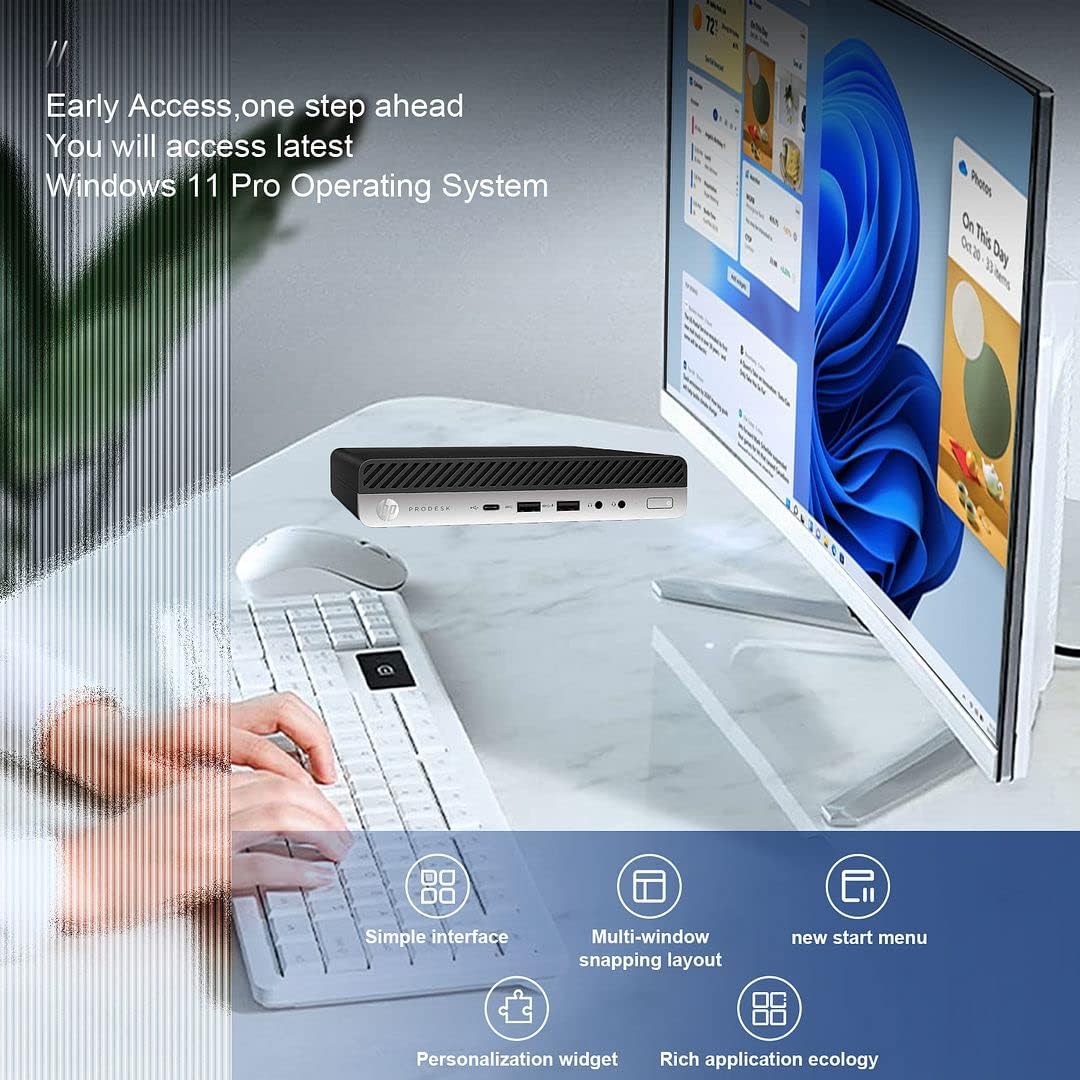
Image 5.3: The HP ProDesk 600 G4 comes pre-installed with Windows 11 Pro, offering a modern and efficient user experience.
6. การบำรุงรักษา
Proper maintenance ensures the longevity and optimal performance of your HP ProDesk 600 G4 Mini PC.
- การทำความสะอาด: Regularly clean the exterior of the PC with a soft, dry cloth. Use compressed air to clear dust from vents to ensure proper airflow and prevent overheating. Do not use liquid cleaners directly on the device.
- การอัปเดตซอฟต์แวร์: Keep your Windows 11 operating system and drivers updated. Go to การตั้งค่า > Windows Update เพื่อตรวจสอบและติดตั้งการอัพเดต
- การจัดการพื้นที่เก็บข้อมูล: รีเป็นระยะๆview และลบสิ่งที่ไม่จำเป็นออก files to free up storage space. Windows 11 includes a Storage Sense feature (การตั้งค่า > ระบบ > ที่เก็บข้อมูล) that can automate this process.
- ข้อมูลสำรอง: สำรองข้อมูลสำคัญไปยังไดรฟ์ภายนอกหรือที่เก็บข้อมูลบนคลาวด์เป็นประจำเพื่อป้องกันการสูญหายของข้อมูล
7 การแก้ไขปัญหา
หัวข้อนี้จะกล่าวถึงปัญหาทั่วไปที่คุณอาจพบเจอ
7.1 ไม่มีไฟฟ้า
- Ensure the power cord is securely connected to both the Mini PC and the power outlet.
- ตรวจสอบว่าเต้ารับไฟฟ้าใช้งานได้โดยเสียบอุปกรณ์อื่น
- ตรวจสอบอะแดปเตอร์ไฟฟ้าเพื่อดูว่ามีการชำรุดเสียหายหรือไม่
7.2 ไม่มีการแสดงผล
- Confirm that the monitor is powered on and the display cable (DisplayPort or HDMI) is securely connected to both the Mini PC and the monitor.
- ตรวจสอบให้แน่ใจว่าได้เลือกแหล่งอินพุตที่ถูกต้องบนจอภาพของคุณ
- Try connecting to a different display or using a different cable/adapter if available.
7.3 ปัญหาการเชื่อมต่อ Wi-Fi
- ตรวจสอบว่าเปิดใช้งาน Wi-Fi ในการตั้งค่า Windows แล้วหรือไม่ (การตั้งค่า > เครือข่ายและอินเทอร์เน็ต > Wi-Fi).
- รีสตาร์ทเราเตอร์และโมเด็มของคุณ
- ตรวจสอบให้แน่ใจว่าคุณป้อนรหัสผ่าน Wi-Fi ที่ถูกต้อง
- Update your Wi-Fi drivers through Windows Update or HP's support webเว็บไซต์.
7.4 แป้นพิมพ์หรือเมาส์ไม่ตอบสนอง
- Ensure the USB receiver is properly plugged into a USB port.
- ตรวจสอบแบตเตอรี่ในคีย์บอร์ดและเมาส์ไร้สาย และเปลี่ยนแบตเตอรี่หากจำเป็น
- ลองเสียบตัวรับสัญญาณ USB เข้ากับพอร์ต USB อื่น
8. ข้อมูลจำเพาะ
| คุณสมบัติ | ข้อมูลจำเพาะ |
|---|---|
| โปรเซสเซอร์ | Intel Core i7-8700T (2.4 GHz, 6 Cores) |
| ระบบปฏิบัติการ | วินโดวส์ 11 โปร |
| แรม | แรม DDR32 4GB |
| ฮาร์ดไดรฟ์ | SSD NVMe M.2 ขนาด 512 GB |
| โคโปรเซสเซอร์กราฟิก | กราฟิก Intel UHD 630 |
| ความละเอียดหน้าจอสูงสุด | 3840 x 2160 พิกเซล (4K) |
| ประเภทไร้สาย | 802.11ac (Wi-Fi 6E AX210 Combo) |
| บลูทูธ | Yes (BT 6E AX210 Combo) |
| พอร์ต USB-C | 1 (USB-C 3.1) |
| พอร์ต USB-A | 3 (USB-A 3.1) + 3 (USB-A 3.0) |
| แสดงพอร์ต | 2 |
| พอร์ตอีเทอร์เน็ต | 1 (อาร์เจ-45) |
| HDMI | 1 (via DP to HDMI Adapter) |
| ขนาดสินค้า กxยxส | 7.1 x 1.3 x 7 นิ้ว |
| น้ำหนักสินค้า | 4.1 ปอนด์ |
| สี | สีดำ |
9. การรับประกันและการสนับสนุนทางเทคนิค
Your HP ProDesk 600 G4 Mini PC comes with a รับประกัน 90 วันการรับประกันนี้ครอบคลุมถึงข้อบกพร่องในวัสดุและฝีมือการผลิตภายใต้การใช้งานปกติ
For technical assistance or warranty claims, please contact the seller directly. They are committed to providing support and will respond to inquiries within 24 hours to ensure customer satisfaction.