1. บทนำ
Welcome to the Vivitar Kids Tech Ultimate Kids Action Camera user manual. This guide provides essential information for setting up, operating, maintaining, and troubleshooting your new action camera. Designed for young adventurers, this camera allows for capturing high-definition photos and videos, even in challenging environments, thanks to its waterproof case and durable design.
Please read this manual thoroughly before using your camera to ensure proper operation and to maximize your experience.
2. สินค้าหมดview
2.1 คุณสมบัติหลัก
- 5 Megapixel HD Photo and Video: Capture crisp, clear images and high-definition videos.
- หน้าจอสีขนาด 2 นิ้ว: Easily frame shots and review เนื้อหาที่บันทึกไว้
- เคสกันน้ำ: Protects the camera from water, dust, and impacts, allowing use in various environments.
- อายุการใช้งานแบตเตอรี่ยาวนาน: Built-in battery supports over 100 minutes of continuous recording on a full charge.
- รวมการติดตั้ง: Comes with bike and helmet mounts for versatile attachment options.
2.2 ส่วนประกอบของกล้อง
Familiarize yourself with the camera and its accessories:

รูปที่ 1 : ด้านหน้า view of the Vivitar Kids Tech Action Camera within its waterproof housing.

รูปที่ 2: ด้านหน้าและด้านหลัง views of the camera inside the waterproof case, highlighting the screen and buttons.

รูปที่ 3: รายละเอียด view of the camera's rear, indicating the Photo, Video, Power On/Off, Select, OK, Previous, and Next buttons around the display.

Figure 4: All items included in the product package: camera, waterproof case, 5 mounts, 4 bandages, and a USB charging cable.
3. การตั้งค่า
3.1 การชาร์จแบตเตอรี่
The camera includes a built-in Lithium Ion battery. Before first use, fully charge the camera using the provided USB cable. Connect the small end of the USB cable to the camera's USB port and the larger end to a standard USB power adapter (not included) or a computer's USB port. The charging indicator will show the charging status.
3.2 การใส่การ์ด MicroSD
Important: A MicroSD card (not included) is required to save photos and videos. The camera supports SDHC and SDXC flash memory types.
- Open the camera's MicroSD card slot cover.
- Insert a MicroSD card (Class 10 or higher recommended) with the metal contacts facing down, until it clicks into place.
- Close the MicroSD card slot cover securely.
3.3 การใช้งานเคสกันน้ำ
The waterproof case protects your camera from water, dust, and impacts. Ensure the camera is properly seated and the case is sealed before use in wet or dusty conditions.
- เปิดตัวล็อคบนเคสกันน้ำ
- วางกล้องลงในเคสอย่างระมัดระวัง ตรวจสอบให้แน่ใจว่ากล้องเข้าที่อย่างพอดี
- Close the latch firmly until it clicks, creating a watertight seal.
- Before submerging the camera, perform a test by closing the empty case and submerging it in water to check for leaks.
3.4 การติดตั้งตัวยึด
The camera comes with various mounts, including bike and helmet mounts, to secure it during activities.

Figure 5: The action camera securely mounted on a bicycle handlebar.
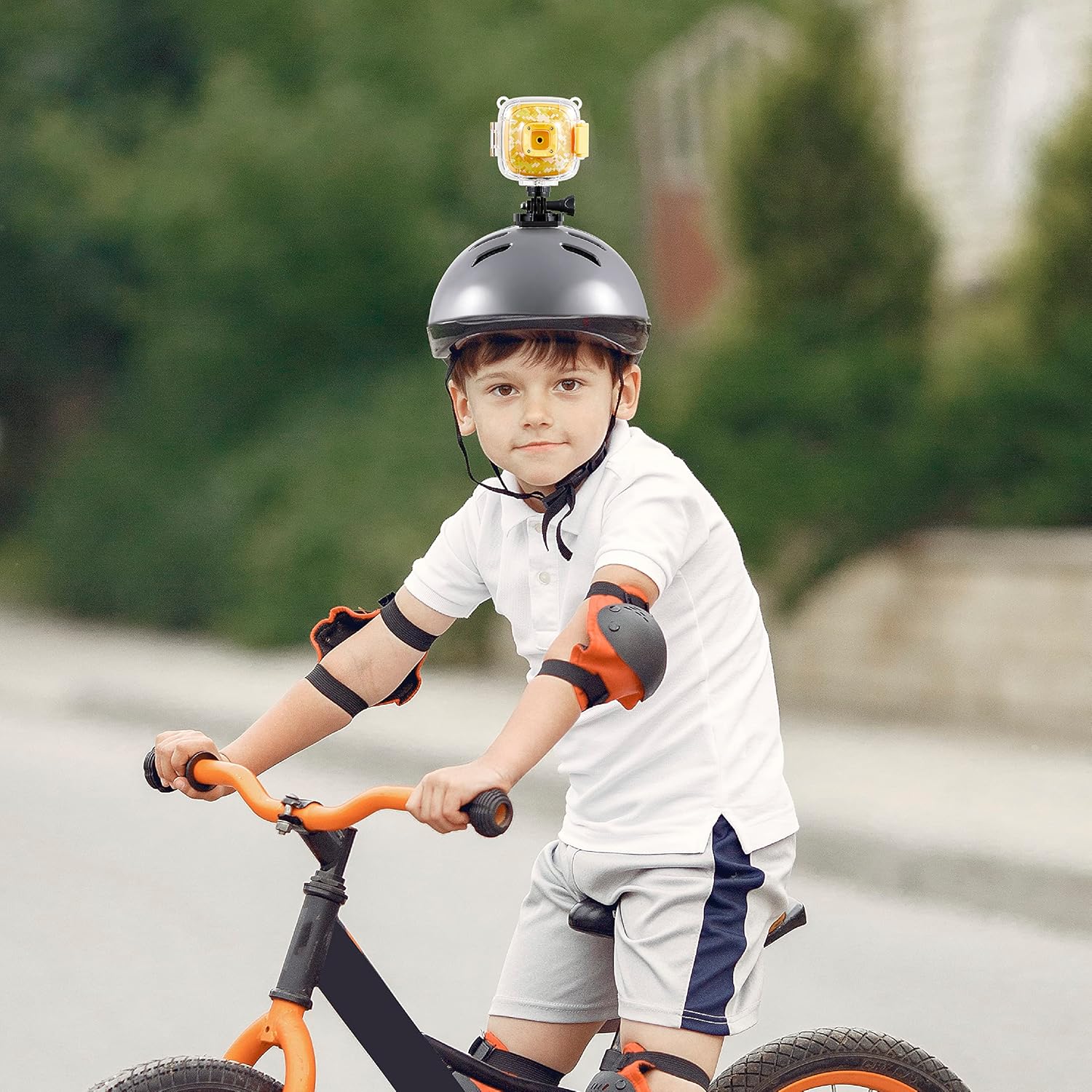
Figure 6: The action camera attached to a child's helmet, ready for recording.
- Select the appropriate mount for your activity (e.g., bike mount for cycling, helmet mount for head-mounted recording).
- Attach the camera to the chosen mount using the provided screws and adapters. Ensure all connections are tight and secure.
- Secure the mount to your desired location (e.g., bike handlebars, helmet) using the straps or clamps.
4. คู่มือการใช้งาน
4.1 เปิด/ปิดเครื่อง
- การเปิดเครื่อง: Press and hold the Power On/Off button (refer to Figure 3) for a few seconds until the screen illuminates.
- วิธีปิดเครื่อง: Press and hold the Power On/Off button again until the screen turns off.
4.2 โหมดการสลับ
The camera typically has Photo and Video modes. Use the dedicated Photo and Video buttons (refer to Figure 3) to switch between these modes.
- กดปุ่ม ปุ่มรูปภาพ to enter Photo mode.
- กดปุ่ม ปุ่มวิดีโอ to enter Video recording mode.
4.3 การถ่ายภาพ
- Ensure the camera is in Photo mode.
- Frame your shot using the 2-inch screen.
- กดปุ่ม ปุ่มตกลง (refer to Figure 3) to capture a photo.
4.4 การบันทึกวิดีโอ
- Ensure the camera is in Video mode.
- กดปุ่ม ปุ่มตกลง to start recording. A recording indicator (e.g., a red dot or timer) will appear on the screen.
- กดปุ่ม ปุ่มตกลง อีกครั้งเพื่อหยุดการบันทึกวิดีโอ file จะถูกบันทึกไปยังการ์ด MicroSD
4.5 การเล่นซ้ำ
เพื่อview ภาพถ่ายและวิดีโอที่คุณบันทึกไว้:
- Enter Playback mode (if available as a separate mode, otherwise navigate through the menu).
- ใช้ ก่อนหน้า และ ต่อไป buttons (refer to Figure 3) to browse through your files.
- กดปุ่ม ปุ่มตกลง ถึง view ภาพถ่ายหรือเล่นวิดีโอ
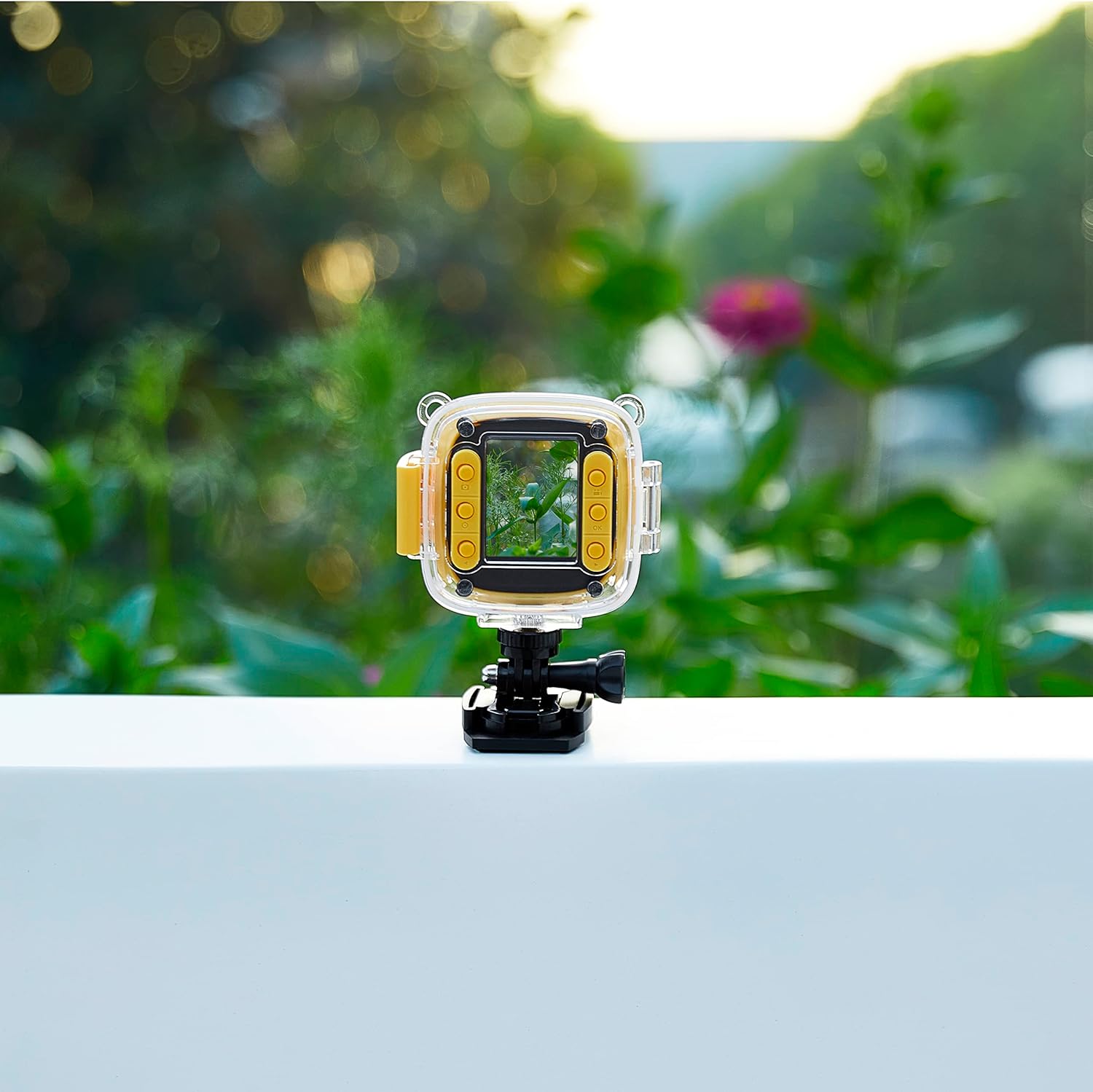
Figure 7: The camera in use, displaying an image on its screen.
5. การบำรุงรักษา
5.1 การทำความสะอาด
- ตัวกล้อง: ใช้ผ้านุ่มและแห้งเช็ดตัวกล้อง สำหรับคราบสกปรกฝังแน่น ให้เช็ดเบาๆampเทน้ำลงบนผ้า
- เลนส์: Use a lens cleaning cloth or a soft, lint-free cloth specifically designed for optics. Avoid touching the lens with your fingers.
- เคสกันน้ำ: Rinse the case with fresh water after use in saltwater or chlorinated water. Ensure the seals are clean and free of debris.
5.2 พื้นที่จัดเก็บ
- เก็บกล้องไว้ในที่แห้งและเย็น หลีกเลี่ยงแสงแดดโดยตรงและอุณหภูมิที่สูงหรือต่ำเกินไป
- หากเก็บรักษาเป็นเวลานาน ควรตรวจสอบให้แน่ใจว่าแบตเตอรี่มีประจุอยู่บ้าง (ประมาณ 50%) เพื่อยืดอายุการใช้งาน
- Remove the MicroSD card if not in regular use.
6 การแก้ไขปัญหา
If you encounter issues with your Vivitar Kids Tech Action Camera, refer to the following common problems and solutions:
| ปัญหา | สาเหตุที่เป็นไปได้ | สารละลาย |
|---|---|---|
| กล้องไม่สามารถเปิดได้ | แบตเตอรี่ต่ำหรือหมด | ชาร์จกล้องให้เต็มโดยใช้สาย USB |
| ไม่สามารถบันทึกภาพถ่าย/วิดีโอได้ | ไม่ได้เสียบการ์ด MicroSD หรือการ์ดเต็ม/เสียหาย | Insert a MicroSD card. If one is inserted, check if it's full and delete files, or try formatting the card (this will erase all data). Replace with a new card if corrupted. |
| คุณภาพรูปภาพ/วิดีโอไม่ดี | Dirty lens; insufficient lighting. | Clean the camera lens. Ensure adequate lighting for your shots. |
| น้ำอยู่ภายในเคสกันน้ำ | กล่องปิดผนึกไม่สนิท ซีลชำรุด | Ensure the case latch is firmly closed. Check the rubber seal for any debris or damage. Do not use the case if the seal is compromised. |
7. ข้อมูลจำเพาะ
- หมายเลขรุ่น: 99379-YEL-STK-6
- เทคโนโลยีโฟโต้เซนเซอร์: ซีมอส
- ความละเอียดการจับภาพวิดีโอ: HD
- ประเภทหน่วยความจำแฟลช: SDHC, SDXC (MicroSD card required, not included)
- รูปแบบการจับภาพวิดีโอ: เอ็มพี 4
- รูปแบบเสียงที่รองรับ: MP3, AAC
- ขนาดหน้าจอ: 2 นิ้ว
- เทคโนโลยีการเชื่อมต่อ: ยูเอสบี
- คุณสมบัติพิเศษ: Waterproof (with included case)
- แบตเตอรี่: แบตเตอรี่ลิเธียมไอออน 1 ก้อน (รวมอยู่ด้วย)
- น้ำหนักสินค้า: 12.6 ออนซ์
- ขนาดแพ็คเกจ: 12.44 x 7.17 x 2.44 นิ้ว
8. การรับประกันและการสนับสนุน
For warranty information or technical support, please refer to the documentation included with your purchase or visit the official Vivitar webไซต์ เก็บหลักฐานการซื้อของคุณไว้เพื่อใช้ในกรณีเรียกร้องการรับประกัน


