การแนะนำ
The Amazon Echo Show 8 (3rd Gen) is a smart display designed to enhance your daily life with its HD touchscreen, spatial audio, and integrated smart home hub. This manual provides essential information for setting up, operating, maintaining, and troubleshooting your device.
คุณสมบัติที่สำคัญ ได้แก่:
- Immersive entertainment with spatial audio and an 8" HD touchscreen.
- Enhanced video calling with a 13 MP camera and noise reduction.
- Built-in smart home hub supporting Zigbee, Matter, and Thread.
- Adaptive Content for glanceable information and personalized experiences.
- Amazon Photos integration for a digital photo frame.
การตั้งค่า
สิ่งที่รวมอยู่
- อุปกรณ์ Echo Show 8
- Power adapter (30W) with cable (4.9 ft.)
- คู่มือเริ่มต้นอย่างรวดเร็ว
ความต้องการของระบบ
The Echo Show 8 requires a WiFi connection. The Alexa app is compatible with Fire OS, Android, and iOS devices, and is also accessible via a web browser. Certain skills and services may require subscriptions or additional fees.
การตั้งค่าเริ่มต้น
- Connect the power adapter to your Echo Show 8 and plug it into a power outlet.
- Follow the on-screen instructions to connect to your WiFi network.
- Log in with your Amazon account.
- Complete the setup process, including language selection and personal preferences.
The device supports Amazon WiFi simple setup for easy connection to your network.
การใช้งาน Echo Show 8 ของคุณ
การควบคุมด้วยเสียงด้วย Alexa
Your Echo Show 8 is primarily controlled using your voice with Alexa. Simply say "Alexa" followed by your command or question. Alexa speaks English and Spanish.

รูปที่ 1: The Echo Show 8 displaying a music interface, indicating voice control capabilities. Users can control music, shows, and other functions using voice commands.
Entertainment and Media
Enjoy content from Prime Video, Netflix, Fire TV Channels, Amazon Music, Apple Music, and Spotify on the 8" HD display with spatial audio. Say "Alexa, play [content]" or "Alexa, stream [music service]."

รูปที่ 2: The Echo Show 8 showcasing a music playlist, highlighting its compatibility with various streaming services like Amazon Music, Spotify, Apple Music, Prime Video, Netflix, and Fire TV Channels.
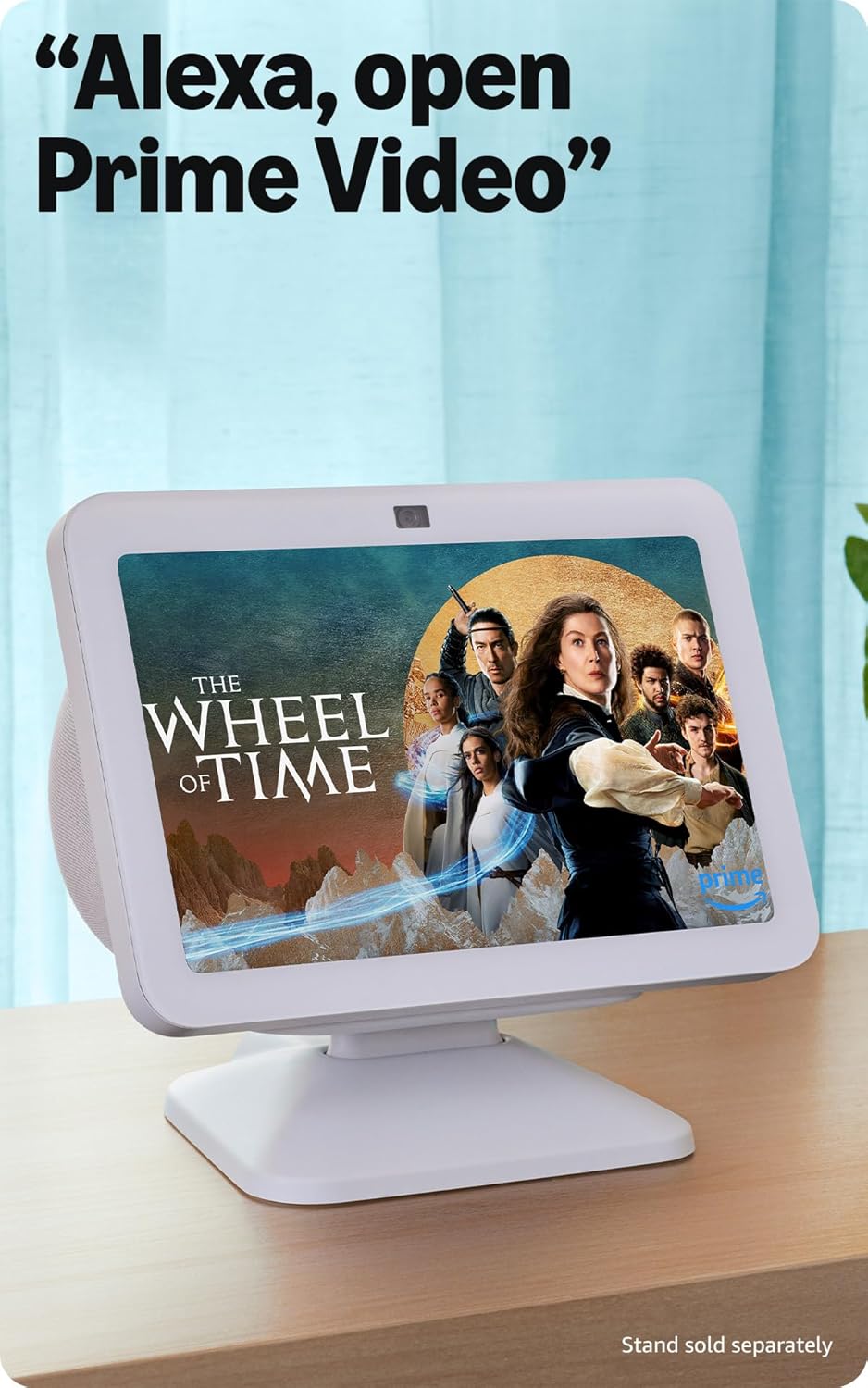
รูปที่ 3: The Echo Show 8 displaying a video from Prime Video, demonstrating its capability to stream content from various platforms.
ระบบควบคุมบ้านอัจฉริยะ
The Echo Show 8 features a built-in smart home hub compatible with Zigbee, Matter, and Thread devices. You can pair and control smart cameras, lights, thermostats, and more using the display or your voice. Activate routines via motion detection.

รูปที่ 4: The Echo Show 8 showing a smart home control interface, allowing users to manage connected devices like thermostats and lights directly from the screen.
Video Calling and Communication
Make hands-free video calls using your voice. The 13 MP camera features auto-framing and noise reduction for clearer conversations. Use the Top Connections widget for quick calls.
การแสดงภาพถ่าย
Turn your Echo Show 8 into a digital photo frame with Amazon Photos. Adaptive color technology ensures your photos look great in any lighting condition. You can also invite family and friends to share photos to your device.
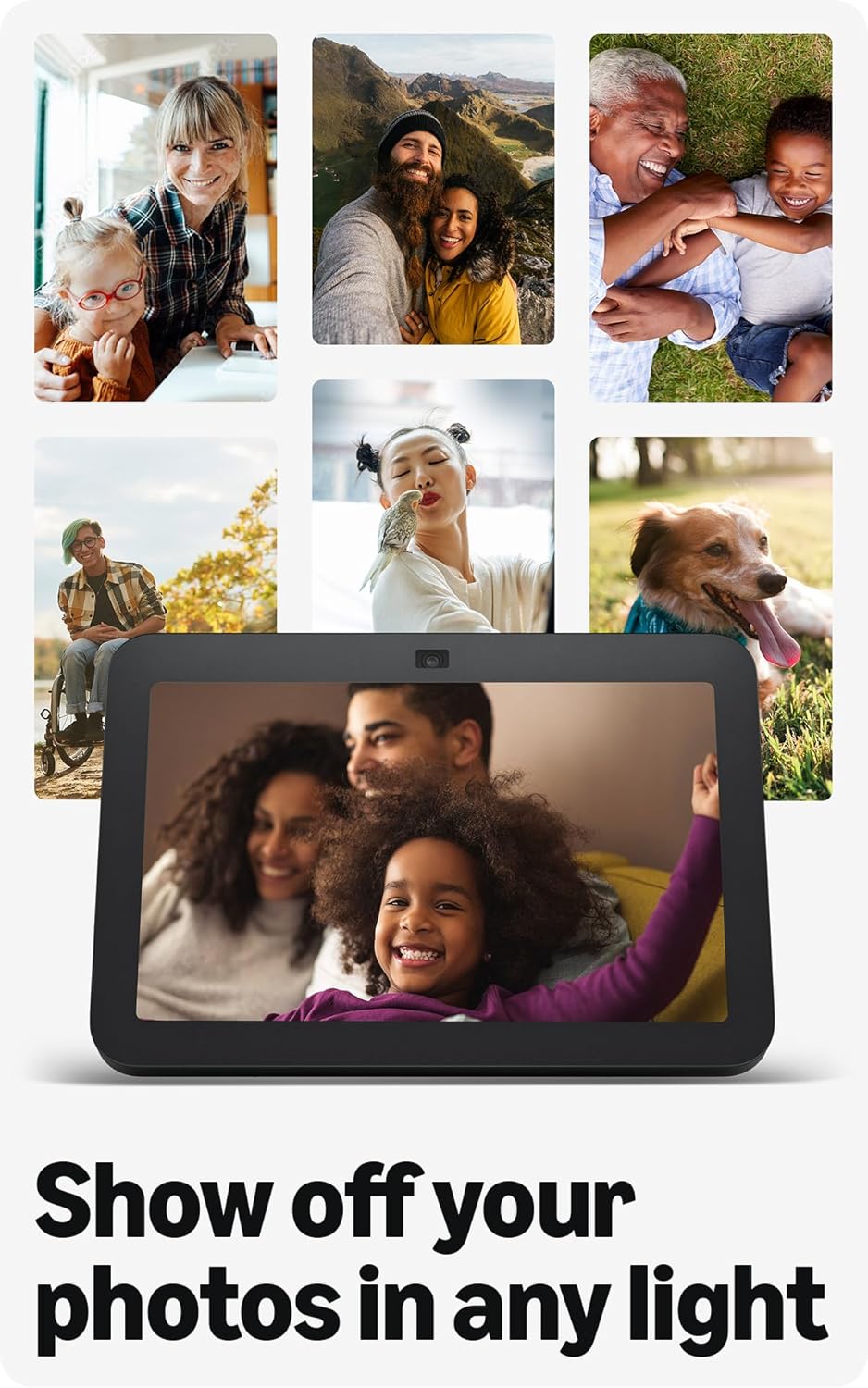
รูปที่ 5: The Echo Show 8 displaying a collection of personal photos, demonstrating its use as a digital photo frame with adaptive color technology.
เนื้อหาที่ปรับเปลี่ยนได้
Adaptive Content allows you to view glanceable information like calendars or reminders from a distance, and more detailed content when you are closer to the device. Shortcut icons on the home screen provide quick access to frequently used widgets.
การซ่อมบำรุง
To ensure optimal performance and longevity of your Echo Show 8:
- การทำความสะอาด: Use a soft, lint-free cloth to clean the screen and device exterior. Avoid abrasive cleaners or sprays.
- การจัดวาง: วางอุปกรณ์บนพื้นผิวที่มั่นคงและเรียบ ห่างจากแสงแดดโดยตรง แหล่งความร้อน และความชื้น
- การอัปเดตซอฟต์แวร์: Ensure your device receives regular software security updates. These are typically automatic when connected to Wi-Fi.
การแก้ไขปัญหา
If you encounter issues with your Echo Show 8, consider the following common solutions:
- ไม่มีไฟฟ้า: ตรวจสอบให้แน่ใจว่าอะแดปเตอร์ไฟฟ้าเชื่อมต่อกับอุปกรณ์และเต้ารับไฟฟ้าที่ใช้งานได้แน่นหนา
- ปัญหาการเชื่อมต่อ Wi-Fi: Check your router and internet connection. Try restarting both your router and the Echo Show 8. Ensure the device is within range of your Wi-Fi network.
- Alexa ไม่ตอบสนอง: Verify that the microphone is not muted (check the microphone/camera off button). Speak clearly and ensure you are within hearing range of the device.
- หน้าจอไม่ตอบสนอง: ลองรีสตาร์ทอุปกรณ์โดยถอดปลั๊กออกสองสามวินาทีแล้วเสียบกลับเข้าไปอีกครั้ง
- ปัญหาเกี่ยวกับกล้อง: Ensure the built-in camera shutter is open.

รูปที่ 6: ภาพระยะใกล้ view of the Echo Show 8's top edge, illustrating the camera lens and the physical camera shutter for privacy control.
For more detailed troubleshooting or persistent issues, refer to the Amazon Alexa app help section or the official Amazon support webเว็บไซต์.
ข้อมูลจำเพาะ
| ขนาด | 7.9” x 5.5” x 4.2” (200 มม. x 139 มม. x 106 มม.) |
| น้ำหนัก | 36.6 ออนซ์ (1034 กรัม) |
| แสดง | 8.0” HD touch screen |
| กล้อง | 13 MP centered camera with built-in shutter |
| การเชื่อมต่อ WiFi | Dual-band WiFi (802.11a/b/g/n/ac) |
| ฮับบ้านอัจฉริยะ | Zigbee + Matter + Thread Border Router |
| การเชื่อมต่อบลูทูธ | A2DP support for audio streaming, AVRCP for voice control of mobile devices |
| เสียง | 2 x 2” full range neodymium drivers with passive bass radiator |
| โปรเซสเซอร์ | Octa-Core SoC with Amazon AZ2 Neural Network Engine |
| ภาษา | Alexa พูดภาษาอังกฤษและภาษาสเปน |

รูปที่ 7: The Echo Show 8 with its physical dimensions clearly marked, illustrating its compact size.
คุณสมบัติความเป็นส่วนตัว
Amazon Echo Show 8 is designed with multiple layers of privacy controls:
- เทคโนโลยี Wake Word: The device only begins listening after detecting the wake word ("Alexa").
- ตัวบ่งชี้การสตรีมมิ่ง: Visual indicators show when audio is being streamed to the cloud.
- ปุ่มปิดไมโครโฟน/กล้อง: A physical button allows you to electronically disconnect the microphones and camera.
- ชัตเตอร์กล้องในตัว: A physical shutter allows you to cover the camera lens.
- การจัดการบันทึกเสียง: ความสามารถในการ view และลบบันทึกเสียงของคุณ
For more information, visit the Alexa Privacy Hub.
คุณสมบัติการเข้าถึง
The Echo Show 8 includes various accessibility features to personalize Alexa to your abilities. These can be accessed via การตั้งค่า → การเข้าถึง บนอุปกรณ์ของคุณ
- แตะเพื่อ Alexa: โต้ตอบกับ Alexa ผ่านการสัมผัสโดยใช้ไทล์บนหน้าจอหรือแป้นพิมพ์
- การฟังแบบปรับตัว: เพิ่มเวลาให้พูดจบก่อนที่ Alexa จะตอบกลับ
- อัตราการพูดที่ต้องการ: ควบคุมความเร็วในการพูดของ Alexa
- คำบรรยาย Alexa, คำบรรยายการโทร, คำบรรยายปิด: Text captions for supported content and calls.
- แสดงและบอกเล่า: Helps visually impaired users identify products by saying "Alexa, what am I holding."
- เสียงView โปรแกรมอ่านหน้าจอ: Provides audio feedback for visually impaired users.
- แว่นขยายหน้าจอ: ซูมเข้า/ออกและเลื่อนไปรอบๆ หน้าจอ
- แจ้งเตือนเมื่ออยู่ใกล้: Plays notification sounds when detected near the device.
- Kindle อ่านออกเสียง: Alexa can read Kindle books aloud.
- ข้อความเรียลไทม์: Type live text during a video call.
- Additional settings include Color Inversion, Color Correction, and Request Sound.
การรับประกันและการสนับสนุน
ข้อมูลการรับประกัน
The Echo Show 8 (3rd Gen) includes a 1-year limited warranty and service. An optional 1-year extended warranty is available for U.S. customers and sold separately. This device, being a Certified Refurbished Amazon device, comes with the same limited warranty as a new device.
การสนับสนุนลูกค้า
หากต้องการความช่วยเหลือเพิ่มเติม การสนับสนุนด้านเทคนิค หรือการเรียกร้องการรับประกัน โปรดไปที่ฝ่ายสนับสนุน Amazon อย่างเป็นทางการ website or contact Amazon customer service. You can also find helpful resources within the Alexa app.


