1. บทนำ
Thank you for choosing the Benss BRBD06 Digital Radio. This portable multi-band receiver is designed to provide clear reception of FM, AM, and Shortwave (SW) broadcasts, featuring a digital display, alarm clock, and sleep timer functions. Its compact size and battery operation make it ideal for both indoor and outdoor use. Please read this manual thoroughly before operating the device to ensure proper use and to maximize its performance.
2. คุณสมบัติหลัก
- การรับสัญญาณหลายย่านความถี่: Supports FM (87-108MHz), AM (522-1620KHz), and Shortwave (3.00-21.85MHz) bands for a wide range of listening options.
- ชิป DSP ขั้นสูง: Ensures stable signal reception and effective noise filtering for clear audio.
- จอแสดงผล LCD ดิจิตอล: Clear screen with backlight for easy viewing of frequency, time, and other settings.
- ฟังก์ชั่นนาฬิกาปลุก: Set an alarm to wake up to your favorite radio station.
- เวลานอน: Program the radio to automatically turn off after 10-90 minutes, perfect for falling asleep to music or talk radio.
- ใช้แบตเตอรี่: Powered by 2 AA batteries (not included) for portability and emergency use.
- แจ็คหูฟัง 3.5 มม.: สำหรับการฟังส่วนตัว
- ขนาดกะทัดรัดและพกพาสะดวก: Pocket-sized design (12.5 x 7 x 2 cm) for easy carrying.
- ฟังก์ชั่นล็อค: ป้องกันการกดปุ่มโดยไม่ตั้งใจ

ภาพ: เหนือview of key features including AM/FM/SW radio, DSP, Sleep Timer, 3.5mm Earphone Jack, Alarm, and 2*AA Battery operation. The image also highlights the 360-degree rotatable antenna.
3. สินค้าหมดview
3.1. ส่วนประกอบและการควบคุม

ภาพ: ด้านหน้า view of the Benss BRBD06 Digital Radio, showing the speaker grille, LCD display, control buttons (Power, Band, Volume Up/Down, Scan/Sleep, M+/M-), and the extended telescopic antenna.

ภาพ: ด้านหลัง view of the Benss BRBD06 Digital Radio, highlighting the battery compartment cover and product information label.

ภาพ: ด้านข้าง view of the Benss BRBD06 Digital Radio, showing the 3.5mm headphone jack and the DC 3V power input port.
3.2. ขนาด
The Benss BRBD06 radio is designed for portability. Its approximate dimensions are:
- ความยาว: 12.5 ซม. (4.9 นิ้ว)
- ความกว้าง: 7 ซม. (2.8 นิ้ว)
- ความสูง: 2 ซม. (0.8 นิ้ว)
- น้ำหนัก: 142 กรัม (0.31 ปอนด์)

Image: The Benss BRBD06 radio shown with its dimensions: 12.2cm length, 7.3cm width, and 3cm height, illustrating its portable size.
4. การตั้งค่า
4.1. การติดตั้งแบตเตอรี่
The Benss BRBD06 radio operates on two (2) AA batteries (not included). For optimal performance and longevity, use high-quality alkaline batteries.
- ค้นหาช่องใส่แบตเตอรี่ที่ด้านหลังของวิทยุ
- เลื่อนฝาปิดช่องใส่แบตเตอรี่ลงด้านล่างเพื่อเปิด
- ใส่แบตเตอรี่ AA สองก้อน โดยตรวจสอบให้แน่ใจว่าขั้ว (+ และ -) ถูกต้องตามที่ระบุภายในช่อง
- ปิดฝาช่องใส่แบตเตอรี่โดยเลื่อนกลับเข้าที่จนกระทั่งล็อคเข้าที่
บันทึก: ถอดแบตเตอรี่ออกหากจะไม่ได้ใช้งานวิทยุเป็นเวลานาน เพื่อป้องกันการรั่วไหลและความเสียหาย

Image: A visual guide demonstrating the process of opening the battery compartment and inserting two AA batteries into the Benss BRBD06 radio.
5. คู่มือการใช้งาน
5.1. เปิด/ปิดเครื่อง
กดปุ่ม ปุ่มเปิดปิด () located on the top right of the radio to turn it on or off.
5.2. Band Selection (FM/AM/SW)
กดปุ่ม ปุ่ม BAND on the right side of the radio to cycle through FM, AM, and SW (Shortwave) bands.
- เอฟเอ็ม: 87-108 เมกะเฮิรตซ์
- AM: 522-1620 กิโลเฮิรตซ์
- สว.: 3.00-21.85 เมกะเฮิรตซ์

Image: Illustration of the radio receiving signals across SW, FM, and AM bands.
5.3. สถานีปรับจูน
There are two primary methods for tuning stations:
- การปรับด้วยตนเอง: ใช้ V+ และ V- buttons to manually adjust the frequency up or down.
- Automatic Scan (One-Click Search): กดค้างไว้ ปุ่มสแกน for 3 seconds. The radio will automatically scan and save available stations.

Image: A visual guide demonstrating how to use the "SCAN" button for automatic station search.
5.4. การปรับระดับเสียง
ใช้ M+ และ M- ปุ่มเพื่อเพิ่มหรือลดระดับเสียง

Image: An illustration emphasizing the powerful volume capability of the radio.
5.5. การตั้งค่านาฬิกาและนาฬิกาปลุก
The radio features a 12H/24H time display with an LCD backlight.
- Refer to the specific instructions in the included quick start guide for detailed steps on setting the time and alarm, as button combinations may vary.
- To set the alarm, ensure the radio is off. Press and hold the ปุ่มปลุก (if present, or a combination of buttons as per guide) to enter alarm setting mode.
- ใช้ V+ และ V- ปุ่มปรับชั่วโมงและนาที
- กดปุ่ม ปุ่มปลุก อีกครั้งเพื่อยืนยันและออก

Image: The radio's LCD screen displaying both 12-hour and 24-hour time formats, highlighting the optional clock display with backlight.
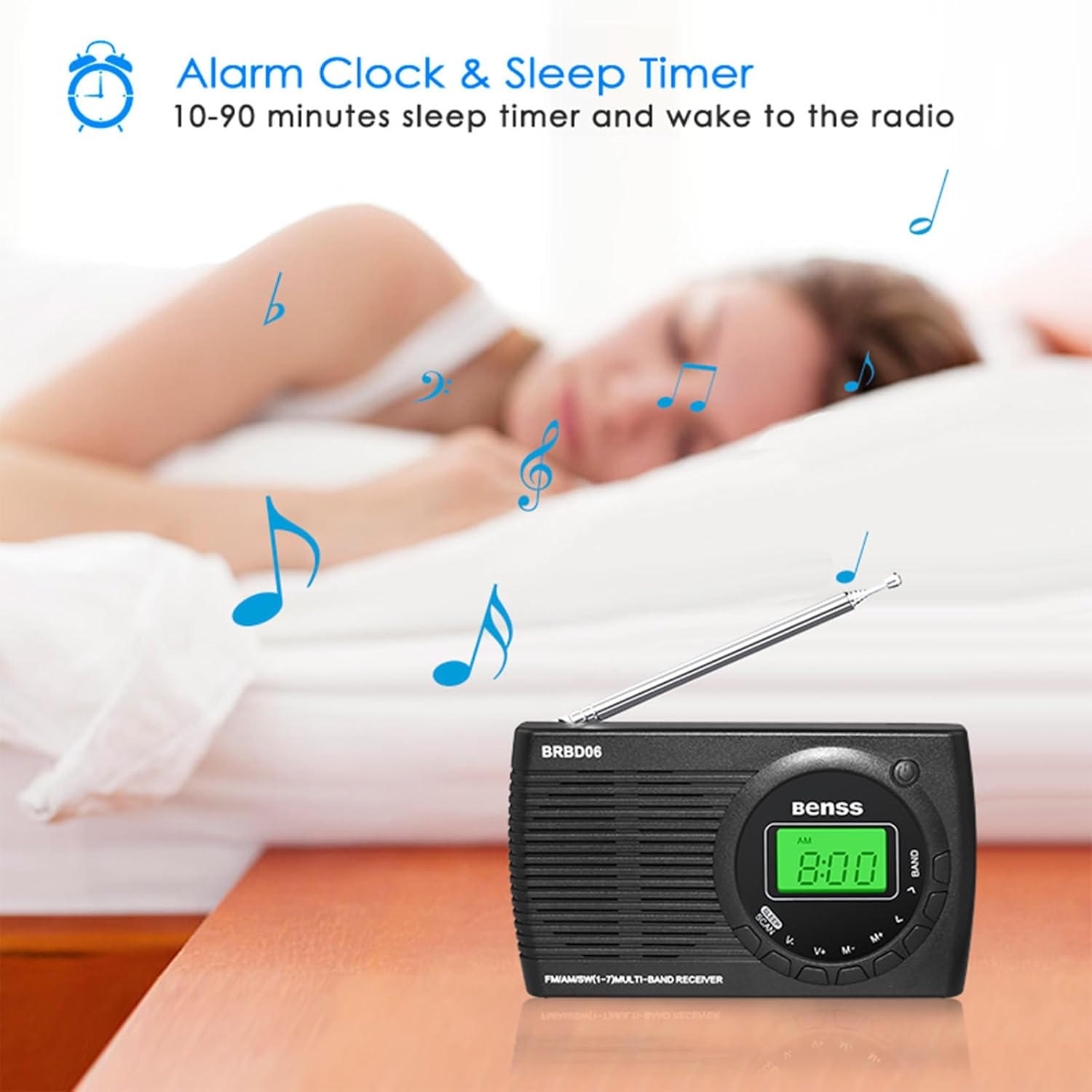
Image: The Benss BRBD06 radio on a bedside table, illustrating its alarm clock and sleep timer capabilities, allowing users to fall asleep or wake up to radio.
5.6. ฟังก์ชั่นตั้งเวลาปิดเครื่อง
The sleep timer allows the radio to automatically turn off after a set period (10-90 minutes).
- While the radio is on, short press the ปุ่มนอน (often combined with SCAN).
- Each press will cycle through available sleep timer durations (e.g., 10, 20, 30, ..., 90 minutes).
- Select your desired duration. The radio will automatically turn off after this time.

Image: An illustration depicting the sleep timer function, showing the radio on a bedside table with a person sleeping in the background.
5.7. ล็อคฟังก์ชัน
To prevent accidental operation, the radio features a lock function. Refer to your quick start guide for the specific button combination to activate/deactivate the lock. Typically, it involves a long press of a designated button or a combination of buttons.
5.8. การใช้หูฟัง
Connect any standard 3.5mm stereo headphones to the headphone jack located on the side of the radio for private listening. The internal speaker will automatically mute when headphones are connected.

Image: An illustration showing a person using headphones connected to the Benss BRBD06 radio via its 3.5mm headphone jack.
6. การบำรุงรักษา
- การทำความสะอาด: Wipe the radio with a soft, dry cloth. Do not use liquid cleaners or abrasive chemicals.
- พื้นที่จัดเก็บ: When not in use for extended periods, remove the batteries and store the radio in a cool, dry place away from direct sunlight and extreme temperatures.
- การดูแลเสาอากาศ: Handle the telescopic antenna gently. Avoid bending or forcing it, as this can cause damage.
- การสัมผัสน้ำ: This radio is not waterproof. Avoid exposure to water, rain, or high humidity.
7 การแก้ไขปัญหา
| ปัญหา | สาเหตุที่เป็นไปได้ | สารละลาย |
|---|---|---|
| วิทยุไม่เปิด |
|
|
| สัญญาณไม่ดี/มีเสียงรบกวน |
|
|
| จอแสดงผลมืดหรือว่างเปล่า |
|
|
| สัญญาณเตือนภัยไม่ดัง |
|
|
8. ข้อมูลจำเพาะ
| หมายเลขรุ่น | BRBD06 |
| ยี่ห้อ | เบนส์ |
| ขนาดสินค้า | 12.5 x 7 x 2 ซม. |
| น้ำหนัก | 142 กรัม |
| แหล่งพลังงาน | แบตเตอรี่ AA 2 ก้อน (ไม่รวม) |
| เทคโนโลยีจูนเนอร์ | ดีเอสพี |
| รองรับคลื่นวิทยุ | FM (87-108MHz), AM (522-1620KHz), SW (3.00-21.85MHz) |
| เทคโนโลยีการเชื่อมต่อ | Wi-Fi (Note: This refers to internal chip, not Wi-Fi radio functionality) |
| คุณสมบัติพิเศษ | Portable, Alarm Clock, Sleep Timer, Headphone Jack |
| ส่วนประกอบที่รวมอยู่ | Radio unit, Stereo Headphones (as per product data) |
9. การรับประกันและการสนับสนุน
Benss products are manufactured with quality and performance in mind. For information regarding warranty coverage, technical support, or service inquiries, please refer to the warranty card included with your product or visit the official Benss webไซต์ โปรดเก็บใบเสร็จรับเงินของคุณไว้เป็นหลักฐานการซื้อสำหรับการเรียกร้องการรับประกันใดๆ
หากต้องการความช่วยเหลือเพิ่มเติม คุณสามารถติดต่อร้านค้าที่คุณซื้อสินค้าได้เช่นกัน
