1. Introduction to Sphero RVR+
The Sphero RVR+ is an advanced programmable robot designed for learning and exploration in coding, robotics, and artificial intelligence. It is fully assembled and ready for immediate use, offering a versatile platform for both beginners and advanced programmers. RVR+ features a robust design, a suite of programmable sensors, and expandability options for third-party hardware integration.

2. การตั้งค่าและการใช้งานครั้งแรก
2.1 การแกะกล่องและการตรวจสอบเบื้องต้น
Upon opening the package, ensure all components are present. The Sphero RVR+ comes fully assembled. The package typically includes the RVR+ robot, a removable cover plate, a rechargeable battery, a micro USB charger, a battery key, and color cards.

2.2 การติดตั้งและการชาร์จแบตเตอรี่
- Locate the battery compartment on the RVR+ robot.
- Insert the rechargeable battery into the compartment. Ensure it clicks securely into place.
- Connect the micro USB charger to the battery port.
- Plug the charger into a power source. The battery indicator light will show charging status.
- Allow the battery to fully charge before first use. A full charge ensures optimal performance.

2.3 การเชื่อมต่อแอพ
The Sphero RVR+ is controlled and programmed via the Sphero Edu app. This app is available on iOS, Android, Windows, macOS, ChromeOS, and web browsers. No account or installation is needed for web การเข้าถึงเบราว์เซอร์
- Download and install the Sphero Edu app on your device, or navigate to the web-based version.
- Ensure your RVR+ is powered on and within Bluetooth range of your device.
- Open the Sphero Edu app and follow the on-screen prompts to connect to your RVR+.
3. Operating Your RVR+
3.1 Driving and Basic Control
Once connected to the Sphero Edu app, you can use the drive interface to manually control your RVR+. This allows for immediate interaction and familiarization with the robot's movement capabilities.

3.2 Programming Fundamentals
The Sphero Edu app supports various programming levels:
- Block Coding: Ideal for beginners, allowing users to drag and drop visual blocks to create programs.
- JavaScript and Python: For more advanced users, enabling text-based coding.
The Sphero AI Assistant, 'Explain My Program', can assist in understanding code logic.

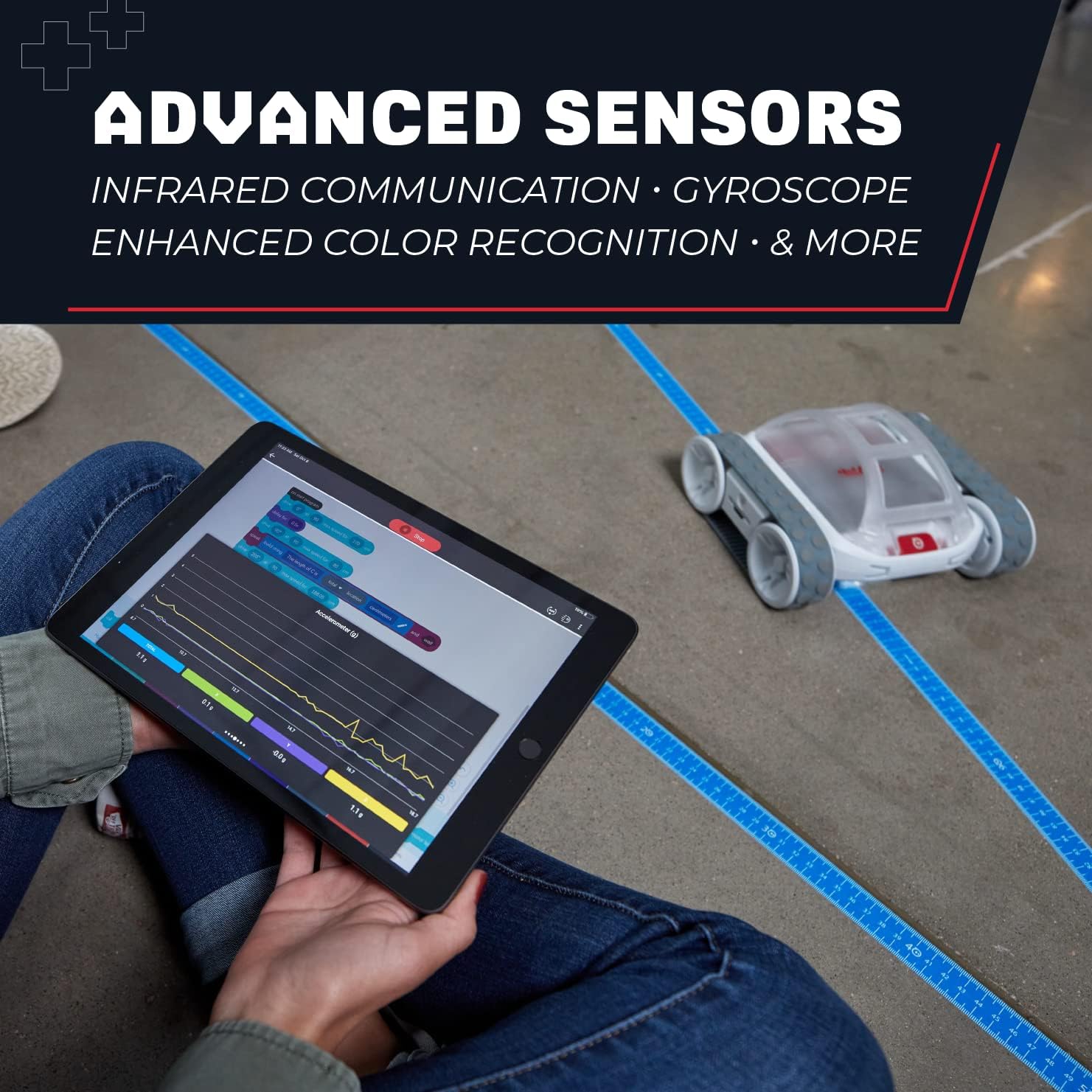
3.3 Utilizing Sensors
RVR+ is equipped with multiple sensors to gather real-time data and interact with its environment:
- เซ็นเซอร์สี: Detects and reacts to different colors.
- เซ็นเซอร์แสง: Measures ambient light levels.
- เซ็นเซอร์อินฟราเรด: For communication and obstacle detection.
- Gyroscope and Accelerometer: Provides data on orientation and movement.
These sensors enable RVR+ to react to its surroundings, bridging coding with systems thinking.
3.4 Advanced Expansion
RVR+ supports integration with third-party hardware through its Public SDK. This allows for advanced projects using platforms like Raspberry Pi and micro:bit, expanding its capabilities beyond its core features.

4. การบำรุงรักษา
4.1 การดูแลแบตเตอรี่
- Always use the provided charger for the rechargeable battery.
- หลีกเลี่ยงการปล่อยแบตเตอรี่จนหมดบ่อยครั้งเพื่อยืดอายุการใช้งาน
- Store the RVR+ and its battery in a cool, dry place when not in use.
4.2 การทำความสะอาด
To clean your RVR+, use a soft, dry cloth. Avoid using harsh chemicals or abrasive materials, as these can damage the robot's surface or internal components. Ensure no moisture enters the electronic components.
5 การแก้ไขปัญหา
If you encounter issues with your Sphero RVR+, consider the following common troubleshooting steps:
- ปัญหาการเชื่อมต่อ: Ensure RVR+ is powered on and fully charged. Verify Bluetooth is enabled on your device and that the Sphero Edu app has necessary permissions. Try restarting both the RVR+ and your device.
- ปัญหาการชาร์จไฟ: Check that the charging cable is securely connected to both the battery and the power source. Ensure the power source is active.
- พฤติกรรมที่ไม่คาดคิด: If RVR+ is not responding as expected to commands or programs, check your code for errors. Ensure the robot's sensors are clean and unobstructed. A factory reset (refer to Sphero support resources for instructions) may resolve persistent software issues.
For more detailed troubleshooting guides, please visit the official Sphero support webเว็บไซต์.
6. ข้อมูลจำเพาะ
| คุณสมบัติ | รายละเอียด |
|---|---|
| ขนาดสินค้า | 1.97 x 1.57 x 874.8 นิ้ว |
| น้ำหนักสินค้า | 3.5 ปอนด์ |
| หมายเลขรุ่นสินค้า | 940-0601 |
| อายุที่แนะนำโดยผู้ผลิต | 8 เดือน - 8 ปี |
| แบตเตอรี่ | 1 A battery required (rechargeable, included) |
| ผู้ผลิต | สเฟียโร |
7. ข้อมูลการรับประกัน
For detailed warranty information regarding your Sphero RVR+, please refer to the documentation included with your product or visit the official Sphero webไซต์ เงื่อนไขการรับประกันอาจแตกต่างกันไปตามภูมิภาคและวันที่ซื้อ
8. การสนับสนุนและทรัพยากร
Sphero provides extensive resources to help you get the most out of your RVR+:
- แอป Sphero Edu: The primary interface for controlling and programming RVR+. Available on multiple platforms.
- Sphero Central: Explore lessons, activities, and educational resources for RVR+ and other Sphero products. Visit www.spero.com สำหรับข้อมูลเพิ่มเติม
- การสนับสนุนทางออนไลน์: Access FAQs, troubleshooting guides, and contact customer support through the official Sphero webเว็บไซต์.


