1. บทนำ
Thank you for choosing the Teslong Wireless Endoscope. This 1080P HD WiFi Inspection Camera is designed to provide clear visual inspection in hard-to-reach areas. Featuring a 7mm borescope camera with a detachable semi-rigid cable and IP67 waterproof rating, it is ideal for various applications including automotive repair, industrial mechanical inspection, drain checking, and pipeline inspection. This manual provides detailed instructions for setup, operation, maintenance, and troubleshooting to ensure optimal performance and longevity of your device.

Figure 1.1: Teslong Wireless Endoscope with smartphone holder.
2. ข้อมูลด้านความปลอดภัย
Please read all safety warnings and instructions before using this product to prevent electric shock, fire, or serious injury.
- Do not use the device in explosive atmospheres, such as in the presence of flammable liquids, gases, or dust.
- Keep the camera probe and cable away from heat sources and sharp objects.
- โปรดตรวจสอบให้แน่ใจว่าอุปกรณ์ชาร์จเต็มแล้วก่อนใช้งาน เพื่อหลีกเลี่ยงการหยุดชะงักระหว่างการตรวจสอบ
- The camera probe is IP67 waterproof, but the main unit (handle) is not. Do not submerge the main unit in water.
- ห้ามถอดประกอบหรือดัดแปลงอุปกรณ์ด้วยตนเอง การซ่อมแซมควรดำเนินการโดยบุคลากรที่มีคุณสมบัติเหมาะสมเท่านั้น
- เก็บให้พ้นจากมือเด็ก
3. เนื้อหาบรรจุภัณฑ์
ตรวจสอบว่ามีรายการทั้งหมดอยู่ในแพ็คเกจของคุณ:
- Teslong Wireless Endoscope Main Unit (WF200L5S7MM)
- Semi-rigid Inspection Cable with 7mm Camera Probe
- สายชาร์จแบบ USB Type-C
- คู่มือการใช้งาน (เอกสารนี้)
- Accessories (Hook, Magnet, Mirror)
4. สินค้าหมดview
The Teslong Wireless Endoscope features an ergonomic design for comfortable single-handed operation. It includes a detachable semi-rigid cable for easy storage and interchangeability.

Figure 4.1: Ergonomic design of the Teslong WF200 Wireless Endoscope.
ส่วนประกอบหลัก:
- หน่วยหลัก: Handheld device with power button, brightness adjustment dial, and phone holder.
- หัววัดกล้อง: 7mm diameter, 2.0 Megapixels HD CMOS sensor with 8 adjustable LED lights.
- Semi-rigid Cable: Flexible yet firm cable for navigating tight spaces.
- ไฟฉายในตัว: Provides additional illumination on the main unit.
- พอร์ต USB-C: สำหรับชาร์จแบตเตอรี่ภายใน

Figure 4.2: The built-in LED flashlight on the main unit provides additional illumination.
5. คู่มือการติดตั้ง
5.1 การชาร์จอุปกรณ์
Before first use, fully charge the endoscope. The built-in 2000mAh rechargeable battery provides up to 4 hours of continuous working time.
- Connect the provided USB Type-C charging cable to the charging port on the main unit.
- เชื่อมต่อปลายสายอีกด้านหนึ่งเข้ากับอะแดปเตอร์ไฟ USB มาตรฐาน (ไม่รวมอยู่ด้วย) หรือพอร์ต USB ของคอมพิวเตอร์
- The charging indicator light will show the charging status. Once fully charged, the light will change (refer to device indicators for specific behavior).
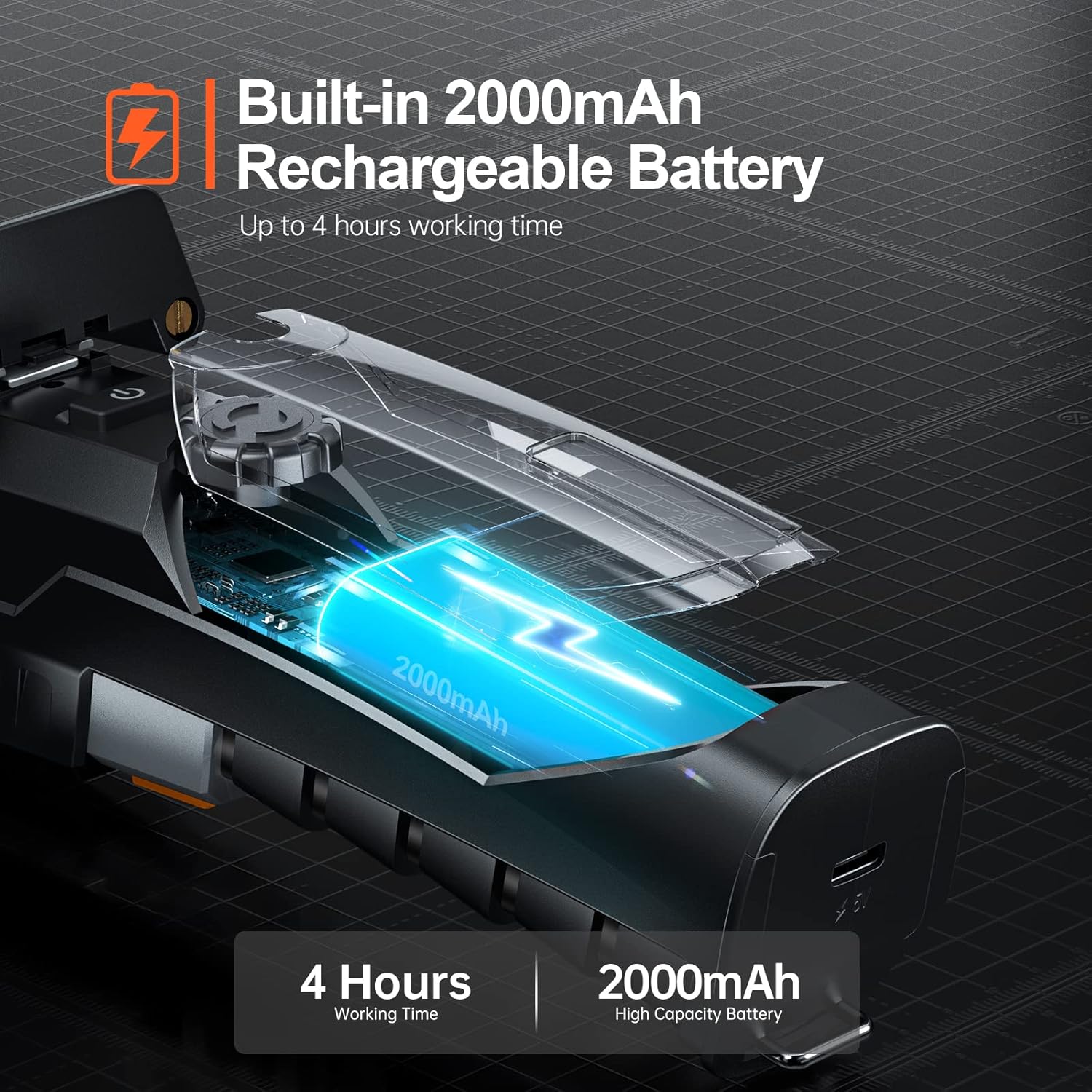
Figure 5.1: The endoscope features a 2000mAh high-capacity battery for extended use.
5.2 Installing the "Smart Endoscope" App
The Teslong Wireless Endoscope requires the "Smart Endoscope" app for operation. It is compatible with Android (7.0+) and iOS (10.0+) devices.
- Scan the QR code provided in the quick start guide or search for "Smart Endoscope" on the App Store (for iOS) or Google Play Store (for Android).
- ดาวน์โหลดและติดตั้งแอพบนสมาร์ทโฟนหรือแท็บเล็ตของคุณ
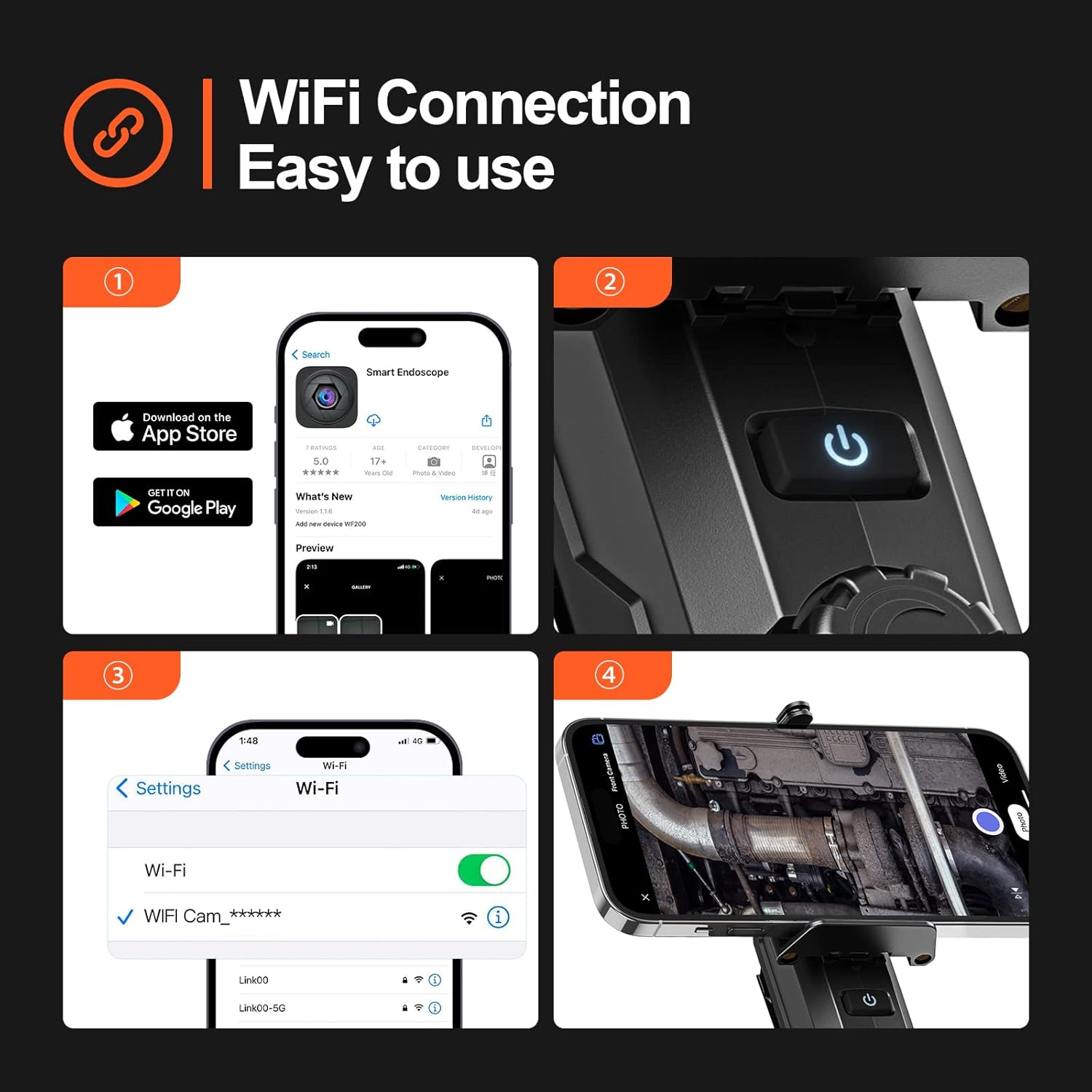
Figure 5.2: Step-by-step guide for app installation and WiFi connection.
5.3 การเชื่อมต่อผ่าน Wi-Fi
Once the app is installed, connect your device to the endoscope's Wi-Fi network.
- Power on the Teslong Wireless Endoscope by pressing and holding the power button on the main unit.
- บนสมาร์ทโฟนหรือแท็บเล็ตของคุณ ให้ไปที่การตั้งค่า Wi-Fi
- Locate and select the Wi-Fi network named "WF_Cam_******" (the asterisks will be replaced by a unique device ID).
- Once connected, open the "Smart Endoscope" app. The camera feed should now be visible.
5.4 Attaching the Inspection Cable
The semi-rigid inspection cable is detachable for convenience and versatility.
- Align the connector of the inspection cable with the port on the main unit.
- Gently push and twist the connector clockwise until it clicks securely into place.
- To detach, twist counter-clockwise and pull.
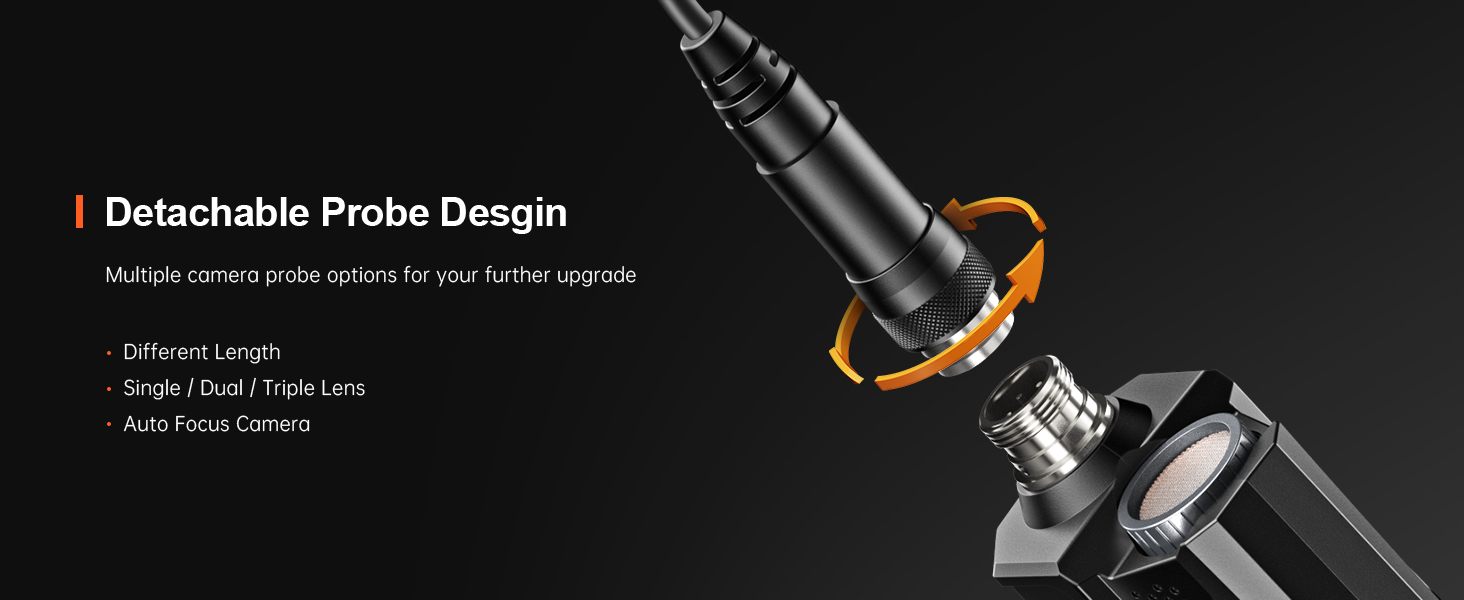
Figure 5.3: The detachable probe design allows for easy storage and future upgrades.
6. คู่มือการใช้งาน
6.1 การเปิด/ปิดเครื่อง
- เปิดเครื่อง: Press and hold the power button on the main unit until the indicator light illuminates.
- หมดแรง: กดปุ่มเปิด/ปิดค้างไว้อีกครั้งจนกว่าไฟแสดงสถานะจะดับ
6.2 การปรับแสงไฟ LED
The camera probe is equipped with 8 adjustable LED lights to illuminate dark inspection areas.
- Rotate the brightness adjustment dial on the main unit to increase or decrease the intensity of the LED lights. There are three adjustable brightness levels.
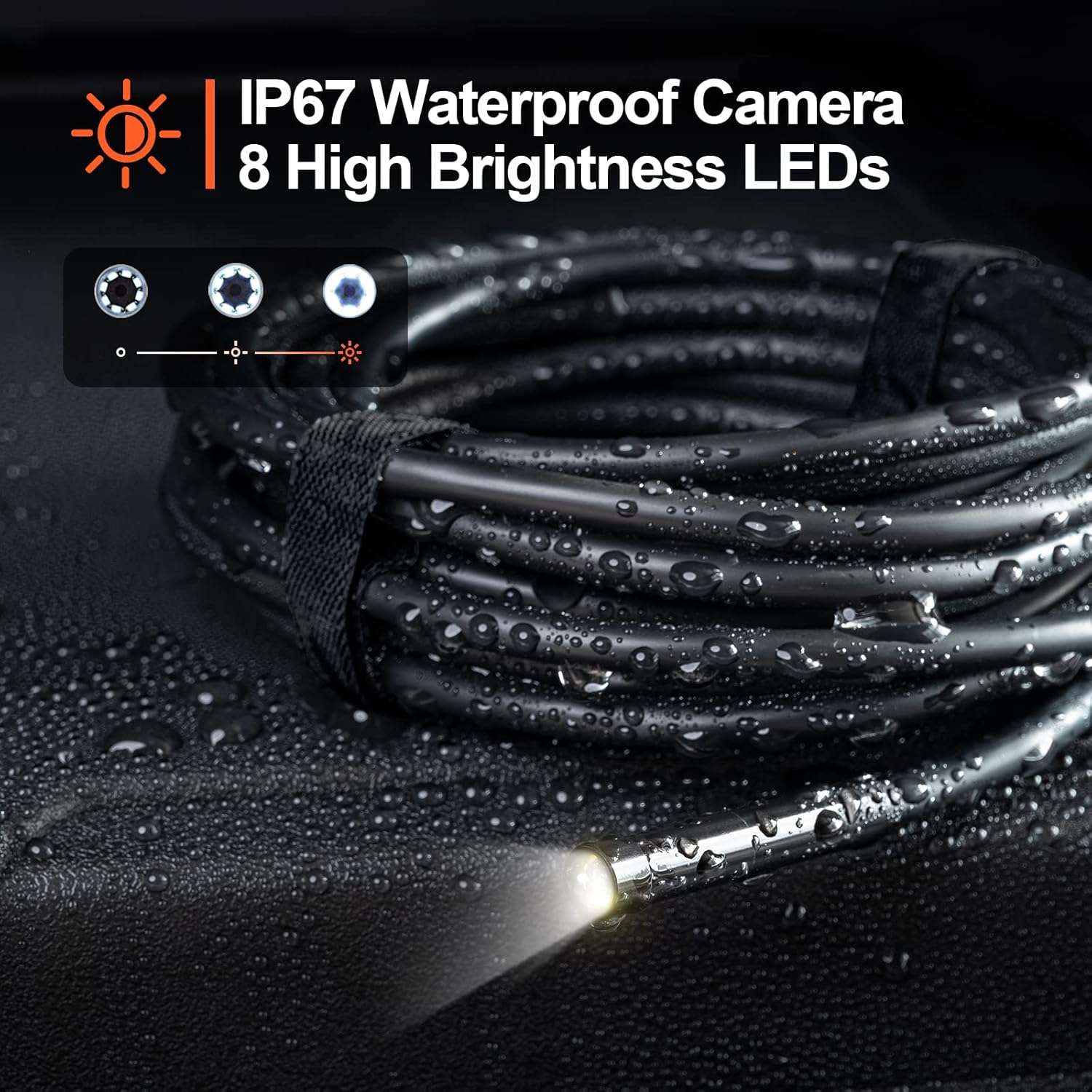
Figure 6.1: The camera probe features 8 high-brightness LEDs and is IP67 waterproof.
6.3 การบันทึกภาพนิ่งและวิดีโอ
Use the "Smart Endoscope" app to capture high-resolution images and videos.
- ถ่ายรูป: In the app interface, tap the camera icon to capture a still image. Images are saved in JPEG format.
- การบันทึกวิดีโอ: Tap the video camera icon to start recording. Tap it again to stop. Videos are saved in MP4 format.
- Captured media will be stored directly on your connected smartphone or tablet.

รูปที่ 6.2: View the inspection feed on your iPhone, iPad, or Android smartphone/tablet.
6.4 Using Accessories (Hook, Magnet, Mirror)
The endoscope comes with useful accessories that can be attached to the camera probe for enhanced functionality.
- ตะขอ: Useful for retrieving small objects from hard-to-reach places.
- แม่เหล็ก: Ideal for picking up metallic items like screws or keys.
- กระจกเงา: Provides a side view for inspecting areas that are not directly in front of the camera.
To attach an accessory, carefully slide it onto the tip of the camera probe until it is secure.

Figure 6.3: Included accessories: Hook, Magnet, and Mirror for versatile inspections.
7. การบำรุงรักษา
7.1 การทำความสะอาด
- After each use, especially in dirty or wet environments, clean the camera probe and cable with a soft, damp ผ้า.
- For stubborn dirt, a mild detergent can be used, but ensure no liquid enters the main unit.
- ห้ามใช้น้ำยาทำความสะอาดที่มีฤทธิ์กัดกร่อนหรือตัวทำละลาย
- Ensure the camera lens is clean for clear images. Use a lens cleaning cloth if necessary.
7.2 พื้นที่จัดเก็บ
- เก็บกล้องเอนโดสโคปไว้ในที่แห้งและเย็น หลีกเลี่ยงแสงแดดโดยตรงและอุณหภูมิที่สูงหรือต่ำเกินไป
- Detach the inspection cable from the main unit for compact storage.
- เก็บอุปกรณ์และอุปกรณ์เสริมไว้ในบรรจุภัณฑ์เดิมหรือกล่องป้องกันเพื่อป้องกันความเสียหาย
8 การแก้ไขปัญหา
| ปัญหา | สาเหตุที่เป็นไปได้ | สารละลาย |
|---|---|---|
| อุปกรณ์ไม่เปิดเครื่อง | แบตเตอรี่อ่อน | ชาร์จอุปกรณ์ให้เต็มโดยใช้สาย USB-C ที่ให้มา |
| No image on the app. | Wi-Fi not connected or incorrect network selected. | Ensure your phone is connected to the "WF_Cam_******" Wi-Fi network. Restart the app and the endoscope. |
| ภาพไม่ชัดหรือมืดเกินไป | Camera lens is dirty; insufficient lighting. | Clean the camera lens. Adjust the LED brightness using the dial on the main unit. |
| Wi-Fi connection is unstable. | Interference from other Wi-Fi networks; too far from the device. | Move closer to the endoscope. Try to minimize other Wi-Fi devices nearby. |
| แอปพลิเคชันขัดข้องหรือหยุดทำงาน | App version outdated; phone operating system issues. | Update the "Smart Endoscope" app to the latest version. Restart your smartphone/tablet. |
9. ข้อมูลจำเพาะ
| คุณสมบัติ | รายละเอียด |
|---|---|
| แบบอย่าง | Single Lens (WF200D7L5) |
| ความละเอียดของกล้อง | 2.0 Megapixels (1920x1080p) |
| เส้นผ่านศูนย์กลางของโพรบ | 7มม. / 0.28นิ้ว |
| ความยาวสายเคเบิล | 16.5ft (approx. 5 meters) |
| ระดับการกันน้ำ | IP67 (camera probe only) |
| ไฟ LED | ไฟ LED ปรับได้ 8 ดวง |
| ความจุของแบตเตอรี่ | 2000mAh ลิเธียมโพลิเมอร์ |
| เวลาทำงาน | นานถึง 4 ชั่วโมง |
| พอร์ตชาร์จ | ยูเอสบี ไทป์ ซี |
| การเชื่อมต่อ | ไวไฟ |
| ระบบปฏิบัติการที่รองรับ | แอนดรอยด์ 7.0+ / iOS 10.0+ |
| รูปแบบภาพ | เจพีเจ |
| รูปแบบวิดีโอ | เอ็มพี 4 |
| ขนาดแพ็คเกจ | 22 x 21.1 x 4.9 ซม. |
| น้ำหนักแพ็คเกจ | 0.58 กิโลกรัม |
10. การรับประกันและการสนับสนุน
Teslong provides a รับประกัน 12 เดือน สำหรับผลิตภัณฑ์นี้ การรับประกันครอบคลุมถึงข้อบกพร่องจากการผลิตนับจากวันที่ซื้อ
ข้อยกเว้นการรับประกัน:
- Damage caused by improper use, accident, abuse, neglect, or unauthorized modification.
- การสึกหรอตามปกติ
- ความเสียหายอันเกิดจากภัยธรรมชาติ หรือ เหตุสุดวิสัย
การสนับสนุนลูกค้า:
If you encounter any issues or have questions regarding your Teslong Wireless Endoscope, please contact our customer support team. Refer to the contact information provided on the Teslong official webเว็บไซต์หรือเอกสารการซื้อของคุณ
For more information and product updates, visit the official Teslong store: ร้าน Teslong บน Amazon


