
การแนะนำ
Welcome to the user manual for your ACAGET Wireless Earbuds. These earbuds are designed to provide a high-fidelity audio experience with advanced features for daily use, sports, and travel. This manual will guide you through setup, operation, maintenance, and troubleshooting to ensure optimal performance and enjoyment of your device.
เนื้อหาแพ็คเกจ
โปรดตรวจสอบว่ารายการทั้งหมดที่ระบุไว้ด้านล่างมีอยู่ในแพ็คเกจของคุณหรือไม่:
- 1x True Bluetooth Headphone (Wireless Earbuds)
- 1x กล่องชาร์จ
- สายชาร์จ USB-C 1x
- 1x Earhooks (for secure fit)
- 1x Silicone Earbud Protective Case
- 1x คู่มือผู้ใช้

Image: The package contents laid out, including the earbuds, charging case, USB-C cable, earhooks, and user manual.
การตั้งค่า
การชาร์จหูฟังเอียร์บัดและเคส
The charging case has a 300mAh battery and can recharge the earbuds approximately 4 times, providing up to 25 hours of additional playtime. The earbuds themselves offer 4-5 hours of playtime on a single full charge.
To charge the case, connect the provided USB-C charging cable to the charging port on the case and a compatible power source. The indicator light on the case will illuminate to show charging status. A full charge for the case takes approximately 1.5 hours.
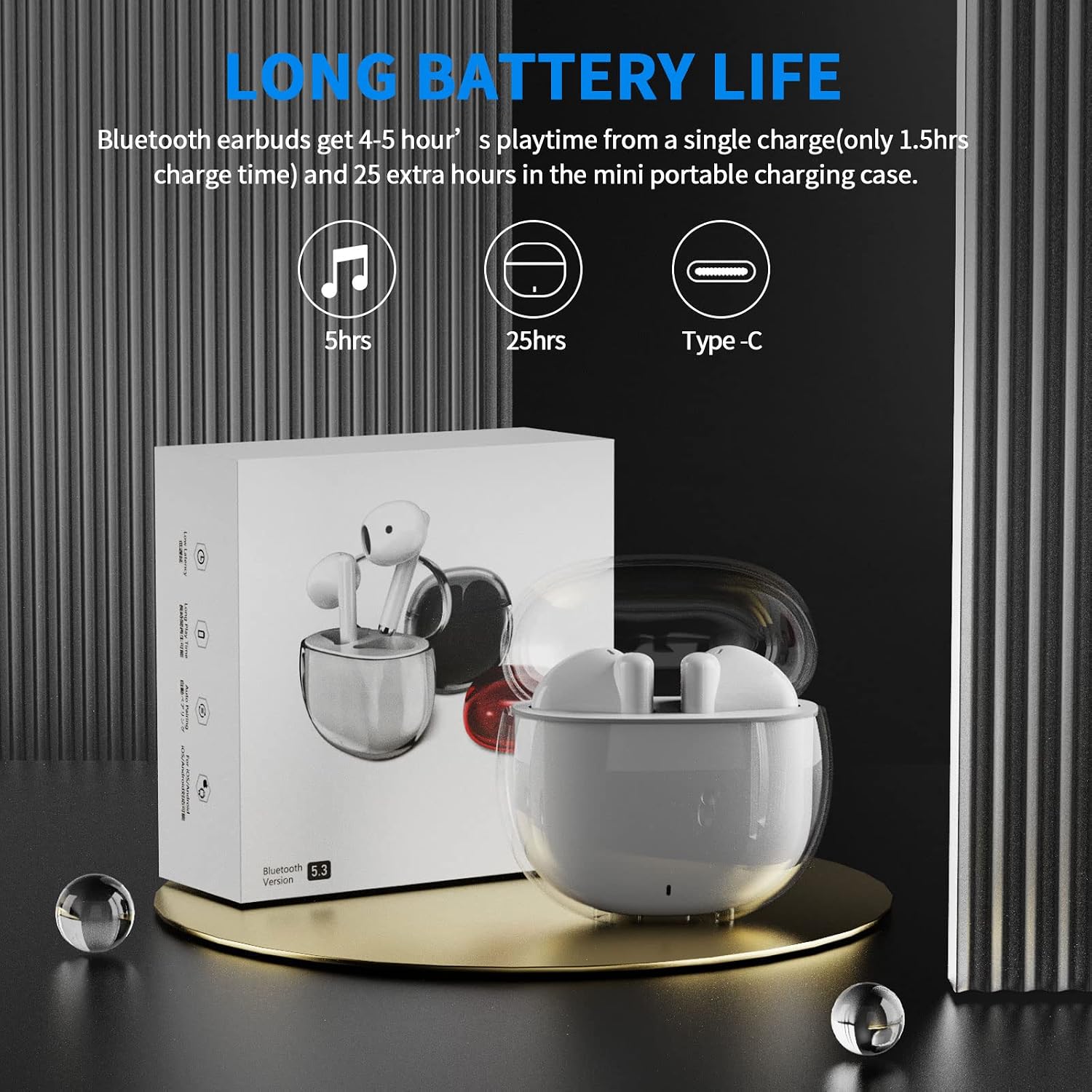
Image: A visual representation of the earbuds' battery life, showing 5 hours for earbuds and 25 hours total with the charging case, and the USB-C charging port.
จับคู่กับอุปกรณ์ของคุณ
The earbuds feature one-step pairing for quick and easy connection to your devices. They utilize advanced Bluetooth 5.3 technology for a stable and fast connection.
- ตรวจสอบให้แน่ใจว่าบลูทูธของอุปกรณ์ของคุณเปิดอยู่
- เปิดกล่องชาร์จ หูฟังจะเปิดอัตโนมัติและเข้าสู่โหมดจับคู่
- On your device (smartphone, tablet, laptop), go to the Bluetooth settings and select "ACA-i23" from the list of available devices to connect.
- เมื่อเชื่อมต่อแล้ว คุณจะได้ยินเสียงยืนยัน และหูฟังจะพร้อมใช้งาน

Image: A graphic illustrating the advanced Bluetooth 5.3 technology and the one-step pairing process with a smartphone, showing the "ACA-i23" device name.
Video: This official ACAGET video demonstrates the simple one-step pairing process and how to use the smart touch controls for music playback and call management.
คำแนะนำการใช้งาน
ระบบควบคุมแบบสัมผัสอัจฉริยะ
The earbuds feature intuitive touch controls for managing your audio and calls without needing to access your connected device.
- เล่น/หยุดเพลง: แตะสองครั้งที่หูฟังเอียร์บัดด้านขวา
- เพลงถัดไป: แตะหูฟังเอียร์บัดด้านขวาสามครั้ง
- แทร็กก่อนหน้า: แตะหูฟังเอียร์บัดด้านซ้ายสามครั้ง
- รับ/วางสาย: แตะสองครั้งที่หูฟังเอียร์บัดข้างใดข้างหนึ่ง
- ปฏิเสธสาย: กดเอียร์บัดข้างใดข้างหนึ่งค้างไว้ 2 วินาที
- Wake Up Voice Assistant (Siri): แตะสองครั้งที่หูฟังเอียร์บัดด้านซ้าย

Image: A visual guide detailing the various touch control gestures for music playback, call management, and voice assistant activation on the earbuds.
Video: This official ACAGET video highlights the ergonomic design, Bluetooth 5.3 features, smart touch controls, long battery life, and the secure fit provided by the included over-ear earhooks.
การซ่อมบำรุง
การทำความสะอาด
To maintain optimal performance and hygiene, regularly clean your earbuds and charging case. Use a soft, dry, lint-free cloth. Avoid using harsh chemicals, abrasive materials, or excessive moisture, as these can damage the device.
ความต้านทานต่อน้ำ
The ACAGET Wireless Earbuds are rated IPX4 waterproof, meaning they are protected against splashing water from any direction. This makes them suitable for use during workouts, in light rain, or when sweating. บันทึก: The earbuds are not designed for submersion in water and should not be used for swimming or bathing.
การแก้ไขปัญหา
ปัญหาทั่วไปและแนวทางแก้ไข
หูฟังไม่จับคู่:
- ตรวจสอบให้แน่ใจว่าหูฟังทั้งสองข้างอยู่ในเคสชาร์จและชาร์จเต็มแล้ว
- Make sure Bluetooth is enabled on your device and "ACA-i23" is selected from the available devices.
- Try resetting the earbuds by placing them in the case, closing the lid, and reopening after a few seconds.
Only one earbud charging/working:
- Verify that both earbuds are properly seated in the charging case and making firm contact with the charging pins.
- Clean the charging contacts on both the earbuds and the case with a dry cotton swab to remove any debris.
- หากปัญหายังคงมีอยู่ โปรดติดต่อฝ่ายสนับสนุนลูกค้าเพื่อขอความช่วยเหลือเพิ่มเติม
ปัญหาคุณภาพเสียง:
- Ensure the earbuds are properly fitted in your ears for optimal sound delivery.
- Check the audio source and volume levels on your connected device.
- Move closer to your device to avoid interference or range issues, as the Bluetooth range is up to 15 meters.
ข้อมูลจำเพาะ
ข้อมูลจำเพาะทางเทคนิค
| คุณสมบัติ | รายละเอียด |
|---|---|
| ชื่อรุ่น | หูฟังไร้สาย i23 |
| เทคโนโลยีการเชื่อมต่อ | ไร้สาย |
| เทคโนโลยีการสื่อสารไร้สาย | บลูทูธ |
| เวอร์ชันบลูทูธ | 5.3 |
| ช่วงบลูทูธ | 15 เมตร |
| อายุการใช้งานแบตเตอรี่ (หูฟัง) | 5 ชั่วโมง |
| อายุการใช้งานแบตเตอรี่ของกระเป๋าพกพา | 25 ชั่วโมง |
| ความจุแบตเตอรี่ของกระเป๋าใส่ | 300 มิลลิวินาทีamp ชั่วโมง |
| เวลาในการชาร์จ | 1.5 ชั่วโมง |
| ระดับความต้านทานต่อน้ำ | กันน้ำระดับ IPX4 |
| ประเภทการควบคุม | การควบคุมสื่อ |
| วิธีการควบคุม | สัมผัส |
| ประเภทไดร์เวอร์เสียง | ไดร์เวอร์แบบไดนามิก |
| ขนาดไดร์เวอร์เสียง | 13 มิลลิเมตร |
| ช่วงความถี่ | 20 เฮิรตซ์ - 20,000 เฮิรตซ์ |
| ความไวต่อความรู้สึก | 105 เดซิเบล |
| อิมพีแดนซ์ | 32 โอห์ม |
| น้ำหนักสินค้า | 3.84 ออนซ์ |
| ขนาดสินค้า | 5.9 x 4.72 x 1.18 นิ้ว |
| วัสดุ | อะคริโลไนไตรล์ บิวทาไดอีน สไตรีน (ABS) |
| อุปกรณ์ที่รองรับ | Compatible with various Bluetooth devices, including cellphones, iPad, laptops, and many Android and iOS smartphones. |
การรับประกันและการสนับสนุน
ข้อมูลการรับประกัน
ACAGET provides a 90-day refund and 6-month replacement policy for any defect problems with your earbuds. This warranty covers manufacturing defects and ensures your satisfaction with the product.
การสนับสนุนลูกค้า
For any issues, questions, or suggestions regarding your ACAGET Wireless Earbuds, please do not hesitate to contact us through the message system. Our support team is committed to responding immediately to assist you.
For a detailed user guide, you can also refer to the official PDF document: คู่มือการใช้งาน (PDF).


