การแนะนำ
Welcome to your new AZATOM Classic V1 DAB/DAB+ FM Digital Radio. This manual provides detailed instructions for setting up, operating, and maintaining your device. Please read it thoroughly to ensure optimal performance and longevity of your radio.
ข้อมูลด้านความปลอดภัยที่สำคัญ
กรุณาเก็บคู่มือนี้ไว้เพื่อใช้อ้างอิงในอนาคต
- อย่าให้เครื่องโดนฝนหรือความชื้น
- ห้ามถอดชิ้นส่วนเครื่อง ควรส่งเครื่องเข้ารับบริการจากช่างผู้ชำนาญการเท่านั้น
- หลีกเลี่ยงอุณหภูมิที่สูงหรือต่ำเกินไป
- ตรวจสอบให้แน่ใจว่ามีการระบายอากาศที่เหมาะสม
- ใช้เฉพาะอะแดปเตอร์แปลงไฟหรือแบตเตอรี่ที่ระบุไว้เท่านั้น
For detailed safety guidelines, refer to the full safety leaflet included with your product.
คุณสมบัติหลัก
- DAB/DAB+ and FM Radio: Access a wide range of digital and analog radio stations.
- การเชื่อมต่อบลูทูธ 5.0: Stream audio wirelessly from compatible devices.
- ฟังก์ชั่นปลุกคู่: Set two independent alarms with customizable sources.
- Colour LCD Display: Clear and intuitive display for station information, time, and settings.
- Battery and Mains Power: Flexible power options for portable or home use.
- อินพุต AUX: Connect external audio sources via a 3.5mm jack.
- เอาท์พุตหูฟัง: Private listening experience.
- 60 พรีเซ็ต: Store up to 60 favorite stations (40 DAB, 20 FM).
- เวลานอน: Automatically turn off the radio after a set period.

ภาพ: ด้านหน้า view of the AZATOM Classic V1 radio, showcasing its black and silver design with a leather-look handle and front speaker grille.
การตั้งค่า
การเปิดเครื่อง
The AZATOM Classic V1 can be powered using the included mains adapter or four Type C batteries (not included).
ไฟฟ้าหลัก
- Connect the mains adapter to the DCV input port on the back of the radio.
- เสียบอะแดปเตอร์เข้ากับเต้ารับติดผนัง
- กดปุ่มค้างไว้ พลัง button on the top panel to turn on the radio.
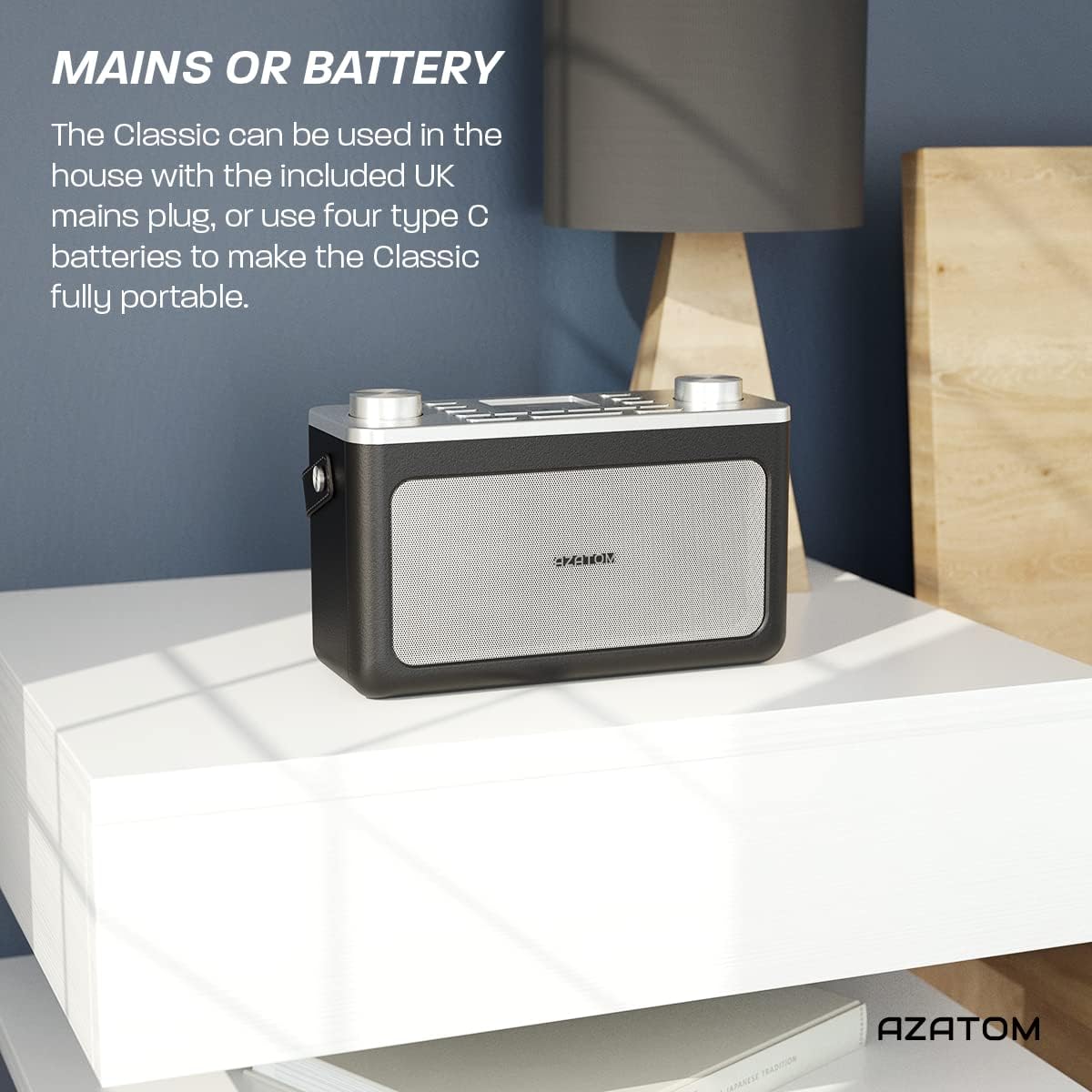
Image: The AZATOM Classic V1 radio on a white surface, illustrating its portability and dual power options (mains or battery).
พลังงานแบตเตอรี่
- เปิดฝาช่องใส่แบตเตอรี่ที่ด้านหลังวิทยุ
- Insert four Type C batteries, ensuring correct polarity (+/-).
- ปิดฝาช่องใส่แบตเตอรี่ให้แน่น
- กดปุ่มค้างไว้ พลัง button on the top panel to turn on the radio.

ภาพ: ด้านหลัง view of the AZATOM Classic V1 radio, highlighting the DCV input, AUX IN, USB CHARGE ports, and the two battery compartment covers.
Initial Scan (DAB/DAB+)
Upon first power-on, the radio will automatically perform a full scan for DAB/DAB+ stations. This may take a few minutes.
เมื่อการสแกนเสร็จสิ้น วิทยุจะปรับไปยังสถานีแรกที่รับได้
If no stations are found, ensure the telescopic antenna is fully extended and reposition the radio, then perform a manual scan (see "Operating DAB/DAB+ Radio").
คำแนะนำการใช้งาน

ภาพ: จากบนลงล่าง view of the AZATOM Classic V1 radio, showing the control panel with buttons for power, mode, presets, volume, and tuning/enter knobs, along with the color LCD display.
การควบคุมพื้นฐาน
- ปุ่มเพาเวอร์: Press and hold to turn on/off. Press briefly to switch between standby and active mode.
- ปุ่มโหมด: Press to cycle through DAB, FM, Bluetooth, and AUX modes.
- ปุ่มปรับระดับเสียง: Rotate left to decrease volume, right to increase volume.
- ENTER/TUNE Knob: Rotate to navigate menus or tune stations. Press to confirm selections.
- ปุ่มตั้งค่าล่วงหน้า (1-4): Quickly access stored favorite stations.
- PRESET Button (Long Press): Access the full list of stored presets.
- ปุ่มเมนู: Access system settings and mode-specific options.
- ปุ่มเลื่อนปลุก/หรี่ไฟ: Snooze active alarm or adjust display brightness.
- ปุ่มสลีป: Activate/deactivate sleep timer.
- ปุ่มข้าม (<< / >>): Navigate tracks in Bluetooth mode or stations in radio mode.

Image: The AZATOM Classic V1 radio displaying the time and alarm settings on its color LCD, emphasizing its alarm and sleep timer functionalities.
DAB/DAB+ โหมดวิทยุ
- กดปุ่ม โหมด button until "DAB Radio" appears on the display.
- If a full scan hasn't been performed, the radio may initiate one.
- หมุน ENTER/TUNE ปุ่มหมุนเพื่อเลือกดูสถานีที่มีให้เลือก
- กดปุ่ม ENTER/TUNE ปุ่มหมุนเพื่อเลือกสถานีวิทยุ
- การจัดเก็บค่าที่ตั้งไว้ล่วงหน้า:
- ปรับไปยังสถานีที่ต้องการ
- กดค้างไว้หนึ่งใน พรีเซ็ต buttons (1-4) until "Preset Stored" appears.
- To store beyond preset 4, press and hold the พรีเซ็ต button (not 1-4) and rotate the ENTER/TUNE knob to select a preset number (5-40), then press ENTER/TUNE เพื่อยืนยัน.
- การเรียกคืนค่าที่ตั้งไว้ล่วงหน้า:
- กดปุ่มใดปุ่มหนึ่งสั้นๆ พรีเซ็ต buttons (1-4) to recall.
- To recall presets 5-40, briefly press the พรีเซ็ต button (not 1-4), rotate the ENTER/TUNE knob to select the preset, then press ENTER/TUNE.
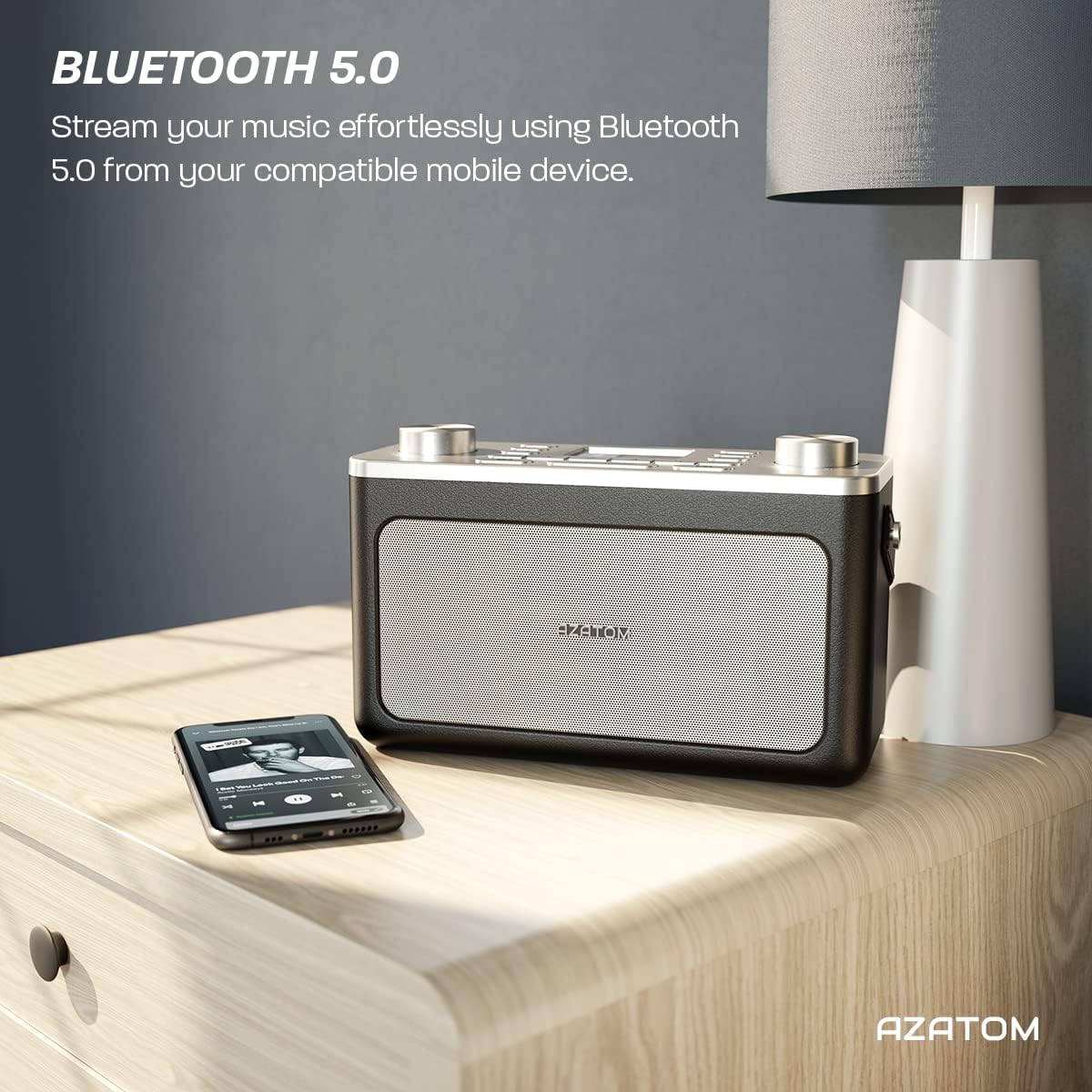
Image: The AZATOM Classic V1 radio on a kitchen counter, highlighting its ability to store and recall pre-set stations for quick access.
โหมดวิทยุ FM
- กดปุ่ม โหมด button until "FM Radio" appears on the display.
- สแกนอัตโนมัติ: กดปุ่มค้างไว้ ENTER/TUNE knob to automatically scan for the next available station.
- ปรับด้วยตนเอง: หมุน ENTER/TUNE ปุ่มหมุนสำหรับปรับความถี่ด้วยตนเอง
- การจัดเก็บค่าที่ตั้งไว้ล่วงหน้า: (Same as DAB/DAB+ but for FM stations, up to 20 presets).
- การเรียกคืนค่าที่ตั้งไว้ล่วงหน้า: (Same as DAB/DAB+).
โหมดบลูทู ธ
- กดปุ่ม โหมด กดปุ่มค้างไว้จนกระทั่งคำว่า "Bluetooth" ปรากฏบนหน้าจอ วิทยุจะเข้าสู่โหมดจับคู่ ซึ่งแสดงโดยไอคอน Bluetooth ที่กะพริบ
- On your mobile device, enable Bluetooth and search for "AZATOM Classic V1".
- Select "AZATOM Classic V1" to pair. Once connected, the Bluetooth icon will stop flashing.
- Play audio from your device. Use the radio's ข้าม buttons (<< / >>) to control tracks and the ปริมาณ ลูกบิดเพื่อปรับระดับเสียง

Image: The AZATOM Classic V1 radio on a bedside table next to a smartphone, demonstrating its Bluetooth 5.0 capability for wireless music streaming.
โหมดอินพุต AUX
- เชื่อมต่ออุปกรณ์เสียงภายนอก (เช่น เครื่องเล่น MP3) เข้ากับ AUX IN port on the back of the radio using a 3.5mm audio cable (not included).
- กดปุ่ม โหมด button until "AUX Input" appears on the display.
- Play audio from your external device. Adjust volume using the radio's ปริมาณ knob and the external device's volume control.
ภาพ: ด้านหลัง view of the AZATOM Classic V1 radio, highlighting the DCV input, AUX IN, USB CHARGE ports, and the two battery compartment covers.
นาฬิกาปลุก
- กดปุ่ม เมนู ปุ่ม.
- หมุน ENTER/TUNE knob to select "Alarm" and press ENTER/TUNE.
- Select "Alarm 1" or "Alarm 2".
- Configure alarm time, duration, source (Buzzer, DAB, FM), and frequency (Daily, Once, Weekdays, Weekends).
- Ensure the alarm is set to "On".
เมื่อสัญญาณเตือนภัยดังขึ้น ให้กด เลื่อน/หรี่ไฟ to snooze for 9 minutes, or press พลัง เพื่อปิดนาฬิกาปลุก
ตัวตั้งเวลาปิดเครื่อง
- กดปุ่ม นอน button repeatedly to cycle through sleep timer options (e.g., 15, 30, 45, 60, 90 minutes, Off).
- วิทยุจะปิดเองโดยอัตโนมัติหลังจากครบระยะเวลาที่เลือกไว้
การซ่อมบำรุง
การทำความสะอาด
เช็ดวิทยุด้วยผ้านุ่มและแห้ง ห้ามใช้น้ำยาทำความสะอาดที่มีฤทธิ์กัดกร่อนหรือตัวทำละลาย
การเปลี่ยนแบตเตอรี่
If using battery power, replace all four Type C batteries when the low battery indicator appears on the display or when performance degrades.
พื้นที่จัดเก็บ
If storing the radio for an extended period, remove the batteries to prevent leakage. Store in a cool, dry place.
การแก้ไขปัญหา
- ไม่มีไฟฟ้า:
- Check if the mains adapter is securely connected and the wall socket is active.
- หากใช้แบตเตอรี่ ตรวจสอบให้แน่ใจว่าใส่อย่างถูกต้องและไม่หมด
- กดปุ่มค้างไว้ พลัง กดปุ่มนี้สักสองสามวินาที
- Poor DAB/FM Reception:
- ยืดเสาอากาศยืดออกจนสุด
- Reposition the radio to a location with better signal strength, away from other electronic devices that may cause interference.
- Perform a full scan for stations.
- ปัญหาการจับคู่บลูทูธ:
- Ensure the radio is in Bluetooth mode and "AZATOM Classic V1" is visible on your device.
- Make sure no other device is currently connected to the radio.
- Try restarting both the radio and your Bluetooth device.
- ไม่มีเสียง:
- Check the volume level on both the radio and any connected external devices (in AUX/Bluetooth mode).
- Ensure headphones are not connected if you expect sound from the speaker.
- สัญญาณเตือนไม่ส่งเสียง:
- Verify that the alarm is set to "On" and the time is correct.
- ตรวจสอบการตั้งค่าระดับเสียงปลุก
- Ensure the radio is not completely powered off (it should be in standby mode for alarms to function).
ข้อมูลจำเพาะ
- แบบอย่าง: Classic V1
- ยี่ห้อ: อะซาโตม
- ความถี่วิทยุ: ตบเบา ๆ / ตบเบา ๆ +, FM
- เวอร์ชันบลูทูธ: 5.0
- ค่าที่ตั้งล่วงหน้า: 60 (40 DAB, 20 FM)
- กำลังไฟเข้า: Mains adapter (included), 4 x Type C batteries (not included)
- การเชื่อมต่อ: AUX In (3.5mm), Headphone Out (3.5mm), USB Charge Port
- แสดง: LCD สี
- ยูพีซี: 632793245407
- การใช้ที่แนะนำ: Music, News, Sports Broadcasts

ภาพ: ด้านบนเอียง view of the AZATOM Classic V1 radio, featuring its control panel and display, with a "3 Year Warranty" badge overlaid, indicating product reliability.
การรับประกันและการสนับสนุน
The AZATOM Classic V1 comes with a 3-year warranty from the date of purchase. Please retain your proof of purchase for warranty claims.
For technical support, warranty inquiries, or further assistance, please visit the official AZATOM website or contact their customer service department. Contact details can typically be found on the product packaging or the AZATOM webเว็บไซต์.


