การแนะนำ
Thank you for choosing the Gembird Powerbank 10,000 mAh. This portable power bank is designed to provide reliable and convenient charging for your mobile devices on the go. With its high capacity and dual USB outputs, you can charge multiple devices or recharge a single device multiple times. Please read this manual carefully before using the product to ensure safe and optimal performance.
ข้อมูลด้านความปลอดภัย
- Do not expose the power bank to extreme temperatures (above 45°C or below -10°C), direct sunlight, or fire.
- Do not immerse the power bank in water or expose it to rain or moisture.
- Do not disassemble, modify, or attempt to repair the power bank yourself. This will void the warranty and may cause damage or injury.
- เก็บพาวเวอร์แบงค์ให้ห่างจากเด็ก
- ใช้เฉพาะสายชาร์จและอะแดปเตอร์ที่ผ่านการรับรองเท่านั้น
- หลีกเลี่ยงการทำพาวเวอร์แบงค์ตกหรือกระแทกแรงๆ
- กำจัดพาวเวอร์แบงค์อย่างมีความรับผิดชอบตามระเบียบข้อบังคับท้องถิ่น ห้ามทิ้งรวมกับขยะทั่วไป
เนื้อหาแพ็คเกจ
กรุณาตรวจสอบแพ็คเกจสำหรับรายการต่อไปนี้:
- Gembird Powerbank 10,000 mAh
- คู่มือการใช้งาน (เอกสารนี้)
- Note: Charging cable may or may not be included depending on the specific retail package.

Image: The Gembird Powerbank 10,000 mAh shown in its retail packaging, highlighting its features and design.
สินค้าเกินview
Familiarize yourself with the components of your Gembird Powerbank.
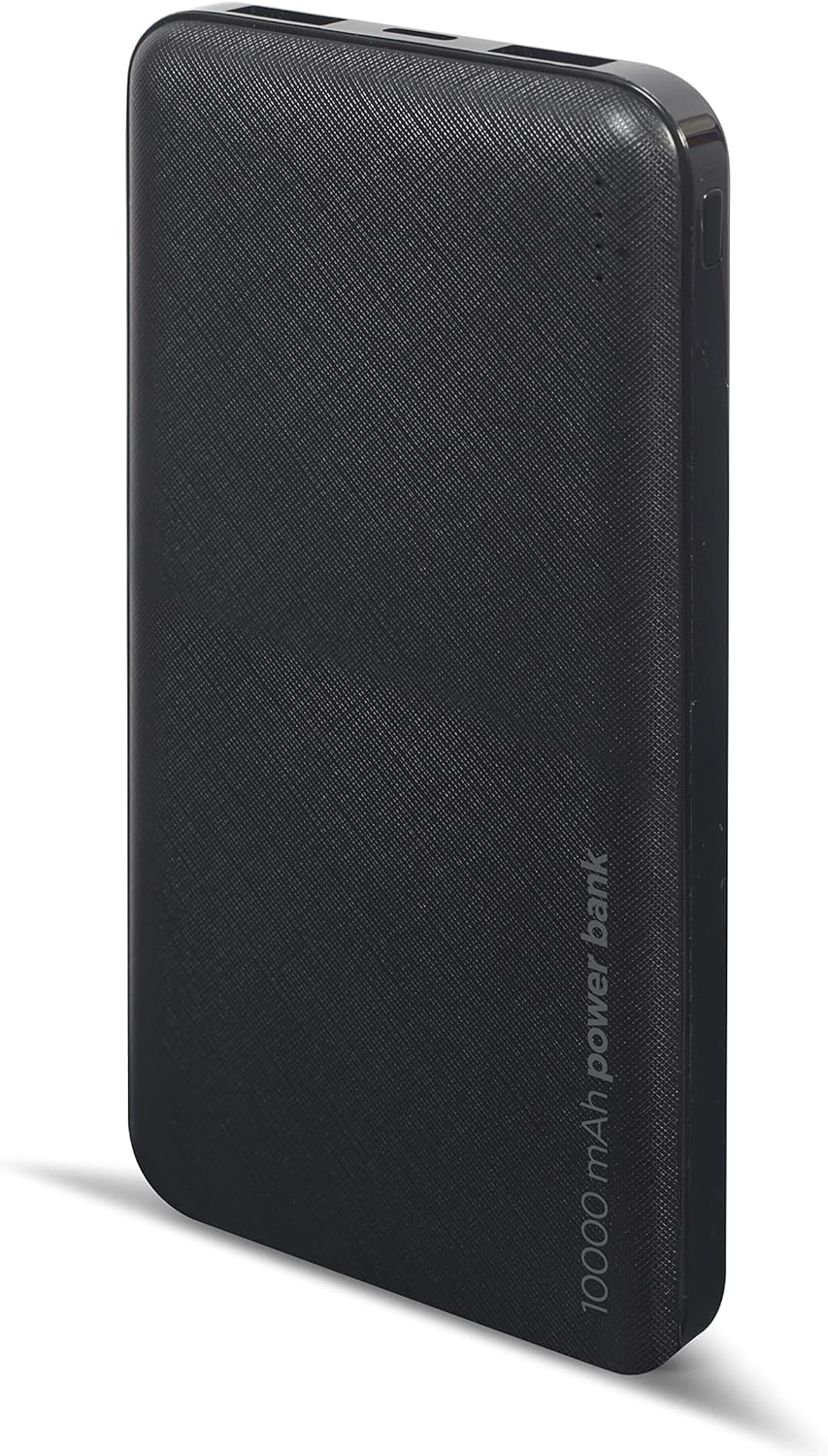
ภาพ: ด้านหน้า view of the Gembird Powerbank, showcasing its sleek black design and textured surface.

ภาพ: มุมเอียง view of the Gembird Powerbank, highlighting the two USB-A output ports on one end.

ภาพ: ด้านข้าง view of the Gembird Powerbank, showing the Micro USB and USB Type-C input ports for charging the power bank itself.
ส่วนประกอบหลัก:
- พอร์ตเอาท์พุต USB-A (x2): Used to charge external devices.
- พอร์ตอินพุต Micro USB: Used to charge the power bank.
- พอร์ตอินพุต USB Type-C: Used to charge the power bank.
- ไฟ LED แสดงสถานะ: Show the remaining battery level of the power bank.
- ปุ่มเปิด/ปิด: เปิดใช้งานพาวเวอร์แบงค์และตรวจสอบระดับแบตเตอรี่
การตั้งค่า
Before first use, it is recommended to fully charge your Gembird Powerbank.
- การชาร์จแบตสำรอง:
- Connect a compatible USB charging cable (Micro USB or USB Type-C) to one of the input ports on the power bank.
- Connect the other end of the cable to a USB wall adapter (not included), computer USB port, or other compatible USB power source.
- ไฟ LED จะสว่างขึ้นเพื่อแสดงความคืบหน้าในการชาร์จ ไฟ LED ทุกดวงจะสว่างคงที่เมื่อชาร์จเต็ม
- การตรวจสอบระดับแบตเตอรี่:
- กดปุ่มเปิด/ปิดหนึ่งครั้ง ไฟ LED จะสว่างขึ้นเพื่อแสดงระดับแบตเตอรี่ปัจจุบัน
การดำเนินงาน
การชาร์จอุปกรณ์ของคุณ:
- ตรวจสอบให้แน่ใจว่าพาวเวอร์แบงค์มีการชาร์จเพียงพอ
- เสียบสายชาร์จของอุปกรณ์ของคุณเข้ากับพอร์ต USB-A พอร์ตใดพอร์ตหนึ่งบนพาวเวอร์แบงค์
- เชื่อมต่อปลายสายอีกด้านเข้ากับอุปกรณ์ของคุณ
- พาวเวอร์แบงค์ควรเริ่มชาร์จอุปกรณ์ของคุณโดยอัตโนมัติ หากไม่เป็นเช่นนั้น ให้กดปุ่มเปิด/ปิดหนึ่งครั้งเพื่อเริ่มการชาร์จ
- The LED indicators on the power bank will show its remaining battery level during charging.
- ถอดปลั๊กอุปกรณ์เมื่อชาร์จเต็มแล้ว หรือเมื่อคุณไม่จำเป็นต้องชาร์จอีกต่อไป
Note: The power bank can charge two devices simultaneously using both USB-A output ports.
การซ่อมบำรุง
- การทำความสะอาด: Use a soft, dry cloth to wipe the surface of the power bank. Do not use harsh chemicals or abrasive cleaners.
- พื้นที่จัดเก็บ: Store the power bank in a cool, dry place away from direct sunlight and extreme temperatures. If storing for a long period, charge the power bank to about 50-70% capacity every 3-6 months to maintain battery health.
- หลีกเลี่ยงการปล่อยประจุมากเกินไป: Do not allow the power bank to completely drain its battery frequently, as this can reduce its lifespan.
การแก้ไขปัญหา
| ปัญหา | สาเหตุที่เป็นไปได้ | สารละลาย |
|---|---|---|
| พาวเวอร์แบงค์ไม่ชาร์จ | Cable is faulty or not properly connected. Power source is insufficient. | Try a different charging cable. Ensure the cable is securely connected. Use a reliable USB wall adapter. |
| อุปกรณ์ไม่ชาร์จจากพาวเวอร์แบงค์ | Power bank battery is low. Device cable is faulty. Power bank is not activated. | Recharge the power bank. Try a different device charging cable. Press the power button on the power bank. |
| ชาร์จช้า | Cable is not suitable. Device requires higher input. | Use a high-quality charging cable. Ensure your device is compatible with the power bank's output. |
| ไฟ LED ไม่ทำงาน | Power bank is completely discharged. Faulty unit. | Charge the power bank for an extended period. If problem persists, contact customer support. |
ข้อมูลจำเพาะ
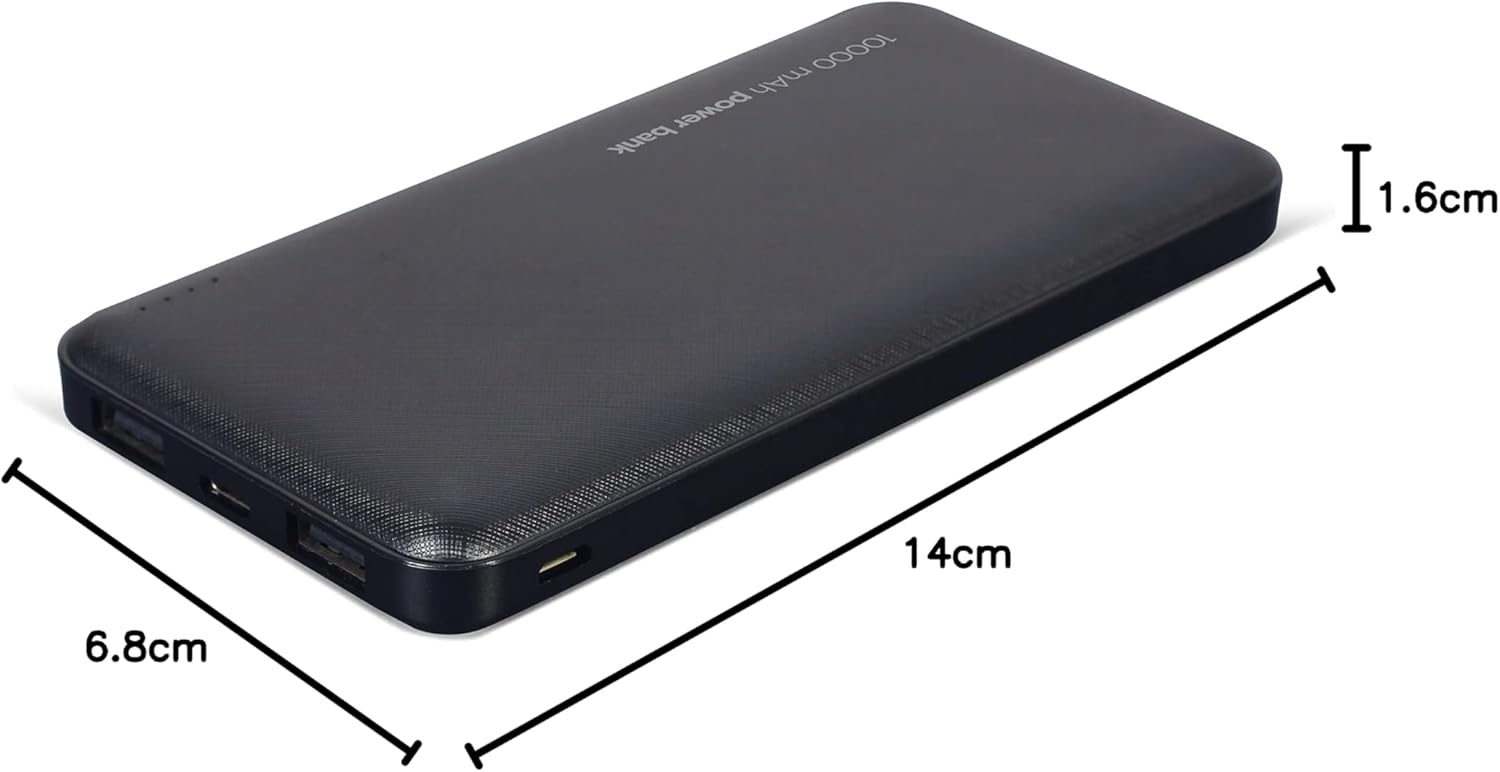
Image: The Gembird Powerbank with its approximate dimensions: 14cm length, 6.8cm width, and 1.6cm thickness.
| แบบอย่าง | PB10-02 |
| ประเภทแบตเตอรี่ | ลิเธียมโพลิเมอร์ |
| ความจุ | 10,000 มิลลิแอมป์ |
| อินพุต (ไมโคร USB) | 5V DC, 2A (Max) |
| อินพุต (USB Type-C) | 5V DC, 2A (Max) |
| Output (USB-A x2) | 5V DC, 2.1A (Max total) |
| ขนาด | ขนาดประมาณ 14 ซม. x 6.8 ซม. x 1.6 ซม. |
| น้ำหนัก | ประมาณ 200 กรัม |
| สี | สีดำ |
การรับประกันและการสนับสนุน
Gembird products are manufactured to the highest quality standards. For information regarding warranty terms and conditions, please refer to the warranty card included with your product or visit the official Gembird website. If you encounter any issues or have questions not covered in this manual, please contact Gembird customer support through their official channels.
สำหรับข้อมูลการสนับสนุนล่าสุด โปรดเยี่ยมชม: www.gembird.com


