1. บทนำ
This manual provides essential information for the safe and efficient operation of your BYGD 3000W Power Inverter. Please read these instructions thoroughly before installation and use, and retain them for future reference. This device converts 12V DC power from a battery into 110V/120V AC household power, suitable for various electronic devices and appliances.

Image 1.1: The BYGD 3000W Power Inverter, showcasing its compact design and included battery connection cables.
2. คุณสมบัติและส่วนประกอบของผลิตภัณฑ์
คุณสมบัติหลัก:
- กำลังขับสูง: Provides 3000W continuous DC to AC power and up to 6000W peak power.
- มีหลายสาขา: Equipped with 4 standard North American AC outlets.
- การชาร์จ USB และ Type-C: Includes 5V/3.1A USB ports and 9V/1.67A Type-C ports for charging mobile devices.
- การป้องกันความปลอดภัยขั้นสูง: Features protection against over voltage, ปริมาณต่ำtage, overload, short circuit, over heat, and over charge.
- การระบายความร้อนที่มีประสิทธิภาพ: Built-in smart silent cooling fans minimize noise and extend product life.
- การออกแบบที่กะทัดรัด: Easy to carry and store for various applications.
ส่วนประกอบของผลิตภัณฑ์:

Image 2.1: Detailed diagram illustrating the various ports, indicators, and controls on the BYGD 3000W Power Inverter.
- เต้ารับไฟฟ้ากระแสสลับ: 4 standard North American AC outlets.
- พอร์ต USB-A และ USB-C: สำหรับชาร์จอุปกรณ์ที่รองรับ
- ปุ่มสวิตช์เปิดปิด: To turn the inverter on or off.
- Battery Mode Switch: Selects between different battery modes (if applicable).
- ไฟแสดงสถานะพลังงาน (สีเขียว): Illuminates when the inverter is operating correctly.
- Lithium Battery Working Mode (Blue Light): Indicates operation in lithium battery mode.
- ไฟแสดงสถานะความผิดปกติ (ไฟสีแดง): Illuminates to indicate an error or protection mode.
- ตัวป้องกันการโอเวอร์โหลด: Resettable circuit breaker for overload protection.
- Cable Connection Port: Terminals for connecting to the 12V DC power source.
- พัดลมระบายความร้อน: พัดลมระบายความร้อนในตัว
- Ground Connection End: เพื่อความปลอดภัยในการต่อสายดิน
- ขั้วบวก: ขั้วสีแดงสำหรับต่อกับขั้วบวกของแบตเตอรี่
- ขั้วลบ: ขั้วสีดำสำหรับต่อกับขั้วลบของแบตเตอรี่
3. ข้อมูลด้านความปลอดภัย
คำเตือน: การไม่ปฏิบัติตามคำแนะนำด้านความปลอดภัยเหล่านี้ อาจส่งผลให้เกิดการบาดเจ็บ ความเสียหายต่ออินเวอร์เตอร์ หรือความเสียหายต่ออุปกรณ์ที่เชื่อมต่ออยู่
- ห้ามเปิดอินเวอร์เตอร์ casinก. ไม่มีชิ้นส่วนใดที่ผู้ใช้สามารถซ่อมบำรุงเองได้ภายใน
- ตรวจสอบให้แน่ใจว่ามีการระบายอากาศที่เหมาะสมรอบอินเวอร์เตอร์ อย่าปิดกั้นช่องระบายความร้อน
- Keep the inverter away from water, moisture, flammable materials, and corrosive substances.
- เชื่อมต่ออินเวอร์เตอร์เข้ากับแหล่งจ่ายไฟ DC 12V เท่านั้น ห้ามเชื่อมต่อกับระบบ 24V หรือ 48V
- Always connect the inverter to the battery before connecting any AC appliances.
- ตรวจสอบให้แน่ใจว่าวัตต์รวมtage of connected AC appliances does not exceed the inverter's continuous power rating (3000W).
- Use appropriate gauge cables for battery connection to prevent overheating.
- Properly ground the inverter according to local electrical codes.
- Disconnect the inverter from the battery when not in use to prevent battery drain.
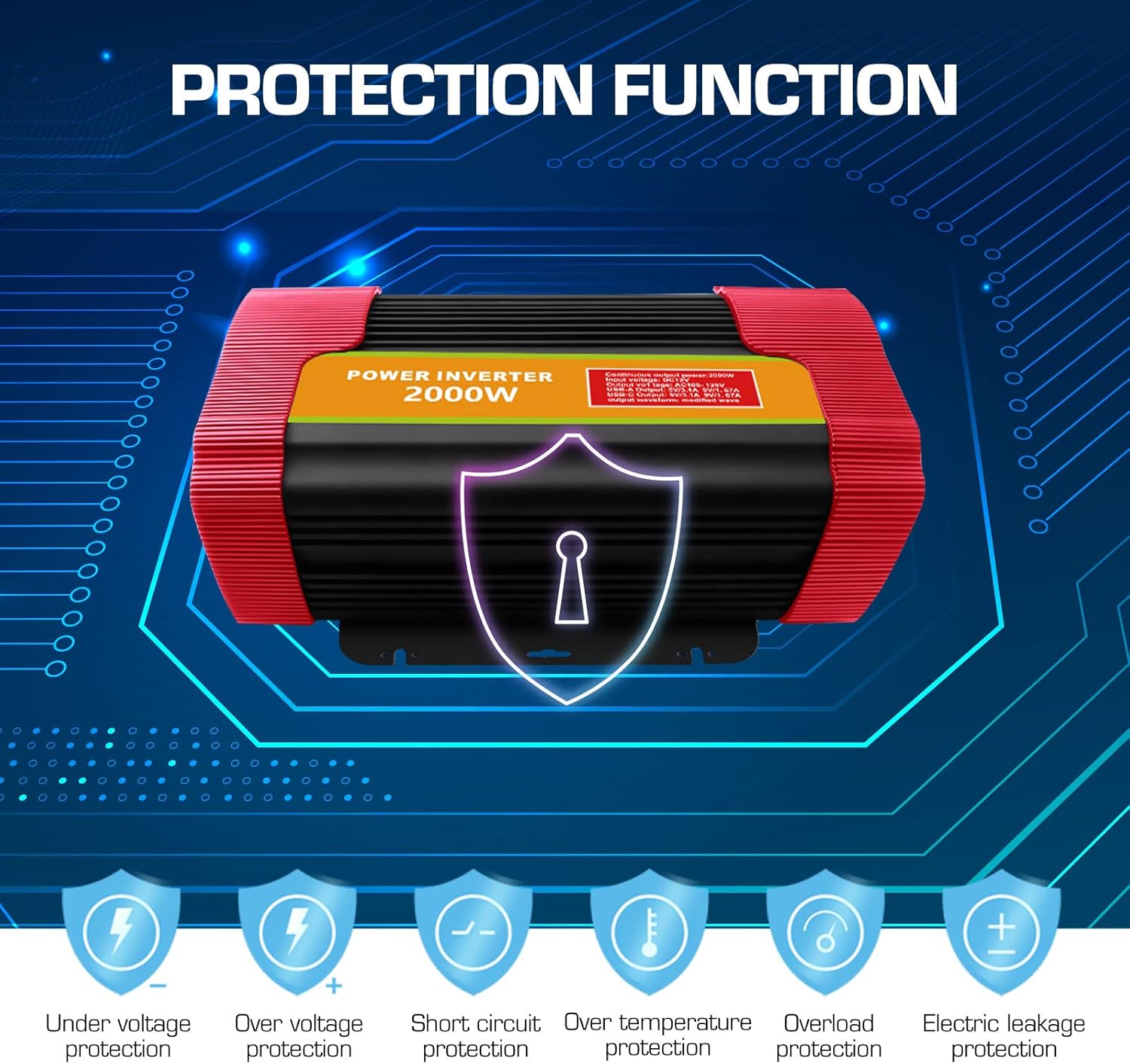
Image 3.1: Visual representation of the comprehensive protection functions integrated into the BYGD Power Inverter.
4. การตั้งค่า
4.1 อะไรอยู่ในกล่อง:
- BYGD 3000 Watt Power Inverter
- สายต่อแบตเตอรี่ (สีแดงสำหรับขั้วบวก สีดำสำหรับขั้วลบ)
- คู่มือการใช้งาน (เอกสารนี้)
4.2 Connecting the Inverter to a 12V Battery:
- ตรวจสอบให้แน่ใจว่าสวิตช์เปิดปิดของอินเวอร์เตอร์อยู่ในตำแหน่ง 'ปิด'
- เชื่อมต่อ สีแดง สายแบตเตอรี่ไปยัง บวก (+) ขั้วต่อของอินเวอร์เตอร์
- เชื่อมต่อ สีดำ สายแบตเตอรี่ไปยัง ลบ (-) ขั้วต่อของอินเวอร์เตอร์
- เชื่อมต่อปลายอีกด้านหนึ่งของ สีแดง สายเคเบิลไปที่ บวก (+) ขั้วของแบตเตอรี่ 12V ของคุณ
- เชื่อมต่อปลายอีกด้านหนึ่งของ สีดำ สายเคเบิลไปที่ ลบ (-) ขั้วของแบตเตอรี่ 12V ของคุณ
- ตรวจสอบให้แน่ใจว่าการเชื่อมต่อทั้งหมดแน่นหนาและปลอดภัย เพื่อป้องกันการเกิดประกายไฟหรือประสิทธิภาพการทำงานที่ลดลง
- Connect the ground wire from the inverter's ground connection end to a suitable chassis ground point (e.g., vehicle chassis or earth ground).

Image 4.1: Illustration of the inverter's dimensions and the components typically included in the package, such as battery clamps and the user manual.
5. คู่มือการใช้งาน
5.1 การเปิด/ปิดเครื่อง:
- After securing all battery connections, press the power switch button on the inverter to turn it 'ON'.
- The green power indicator light should illuminate, indicating the inverter is operational.
- To turn off the inverter, press the power switch button again. The green indicator light will turn off.
5.2 Connecting AC Devices:
- Ensure the AC appliance you wish to power is within the inverter's continuous wattagคะแนนอี (3000W)
- Plug the AC appliance into one of the 4 AC outlets on the inverter.
- Turn on the AC appliance.
- If the inverter's fault indicator (red light) illuminates or an audible alarm sounds, immediately disconnect the appliance and refer to the Troubleshooting section.
5.3 Using USB and Type-C Ports:
- Connect your USB or Type-C compatible device to the respective port on the inverter.
- The inverter will automatically provide power for charging.

ภาพที่ 5.1: อดีตamples of common household and portable electrical appliances that can be powered by the BYGD Power Inverter.
6. การบำรุงรักษา
- การทำความสะอาด: Periodically clean the exterior of the inverter with a dry, soft cloth. Do not use liquids or abrasive cleaners. Ensure cooling vents are free from dust and debris.
- การเชื่อมต่อ: Regularly check battery cable connections for tightness and corrosion. Clean any corrosion with a wire brush and baking soda solution.
- พื้นที่จัดเก็บ: When not in use for extended periods, store the inverter in a cool, dry place, away from direct sunlight and extreme temperatures. Disconnect it from the battery.
- การบำรุงรักษาแบตเตอรี่: Ensure your 12V battery is properly maintained and charged to prolong its lifespan and the inverter's performance.
7 การแก้ไขปัญหา
If you encounter issues with your BYGD Power Inverter, refer to the table below for common problems and their solutions.
| ปัญหา | สาเหตุที่เป็นไปได้ | สารละลาย |
|---|---|---|
| เครื่องแปลงไฟไม่ทำงาน | การเชื่อมต่อแบตเตอรี่หลวม, ปริมาณแบตเตอรี่ต่ำtage, faulty power switch. | ตรวจสอบการเชื่อมต่อสายแบตเตอรี่ ตรวจสอบให้แน่ใจว่าระดับแบตเตอรี่อยู่ในระดับที่เหมาะสมtage is above 11V. Try pressing the power switch firmly. |
| Red fault indicator light is on. | Overload, over-temperature, low/high input voltage. ไฟฟ้าลัดวงจร. | Reduce load. Allow inverter to cool. Check battery voltage. Disconnect all loads and restart. |
| ไม่มีเอาต์พุต AC | Inverter off, low battery, appliance fault, overload protector tripped. | Turn inverter on. Charge battery. Test appliance directly. Reset overload protector if tripped. |
| Cooling fan is constantly running or very loud. | อุณหภูมิภายในสูง รับน้ำหนักมาก | Ensure adequate ventilation. Reduce load. This is normal operation under heavy load. |
| พอร์ต USB/Type-C ไม่ชาร์จไฟ | Inverter off, device not compatible, cable fault. | Ensure inverter is on. Try a different device or cable. |
8. ข้อมูลจำเพาะ
| คุณสมบัติ | ข้อมูลจำเพาะ |
|---|---|
| หมายเลขรุ่น | P3000U-Red |
| พลังงานต่อเนื่อง | 3000 วัตต์ |
| พลังสูงสุด | 6000 วัตต์ |
| อินพุต Voltage | กระแสตรง 12 โวลต์ |
| ปริมาณการส่งออกtage | กระแสไฟสลับ 110V/120V |
| AC Outlets AC | 4 Standard North American |
| เอาท์พุต USB | 5V/3.1A |
| เอาท์พุต Type-C | 9V/1.67A |
| ขนาดสินค้า | 15.1 x 9.4 x 5.1 นิ้ว |
| น้ำหนักสินค้า | 8.52 ปอนด์ |
| ผู้ผลิต | บีวายจีดี |
9. การรับประกันและการสนับสนุน
9.1 ข้อมูลการรับประกัน:
BYGD products are designed and manufactured to high-quality standards. For specific warranty details, including coverage period and terms, please refer to the warranty card included with your product or contact BYGD customer support. Keep your purchase receipt as proof of purchase for warranty claims.
9.2 การสนับสนุนลูกค้า:
If you have any questions, require technical assistance, or need to report an issue with your BYGD 3000W Power Inverter, please contact BYGD customer support. Contact information can typically be found on the BYGD official webไซต์หรือบนบรรจุภัณฑ์ผลิตภัณฑ์


