1. บทนำ
Thank you for choosing the Soundcore by Anker Space Q45 Adaptive Active Noise Cancelling Headphones. These headphones are designed to provide an immersive audio experience with advanced noise cancellation, high-resolution sound, and extended battery life. This manual will guide you through the setup, operation, and maintenance of your new headphones.
2. อะไรอยู่ในกล่อง
- Soundcore Space Q45 Noise Cancelling Headphones
- สาย USB-C
- สาย AUX 3.5 มม
- กระเป๋าเดินทาง

3. สินค้าหมดview
The Soundcore Space Q45 headphones feature a foldable design for portability and intuitive controls for ease of use. Key components include:
- ปุ่มเปิด/ปิด: Located on the right earcup, used for turning the headphones on/off.
- ปุ่ม NC: Located on the left earcup, cycles through Noise Cancellation, Normal, and Transparency modes.
- ปุ่มปรับระดับเสียงขึ้น / ลง: ปรับระดับเสียง
- ปุ่มเล่น/หยุดชั่วคราว: ควบคุมการเล่นสื่อและการจัดการการโทร
- พอร์ตชาร์จ USB-C: สำหรับการชาร์จหูฟัง
- พอร์ต AUX 3.5 มม.: สำหรับการเชื่อมต่อเสียงแบบมีสาย

Video demonstrating the operation and functions of the Soundcore Space Q45 headphones, including button usage and features.
4. การตั้งค่า
4.1. การเปิด/ปิดเครื่อง
- การเปิดเครื่อง: กดปุ่มเปิด/ปิดค้างไว้ 3 วินาที ไฟ LED จะสว่างขึ้น
- วิธีปิดเครื่อง: กดปุ่มเปิด/ปิดค้างไว้ 3 วินาที ไฟ LED จะดับลง
4.2. การจับคู่บลูทู ธ
- With the headphones powered off, press and hold the Power button for 5 seconds until the LED indicator flashes blue. This indicates pairing mode.
- On your device (smartphone, tablet, laptop), enable Bluetooth and search for "Soundcore Space Q45".
- Select the headphones from the list to connect. Once connected, the LED indicator will turn solid blue.
- The headphones support multipoint connection, allowing simultaneous connection to two devices. To connect a second device, repeat the pairing process.

4.3. การติดตั้งแอป Soundcore
Download the Soundcore app from your device's app store to unlock full features, customize settings, and update firmware.
- ค้นหา ดาวน์โหลดแอป "Soundcore" ใน App Store (iOS) หรือ Google Play Store (Android)
- Install the app and follow the on-screen instructions to connect your Space Q45 headphones.
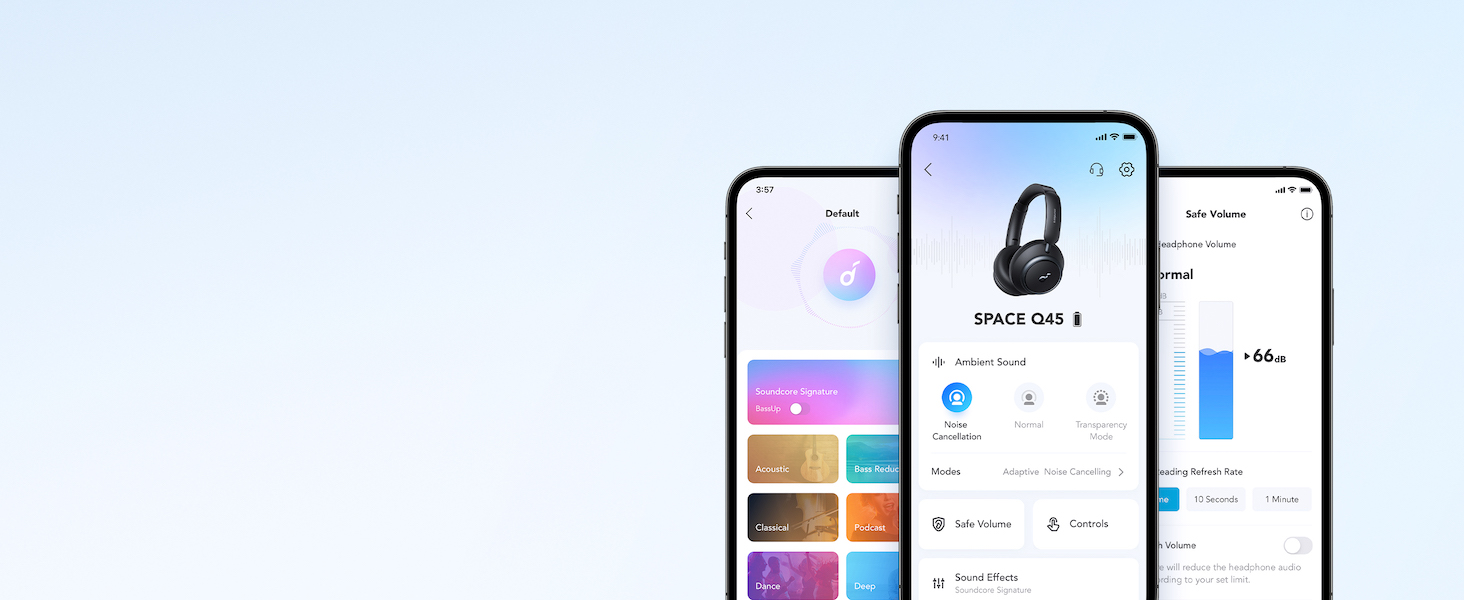
วิดีโอแสดงasing the features and listening controls available through the Soundcore app for the Space Q45 headphones.
5. คู่มือการใช้งาน
5.1. การควบคุมพื้นฐาน
- เพิ่ม/ลดระดับเสียง: กดปุ่ม '+' หรือ '-'
- เล่น/หยุดชั่วคราว: กดปุ่มเล่น/หยุดชั่วคราวหนึ่งครั้ง
- เพลงถัดไป: กดปุ่ม '+' ค้างไว้ 2 วินาที
- แทร็กก่อนหน้า: กดปุ่ม '-' ค้างไว้ 2 วินาที
5.2. การจัดการการโทร
- รับ/วางสาย: กดปุ่มเล่น/หยุดชั่วคราวหนึ่งครั้ง
- ปฏิเสธสาย: กดปุ่ม Play/Pause ค้างไว้ 2 วินาที
5.3. Switching Noise Cancellation Modes
Press the NC button on the left earcup to cycle through the following modes:
- ตัดเสียงรบกวน: ช่วยลดเสียงรบกวนจากภายนอก
- ปกติ: การเล่นเสียงมาตรฐานโดยไม่มีระบบตัดเสียงรบกวนหรือความโปร่งใส
- ความโปร่งใส: ช่วยให้คุณสามารถได้ยินเสียงรอบข้างขณะฟังเสียง
6. Adaptive Noise Cancellation
The Space Q45 headphones feature an advanced noise-cancelling system that reduces up to 98% of ambient noise. The adaptive noise cancellation automatically selects a suitable level based on your environment, whether you are indoors, outdoors, commuting, or on a flight. You can also manually select from 5 noise-cancelling levels via the Soundcore app.


7. คุณภาพเสียง
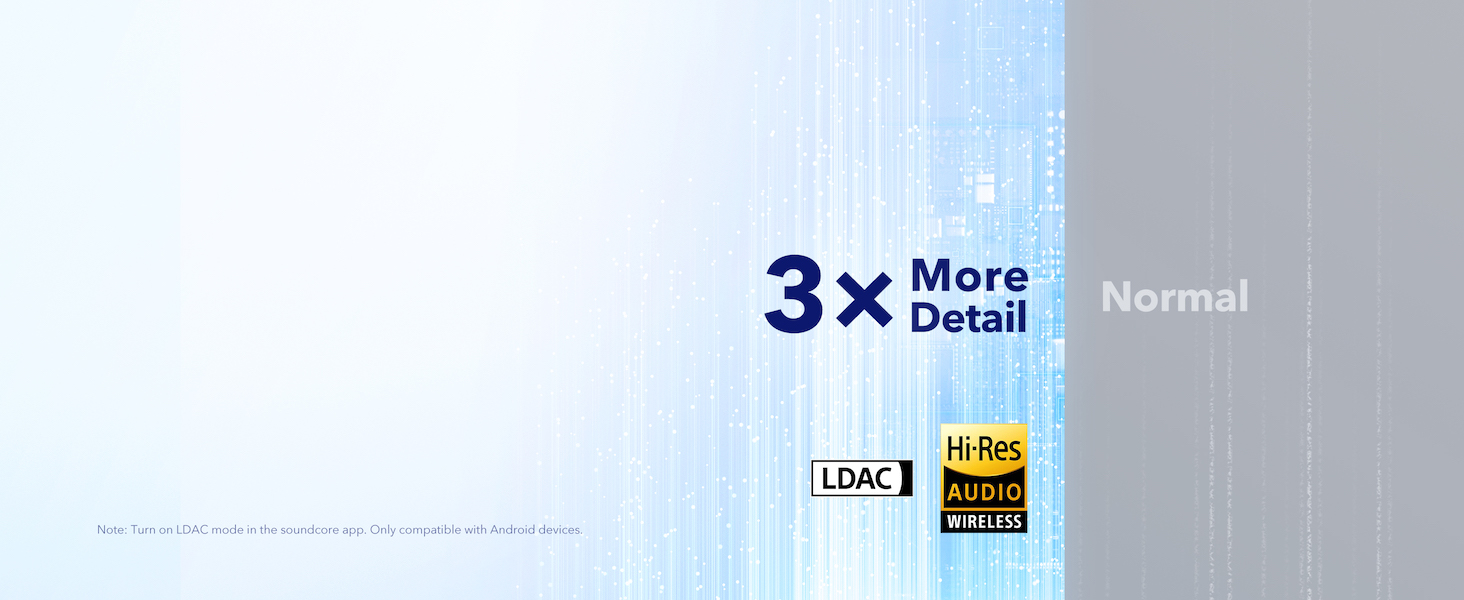
The Space Q45 headphones are equipped with 40mm double-layer diaphragm drivers, crafted from silk and ceramic materials. This innovative design produces sound with intense bass and crisp treble, ensuring every detail of your audio is heard. The headphones also support LDAC for Hi-Res Audio Wireless sound, delivering 3 times more detail than standard Bluetooth codecs.

8. อายุการใช้งานแบตเตอรี่และการชาร์จ
The Space Q45 headphones offer impressive battery performance:
- Up to 50 hours of playtime with Noise Cancellation mode activated.
- Up to 65 hours of playtime in Normal mode.
- ชาร์จเร็ว: การชาร์จ 5 นาที สามารถเล่นได้ประมาณ 4 ชั่วโมง
- เวลาชาร์จเต็ม: ประมาณ 2 ชั่วโมง.

9. การบำรุงรักษา
9.1. การทำความสะอาด
- Use a soft, dry cloth to clean the earcups and headband.
- หลีกเลี่ยงการใช้สารเคมีรุนแรงหรือวัสดุที่มีฤทธิ์กัดกร่อน
- อย่าจุ่มหูฟังลงในน้ำ
9.2. การจัดเก็บ
- เมื่อไม่ใช้งาน ควรเก็บหูฟังไว้ในกล่องใส่สำหรับเดินทางเพื่อป้องกันความเสียหาย
- หลีกเลี่ยงการเก็บในที่ที่มีอุณหภูมิที่สูงหรือที่มีความชื้นสูง
10 การแก้ไขปัญหา
If you encounter any issues with your Soundcore Space Q45 headphones, please refer to the following common solutions:
- ไม่มีไฟฟ้า: ตรวจสอบให้แน่ใจว่าหูฟังชาร์จเต็มแล้ว เสียบหูฟังเข้ากับแหล่งจ่ายไฟโดยใช้สาย USB-C
- ไม่มีเสียง: Check the volume levels on both the headphones and your connected device. Ensure the headphones are properly paired via Bluetooth or the 3.5mm AUX cable is securely connected.
- ปัญหาการจับคู่: Turn off Bluetooth on all other devices, then try re-pairing the headphones with your desired device. If issues persist, reset the headphones (refer to the Soundcore app or online support for specific reset instructions).
- ระบบตัดเสียงรบกวนไม่ทำงาน: Ensure the Noise Cancellation mode is activated. Adjust the noise cancellation levels via the Soundcore app.
For further assistance, consult the Soundcore app or visit the official Soundcore support webเว็บไซต์.
11. ข้อมูลจำเพาะ
| ชื่อรุ่น | เอ3040 |
| การควบคุมเสียงรบกวน | การตัดเสียงรบกวนแบบแอคทีฟแบบอะแดปทีฟ |
| เทคโนโลยีการเชื่อมต่อ | ไร้สาย (บลูทูธ 5.3) |
| ช่วงบลูทูธ | 10 เมตร |
| ขนาดไดร์เวอร์เสียง | 40 มิลลิเมตร |
| อายุการใช้งานแบตเตอรี่ (เปิด ANC) | 50 ชั่วโมง |
| อายุการใช้งานแบตเตอรี่ (โหมดปกติ) | 65 ชั่วโมง |
| เวลาในการชาร์จ | 2 ชั่วโมง |
| น้ำหนักสินค้า | 295 กรัม (10.4 ออนซ์) |
| ขนาดสินค้า | 6.34 x 3.46 x 7.44 นิ้ว |
| แจ็คหูฟัง | แจ็ค 3.5 มม. |
| วิธีการควบคุม | แอป, ปุ่มควบคุมสื่อ |
12. การรับประกันและการสนับสนุน
Soundcore products are backed by a limited warranty. For detailed warranty information, frequently asked questions, and customer support, please visit the official Soundcore website or contact their customer service team. You can also find support resources within the Soundcore app.
Webเว็บไซต์: www.soundcore.com
อีเมล: service@soundcore.com


