การแนะนำ
This manual provides detailed instructions for setting up, operating, maintaining, and troubleshooting your 8Bitdo Ultimate Bluetooth Controller with Charging Dock. Please read this manual thoroughly before using the product to ensure optimal performance and longevity.
สินค้าเกินview
The 8Bitdo Ultimate Bluetooth Controller is designed for versatile gaming across multiple platforms, including Nintendo Switch and Windows. It features advanced technology like Hall Effect Sensing Joysticks for precision and durability, and comes with a convenient charging dock.


คำแนะนำการตั้งค่า
1. การชาร์จคอนโทรลเลอร์
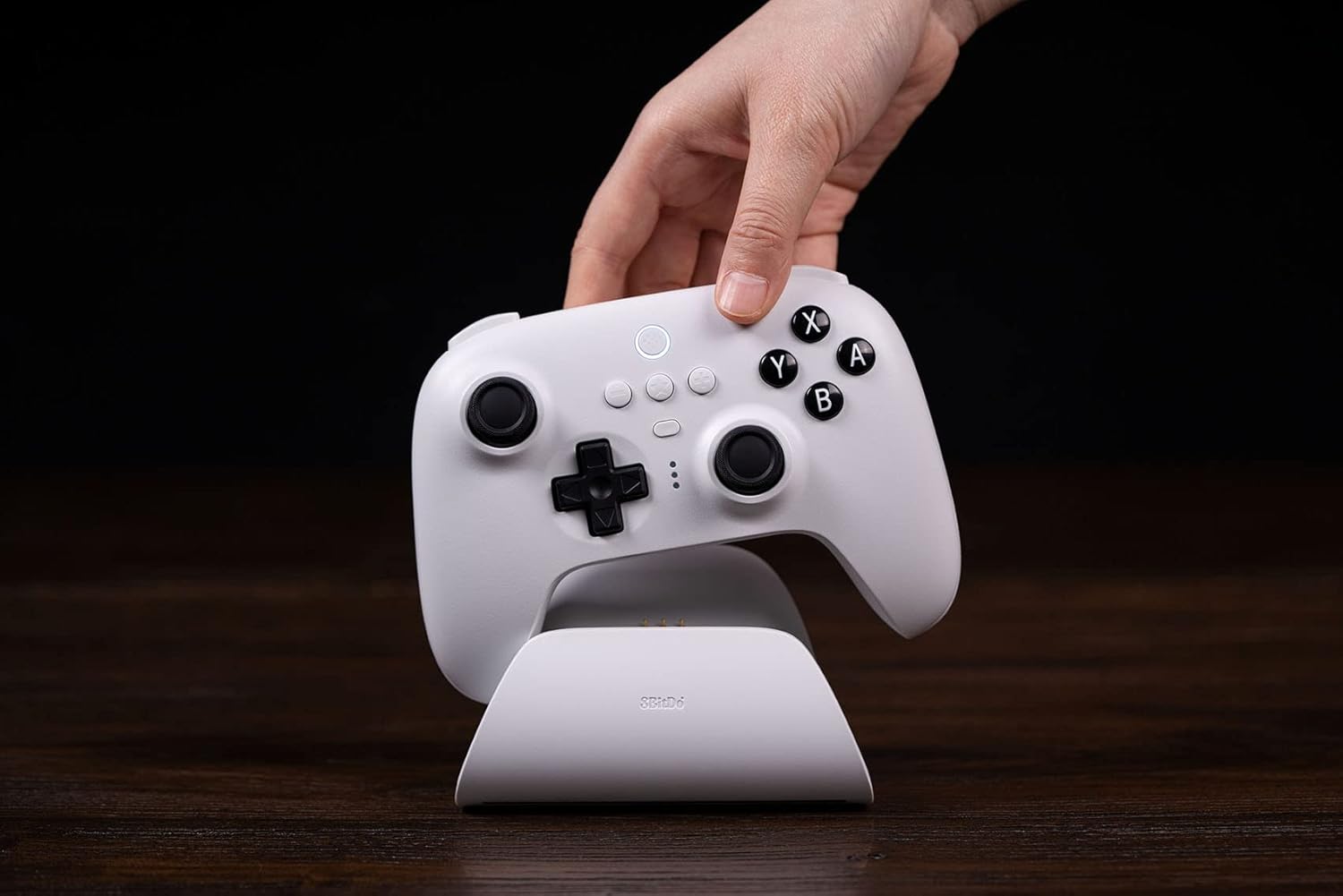
Place the controller onto the charging dock. The controller will automatically switch ON/OFF while it is undocked/docked. The charging dock provides a stable and convenient charging solution. The controller also supports USB-C charging directly.
2. การเชื่อมต่อกับ Nintendo Switch
- บลูทูธ: Ensure your Switch is updated to version 3.0.0 or above. On your Switch, go to System Settings > Controllers and Sensors > Change Grip/Order. Hold the Pair button on the top of the controller until the indicator lights flash rapidly. The controller should appear on the Switch screen for pairing.
- 2.4G Adapter: Remove the 2.4G USB Adapter from the charging dock (located under the bottom cover). Plug the adapter into a free USB port on your Nintendo Switch dock. The controller will automatically connect to the adapter.
- สาย USB: Connect the controller directly to the Nintendo Switch dock using a USB-C cable.
3. การเชื่อมต่อกับ Windows
- 2.4G Adapter: Remove the 2.4G USB Adapter from the charging dock. Plug the adapter into a free USB port on your Windows PC. The controller will automatically connect.
- สาย USB: Connect the controller directly to your Windows PC using a USB-C cable.

คำแนะนำการใช้งาน
คุณสมบัติหลักและการควบคุม
- Hall Effect Sensing Joystick: Experience precise and drift-free control with the new patented electromagnetic sticks.
- Pro Back Paddle Buttons: Two customizable back paddle buttons provide additional input options for advanced gameplay.
- โปรที่กำหนดเองfile ปุ่มสวิตช์: Easily switch between up to 3 custom profiles on the fly, allowing for personalized button mappings and settings.
- Player Indicators & 2-way Mode Switching Button: Clearly see which player number you are and effortlessly switch between different connection modes.
- ระบบควบคุมการสั่นและการเคลื่อนไหว: Enjoy immersive feedback and intuitive motion-based gameplay where supported.

ซอฟต์แวร์ขั้นสูง
Customize your controller experience with the 8Bitdo Ultimate Software, available on Windows, Android, and iOS. This software allows you to:
- Map buttons to your preference.
- ปรับความไวของแท่งและทริกเกอร์
- สร้างและบันทึกโปรแกรมที่กำหนดเองfileสำหรับเกมต่างๆ
- ตั้งค่ามาโครสำหรับคำสั่งที่ซับซ้อน
การซ่อมบำรุง
To ensure the longevity and optimal performance of your 8Bitdo Ultimate Bluetooth Controller, follow these maintenance guidelines:
- Keep the controller and charging dock clean by wiping them with a soft, dry cloth.
- หลีกเลี่ยงการให้อุปกรณ์สัมผัสกับอุณหภูมิ ความชื้น หรือแสงแดดโดยตรง
- ควรเก็บตัวควบคุมไว้ในที่ปลอดภัยเมื่อไม่ได้ใช้งาน เพื่อป้องกันความเสียหายทางกายภาพ
- Do not attempt to disassemble or modify the controller or charging dock, as this will void the warranty.
การแก้ไขปัญหา
| ปัญหา | สาเหตุที่เป็นไปได้ | สารละลาย |
|---|---|---|
| ตัวควบคุมไม่ได้เชื่อมต่อ | Low battery, incorrect mode, interference | Ensure controller is charged. Check the 2-way mode switch. Move closer to the console/PC. Re-pair the controller. |
| จอยสติ๊กเลื่อนเอง | Software calibration issue, physical wear | Update controller firmware using Ultimate Software. Calibrate joysticks via Ultimate Software. (Note: Hall Effect joysticks are designed to minimize drift.) |
| ปุ่มไม่ตอบสนอง | แบตเตอรี่ต่ำ ซอฟต์แวร์มีปัญหา | Charge the controller. Reset the controller (refer to 8Bitdo support for specific reset procedures). |
| ปัญหาการชาร์จ | Improper placement on dock, faulty cable/port | Ensure controller is correctly seated on the dock. Try a different USB-C cable or charging port. |
ข้อมูลจำเพาะ
- หมายเลขรุ่น: 80NA
- ASIN: B0BGWTTC3L
- การเชื่อมต่อ: Bluetooth 5.0, 2.4G wireless (via adapter), USB-C wired
- แบตเตอรี่: 1 Lithium Metal battery (included), 22 hours rechargeable battery life
- ขนาด : ขนาดโดยประมาณ 6.42 x 5.43 x 3.27 นิ้ว (ขนาดบรรจุภัณฑ์)
- น้ำหนัก: Approximately 1.43 Pounds (Item Weight)
- ความเข้ากันได้: Nintendo Switch (3.0.0 and above), Windows (10 and above)
- คุณสมบัติพิเศษ: Hall Effect Sensing Joystick, 2 Pro back paddle buttons, Custom Profile Switch Button, Player indicators, 2-way Mode Switching button, Rumble vibration, Motion controls, Multifunctional Charging Dock.
- มีจำหน่ายครั้งแรก: วันที่ 23 กันยายน 2022
การรับประกันและการสนับสนุน
สำหรับข้อมูลการรับประกัน การสนับสนุนทางเทคนิค และการอัปเดตเฟิร์มแวร์ล่าสุด โปรดเยี่ยมชมเว็บไซต์อย่างเป็นทางการของ 8Bitdo webไซต์ เก็บหลักฐานการซื้อของคุณไว้เพื่อใช้ในกรณีเรียกร้องการรับประกัน
8Bitdo อย่างเป็นทางการ Webเว็บไซต์: www.8bitdo.com