1. บทนำ
ขอบคุณสำหรับการซื้อasing the Godox SK300IIV Monolight Flash. This professional studio flash is designed for high-quality photography, offering stable output, a wide range of power adjustments, and convenient operation. Please read this manual carefully before use to ensure proper operation and optimal performance.
2. คำแนะนำด้านความปลอดภัย
- Do not disassemble or modify the unit. If the product breaks down, send it to an authorized maintenance center.
- Keep this product dry. Do not handle with wet hands or immerse in water.
- เก็บให้พ้นจากมือเด็ก
- Do not use in the presence of flammable gases, chemicals, or other similar materials.
- Do not touch the flash tube or modeling lamp after use, as they may be hot.
- ถอดสายไฟออกก่อนทำความสะอาดหรือบำรุงรักษาทุกครั้ง
3. เนื้อหาบรรจุภัณฑ์
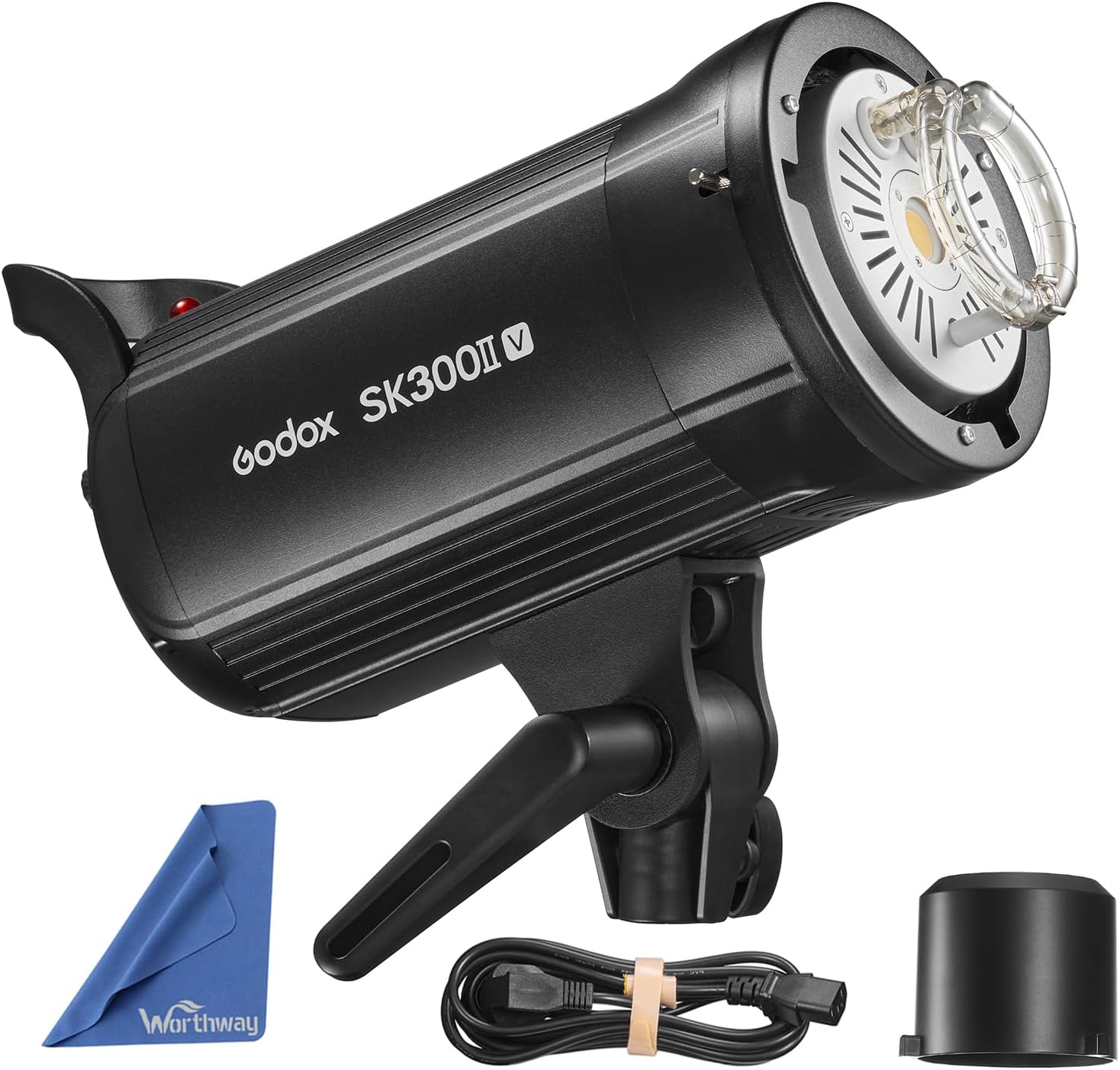
- Studio Strobe Flash (SK300IIV)
- แผ่นสะท้อนแสงมาตรฐาน
- สายไฟ
- Lamp ปิดบัง
- คู่มือการใช้งาน

4. คุณสมบัติของผลิตภัณฑ์
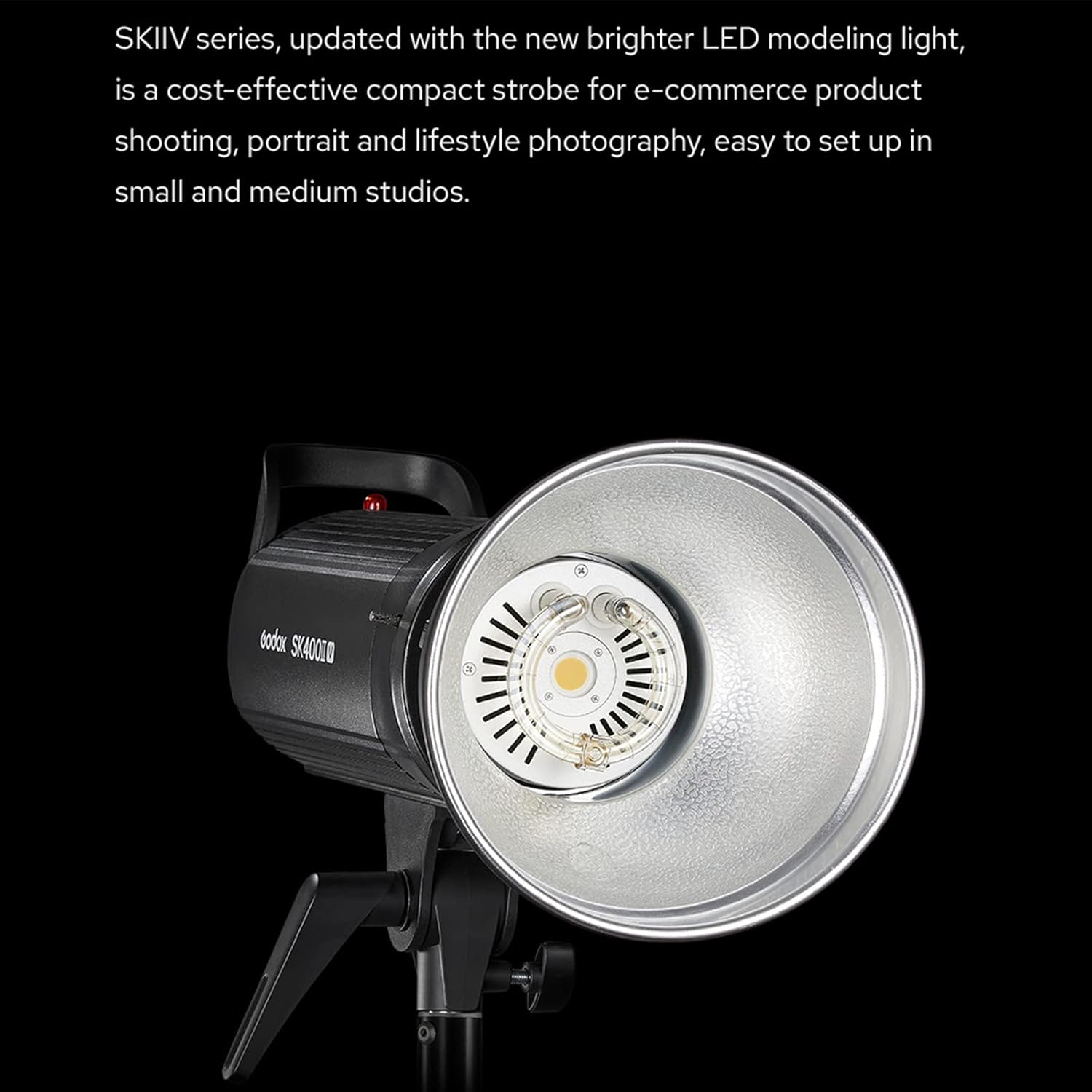
- Power output of 300W for professional studio lighting.
- Compatible with a range of accessories via Bowens Mount.
- Comes with a standard reflector for even light distribution.
- Easy-to-use interface with digital display and remote control options.
- Lightweight and compact design for easy portability and setup.
- Upgraded 10W LED modeling light with 5%-100% manual dimming.
- Built-in Godox 2.4G Wireless X System for remote triggering and control.
5. สินค้าหมดview
5.1. ด้านหน้า View
5.2. Rear Panel and Controls

5.3. โบเวน เมาท์

6. การตั้งค่า
6.1. Attaching the Standard Reflector
- Align the three mounting points on the standard reflector with the corresponding slots on the flash unit's Bowens mount.
- Insert the reflector into the mount and rotate it clockwise until it locks securely into place.
6.2. การเชื่อมต่อไฟฟ้า
- Ensure the flash unit is turned OFF.
- Connect the power cable to the power input on the rear panel of the flash unit.
- เสียบปลายอีกด้านของสายไฟเข้ากับเต้ารับไฟฟ้ากระแสสลับที่เหมาะสม
6.3. Mounting on a Light Stand
- Loosen the locking knob on the flash unit's mounting bracket.
- Slide the flash unit onto the top stud of a sturdy light stand.
- Tighten the locking knob to secure the flash unit in position.
- Adjust the tilt angle of the flash unit using the tilt adjustment handle.
7. คู่มือการใช้งาน
7.1. เปิด/ปิดเครื่อง
Flip the ON/OFF switch on the rear panel to turn the flash unit on or off.
7.2. Adjusting Flash Power
- หมุน ชุด dial to adjust the flash power output. The power can be adjusted from 1/16 to 1/1.
- The LCD screen will display the current power setting.
7.3. โมเดลลิ่งแอลamp ควบคุม
กดสั้น ๆ MOD/OFF button to cycle through the modeling lamp modes: OFF, PROP (proportional to flash power), and Percentage (5%-100% manual dimming). Rotate the ชุด knob to adjust brightness in Percentagโหมดอี
7.4. การควบคุมแบบไร้สาย (ระบบ 2.4GX)
The SK300IIV features a built-in Godox 2.4G Wireless X System for remote control. To use this function:
- กดปุ่มพร้อมกัน GR/ช ลูกบิดและ S1/S2 knob to turn on the built-in 2.4G wireless transmission system mode.
- กดสั้น ๆ GR/ช knob to set the group (A-F) for the flash.
- หมุน ชุด knob to select the desired group and press ชุด เพื่อยืนยัน.
- กดสั้น ๆ GR/ช knob again to set the channel (1-32).
- หมุน ชุด knob to select the desired channel and press ชุด เพื่อยืนยัน.
- Ensure your Godox X1, X2, XPro, or XT16 flash trigger is set to the same group and channel, and that the ID option is off.

7.5. Sync Modes (S1/S2)
กดปุ่ม S1/S2 button to toggle between S1 and S2 optical slave modes. These modes allow the flash to be triggered by another flash unit.
7.6. Test Flash
กดปุ่ม ทดสอบ button to manually fire a test flash.
8. การบำรุงรักษา
- ทำความสะอาดอุปกรณ์เป็นประจำด้วยผ้าแห้งเนื้อนุ่ม
- Avoid using solvents or harsh chemicals.
- Store the unit in a dry, well-ventilated area when not in use.
- Protect the flash tube and modeling lamp from impact.
9 การแก้ไขปัญหา
- แฟลชไม่ทำงาน: Check power connection, ensure the unit is ON, verify trigger settings (channel/group), and test the flash manually.
- Inconsistent flash output: Ensure stable power supply, check for overheating (allow cooling time), and verify power settings.
- การสร้างแบบจำลอง lamp ไม่ทำงาน: ตรวจสอบว่าการสร้างแบบจำลอง lamp mode is set to OFF. If the lamp is burnt out, it may need replacement by a qualified technician.
- Wireless trigger issues: Confirm the trigger and flash unit are on the same channel and group. Check battery levels of the trigger.
10. ข้อมูลจำเพาะ
| คุณสมบัติ | ค่า |
|---|---|
| แบบอย่าง | SK300IIV |
| กำลังขับ | 300Ws |
| หมายเลขไกด์ (ม. ISO 100) | 58 |
| อุณหภูมิสี | 5600K ± 200K |
| ปฏิบัติการฉบับที่tage | AC100-120V~50/60Hz or AC220-240V~50/60Hz |
| การปรับกำลัง | 1/16-1/1 (40 steps) |
| รีไซเคิลไทม์ | 0.1-1.5วินาที |
| ระยะเวลาแฟลช | 1/2000 - 1/800 |
| การสร้างแบบจำลอง Lamp | 10W LED (5%-100% adjustable) |
| วิธีการเรียก | สายซิงค์, ปุ่มทดสอบ, การทริกเกอร์สเลฟ, พอร์ตควบคุมไร้สาย |
| การควบคุมไร้สาย | ระบบไร้สาย Godox 2.4G X |
| ขนาด | 16.5 x 10.8 x 7.3 นิ้ว (บรรจุภัณฑ์) |
| น้ำหนัก | 6.8 ปอนด์ (รายการ) |
11. การรับประกันและการสนับสนุน
This product is covered by a manufacturer's warranty against defects in materials and workmanship. For detailed warranty information, please refer to the warranty card included in your package or contact Godox customer support. Technical support and service are available through authorized dealers and the official Godox webเว็บไซต์.


