การแนะนำ
Thank you for choosing the ORDO Sonic+ Electric Toothbrush. This manual provides essential information for the safe and effective use of your new sonic toothbrush. The ORDO Sonic+ is designed to deliver advanced oral care with its powerful sonic technology, offering 4 brushing modes and a long-lasting battery for a superior cleaning experience. Please read these instructions carefully before first use and retain them for future reference.
ข้อมูลด้านความปลอดภัยที่สำคัญ
คำเตือน: Do not allow young children to use this toothbrush. Keep the battery compartment away from young children to prevent choking hazards.
- Ensure the charging base and toothbrush handle are dry before charging.
- Do not immerse the charging base in water or any other liquid.
- Do not modify or attempt to repair the appliance. Contact customer support for service.
- เครื่องใช้ไฟฟ้าชนิดนี้มีแบตเตอรี่ที่ไม่สามารถเปลี่ยนได้
- If the product is damaged in any way (e.g., brush head, handle, charger), discontinue use immediately.
- ควรปรึกษาทันตแพทย์ก่อนใช้ผลิตภัณฑ์นี้ หากคุณเคยได้รับการผ่าตัดในช่องปากหรือเป็นโรคเหงือก
เนื้อหาแพ็คเกจ
Please check that all items are present in your ORDO Sonic+ Electric Toothbrush package:
- ORDO Sonic+ Toothbrush Handle
- ORDO Sonic+ Brush Head (1x)
- ฐานชาร์จ USB
- คู่มือการใช้งาน
การตั้งค่า
1. การชาร์จครั้งแรก
Before first use, fully charge your ORDO Sonic+ toothbrush.
- Connect the USB charging base to a compatible USB power adapter (not included) or a USB port.
- Place the toothbrush handle onto the charging base. Ensure the handle is dry before placing it on the charger.
- The LED indicator on the handle will illuminate to show charging status. A full charge typically takes several hours.
- Once fully charged, the toothbrush provides over 4 weeks of battery life with regular use.

ภาพ: The ORDO Sonic+ Electric Toothbrush resting on its USB charging base. The image highlights the product's claim of "4+ weeks battery life" and the convenience of the USB charging base.
2. การติดตั้งหัวแปรง
จัดวางหัวแปรงให้ตรงกับแกนโลหะบนด้ามแปรงสีฟัน แล้วกดลงไปให้แน่นจนกระทั่งมีเสียงคลิกเข้าที่ ตรวจสอบให้แน่ใจว่าติดแน่นดีแล้วก่อนใช้งาน
คำแนะนำการใช้งาน
1. การแปรงฟัน
- ทำให้หัวแปรงเปียกแล้วบีบยาสีฟันลงไปเล็กน้อย
- วางหัวแปรงแนบกับฟันของคุณในมุมเล็กน้อยไปทางแนวเหงือก
- Press the power button to turn on the toothbrush. It will start in the last used mode.
- Gently move the brush head slowly across each tooth surface, allowing the sonic vibrations to clean. Do not scrub aggressively.
- The built-in quad pacer will pause briefly every 30 seconds to indicate when to move to a different quadrant of your mouth.
- The toothbrush will automatically turn off after 2 minutes, indicating the dentist-recommended brushing time.
- After brushing, rinse your mouth and the brush head thoroughly.

ภาพ: ภาพระยะใกล้ view of the ORDO Sonic+ Electric Toothbrush head submerged in water, generating ripples. This image visually represents the "Powerful sonic cleaning" capability of the toothbrush.
2. โหมดการแปรงฟัน
The ORDO Sonic+ offers 4 distinct brushing modes to cater to your specific oral care needs. Press the power button repeatedly to cycle through the modes while the toothbrush is on.
- ทำความสะอาด: Standard mode for daily plaque removal.
- สีขาว: Designed for surface stain removal and polishing.
- นวด: Gently stimulates and massages gums.
- ละเอียดอ่อน: Provides a gentle clean for sensitive teeth and gums.
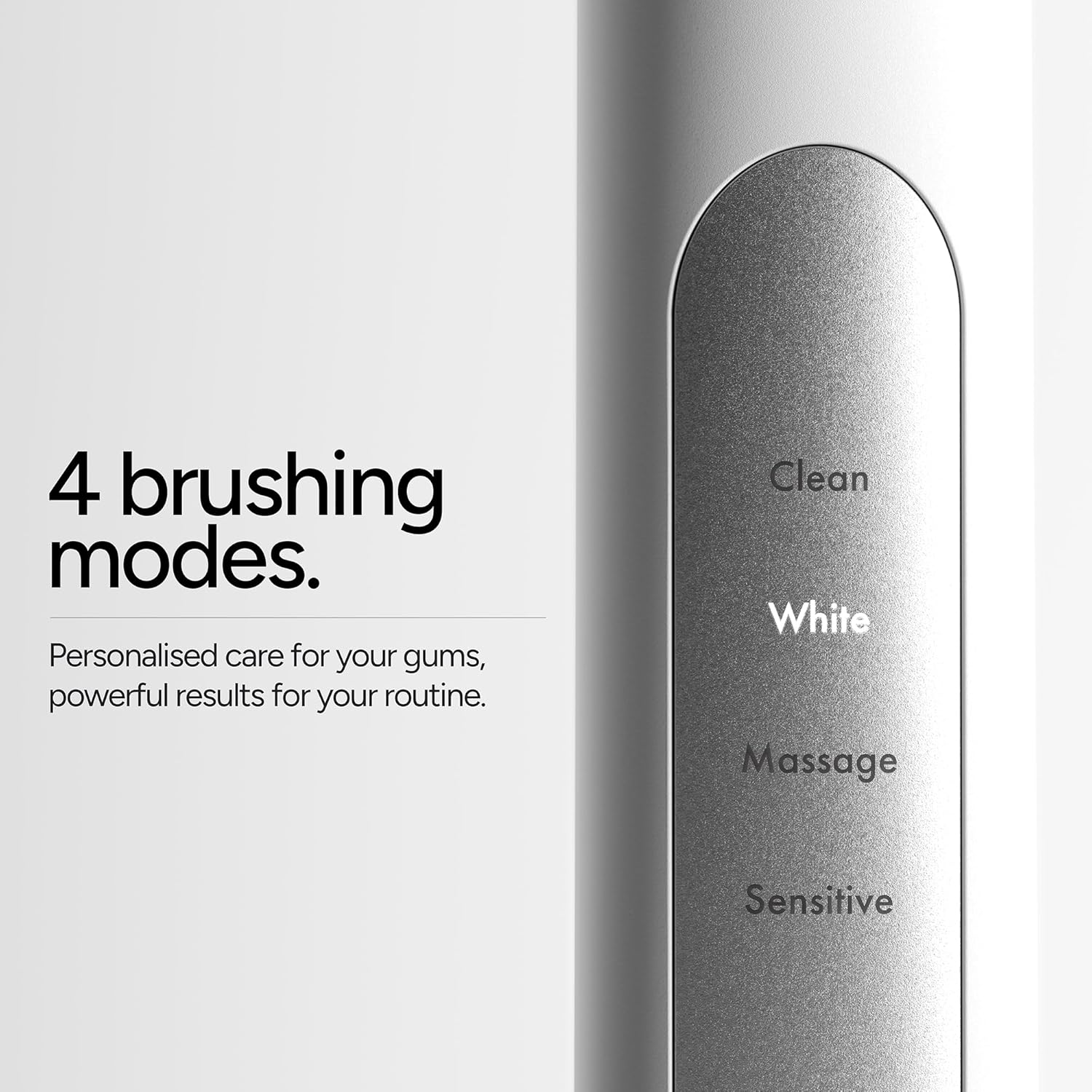
ภาพ: รายละเอียด view of the ORDO Sonic+ Electric Toothbrush handle, clearly displaying the labels for its four brushing modes: Clean, White, Massage, and Sensitive. This illustrates the personalized care options available.
การซ่อมบำรุง
1. การทำความสะอาดแปรงสีฟัน
- หลังการใช้งานทุกครั้ง ให้ล้างหัวแปรงให้สะอาดใต้ก๊อกน้ำไหล
- ถอดหัวแปรงออกแล้วล้างบริเวณแกนโลหะของด้ามจับ
- เช็ดที่จับด้วยเครื่องหมาย damp ผ้า. ห้ามใช้น้ำยาทำความสะอาดที่มีฤทธิ์กัดกร่อนหรือสารเคมีรุนแรง
- Ensure the charging base is unplugged and dry before cleaning. Wipe it with a damp ผ้าถ้าจำเป็น
2. Replacing the Brush Head
ทันตแพทย์แนะนำให้เปลี่ยนหัวแปรงสีฟันทุก 3 เดือน หรือเร็วกว่านั้นหากขนแปรงเริ่มสึกหรอ
- Grip the brush head and pull it straight off the handle.
- Align the new brush head with the metal shaft and push it down firmly until it clicks into place.
การแก้ไขปัญหา
| ปัญหา | สาเหตุที่เป็นไปได้ | สารละลาย |
|---|---|---|
| แปรงสีฟันไม่เปิดใช้งาน | แบตเตอรี่หมด | Charge the toothbrush for several hours until fully charged. |
| แปรงสีฟันไม่ชาร์จ | Charging base not connected or faulty; handle not properly placed on base. | Ensure the USB charging base is securely connected to a working power source. Re-seat the toothbrush handle firmly on the base. Check if the LED indicator illuminates. |
| Reduced vibration or performance. | Low battery; brush head worn out. | Recharge the toothbrush. Replace the brush head if it is old or frayed. |
| หัวแปรงรู้สึกหลวม | หัวแปรงไม่เข้าที่อย่างสมบูรณ์ | Remove the brush head and re-attach it firmly until it clicks into place. |
ข้อมูลจำเพาะ
- หมายเลขรุ่น: SONICPLUS-SILVER
- ขนาดสินค้า : 2.17 x 2.17 x 11.02 นิ้ว
- น้ำหนักสินค้า: 8.29 ออนซ์
- แหล่งพลังงาน: ใช้พลังงานจากแบตเตอรี่ (แบตเตอรี่ลิเธียมไอออน 1 ก้อน มีให้ในชุด)
- อายุการใช้งานแบตเตอรี่: Over 4 weeks (with typical use)
- โหมดการแปรงฟัน: Clean, White, Massage, Sensitive
- คุณสมบัติพิเศษ: Brushing Timer, Ergonomic Design, Portable, Rechargeable, Sonic Technology
- คำอธิบายความแน่นของรายการ: อ่อนนุ่ม
- ระดับการกันน้ำ: IPX7 (suitable for use in shower)
ข้อมูลการรับประกัน
ORDO products are manufactured to high-quality standards. For specific warranty details, including coverage period and terms, please refer to the warranty card included with your product or visit the official ORDO webไซต์ โปรดเก็บหลักฐานการซื้อไว้เพื่อใช้ในกรณีเรียกร้องการรับประกันใดๆ
การสนับสนุนลูกค้า
If you have any questions, concerns, or require assistance with your ORDO Sonic+ Electric Toothbrush, please contact ORDO customer support.
- Webเว็บไซต์: Visit the official ORDO webเว็บไซต์นี้มีส่วนคำถามที่พบบ่อยและช่องทางการติดต่อ
- อีเมล์/โทรศัพท์: Refer to the contact information provided on the ORDO webไซต์หรือในบรรจุภัณฑ์ผลิตภัณฑ์ของคุณ


