1. บทนำ
This manual provides detailed instructions for the setup, operation, maintenance, and troubleshooting of your TRIGKEY S5 5500U Mini PC. Please read this manual thoroughly before using the device to ensure proper functionality and to prevent damage.

Image 1.1: The TRIGKEY S5 5500U Mini PC, a compact desktop computer.
2. อะไรอยู่ในกล่อง
ตรวจสอบว่ามีรายการทั้งหมดอยู่ในแพ็คเกจ:
- 1 x TRIGKEY Mini PC 5500U 16GB+500GB
- อะแดปเตอร์ไฟฟ้า 1 ตัว
- 1 x HDMI Cable (100cm)
- 1 x คู่มือผู้ใช้ (เอกสารนี้)
- 1 x Wall-Mounted bracket
3. สินค้าหมดview
3.1. Dimensions and Physical Layout
The TRIGKEY S5 5500U Mini PC features a compact design, measuring approximately 126mm (width) x 113mm (depth) x 42mm (height).

Image 3.1: Top, front, side, and rear views of the Mini PC with dimensions indicated.
3.2. พอร์ตด้านหน้า

Image 3.2: Front panel of the Mini PC showing the power button, USB ports, and Type-C port.
- ปุ่มเปิด/ปิด: เพื่อเปิดหรือปิดอุปกรณ์
- USB 3.2 Gen2 (x3): High-speed data transfer ports.
- Type-C (Data & Video): รองรับการถ่ายโอนข้อมูลและการส่งออกวิดีโอ
- แจ็คเสียง 3.5 มม. (หูฟังและไมโครโฟน): สำหรับหูฟังและไมโครโฟน
- CLR CMOS: Button to clear CMOS settings.
3.3. พอร์ตด้านหลัง

Image 3.3: Rear panel of the Mini PC showing the LAN, USB, DisplayPort, HDMI, and power input.
- LAN (2.5Gbps): พอร์ตอีเทอร์เน็ตสำหรับการเชื่อมต่อเครือข่ายแบบใช้สาย
- พอร์ต USB2.0 (x1): พอร์ต USB มาตรฐาน
- DP 1.4 (x1): พอร์ต DisplayPort สำหรับส่งสัญญาณวิดีโอออก
- สาย HDMI 2.0 (1 เส้น): HDMI port for video and audio output.
- อินพุต DC: การเชื่อมต่ออะแดปเตอร์ไฟ
4. คำแนะนำในการตั้งค่า
4.1. การเชื่อมต่ออุปกรณ์ต่อพ่วง
- Connect your monitor(s) to the HDMI, DisplayPort, or Type-C video output ports. The device supports up to three displays simultaneously.
- เชื่อมต่อแป้นพิมพ์และเมาส์เข้ากับพอร์ต USB ที่ว่างอยู่
- For a wired network connection, connect an Ethernet cable to the LAN port.
- Connect the power adapter to the DC input port on the Mini PC, then plug the adapter into a power outlet.
4.2. เปิดเครื่องครั้งแรก
Press the power button located on the front panel. The device will boot up, and the pre-installed OS 11 Pro system will load.
5. คู่มือการใช้งาน
5.1. ระบบปฏิบัติการ
The TRIGKEY S5 5500U Mini PC comes with OS 11 Pro pre-installed. Follow the on-screen instructions for initial setup, including language, region, and user account creation.

Image 5.1: The Mini PC supports various operating systems and applications, including Windows and Linux.
5.2. การกำหนดค่าการแสดงผล
The Mini PC supports triple-screen display output at 4K@60Hz via HDMI 2.0, DisplayPort 1.4, and Type-C. To configure multiple displays:
- เชื่อมต่อจอภาพของคุณเข้ากับพอร์ตเอาต์พุตวิดีโอที่มีอยู่
- In OS 11 Pro, navigate to การตั้งค่า > ระบบ > การแสดงผล to arrange and extend your displays as needed.

ภาพที่ 5.2: อดีตample of a triple-screen display setup with the Mini PC.
5.3. Wireless Connectivity (Wi-Fi and Bluetooth)
The device is equipped with Wi-Fi 6 and Bluetooth 5.2 for wireless connections.
- ไวไฟ : To connect to a wireless network, go to การตั้งค่า > เครือข่ายและอินเทอร์เน็ต > Wi-Fiเลือกเครือข่ายของคุณ แล้วป้อนรหัสผ่าน
- บลูทูธ: หากต้องการจับคู่อุปกรณ์บลูทูธ ให้ไปที่ การตั้งค่า > บลูทูธและอุปกรณ์เปิดบลูทูธ และเลือกอุปกรณ์ของคุณจากรายการ

Image 5.3: The Mini PC supports Wi-Fi 6 and Bluetooth 5.2 for enhanced wireless connectivity.
6. การขยายพื้นที่เก็บข้อมูลและหน่วยความจำ
The Mini PC offers options for storage and memory upgrades.
6.1. อัปเกรด RAM
The device is equipped with dual-channel 16GB (8GBx2) DDR4 RAM. It supports up to 64GB (32GBx2) DDR4 RAM. To upgrade:
- ปิดเครื่องมินิพีซีและถอดสายเคเบิลทั้งหมดออก
- Carefully open the chassis (refer to the detailed instructions in the full user manual for specific steps).
- Locate the SO-DIMM DDR4 slots.
- Install the new RAM modules, ensuring they are seated correctly.
- ปิดฝาครอบตัวเครื่องและเชื่อมต่อสายเคเบิลกลับเข้าที่

Image 6.1: Illustration of RAM and M.2 NVMe SSD slots for expansion.
6.2. Storage Upgrade
The Mini PC includes a 500GB M.2 2280 NVMe SSD and supports expansion up to 2TB. It also has one SATA HDD (2.5-inch 7mm) slot for additional storage.
- ปิดเครื่องมินิพีซีและถอดสายเคเบิลทั้งหมดออก
- เปิดแชสซี
- To install an M.2 NVMe SSD, locate the M.2 2280 slot and secure the new SSD.
- To install a 2.5-inch SATA HDD, connect it to the SATA slot and secure it within the chassis.
- ปิดฝาครอบตัวเครื่องและเชื่อมต่อสายเคเบิลกลับเข้าที่

ภาพที่ 6.2: ภาพระยะใกล้ view of an M.2 NVMe SSD, indicating its form factor and interface.
7. การบำรุงรักษา
7.1. การดูแลทั่วไป
- Keep the Mini PC in a clean, dry environment, away from direct sunlight and heat sources.
- หลีกเลี่ยงการวางของหนักทับอุปกรณ์
- ตรวจสอบให้แน่ใจว่ามีการระบายอากาศที่เหมาะสมโดยไม่ปิดกั้นช่องระบายอากาศ
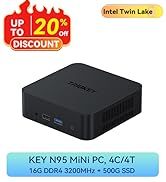
ภาพที่ 7.1: ภายใน view highlighting the cooling fan and heat sink for efficient heat dissipation.
7.2. การทำความสะอาด
- ใช้ผ้าแห้งเนื้อนุ่มเช็ดทำความสะอาดภายนอกของมินิพีซี
- สำหรับฝุ่นละอองที่สะสมอยู่ในช่องระบายอากาศ ให้ใช้ลมเป่าอัด โปรดตรวจสอบให้แน่ใจว่าได้ปิดเครื่องก่อนทำความสะอาด
- Do not use liquid cleaners or solvents directly on the device.
8 การแก้ไขปัญหา
| ปัญหา | สาเหตุที่เป็นไปได้ | สารละลาย |
|---|---|---|
| ไม่มีไฟฟ้า | อะแดปเตอร์ไฟไม่ได้เชื่อมต่อหรือมีข้อบกพร่อง | Ensure the power adapter is securely connected to the Mini PC and a working power outlet. Test with another outlet if possible. |
| ไม่มีเอาต์พุตแสดงผล | Monitor not connected, incorrect input selected, or faulty cable. | Verify monitor connections (HDMI, DP, Type-C). Ensure the monitor is set to the correct input source. Try a different cable. |
| ปัญหา Wi-Fi/บลูทูธ | Drivers not installed, disabled in OS, or interference. | Check Wi-Fi/Bluetooth settings in OS 11 Pro. Ensure drivers are up to date. Move away from potential interference sources. |
| ระบบล่ม/ค้าง | Overheating, software conflict, or hardware issue. | Ensure proper ventilation. Update drivers and OS. Run system diagnostics. If issues persist, contact support. |
For more complex issues, refer to the TRIGKEY support webเว็บไซต์หรือติดต่อฝ่ายบริการลูกค้า
9. ข้อมูลจำเพาะ
| คุณสมบัติ | รายละเอียด |
|---|---|
| โปรเซสเซอร์ | AMD Ryzen 5 5500U (6 คอร์, 12 เธรด, สูงสุด 4.0GHz) |
| กราฟฟิก | AMD Radeon Graphics 7Cores 1800MHz (Integrated) |
| แรม | หน่วยความจำ DDR4 ขนาด 16GB (Dual Channel ขยายได้สูงสุด 64GB) |
| พื้นที่จัดเก็บ | 500GB M.2 2280 NVMe SSD (expandable up to 2TB), 1x 2.5-inch SATA HDD slot |
| ระบบปฏิบัติการ | OS 11 Pro (Pre-installed) |
| การเชื่อมต่อแบบไร้สาย | Wi-Fi 6 (802.11ax), บลูทูธ 5.2 |
| การเชื่อมต่อแบบมีสาย | 1x LAN 2.5Gbps Ethernet Port |
| เอาท์พุตวิดีโอ | 1x HDMI 2.0 (4K@60Hz), 1x DP 1.4 (4K@60Hz), 1x Type-C (Data & Video, 4K@60Hz) - Triple Display Support |
| พอร์ต USB | 3x USB 3.2 Gen 2 (10Gbps), 1x USB 2.0 (480Mbps) |
| เสียง | ช่องเสียบหูฟัง 3.5 มม. 1 ช่อง (สำหรับหูฟังและไมโครโฟน) |
| ขนาด | ขนาดโดยประมาณ 126 มม. x 113 มม. x 42 มม. (4.96 x 4.45 x 1.65 นิ้ว) |
| น้ำหนัก | น้ำหนักประมาณ 0.96 กิโลกรัม (2.12 ปอนด์) |
10. การรับประกันและการสนับสนุน
TRIGKEY provides the following support and warranty services:
- One-Year Return/Exchange: Under reasonable circumstances.
- เปลี่ยนสินค้าภายใน 12 เดือน: Available within 12 months of purchase.
- Lifetime After-Sales Service and Technical Support: For any questions or issues with the machine.
- ตอบกลับด่วนภายใน 24 ชั่วโมง: ฝ่ายบริการลูกค้าตั้งเป้าที่จะตอบกลับภายใน 24 ชั่วโมง
For technical assistance or warranty claims, please contact TRIGKEY customer support through their official channels. Refer to the product packaging or TRIGKEY's official webเว็บไซต์สำหรับข้อมูลการติดต่อ

Image 10.1: TRIGKEY brand logo.


