การแนะนำ
This manual provides comprehensive instructions for the installation, operation, and maintenance of your Verdant VX Series Wired Energy Management Thermostat. Designed for robust performance and energy efficiency, this thermostat is ideal for various commercial and hospitality environments.
สินค้าเกินview
The Verdant VX thermostat is a field-proven solution for energy management, offering reliability and significant value. It incorporates advanced features for guestroom energy management, trusted by numerous hotels across North America.
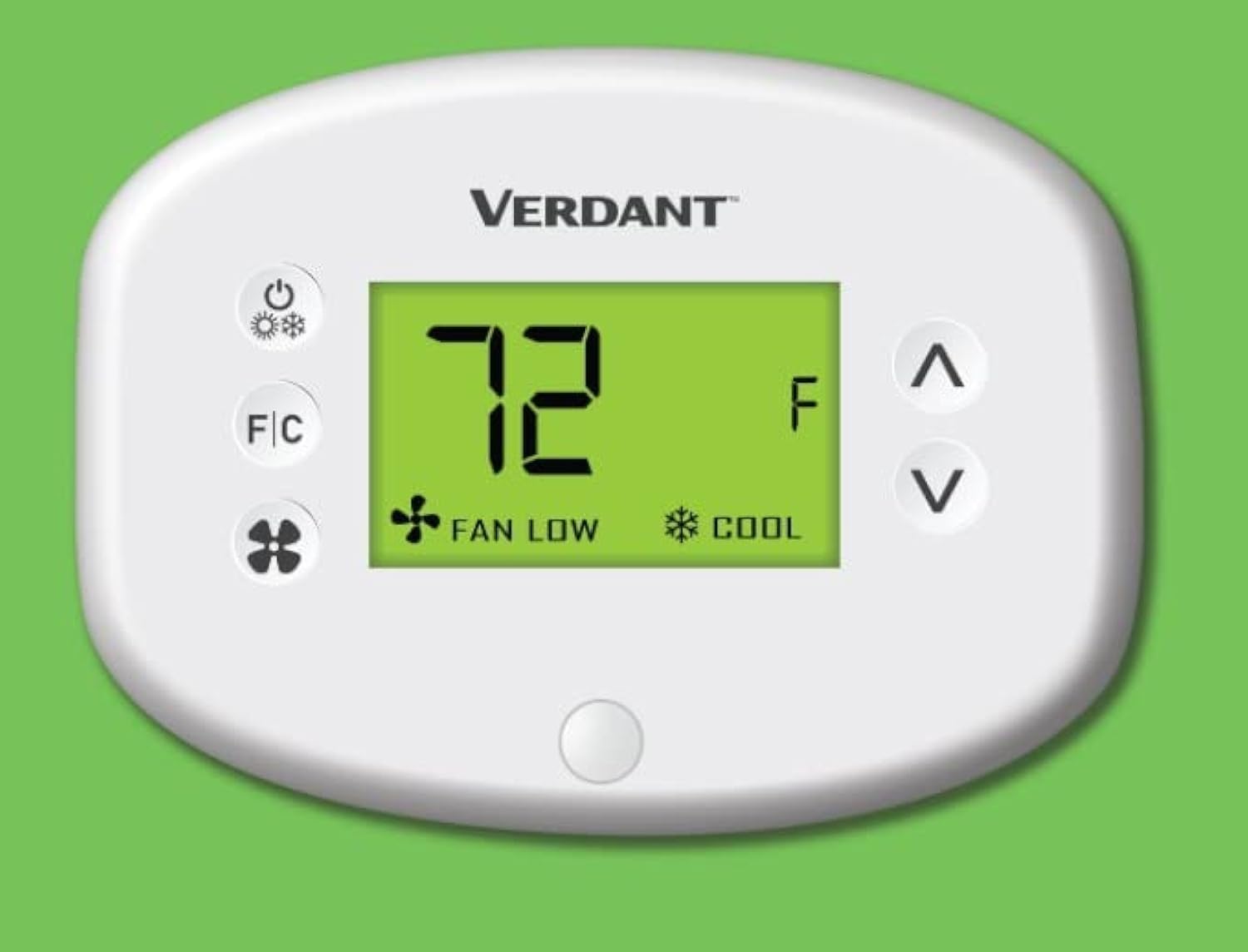
รูปที่ 1 : ด้านหน้า view of the Verdant VX Series Wired Energy Management Thermostat, displaying temperature and mode settings.
คุณสมบัติหลัก
- High-Quality Hotel thermostat can control PTAC, VTAC, Hot Water Heat pump units.
- 10 Minute Install Time.
- Compatible with VX-TW-RM, VX-TW-SA, VX-TW-KT, VX-TW-XMF systems.
- Reduces heating & cooling costs by up to 40%.
- Control type: Button Control.
- Item shape: Round.
- Mounting type: Wall Mount.
- Built-in Occupancy Sensor for intelligent energy management.
- LCD Display for clear temperature and setting visibility.

Figure 2: Visual representation of the VX Thermostat's features, highlighting its user-friendliness and energy-saving capabilities.
ข้อมูลจำเพาะ
| คุณลักษณะ | รายละเอียด |
|---|---|
| ยี่ห้อ | สีเขียวขจี |
| ชื่อรุ่น | VX Series Wired |
| ประเภทตัวควบคุม | ปุ่มกด |
| คุณสมบัติพิเศษ | Motion Detector (Occupancy Sensor) |
| สี | สีขาว |
| การใช้งานเฉพาะของผลิตภัณฑ์ | Heat Pump, PTAC, VTAC, Hot Water Heat Pump Units |
| ประเภทการควบคุมอุณหภูมิ | เครื่องทำความร้อน,ความเย็น |
| เทคโนโลยีการเชื่อมต่อ | มีสาย |
| ส่วนประกอบที่รวมอยู่ | Mounting Plate (Thermostat Base), Faceplate, Mounting Hardware |
| เล่มที่tage | 230 โวลต์ |
| วัสดุ | พลาสติก |
| รูปร่าง | กลม |
| ประเภทจอภาพ | จอแอลซีดี |
| วิธีการควบคุม | Button Control, App, Touch (Note: App/Touch control may require additional accessories/setup not detailed here) |
| ประเภทการติดตั้ง | ติดผนัง |
| แสงไฟแบ็คไลท์ | ใช่ |
| ขนาดสินค้า | 1 x 5.5 x 2 นิ้ว |
| น้ำหนักสินค้า | 8.1 ออนซ์ |
| ประเทศต้นกำเนิด | แคนาดา |
การติดตั้งและการตั้งค่า
The Verdant VX thermostat is designed for quick and easy installation, typically within 10 minutes per room by an on-site facilities team. It is a wall-mount unit and comes with the necessary mounting plate, faceplate, and hardware.
ขั้นตอนการติดตั้ง:
- การตระเตรียม: Ensure power to the HVAC unit is turned off at the circuit breaker before beginning installation.
- แผ่นติดตั้ง: Secure the mounting plate (thermostat base) to the wall using the provided mounting hardware. Ensure it is level and securely fastened.
- การเดินสายไฟ: Connect the thermostat wires according to the wiring diagram provided with your specific HVAC system and the thermostat's instructions. This is a wired connectivity device.
- Faceplate Attachment: Once wiring is complete and secure, attach the faceplate to the mounting plate, ensuring it snaps firmly into place.
- เปิดเครื่อง: Restore power to the HVAC unit. The thermostat display should illuminate.
Note: For detailed wiring diagrams and specific installation requirements, please refer to the full installation guide included with your product packaging or consult a qualified HVAC technician.
คำแนะนำการใช้งาน
The Verdant VX thermostat features an intuitive LCD display and button controls for easy operation. The built-in occupancy sensor helps manage energy consumption efficiently.
การใช้งานพื้นฐาน:
- เปิด/ปิดเครื่อง: กดปุ่ม ปุ่มเปิดปิด (usually indicated by a circle with a vertical line) to turn the thermostat on or off. When off, the display will show "OFF".
- ปรับอุณหภูมิ: ใช้ Up (^) and Down (v) arrow buttons to increase or decrease the desired temperature setting. The display will show "SET" indicating the target temperature.
- Changing Temperature Units (Fahrenheit/Celsius): กดปุ่ม ปุ่ม F/C to toggle between Fahrenheit (°F) and Celsius (°C) temperature displays.
- Selecting Mode (Heat/Cool): The thermostat automatically adjusts between heating and cooling based on the set temperature and ambient room temperature, leveraging its occupancy sensor. If the room temperature is higher than the set temperature, it will cool. If lower, it will heat. The display will indicate "HEAT" or "COOL" accordingly.
- การปรับความเร็วพัดลม: กดปุ่ม ปุ่มพัดลม (indicated by a fan icon) to cycle through available fan speeds, typically "LOW" and "HIGH". This controls how quickly the desired temperature is reached.

รูปที่ 3: รายละเอียด view of the thermostat's interface, showing the power, F/C, fan, and temperature adjustment buttons.
The integrated motion detector (occupancy sensor) automatically adjusts settings to save energy when a room is unoccupied, and returns to comfort settings when occupancy is detected. This feature significantly reduces heating and cooling costs.
การซ่อมบำรุง
To ensure optimal performance and longevity of your Verdant VX thermostat, follow these simple maintenance guidelines:
- การทำความสะอาด: ค่อยๆ เช็ดพื้นผิวของเทอร์โมสตัทด้วยผ้าเนื้อนุ่มและแห้งamp cloth. Avoid using abrasive cleaners, solvents, or harsh chemicals, as these can damage the display or casing.
- การเปลี่ยนแบตเตอรี่: The thermostat requires AA batteries (not included) for operation. If the display dims or the thermostat becomes unresponsive, it may be time to replace the batteries. To access the battery compartment, locate the small groove at the bottom of the unit and gently pull the faceplate forward. Ensure correct polarity when inserting new batteries.
- ระยะห่างของเซ็นเซอร์: Ensure the occupancy sensor (small button at the bottom of the display) is not obstructed by furniture, curtains, or other objects, as this can affect its ability to detect occupancy accurately.
- การตรวจสอบปกติ: Periodically check the thermostat for any loose connections or signs of damage. If any issues are observed, contact technical support.
การแก้ไขปัญหา
If you encounter issues with your Verdant VX thermostat, try the following troubleshooting steps:
- No Display/Unresponsive:
- Check if the thermostat is powered on. Press the Power button.
- ตรวจสอบว่าติดตั้งแบตเตอรี่อย่างถูกต้องและมีประจุเพียงพอ เปลี่ยนแบตเตอรี่หากจำเป็น
- Ensure the main power to the HVAC unit is on at the circuit breaker.
- การอ่านอุณหภูมิไม่ถูกต้อง:
- Ensure the F/C button is set to your preferred unit (Fahrenheit or Celsius).
- Check for drafts or direct sunlight hitting the thermostat, which can affect readings.
- ระบบทำความร้อน/ทำความเย็นไม่ทำงาน:
- Confirm the set temperature is appropriately higher (for heat) or lower (for cool) than the current room temperature.
- Check if the occupancy sensor is obstructed.
- Ensure the HVAC system itself is functioning correctly.
- พัดลมไม่ทำงาน:
- Press the Fan button to cycle through fan speeds (LOW/HIGH).
- Ensure the thermostat is not in "OFF" mode.
If these steps do not resolve the issue, please contact Verdant technical support for further assistance.
การรับประกันและการสนับสนุน
Verdant stands by the quality and reliability of its products. The Verdant VX thermostat comes with free lifetime technical support, ensuring assistance is always available for property owners.
For technical assistance, troubleshooting, or any product-related inquiries, please contact Verdant customer service. Refer to your product packaging or the official Verdant webเว็บไซต์สำหรับข้อมูลการติดต่อล่าสุด

รูปที่ 4: เกินview of the Verdant Energy Management System's advantages, emphasizing its efficiency and ease of integration.