การแนะนำ
This manual provides comprehensive instructions for the installation, operation, and maintenance of your Caliber RMD805BT Car Radio Infotainment System. Please read this manual thoroughly before using the product to ensure proper operation and to prevent damage.
ข้อมูลด้านความปลอดภัย
โปรดปฏิบัติตามข้อควรระวังด้านความปลอดภัยต่อไปนี้เสมอ เพื่อหลีกเลี่ยงการบาดเจ็บหรือความเสียหายต่ออุปกรณ์:
- อย่าใช้งานอุปกรณ์ในลักษณะที่รบกวนสมาธิในการขับขี่ ให้ความสำคัญกับความปลอดภัยบนท้องถนนเสมอ
- Ensure proper wiring and connections to prevent electrical shorts or fire hazards. Consult a professional for installation if unsure.
- อย่าวางเครื่องไว้ในที่ที่มีอุณหภูมิสูงหรือต่ำเกินไป แสงแดดส่องโดยตรงเป็นเวลานาน หรือความชื้นมากเกินไป
- ใช้เฉพาะแหล่งจ่ายไฟและอุปกรณ์เสริมที่ระบุไว้เท่านั้น
- อย่าพยายามถอดประกอบหรือดัดแปลงตัวเครื่อง แนะนำให้ช่างผู้ชำนาญเข้ารับบริการทั้งหมด
เนื้อหาแพ็คเกจ
ตรวจสอบว่ามีรายการทั้งหมดอยู่ในแพ็คเกจ:
- Caliber RMD805BT Car Radio Unit
- Power/Speaker Wiring Harness (ISO connector)
- รีโมทคอนโทรล
- ฮาร์ดแวร์สำหรับติดตั้ง
- คู่มือการใช้งาน (เอกสารนี้)
สินค้าเกินview




การตั้งค่า
การติดตั้ง
The Caliber RMD805BT is designed for 2 DIN standard openings. Professional installation is recommended. Refer to Figure 3 for rear connections.
- การติดตั้ง: Secure the unit into the vehicle's 2 DIN opening using the provided mounting brackets and screws.
- การเดินสายไฟ: Connect the main power/speaker harness (ISO connector) to the vehicle's existing wiring. Ensure correct polarity for all connections.
- เสาอากาศ: Connect the vehicle's FM antenna to the unit's antenna input.
- การเชื่อมต่อเสริม:
- ซับวูฟเฟอร์/Ampเครื่องฟอก: Connect external subwoofer or amplifier via the RCA output connectors.
- กล้องหลัง: เชื่อมต่ออุปกรณ์ด้านหลังที่เข้ากันได้view camera to the dedicated video input for automatic display when reversing.
- External Audio/Video: Use the auxiliary RCA inputs for other external audio/video sources.
- การตรวจสอบขั้นสุดท้าย: Before fully securing the unit, perform a quick power-on test to ensure basic functionality.
การเปิดเครื่องครั้งแรก
After installation, turn on your vehicle's ignition. The unit should power on automatically or by pressing the power button. The touchscreen will display the main menu.
การดำเนินงาน
ฟังก์ชั่นพื้นฐาน
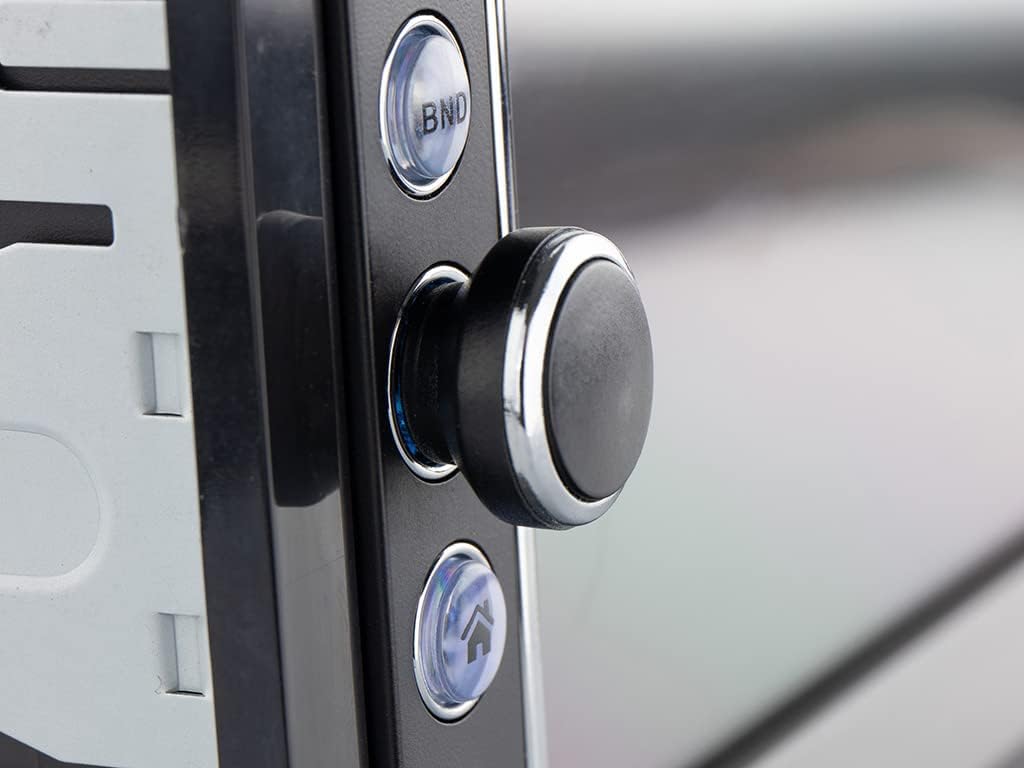
- เปิด/ปิดเครื่อง: Press the power button (usually the rotary knob) to turn the unit on or off.
- การควบคุมระดับเสียง: หมุนปุ่มเพื่อปรับระดับเสียง
- การเลือกแหล่งที่มา: Tap the 'Mode' icon on the touchscreen or press the 'MODE' button on the remote to cycle through available sources (FM, Bluetooth, USB, SD, AV-IN).
Radio Operation (FM/RDS-EON)
- จูน: In FM mode, use the touchscreen controls to manually tune or auto-scan for stations.
- ค่าที่ตั้งล่วงหน้า: บันทึกสถานีโปรดของคุณไปยังปุ่มตั้งค่าล่วงหน้าเพื่อการเข้าถึงอย่างรวดเร็ว
- RDS-EON: The unit supports RDS-EON, displaying station information, program type, and traffic announcements (TA) when available.
การเชื่อมต่อบลูทูธ
- การจับคู่: Enable Bluetooth on your smartphone. On the RMD805BT, select the Bluetooth source. ค้นหา 'RMD805BT' on your phone and pair.
- การโทรแบบแฮนด์ฟรี: Once paired, you can make and receive calls directly through the unit. Use the touchscreen or remote control buttons to answer, end, or reject calls.
- การสตรีมเสียง (A2DP): Stream music from your smartphone to the car radio. Control playback (play/pause, skip tracks) using the unit's controls or the remote.
Mirrorlink Functionality
The RMD805BT supports Mirrorlink for limited iOS and Android devices. This feature allows you to mirror your smartphone's screen onto the unit's display and control it via the touchscreen.
- การเชื่อมต่อ: Connect your smartphone to the unit via USB.
- การเปิดใช้งาน: Follow the on-screen prompts on both the unit and your smartphone to activate Mirrorlink.
- ควบคุม: Once active, your phone's screen will appear on the RMD805BT, and you can interact with your phone's apps directly from the unit's touchscreen.
การเล่น USB/SD
The unit supports media playback from USB sticks and SD cards (up to 32 GB).
- แทรกสื่อ: Insert a USB stick into the USB port or an SD card into the SD card slot.
- รูปแบบที่รองรับ: The unit can play MP3 and WMA audio files, and display MPEG4, DivX video fileและภาพ JPEG files.
- การนำทาง: Use the touchscreen to browse folders and select fileสำหรับการเล่น
Touchscreen and Remote Control
The 6.2-inch touchscreen provides intuitive control. Alternatively, use the included remote control for convenient operation from a distance.
การซ่อมบำรุง
- การทำความสะอาด: Use a soft, dry cloth to clean the unit's surface and touchscreen. For stubborn marks, slightly dampชุบผ้าด้วยน้ำ หลีกเลี่ยงน้ำยาทำความสะอาดหรือตัวทำละลายที่มีฤทธิ์กัดกร่อน
- การดูแลทั่วไป: Ensure the unit is not exposed to extreme temperatures or direct sunlight for extended periods. Keep USB and SD card slots free of dust and debris.
การแก้ไขปัญหา
If you encounter issues with your Caliber RMD805BT, refer to the following common problems and solutions:
| ปัญหา | สาเหตุที่เป็นไปได้ | สารละลาย |
|---|---|---|
| ไม่มีไฟฟ้า | การเดินสายไฟไม่ถูกต้อง; ฟิวส์ขาด; สวิตช์กุญแจรถดับ | Check power connections; Replace fuse; Turn on vehicle ignition |
| ไม่มีเสียง | Volume too low; Mute activated; Speaker wiring incorrect | Increase volume; Deactivate mute; Check speaker connections |
| บลูทูธไม่เชื่อมต่อ | Bluetooth not enabled on phone/unit; Unit not in pairing mode; Device already paired to another unit | Ensure Bluetooth is on; Put unit in pairing mode; Disconnect from other devices |
| USB/SD เล่นไม่ได้ | ไม่ได้รับการสนับสนุน file format; Corrupted media; Media not inserted correctly | ตรวจสอบ file formats; Try different media; Reinsert USB/SD card |
| หน้าจอสัมผัสไม่ตอบสนอง | Temporary software glitch; Screen calibration issue | Restart the unit (turn off/on vehicle ignition); If persistent, consult support |
ข้อมูลจำเพาะ
| คุณสมบัติ | รายละเอียด |
|---|---|
| ยี่ห้อ | ขนาดเส้นผ่าศูนย์กลาง |
| หมายเลขรุ่น | RMD805BT |
| สี | สีดำ |
| เทคโนโลยีการเชื่อมต่อ | บลูทูธ, ยูเอสบี |
| ประเภทตัวควบคุม | หน้าจอสัมผัส |
| คุณสมบัติพิเศษ | การโทรแบบแฮนด์ฟรี |
| อุปกรณ์ที่รองรับ | ลำโพง, สมาร์ทโฟน |
| ประเภทขั้วต่อ | USB ประเภทเอ |
| โหมดเอาต์พุตเสียง | สเตอริโอ, เซอร์ราวด์ |
| การกำหนดค่าช่องเสียงรอบทิศทาง | 2.0 |
| การเข้ารหัสวิดีโอ | MPEG4, DivX |
| Max USB/SD Capacity | 32GB |
| กำลังขับ | 4 x 75 วัตต์ |
| แบตเตอรี่ (สำหรับรีโมท) | 1 CR2032 (required) |
ข้อมูลการรับประกัน
The Caliber RMD805BT comes with a 1-year spare parts availability guarantee from the date of purchase. For specific warranty terms and conditions, please refer to the warranty card included with your product or contact Caliber customer support.
สนับสนุน
For further assistance, technical support, or service inquiries, please contact Caliber customer support through their official website or the contact information provided in your product packaging. When contacting support, please have your product model number (RMD805BT) and purchase details ready.


