การแนะนำ
The 8Bitdo Ultimate Bluetooth Controller with Charging Dock is a versatile wireless pro controller designed for an enhanced gaming experience across multiple platforms. Featuring Hall Effect Sensing Joysticks for precision and longevity, this controller offers seamless compatibility with Nintendo Switch, Windows PCs, and Steam Deck.

Image: The 8Bitdo Ultimate Bluetooth Controller resting on its dedicated charging dock, showcasinและมีการออกแบบสีดำเพรียวบาง
การตั้งค่า
เนื้อหาแพ็คเกจ
- ตัวควบคุมบลูทูธ 8Bitdo Ultimate
- แท่นชาร์จ
- 2.4g Wireless Adapter
- สาย USB-C

Image: The charging dock, 2.4g wireless adapter, and battery cover, illustrating the key components included with the controller.
การชาร์จเบื้องต้น
Before first use, fully charge the controller. Place the controller onto the charging dock, ensuring the contact points align. The indicator light on the dock will illuminate during charging and turn off when fully charged. Alternatively, connect the controller directly via the USB-C cable.

Image: A hand gently placing the 8Bitdo Ultimate Bluetooth Controller onto its charging dock, demonstrating the charging process.
การเชื่อมต่อคอนโทรลเลอร์
The controller supports Bluetooth, 2.4g wireless, and wired USB-C connections. Use the 2-way Mode Switching button located on the back of the controller to select your desired connection mode.

Image: The rear of the 8Bitdo Ultimate Bluetooth Controller, highlighting the 2-way mode switch (Bluetooth/2.4G) and the two programmable back paddle buttons.
การเชื่อมต่อสวิตช์ของ Nintendo
- ตั้งสวิตช์โหมดที่ด้านหลังของตัวควบคุมไปที่ 'S' (โหมดสลับ)
- บนเครื่อง Nintendo Switch ของคุณ ไปที่ 'ตัวควบคุม' > 'เปลี่ยนการจับ/ลำดับ'
- Press and hold the Pair button on the top of the controller until the player indicator lights begin to cycle.
- The controller will connect automatically.

Image: A user actively playing a game on a Nintendo Switch console, holding the 8Bitdo Ultimate Bluetooth Controller for gameplay.
Windows PC Connection
- ตั้งสวิตช์โหมดที่ด้านหลังของตัวควบคุมไปที่ 'X' (โหมดอินพุต X)
- For 2.4g wireless connection, plug the 2.4g wireless adapter into an available USB port on your PC. The controller will automatically connect.
- For wired connection, connect the controller to your PC using the USB-C cable.
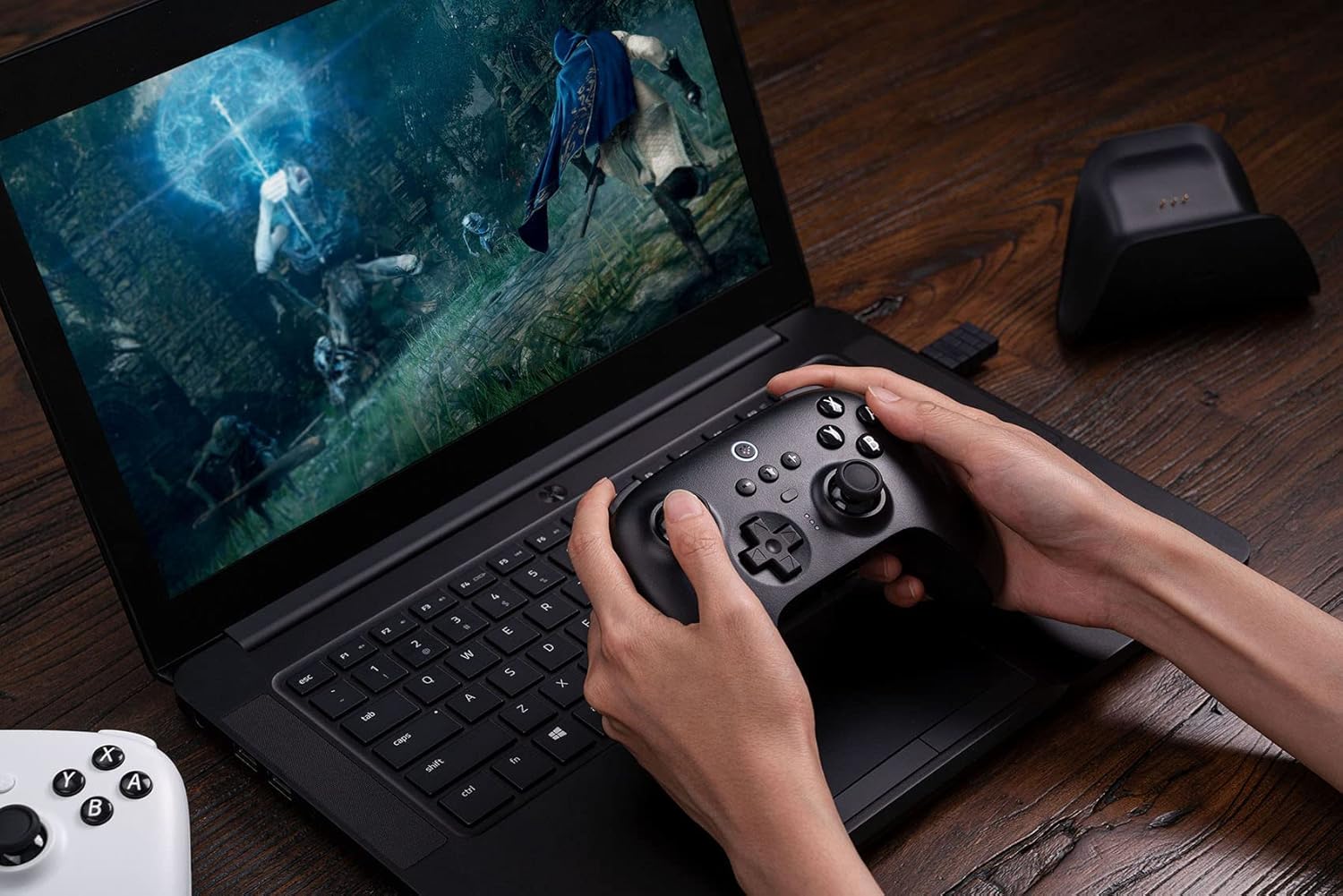
Image: A person using the 8Bitdo Ultimate Bluetooth Controller to play a game on a laptop, demonstrating PC compatibility.
การเชื่อมต่อดาดฟ้าไอน้ำ
- Ensure your Steam Deck is updated to the latest version.
- ตั้งสวิตช์โหมดที่ด้านหลังของตัวควบคุมไปที่ 'X' (โหมดอินพุต X)
- Connect the controller to your Steam Deck via Bluetooth or by plugging in the 2.4g wireless adapter.

Image: The 8Bitdo Ultimate Bluetooth Controller being used with a Steam Deck, illustrating the connection process for optimal gaming.
การใช้งานคอนโทรลเลอร์
คุณสมบัติหลัก
- Hall Effect Sensing Joysticks: Provides enhanced precision and prevents stick drift, ensuring long-term performance.
- Multifunctional Charging Dock: The controller automatically switches ON/OFF when undocked/docked, providing convenient charging and storage.
- ซอฟต์แวร์ขั้นสูงสุด: Customize button mapping, adjust stick & trigger dead zones, create macros, and manage profiles via PC or mobile (Android/iOS) applications.
- ปุ่มแพดเดิลหลังแบบ Pro 2 ปุ่ม: Programmable buttons on the rear for advanced control and custom commands.
- โปรที่กำหนดเองfile ปุ่มสวิตช์: Easily switch between 3 custom profiles on the fly, adapting to different games or play styles.
- การสั่นสะเทือนดังก้อง: มอบประสบการณ์การสัมผัสที่สมจริงระหว่างการเล่นเกม
- การควบคุมการเคลื่อนไหว: Supported when connected to Nintendo Switch.
- Player Indicators: LED lights indicate player number.

ภาพ: รายละเอียด view of the 8Bitdo Ultimate Bluetooth Controller's central features, including the custom profile switch, player indicator lights, and the 2-way mode switching button.
อายุการใช้งานแบตเตอรี่
The controller features a 22-hour rechargeable battery, providing extended playtime. Recharge using the included charging dock or USB-C cable.
การซ่อมบำรุง
การทำความสะอาด
To clean the controller and charging dock, use a soft, dry cloth. For stubborn dirt, slightly dampชุบผ้าให้เปียกน้ำ หลีกเลี่ยงการใช้สารเคมีรุนแรงหรือวัสดุขัดถู เพราะอาจทำให้พื้นผิวเสียหายได้
พื้นที่จัดเก็บ
Store the controller and dock in a cool, dry place away from direct sunlight and extreme temperatures. When not in use for extended periods, ensure the controller is fully charged before storage to maintain battery health.
การแก้ไขปัญหา
ปัญหาการเชื่อมต่อ
- ตรวจสอบให้แน่ใจว่าตัวควบคุมมีประจุไฟเต็ม
- Verify the mode switch on the back of the controller is set correctly for your device (S for Switch, X for Windows/Steam Deck).
- ลองเชื่อมต่อคอนโทรลเลอร์กับอุปกรณ์ของคุณอีกครั้ง
- If using the 2.4g adapter, try plugging it into a different USB port.
Joystick or Button Malfunctions
- Update the controller firmware using the 8Bitdo Ultimate Software (available for PC and mobile). Firmware updates often resolve performance issues.
- ปรับเทียบจอยสติ๊กและทริกเกอร์ผ่านซอฟต์แวร์ Ultimate
- Clean around buttons and joysticks to remove any debris.
ปัญหาการชาร์จไฟ
- Ensure the USB-C cable is securely connected to both the dock/controller and the power source.
- ลองใช้สาย USB-C หรืออะแดปเตอร์ไฟอื่น
- ทำความสะอาดหน้าสัมผัสการชาร์จทั้งบนตัวควบคุมและแท่นชาร์จ
For more detailed troubleshooting or specific issues, please refer to the official 8Bitdo User Manual PDF: ดาวน์โหลดคู่มือผู้ใช้ (PDF)
ข้อมูลจำเพาะ
| คุณสมบัติ | รายละเอียด |
|---|---|
| หมายเลขรุ่น | 6922621502487 |
| การเชื่อมต่อ | Bluetooth 5.0, 2.4g Wireless, USB-C Wired |
| ความเข้ากันได้ | Nintendo Switch (3.0.0 and above), Windows (10 and above), SteamOS Holo (3.4 and above) |
| ประเภทจอยสติ๊ก | Hall Effect Sensing Joystick |
| อายุการใช้งานแบตเตอรี่ | Approx. 22 hours (rechargeable Lithium Polymer) |
| ขนาดสินค้า | 6.3 x 2.17 x 5.31 นิ้ว |
| น้ำหนักสินค้า | 1.34 ปอนด์ |
| ผู้ผลิต | 8Bitdo |
| ประเทศต้นกำเนิด | จีน |
การรับประกันและการสนับสนุน
8Bitdo products are manufactured to high quality standards. For information regarding warranty coverage, returns, or technical support, please visit the official 8Bitdo webหรือติดต่อฝ่ายบริการลูกค้าโดยตรง โปรดเก็บหลักฐานการซื้อไว้เพื่อใช้ในการเคลมประกัน
สำหรับทรัพยากรเพิ่มเติมและข้อมูลผลิตภัณฑ์ โปรดไปที่ ร้านค้า 8Bitdo บน Amazon.


