1. สินค้าหมดview
This manual provides instructions for the JENSEN USB 3.1 Type-C cable, model JU832CC3V. This cable is designed for efficient data transfer and charging of compatible devices. It features reversible connectors and supports data transfer speeds up to 5 Gigabits Per Second (Gbps).
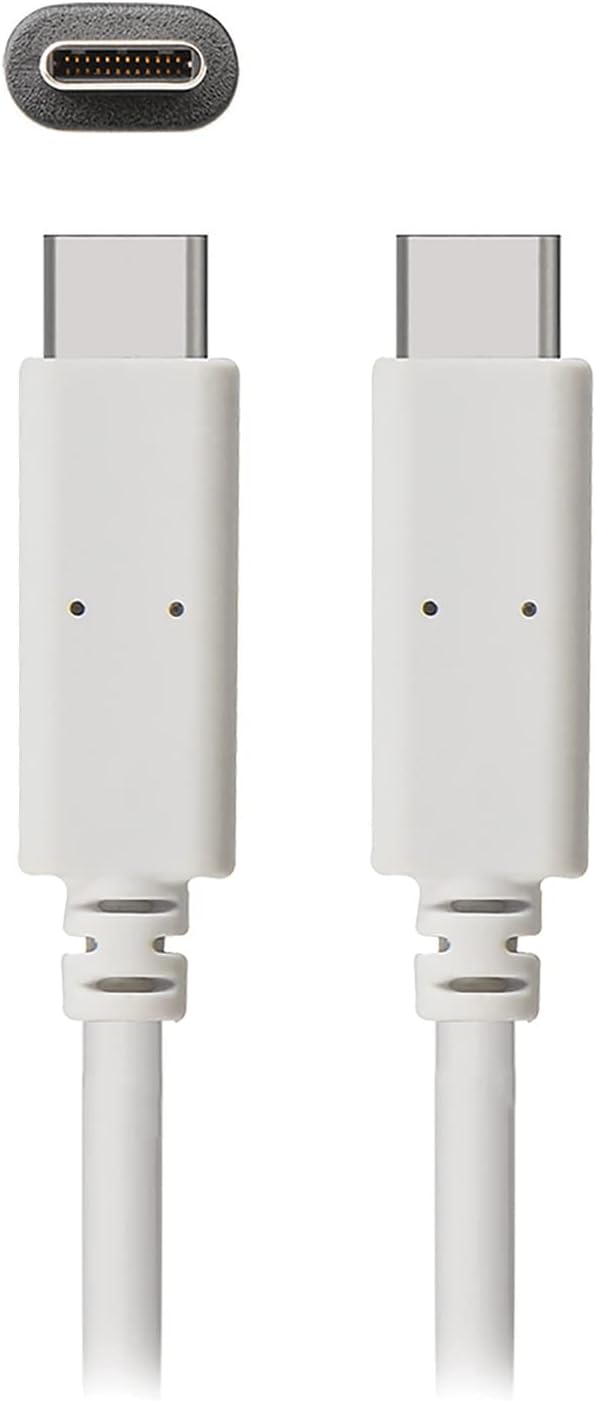
ภาพที่ 1: The JENSEN USB 3.1 Type-C cable, showcasing its durable, reversible connectors. This image displays both ends of the white cable, highlighting the USB-C connector design.
คุณสมบัติหลัก:
- USB 3.1 Type-C Compatibility: Ensures broad compatibility with modern devices.
- Durable Molded Ends: Designed for longevity and reliable connection.
- สายเคเบิลแบบยืดหยุ่น: Allows for easy routing and reduces strain.
- Reversible Connectors: Enables convenient plug-in without concern for orientation.
- อัตราการถ่ายโอนข้อมูลสูง: Supports up to 5 Gbps for fast file การซิงโครไนซ์
2. การตั้งค่าและการเชื่อมต่อ
The JENSEN USB 3.1 Type-C cable is designed for simple plug-and-play operation. No special drivers or software are required for basic functionality.
การต่อสายเคเบิล:
- ระบุพอร์ต: Locate the USB Type-C port on your host device (e.g., computer, power adapter) and the peripheral device (e.g., smartphone, external hard drive).
- เสียบตัวเชื่อมต่อ 1: Gently insert one end of the JENSEN USB 3.1 Type-C cable into the USB Type-C port of your host device. The reversible design means there is no "up" or "down" orientation.
- เสียบตัวเชื่อมต่อ 2: Insert the other end of the cable into the USB Type-C port of your peripheral device. Ensure both connections are secure.
Once connected, your devices should automatically recognize the cable for charging or data transfer, depending on their capabilities and configuration.
3. คู่มือการใช้งาน
3.1. อุปกรณ์ชาร์จ
To charge a compatible device using the JENSEN USB 3.1 Type-C cable:
- Connect one end of the cable to a USB Type-C power adapter or a powered USB Type-C port on a computer.
- Connect the other end of the cable to your device requiring charge.
- Verify that your device indicates it is charging. Charging speed may vary based on the power source and device specifications.
3.2. การโอนข้อมูล
To transfer data between compatible devices using the JENSEN USB 3.1 Type-C cable:
- Connect one end of the cable to a USB Type-C port on your computer or host device.
- Connect the other end of the cable to your peripheral device (e.g., external hard drive, smartphone).
- Your computer or host device should recognize the connected peripheral. Follow the operating system's prompts to access and transfer files.
Note: The cable supports USB 3.1 Gen 1 speeds, offering data transfer rates up to 5 Gbps. Actual transfer speeds may vary based on connected devices and file ประเภท
4. การบำรุงรักษา
Proper care will extend the life of your JENSEN USB 3.1 Type-C cable.
- การทำความสะอาด: ใช้ผ้าแห้งเนื้อนุ่มเช็ดทำความสะอาดสายเคเบิลและขั้วต่อเบาๆ หลีกเลี่ยงการใช้สารเคมีรุนแรงหรือวัสดุที่มีฤทธิ์กัดกร่อน
- พื้นที่จัดเก็บ: เก็บสายเคเบิลไว้ในที่แห้งและเย็น หลีกเลี่ยงแสงแดดโดยตรงและอุณหภูมิที่สูงหรือต่ำเกินไป หลีกเลี่ยงการพันสายเคเบิลแน่นหรืองอเป็นมุมแหลมเพื่อป้องกันความเสียหายภายใน
- การจัดการ: จับที่ขั้วต่อเสมอเมื่อเสียบหรือถอดสายเคเบิล แทนที่จะดึงที่สายเคเบิลโดยตรง
5 การแก้ไขปัญหา
If you encounter issues with your JENSEN USB 3.1 Type-C cable, consider the following:
- อุปกรณ์ไม่ชาร์จ:
- ตรวจสอบให้แน่ใจว่าปลายทั้งสองข้างของสายเคเบิลเชื่อมต่ออย่างแน่นหนา
- Verify that the power adapter or USB port is functional and providing sufficient power.
- ลองทดสอบสายเคเบิลกับอุปกรณ์หรือแหล่งจ่ายไฟอื่นที่ใช้งานร่วมกันได้ เพื่อแยกแ1ยะปัญหา
- การถ่ายโอนข้อมูลช้า:
- Confirm that both connected devices support USB 3.1 (or higher) for optimal speeds.
- Ensure the ports on both devices are USB 3.1 compatible. Connecting to a USB 2.0 port will limit speeds to USB 2.0.
- Check for other active processes on your computer that might be consuming bandwidth.
- การเชื่อมต่อไม่ต่อเนื่อง:
- ตรวจสอบขั้วต่อว่ามีร่องรอยความเสียหายหรือสิ่งสกปรกใดๆ ที่มองเห็นได้หรือไม่
- Try connecting to different ports on your devices.
หากปัญหายังคงอยู่ โปรดดูส่วนการสนับสนุนเพื่อขอความช่วยเหลือเพิ่มเติม
6. ข้อมูลจำเพาะ

ภาพที่ 2: Retail packaging for the JENSEN USB 3.1 Type-C cable, highlighting key features such as 3ft length, reversible connectors, and 5 Gbps data transfer.
| หมายเลขรุ่น | JU832CC3V |
| ยี่ห้อ | เจนเซ่น |
| ประเภทขั้วต่อ | พอร์ต USB Type C (ตัวผู้ต่อตัวผู้) |
| ประเภทสายเคเบิล | ยูเอสบี 3.1 |
| อัตราการถ่ายโอนข้อมูล | Up to 5 Gigabits Per Second (Gbps) |
| ความยาวสายเคเบิล | 3 ฟุต (ประมาณ 0.91 เมตร) |
| สี | สีขาว |
| อุปกรณ์ที่รองรับ | Chargers, Personal Computers, and other USB Type-C enabled devices |
| คุณสมบัติพิเศษ | Data Transfer, Reversible Connectors |
| ผู้ผลิต | VOXX INTERNATIONAL |
| ขนาดสินค้า | 2.95 x 0.12 x 5.91 นิ้ว |
| น้ำหนักสินค้า | 0.704 ออนซ์ |
| ยูพีซี | 044476141812 |
7. การรับประกันและการสนับสนุน
This JENSEN product is manufactured by VOXX INTERNATIONAL. For information regarding warranty coverage, terms, and conditions, please refer to the warranty documentation included with your purchase or visit the official Jensen webเว็บไซต์.
For technical support or customer service inquiries, please contact the manufacturer directly. Contact information can typically be found on the product packaging or the official Jensen support portal.
You can visit the Jensen Store for more products and information: Jensen Store on Amazon


